Home Blog Page 122

Ultimate Thumbnail Maker V1.0

0

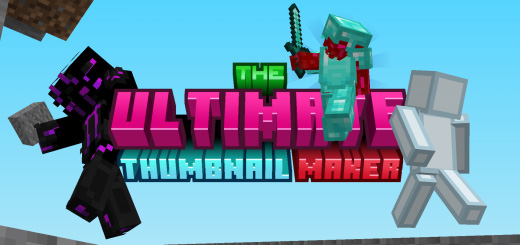
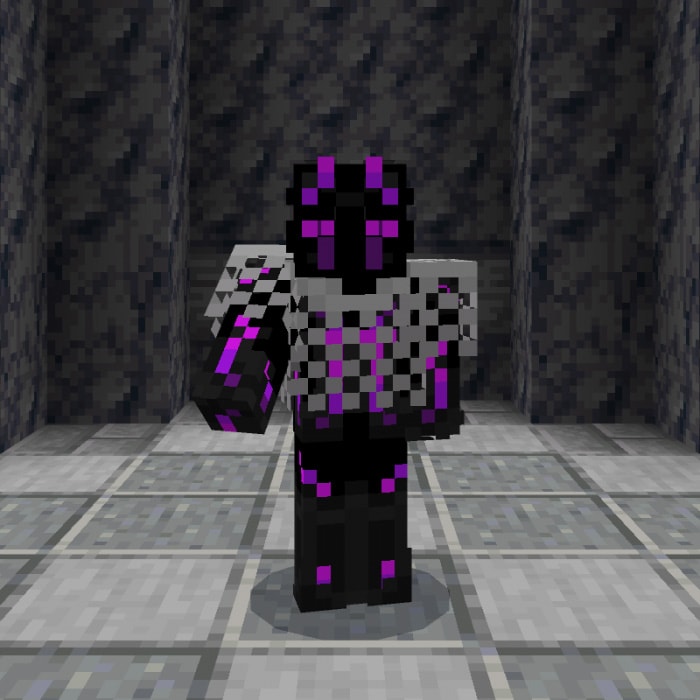
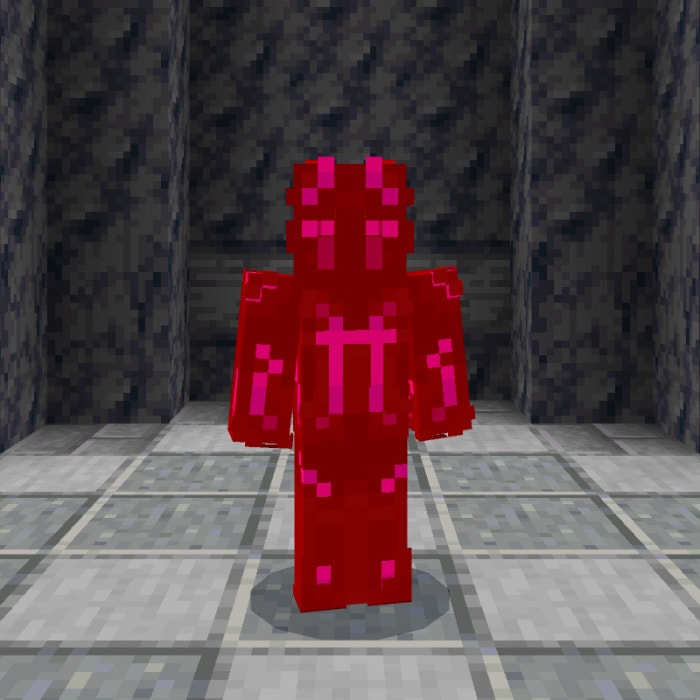
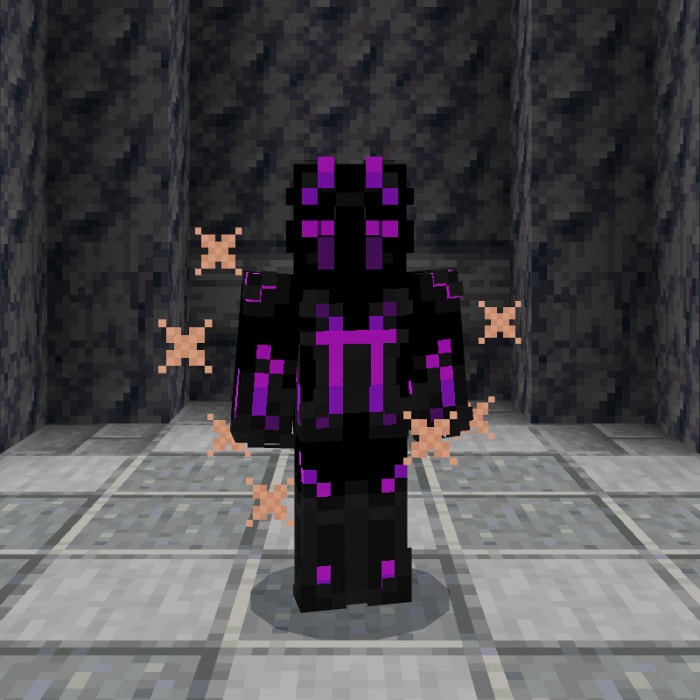
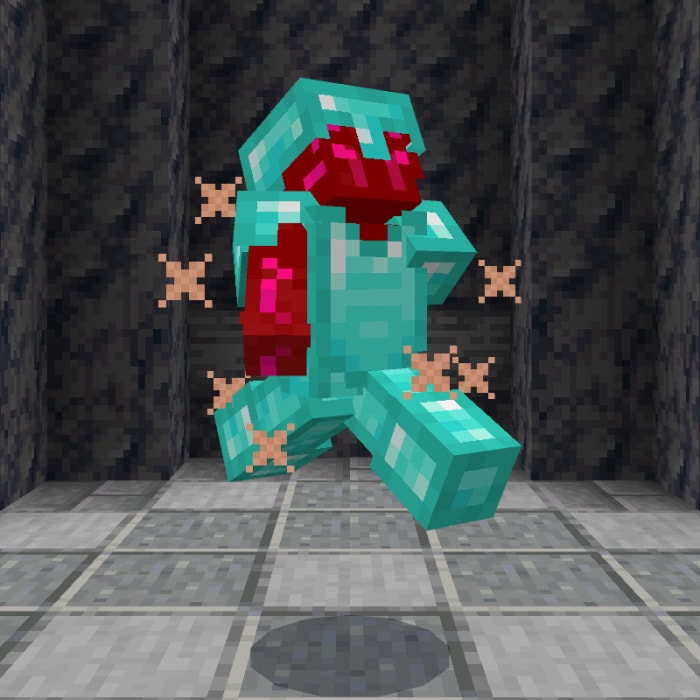
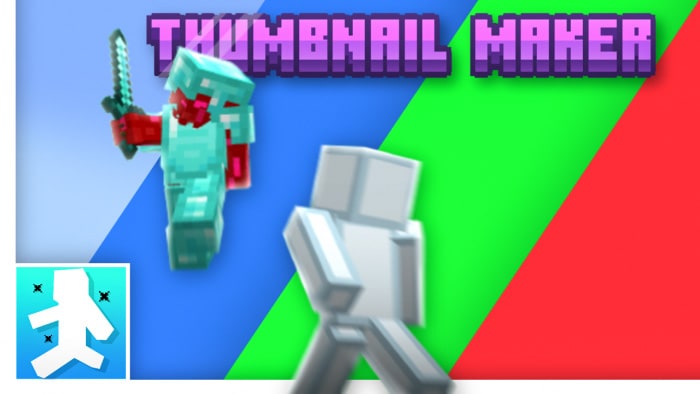
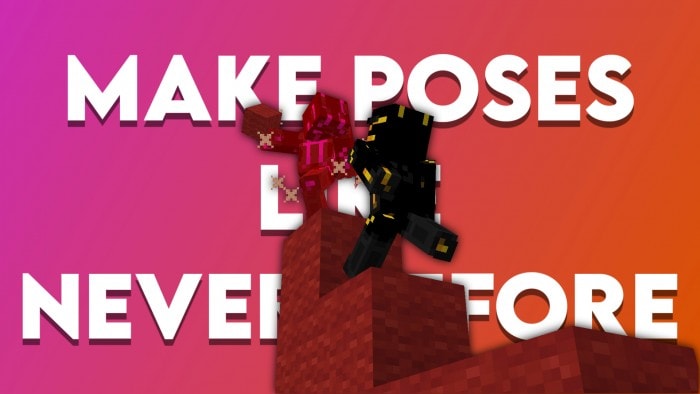
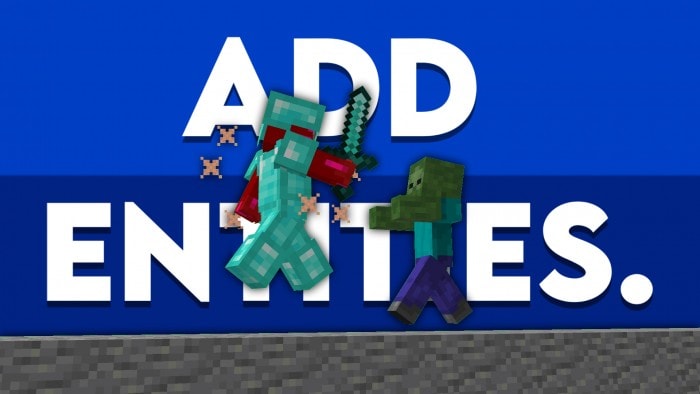
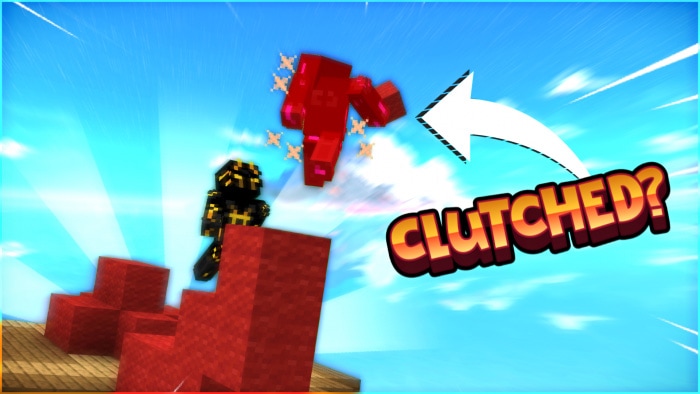
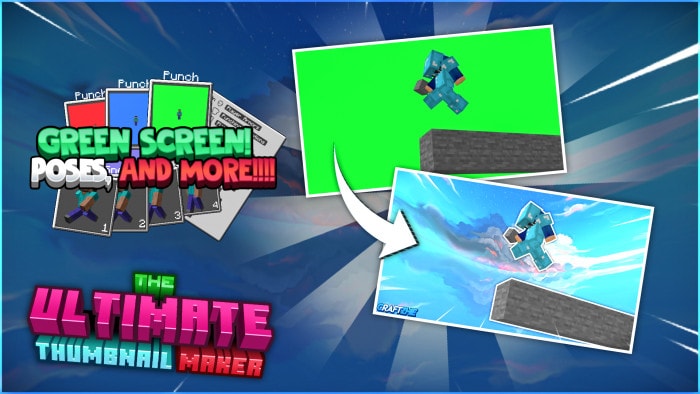
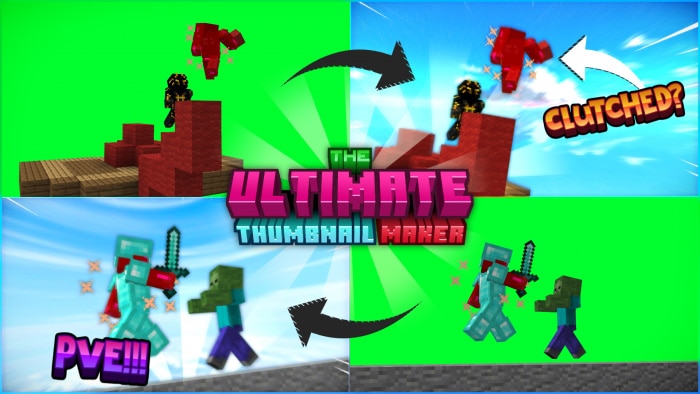
Ultimate Thumbnail Maker V1.0 are you try???? Have you ever wished you had the ability to take the perfect thumbnail? Have you ever wished to change the poses and actions of your players? And you’ll have your perfect thumbnail in just 5 minutes!

Cre: Chainsketch (Youtube, Twitter)

Ultimate Thumbnail Maker V1.0

The UTM contains more than ten unique characteristics to ensure that you get the greatest thumbnail possible.

Punching Animations and Particle Effects are just a few of the features!

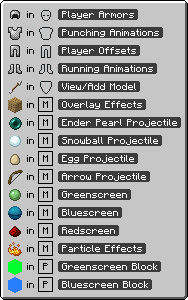
Look for a feature on the supported items list and equip or hold it once you’ve found it:

Support Items:

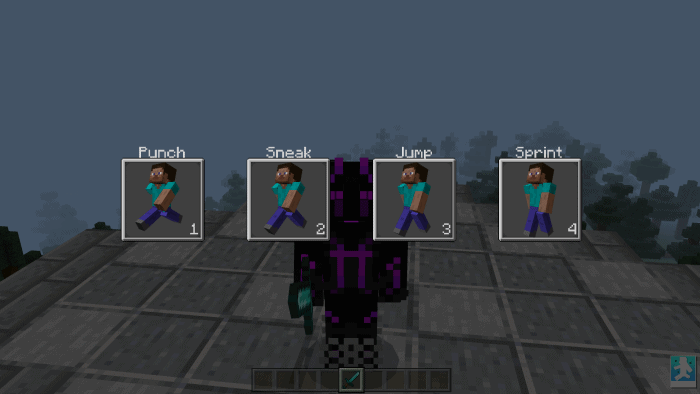
On a picker menu, each feature has four levels of customizability.

To pick an option from a menu, you must first do the action listed above the item.

Option 1 would be triggered by punching, whereas option 2 would be triggered by sneaking.

This will be present in each selector menu and can be turned off by simply unplugging the supported item.

Examples :

Select Menu:

Features:

  • Player Armors (Full/Lite)
  • Punching Animations (Full/Lite)
  • Player Offsets (Full/Lite)
  • Running Animations (Full/Lite)
  • View/Add Model (Full) / View Model (Lite)
  • Overlay Effects (Full/Lite)
  • Projectiles (Full)
  • Screens (Full)
  • Particle Effects (Full)
  • Chroma Blocks (Full/Lite)
  • Instructions (Full/Lite)

Example Features:

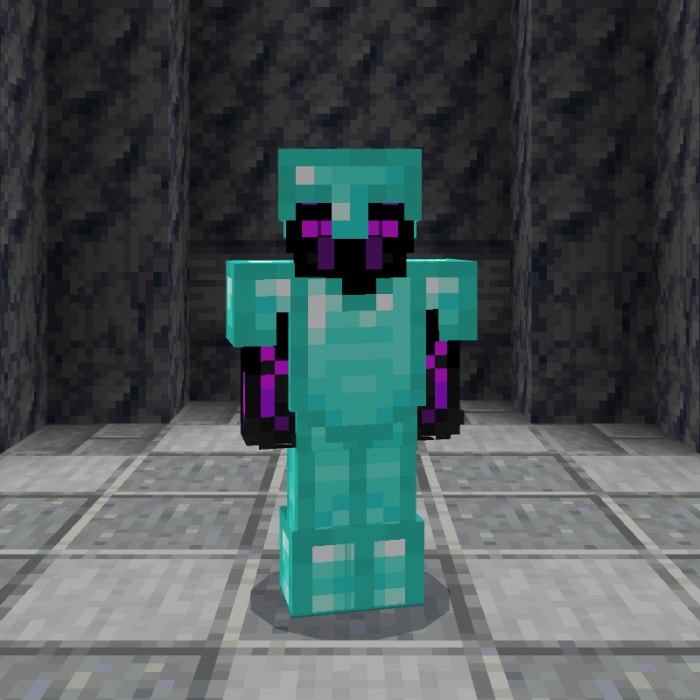
(Player Armors)

(Player Armors)

(Punching Animations)

(Player Offsets)

(Running Animations)

(Overlay Effects)

(Particle Effects)

(View/Add Model)

(All Effects Above)

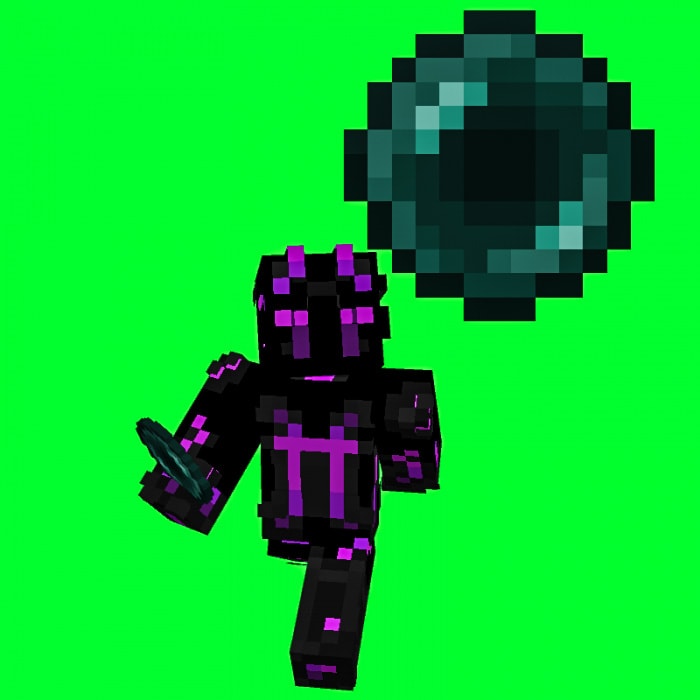
(Greenscreen + Ender Pearl Projectile)

Rules:

 What you CAN do:

  • Showcase/Use this pack in any video as long as I (Chainsketch) am credited properly with my channel link AND the MCPEDL or Universe Bedrock link.
  • Modify the pack for PRIVATE use.

 What you CANT do:

  • Steal or take code and use it in ANY pack or addon
  • Modify the pack for PUBLIC use.
  • Upload its contents to any third party site.
  • Showcase/Use the pack in any video WITHOUT proper credits.
  • Promote any alternative links to the download.

Thumbnails by: iOpTicX#3069

Thumbnail by: ItzSafeCase#3337

Thumbnail by: Levi why#6475

Ultimate Thumbnail Maker V1.0

Thumbnails by: Dyloxity#5381

Thumbnails by: Craftzhie#6805

 Note:

  • Breaking the Terms of Use can get your banned from my discord, blocked, or even copyright striked.
  • Dont break the rules.

Some others Texture Minecraft PE you can check in Mcpeaddons.com:

Download Ultimate Thumbnail Maker V1.0 (Mediafire) or File Drive

Download Ultimate Thumbnail Maker V1.0 (for Mobile)

- Advertisement -

A Night With Mr. Fred: 2003

0

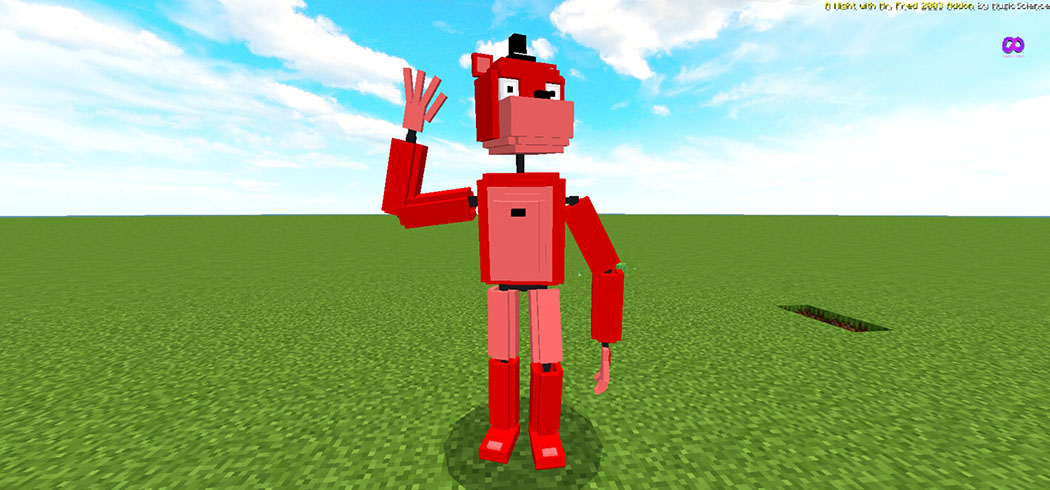
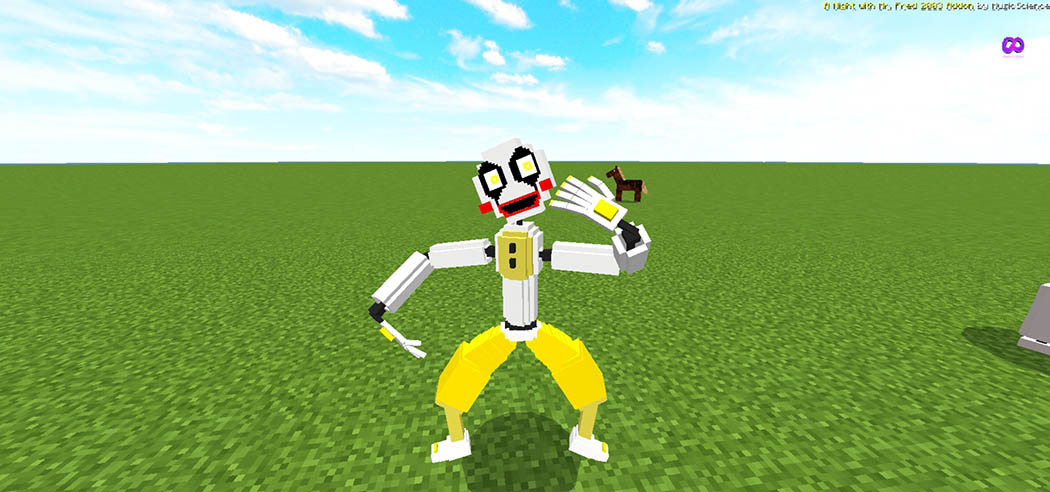
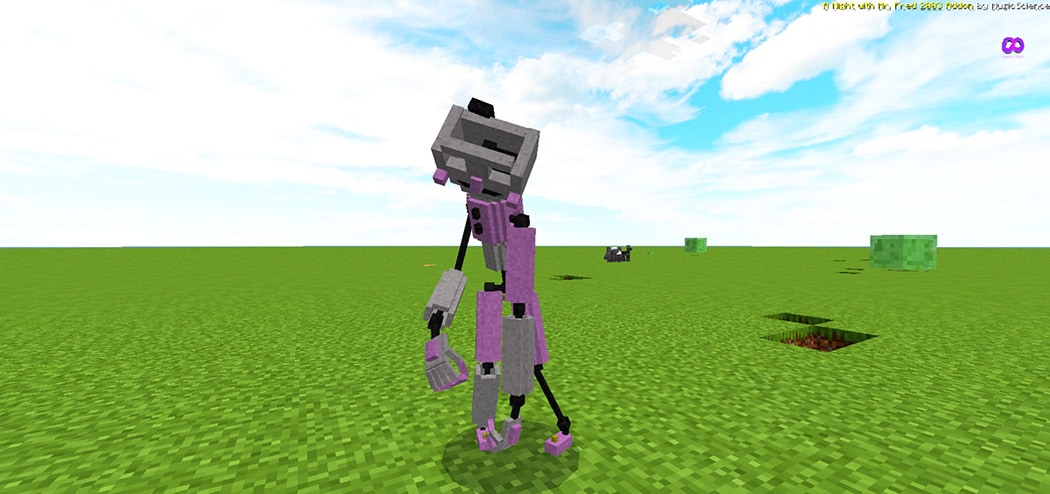
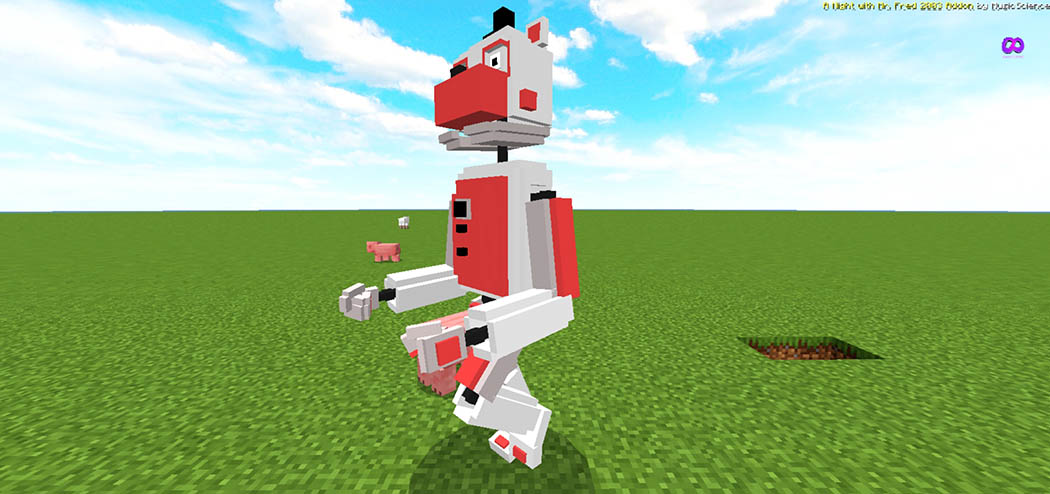
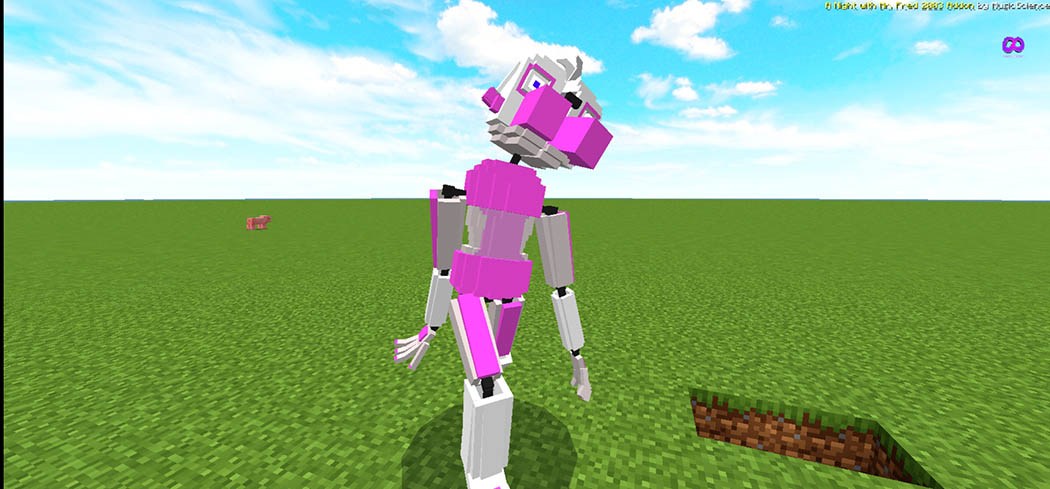
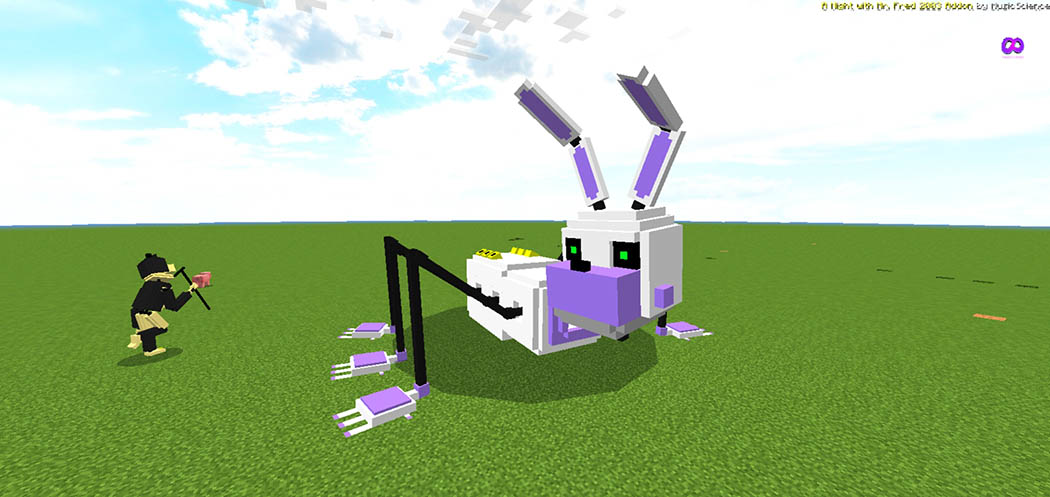
A Night With Mr. Fred: 2003 addon was inspired by Scott Cawthon’s game Five Nights at Freddy’s. New Animatronics such as Mr. Fred, Lily, Wallace, and Others are included in this addon. Credit me @AddonsByMusicScience https://youtube.com/c/MUSICSCIENCE if you want to use A Night With Mr. Fred: 2003 Addon for maps or video.

Cre: MusicScience (Youtube)

A Night With Mr. Fred: 2003

Some addons to Minecraft PE are similar to A Night With Mr. Fred: 2003 addon you can check in mcpeaddons.com:

Animatronics:

Mr. Fred

  • Eye Color – Black
  • Skin Color – Red
  • Skin Materials –  Iron
  • Based on – Bear
  • Class – Entertainer
  • Created in – the 1850s
  • Owner- Team Airfare Robotics
  • Gender – Male

Lily

  • Eye Color – Blue
  • Skin Color – Magenta
  • Skin Materials – Iron
  • Based on – Bull Dog
  • Class – Entertainer
  • Created in – the 1850s
  • Owner- Team Airfare Robotics
  • Gender – Female

Wallace

  • Eye Color – Green
  • Skin Color – Blueish Purple
  • Skin Materials – Iron
  • Based on – Rabbit
  • Class – Entertainer/Magician
  • Created in – 1850s
  • Owner- Team Airfare Robotics
  • Gender – Male

Wallace

Eye Color – Green

  • Skin Color – Blueish Purple
  • Skin Materials – Iron
  • Based on – Rabbit
  • Class – Entertainer/Magician
  • Created in – 1850s
  • Owner- Team Airfare Robotics
  • Gender – Male
  • Skin Color – Blueish Purple
  • Skin Materials – Iron
  • Based on – Rabbit
  • Class – Entertainer/Magician
  • Created in – 1850s
  • Owner- Team Airfare Robotics
  • Gender – Male

Dusk Maine

  • Eye Color – Yellow
  • Skin Color – Silver
  • Skin Materials – Titanium/Iron
  • Based on – Humanoid
  • Class – Clown
  • Created in – 1989
  • Owner- Dusk and Dawn Entertainment LLC
  • Gender – Male

Dawn Wings

  • Eye Color – Yellow
  • Skin Color – White
  • Skin Materials – Titanium/Iron
  • Based on – Humanoid
  • Class – Clown
  • Created in – 1989
  • Owner- Dusk and Dawn Entertainment LLC
  • Gender – Male

Matti

  • Eye Color – null
  • Skin Color – Silver
  • Skin Materials – Titanium/Iron
  • Based on – Humanoid
  • Class – Ballerina
  • Created in – 2003
  • Owner- Dusk and Dawn Entertainment LLC
  • Gender – Female

Funtime Fred

  • Eye Color – Black
  • Skin Color – Silver
  • Skin Materials – Iron
  • Based on – Bear
  • Class – Clown
  • Created in – 1987
  • Owner- MusicScience Funtime Foundation
  • Gender – Male

Funtime Lily

  • Eye Color – Blue
  • Skin Color – Silver
  • Skin Materials – Iron
  • Based on – Poodle
  • Class – Clown
  • Created in – 1987
  • Owner- MusicScience Funtime Foundation
  • Gender – Female

Funtime Wallace

  • Eye Color – Black
  • Skin Color – Silver
  • Skin Materials – Iron
  • Based on – Rabbit
  • Class – Clown/Puppeteer
  • Created in – 1987

Owner- MusicScience Funtime Foundation

  • Gender – Male
  • Molten Wallace
  • Eye Color – Red
  • Skin Color – Metal color
  • Skin Materials – Wires, Metals, and Plastics
  • Based on – Various Animatronics
  • Class – Amalgamation
  • Created on – Unspecified
  • Owner- Unspecified
  • Gender – Unspecified

Molten Wallace

  • Eye Color – Red
  • Skin Color – Metal color
  • Skin Materials – Wires, Metals, and Plastics
  • Based on – Various Animatronics
  • Class – Amalgamation
  • Created on – Unspecified
  • Owner- Unspecified
  • Gender – Unspecified

Tips:

  1. Dusk transforms to Dawn when it’s dark even daytime 
  2. You can clean Dusk and Dawn using the sponge 
  3. Spawn dawn and Mr. Groover and see what happens 
  4. Credit me, please 

Changelog

  1. New Model for security Bot
  2. New Animation for Security Bot
  3. Added Withered Matti
  4. Animatronics no longer jumpscare player in creative mode (Still performs Animation) 
  5. Fixed Withered Funtime Lily Look at Animation
  6. New Model and Animation to Dusk and Dawn
  7. Few Changes and Bug Fixes

Installation

Download The Addon Below and Subscribe to my YouTube channel – https://youtube.com/c/MUSICSCIENCE

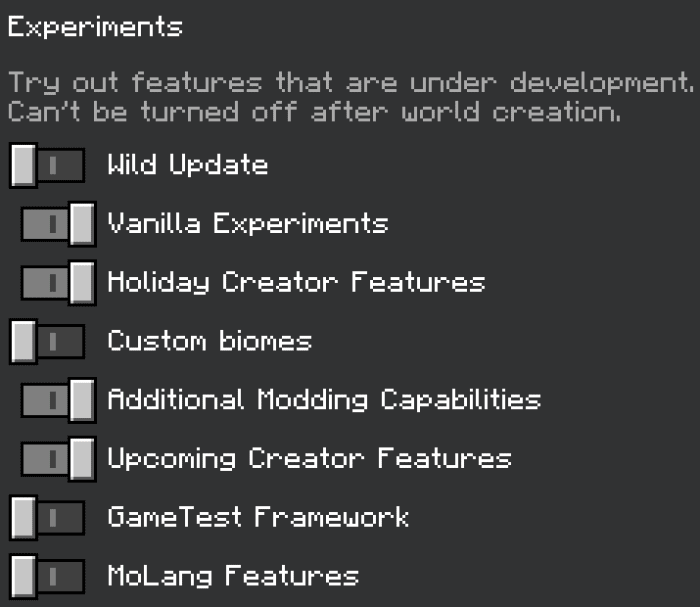
  • Turn on Holiday Creator Features
  • Turn on Experimental Wild Update
  • Turn on Vanilla Experiments
  • Turn on Molang Feature
  • Turn on Additional Modding Capabilities

Download A Night With Mr. Fred: 2003 (Mediafire) or FILE DRIVE

Download A Night With Mr. Fred: 2003 (Zip) 

- Advertisement -

Escape From Pocong Horror Map

0

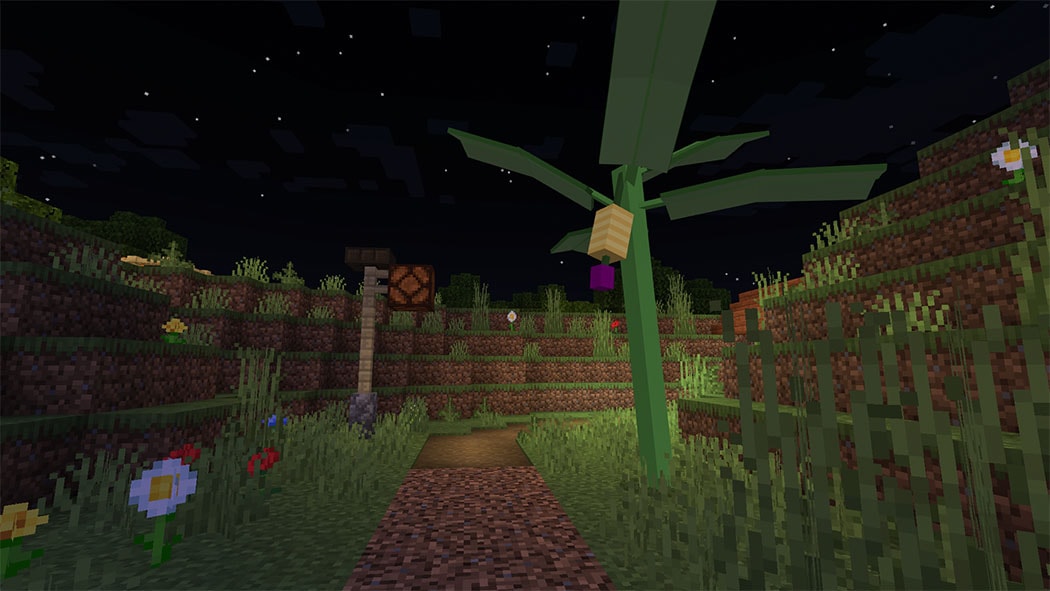
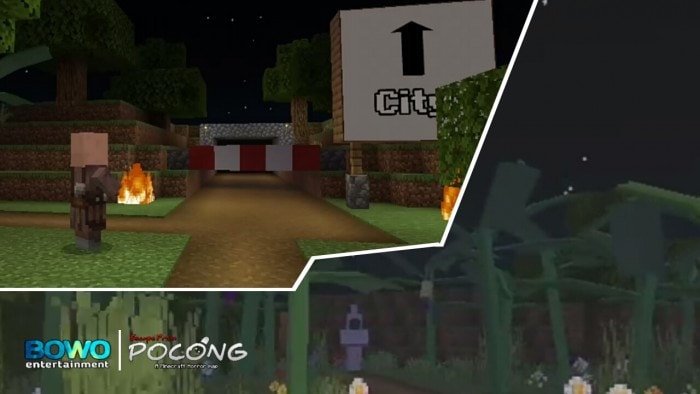
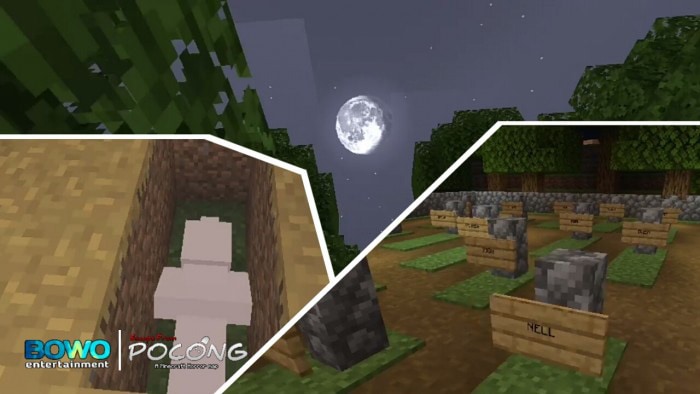
Pocong is an Indonesian ghost who emerges in banana fields since his pocong rope was forgotten to be removed when he was buried. You must assist Pocong in removing the Pocong rope so you can return home!! Subscribe to YouTube to support the creator: Entertainment by Bowo

You’re stranded in the woods one day and come across a building, which you enter without understanding is haunted. You’re imprisoned in the house, and the only way out is through a secret tunnel you learned about from a book you found in the house. The adventure has begun!!!

Cre: Bowo entertainmentt

Escape From Pocong Horror Map

TRailer:

There are stages in this game:

Haunted house

Forest

By searching for it, you must figure out how to escape out of the house.

Village

Strangeness awaits you in this village. It’s up to you to find out!!

Cemetery

You committed a blunder in this location, and now you’re trapped in a haunting house.

Haunted house

You have to be able to get away from Pocong!!

-Forbidden to add textures!!

-Playable for Multiplayer

-Can use shaders

-Sorry if there are similarities in names and places

Some others Map Minecraft PE you can check in our site – Mcpeaddons.com

What happens next? Play now!

Attention!!

  • it is forbidden to recreate this map
  • if you want to share maps, share this mcpedl.com link
  • it is forbidden to admit this map was made by you perhatian!!
  • dilarang membuat ulang peta ini
  • jika Anda ingin berbagi maps ini, bagikan tautan mcpedl.com ini
  • dilarang untuk mengakui maps ini buatanmu

Installation

Download Escape From Pocong Horror Map (Mcword) 

Download Escape From Pocong Horror Map (Zip)

Parkour Map for Minecraft PE Maps
- Advertisement -

Kiyoshi’s Artifacts Addon

1

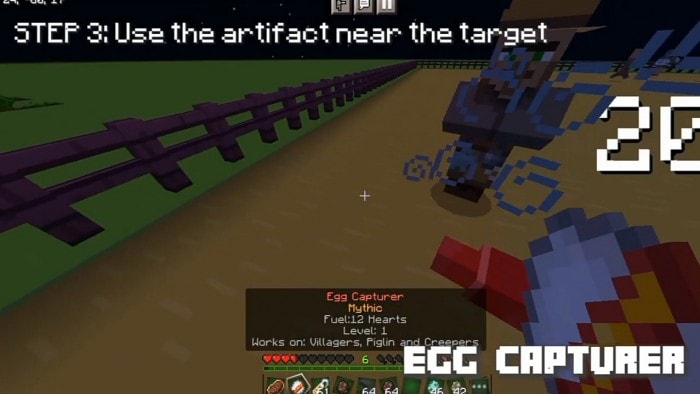
Kiyoshi’s Artifacts addon offers a variety of artifacts that players can use. All artifacts can be utilized indefinitely, however they all have various cooldowns. Long-press or right-click an item while holding it in your hand to use it. When holding a certain artifact, the cooldown, as well as the rarity and level of the artifact, are all given.

Note that if your friends or pets are in the vicinity of the relics, they may be harmed. Activate the Holiday Creator Options

Cre:Kiyoshi Jack (Youtube) 

Kiyoshi’s Artifacts Addon

INFO

How do you get it?

Survival

Crates can be opened to obtain any artifact (based on its rarity)

The majority of artifacts can be obtained in treasure chests and loots from various structures all across your realm.

Some can be gotten through bartering and trading, while others can be crafted. A few can be obtained by performing tasks such as fishing, while some are mob loots.

Creative

In your creative inventory, all artifacts are in the equipments category.

Or just simply type 

/give @s kna:<the artifact you want> 

Example: /give @s kna:eternal_steak

FEATURES

Bonus Chest Feature

– to activate, turn on “bonus chest” before creating a world and it will contain a suspicious paper

Suspicious Paper – gives every player currently on the game 2 Common Crates, 1 Uncommon Crate, 1 Sock of Candies, and a Starter Chest 

Sock of Candies – gives you a random candy

Starter Chest – just gives you some stuff 

Rarity Feature

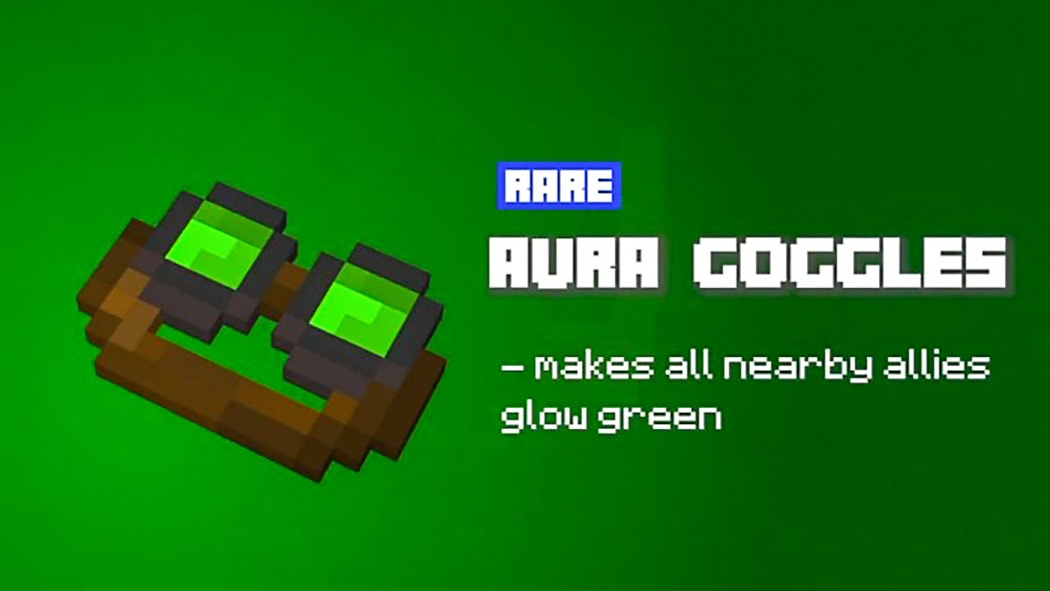
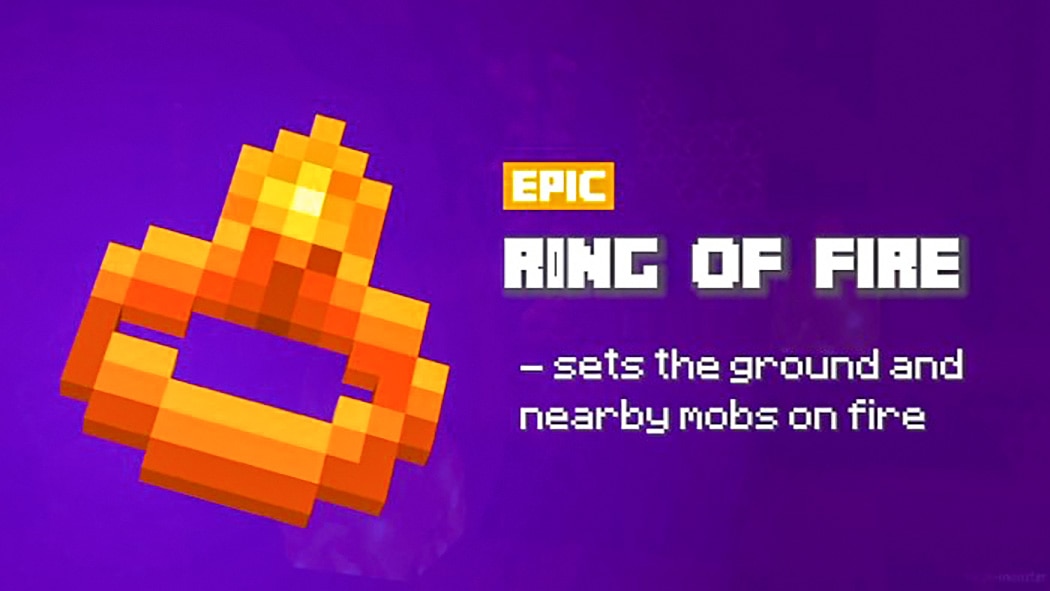
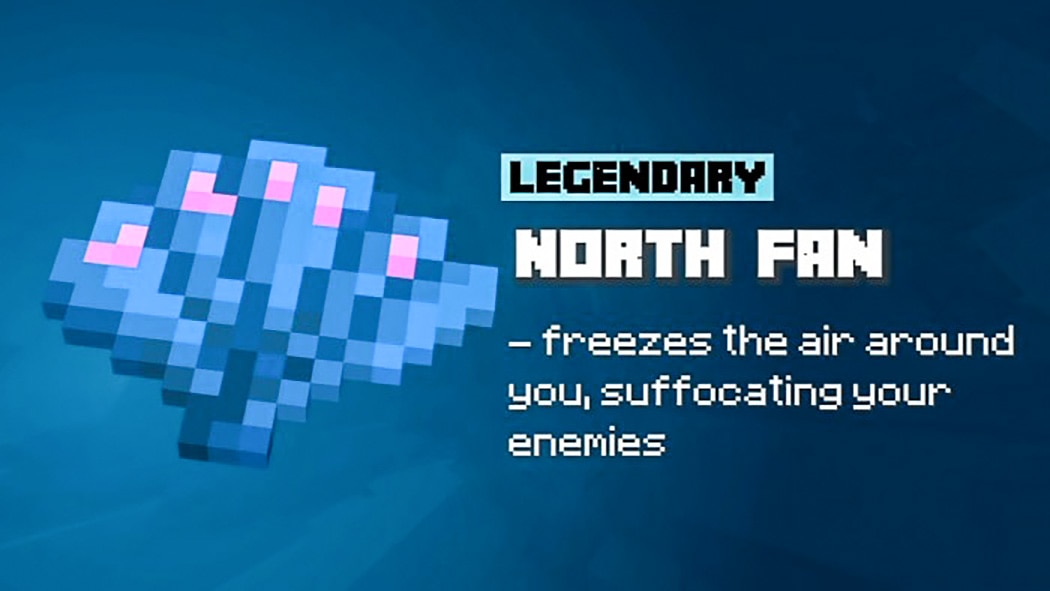
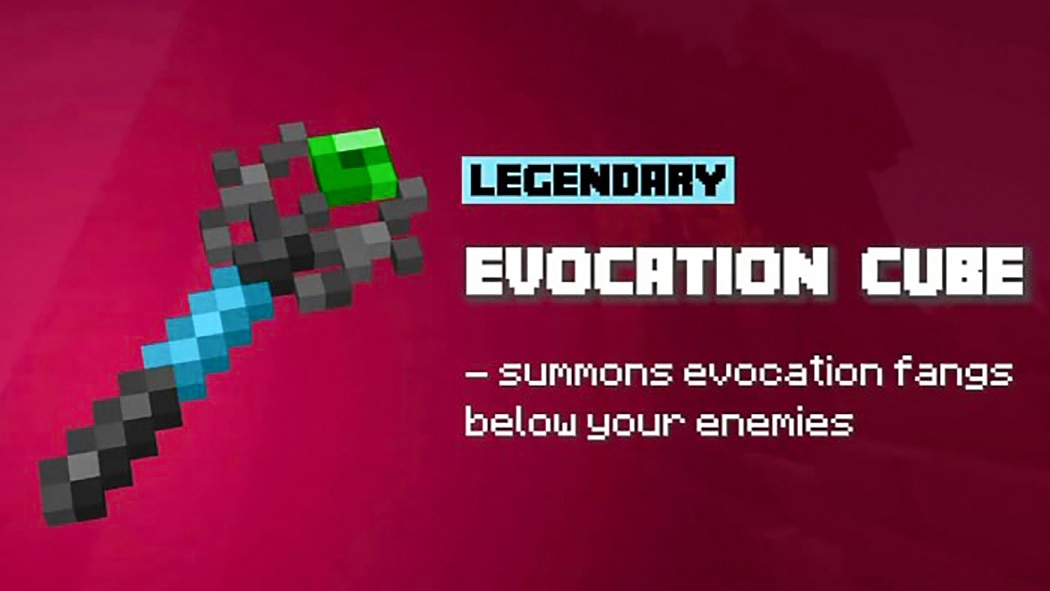
– all artifacts are now grouped based on rarity

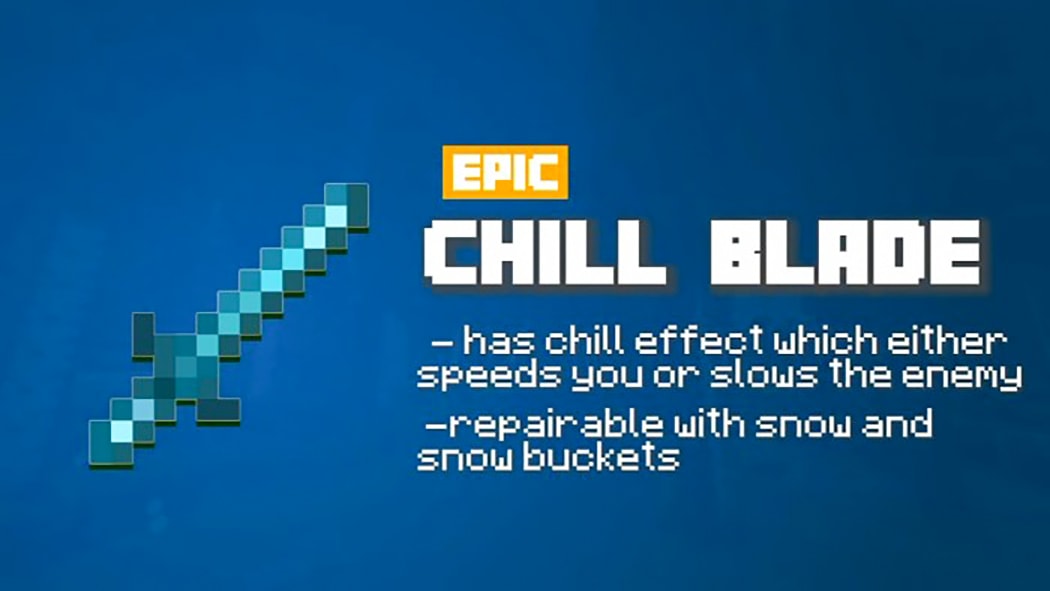
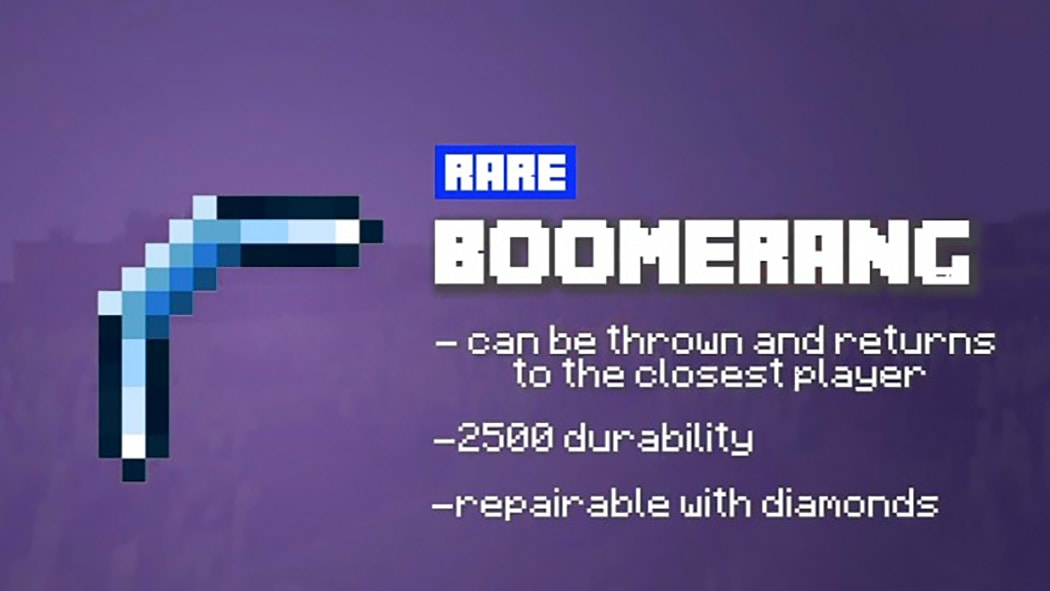
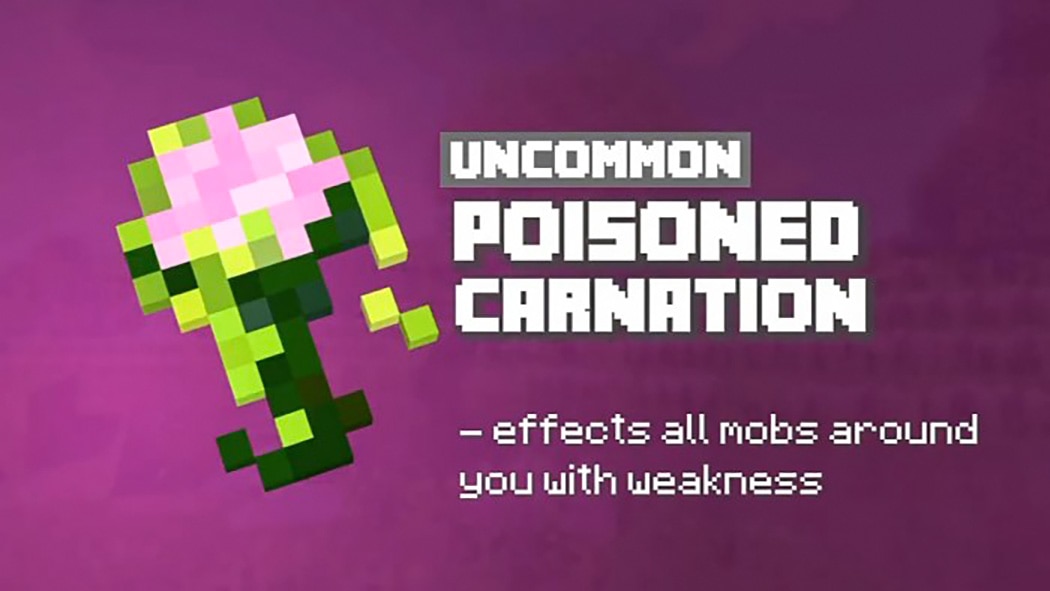
  • Common – green 
  • Uncommon – gray
  • Rare – blue
  • Epic – gold
  • Legendary – mist  
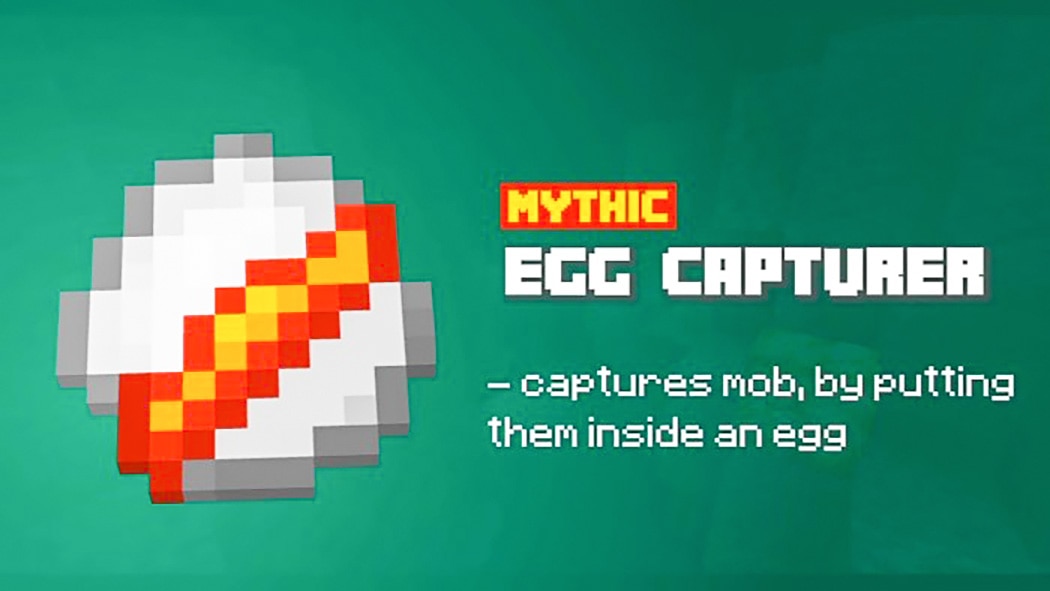
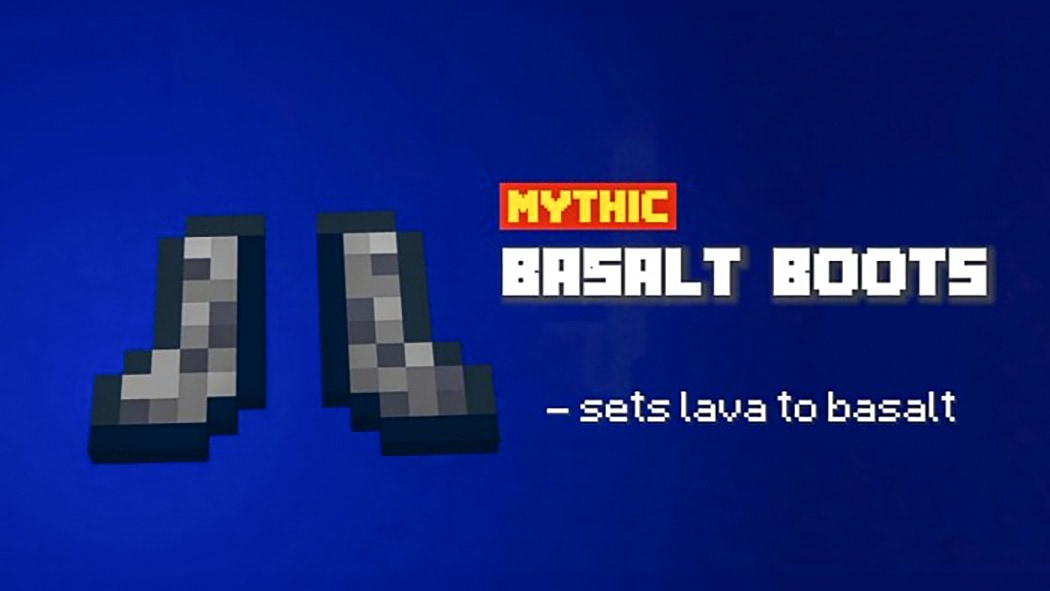
  • Mythic- red and yellow
  • Rarity Crates

Some addons Minecraft PE are similar to you can check in https://mcpeaddons.com:

ARTIFACTS

-These are items that reward you with artifacts based on their rarity. Common Crate, for example, will provide you a random artifact with a common rarity.

The Hungry Boy will trade you some.

Eternal Steak satisfies a couple of your hunger pangs and contains at least 8 nutrients. (12 seconds of cooling off)

Healing Potion – restores 8 of your hitpoints, which is equivalent to 4 hearts ( 16 seconds cooldown )

Clay Bricks – provides you with ten bricks ( 25 seconds cooldown )

XP Tome – provides you with eight levels of experience ( 125 seconds cooldown )

The Golem Kit summons an iron golem to assist you ( 100 seconds cooldown )

Ghast Ball – ejects a fiery projectile ( 20 seconds cooldown )

Leap Boots – “not a literal boots” provides you a few seconds of jump boost III ( 25 seconds cooldown )

For a short seconds, Speed Boots – “although not a literal boots” – grants speed III ( 25 seconds cooldown )

For a few seconds, the Haste Spell grants haste ( 30 seconds cooldown )

tnt dynamite – summons a ready-to-explode tnt ( 30 seconds cooldown )

Concussion Shell – for 10 seconds, all mobs in your radius are stunned ( 32 seconds cooldown )

Ender Wand – an ender pearl is thrown ( 18 seconds cooldown )

Hurting mobs heals you with Lifesteal Feather ( no cooldown )

Blast Crystal – spawns end crystals on nearby monsters and provides resistance to them ( 60 seconds cooldown )

Midnight Berries provide night vision, speed, and invisibility for 30 seconds, making them ideal for eluding capture ( 80 seconds cooldown )

Drowned Shards – fires a trident, allowing you to breathe underwater and see in the dark ( 65 seconds cooldown )

Quiver – rains arrows on nearby mobs ( 30 seconds cooldown )

Blinding Sac – blinds all entities in your vicinity for a brief period of time ( 40 seconds cooldown )

Dragon Ring – fires a dragon fireball while providing resistance and strength ( 125 seconds cooldown )

Lightning Rod – conjures lightning to strike all nearby mobs ( 24 seconds cooldown )

Solar Glass – ignites the block on which you’re standing.

For a short time, Golden Soup provides you an extra 8 hearts ( 40 seconds cooldown )

All mobs around you are levitated by the Shulker Stone ( 27 seconds cooldown )

Snow Figure – calls three snowmen to your aid ( 35 seconds cooldown )

Chorus Amulet – teleports all creatures in a 20 block radius at random ( 45 seconds cooldown )

Wither Star – fires a wither skull, inflicting wither damage ( 40 seconds cooldown )

Magnets Items Near You – Filling Bundle ( 20 seconds cooldown )

Water Sprayer – squirts water from a bottle to put out a fire ( 10 seconds cooldown )

Bushy Camou – covers a 55-square-foot space with tall grass, making you invisible ( 50 seconds cooldown )

Feather Fall is a leisurely falling effect that lasts a few seconds ( 28 seconds cooldown )

For a few seconds, the Gravity Template provides levitation ( 28 seconds cooldown )

Totem of the Coral Totem – summons a powerful underwater army of axolotls to defend you against sea monsters ( 130 seconds cooldown )

Sets all nearby mobs to ice and freezes them with the Winter Disc ( 75 seconds cooldown )

To work, you’ll need both the “TnT Book” and the “remote.”

First, use the “TnT Book” to mark the location where you want it to blast, then simply push the “Remote” and boom!! (Cooldown of 300 seconds)

Note: Most cooldowns are changed 

Whats New-  0.3.12

IMPORTANT NOTES 

You are free to use Kiyoshi’s Artifacts Addon in any way you see fit. My addon can be used as a learning tool. If you wish to use/copy a feature from it in your addons, please give me credit.

If you have any artifact suggestions or find any bugs, please let me know right away so I can correct them for future releases.

Changelog

Bug Fixes:

  • Artifacts missing
  • Sussy Paper not generating on Bonus Chests
  • Tier Crates missing
  • Hungry Boy not trading anything

Installation
The “ADDITIONAL FILES” fixes a few errors; use it in conjunction with the Addon BP and RP, but make sure it’s on top of everything else.

Download Kiyoshi’s Artifacts Addon (RP) OR File Drive

Download Kiyoshi’s Artifacts Addon (BP) OR File Drive

Additional Files

- Advertisement -

Potted Trees | Minecraft PE Addons

0
POTTED TREES

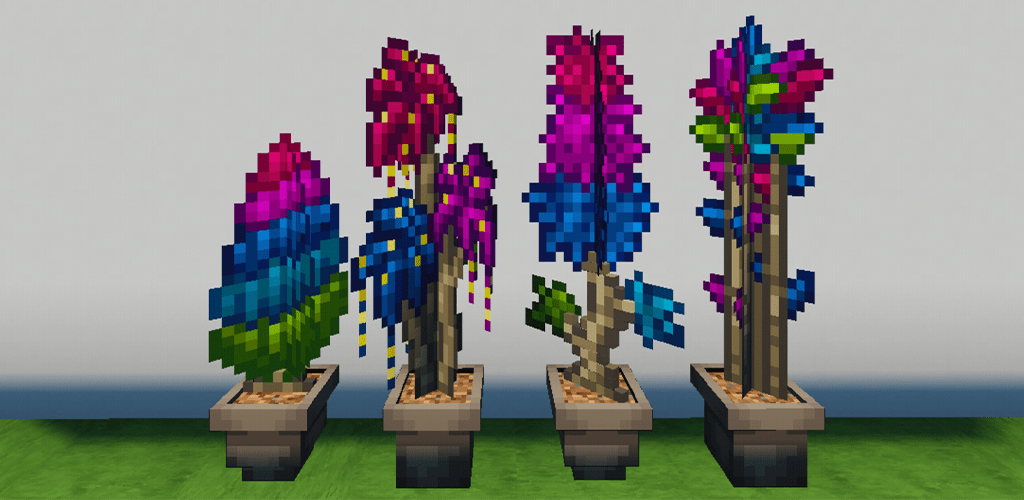
Potted trees that decorate the world of Terratia but will now decorate it in your Minecraft world. Use it for small decorations with different styles.

NOTE: Geometry fix is required for this to work properly

Creator: Paimon

POTTED TREES

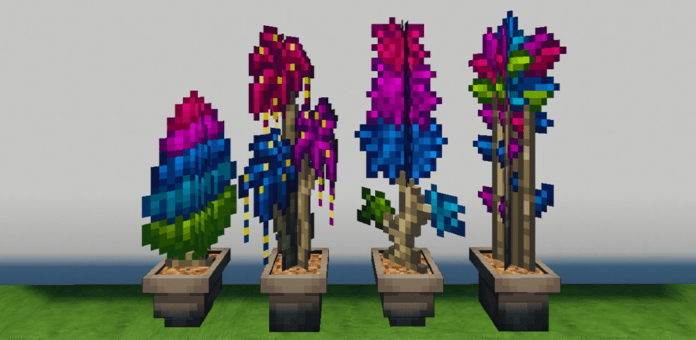
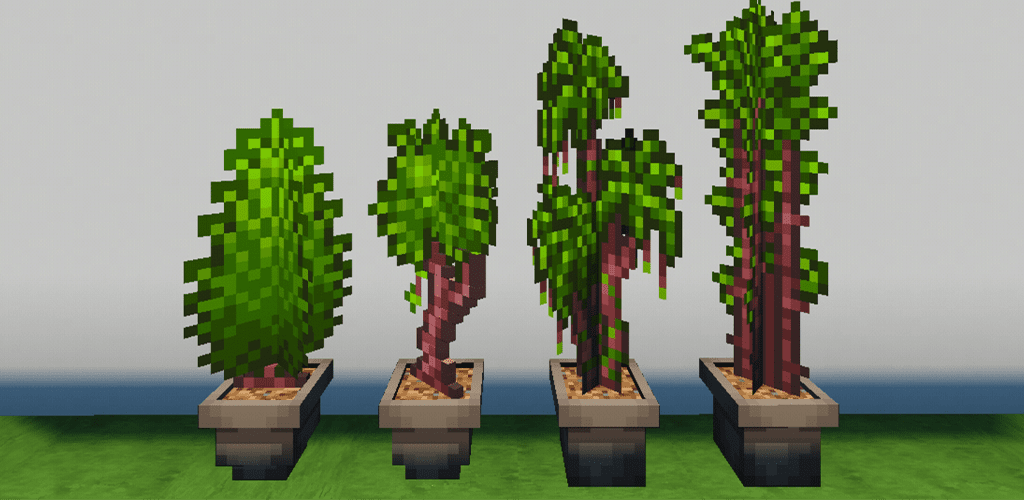
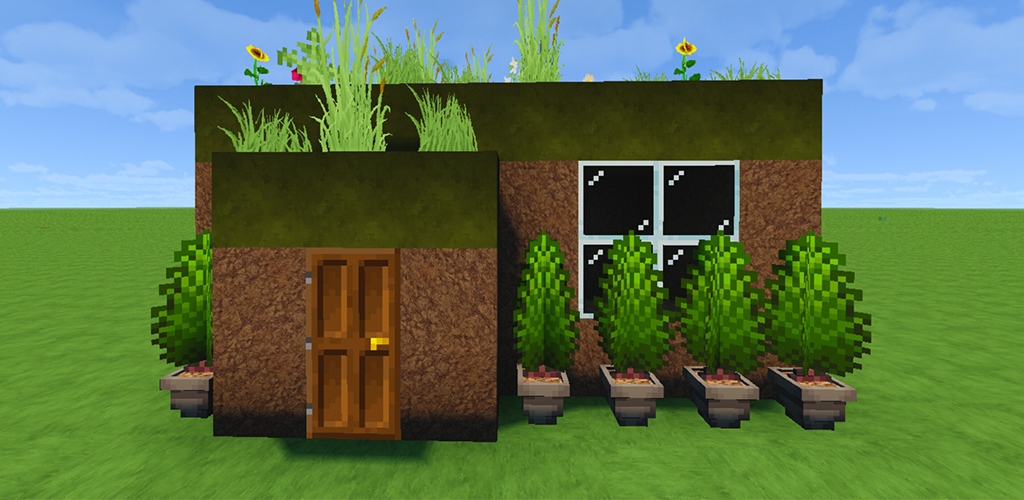
Decorate with some of Terraria’s potted trees, from which you can choose between normal, jungle, or hallow with 4 different styles each.

The styles they have are small bush, small tree, palm, and cane

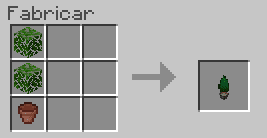
They can be made from a pot and two leaves of any type of tree except azalea leaves.

Normal trees:

Jungle trees:

Hallow trees:

Useful to give small details to the mansion in which you live

mcpeaddons download

If you are looking for more cool addons, don’t miss these ones in mcpeaddons.com:

- Advertisement -

Arcade Craft (V1.2 Big Update)

2

Ever wanted to build your own Arcade in Minecraft? Arcade Craft will give you the chance to build your own Arcade without changing any of the gameplay or features in Minecraft. You can meet up with friends and play some cool games.

Creator: Four Worlds Studios (Youtube)

ARCADE CRAFT

Owning your very own Arcade has never been easier and better. Grow your Arcade and craft bigger and better machines. Earn more and more money to buy the things you want.

Future updates will come frequently with more and more features

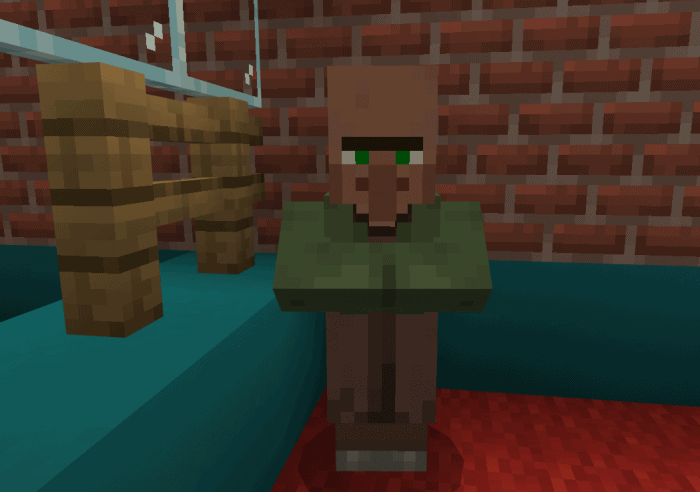
Getting started is easy, just play Minecraft as you normally would, and when you have enough resources you can go and find the Retired Arcade Engineer in a Village (The Nitwit)

He will trade you all the Microchips you will need to craft your Arcade Machines.

Change and Exchange Machines

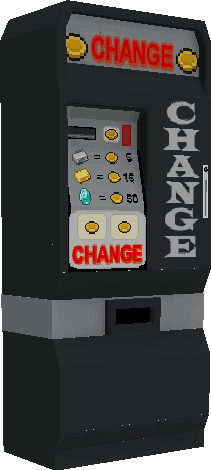
The Change Machine will convert all your Iron, Gold, and Diamonds into Arcade Coins for you

When you want to cash out you can convert all your winnings back into Iron, Gold, or Diamonds with the Exchange Machine

Arcade Craft
Arcade Craft
Arcade Craft
Arcade Craft

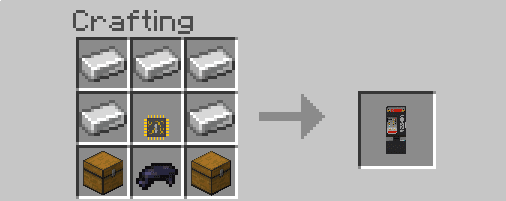
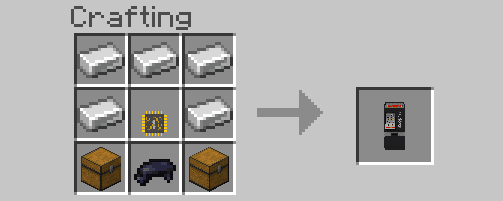
The Machines

All the Machines will need an Activation Key so you can take ownership of them.

Arcade Craft

When you own a Machine you can check the Coin Box to see how much your machine has earned you

Only the Owner can see inside the Coin Box

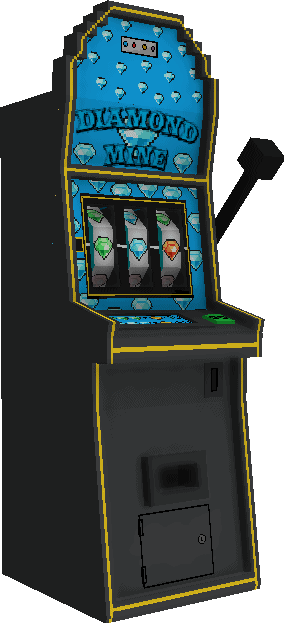
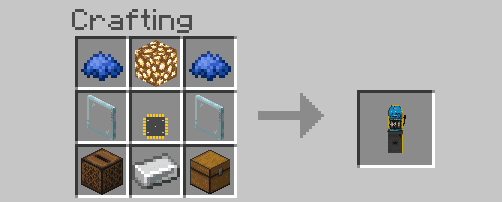
Diamond Mine

The Diamond Mine is a Slot Machine. You can win up to 50 Arcade Coins in the one spin

Arcade Craft
Arcade Craft

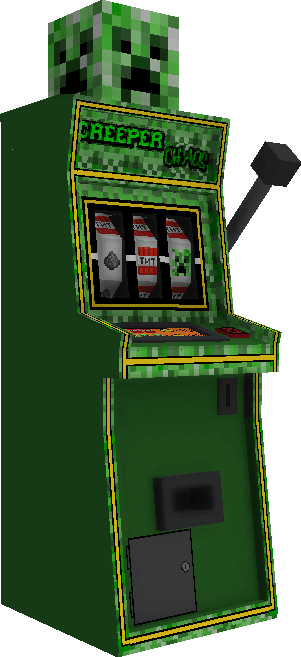
Creeper Chaos

Creeper Chaos is a Slot Machine. you can win up to 50 Arcade Coins in one spin

Arcade Craft
Arcade Craft

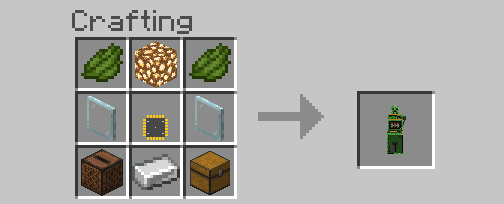
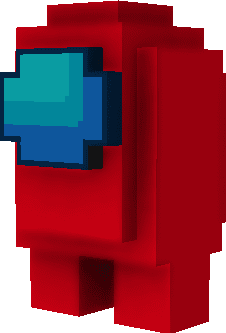
Among Us

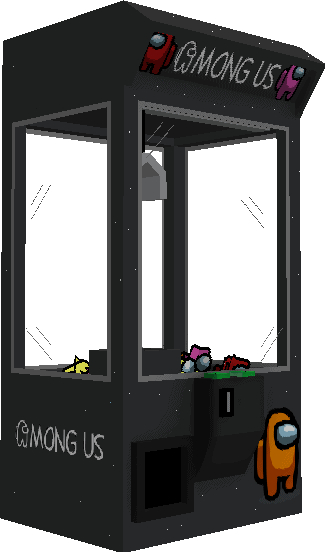
Among Us is Crane Machine, you can win an Among Us Plush to place in your Houses.

Arcade Craft
Arcade Craft

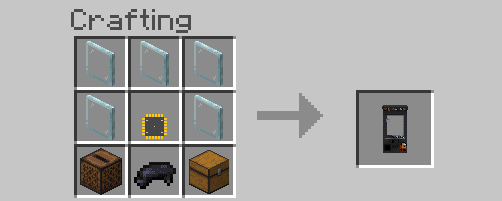
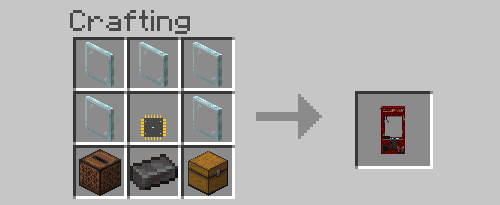
Nether Quest

Nether Quest is Crane Machine, you can win a Netherite Tool and Ingots

Arcade Craft
Arcade Craft

Gold Rush

Gold Rush is a Coin Pusher Machine, You can win Arcade Coins and Gold Nuggets

Arcade Craft
Arcade Craft

If you like Arcade Craft here is more add-ons for you in mcpeaddons.com

Godzilla Greatest Enemies Addon

Ores Plus Addon v2.2.0 [New Update]

Miniblocks Addon for Minecraft [250+]

Air FX

Air FX is an Air Hockey Table, 2 people can play this game just like in real life

Decorations

Decorations will add a little spark to your arcade

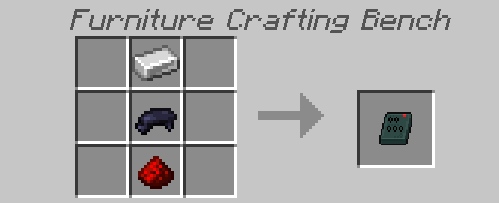
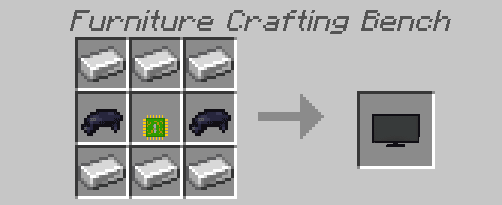
All furniture items can be made on the Furniture Bench

The Prizes

Prizes can be won from different types of Machines

The Among Us Plush

The Among Us Plush can be won from the Among Us Crane Machine. Available in 8 colors: Red, Green, Yellow, Blue, Pink, Orange, Black, and White

More features and gameplay will be added in future updates

Changelog

V1.2 Update Log

  • The Niwits inventory now contains
    • Nether Quest Microchip
    • Gold Rush Microchip
    • Air FX Microchip
    • Change Machine Microchip
    • Exchange Machine Microchip
    • Television Microchip
mcpeaddons download

DOWNLOAD ARCADE CRAFT BP (Support Creator)

DOWNLOAD ARCADE CRAFT RP (Support Creator)

ARCADE CRAFT

- Advertisement -

Old Pig Texture

0

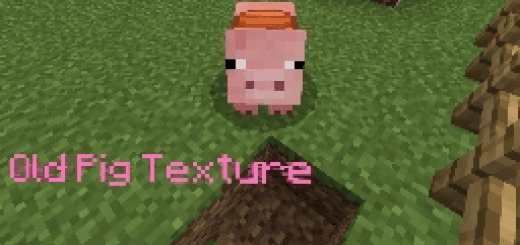
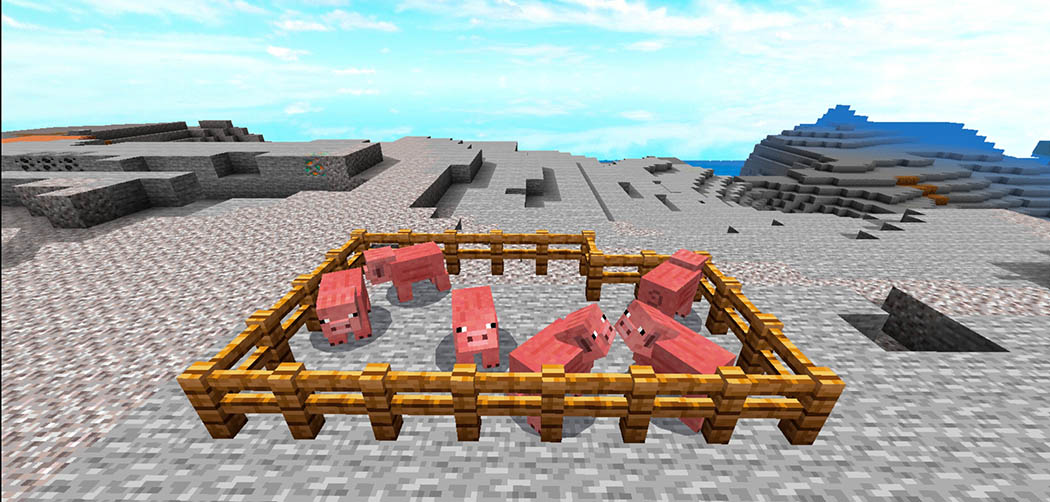
Hello, are you dissatisfied with the new pig texture? Do you despise the Pig face’s brow? Do you like the Pig’s old texture? Well, you may have it with this texture, the classic Pig model! And here is my very first texture pack.

Cre: PigFathir (Youtube

Old Pig Texture

DESCRIPTION

The previous Pig Texture appears to be outdated, as it did in 2017.

However, the texture has been updated to look more modern.

This Pig lacked a brow and appeared to be rather ancient.

Minecraft created the original texture pack.

To make this on Android, I used addon creator.

Official Old Pig Texture Channel

Some Texture packs Minecraft PE you can check in https://mcpeaddons.com: 

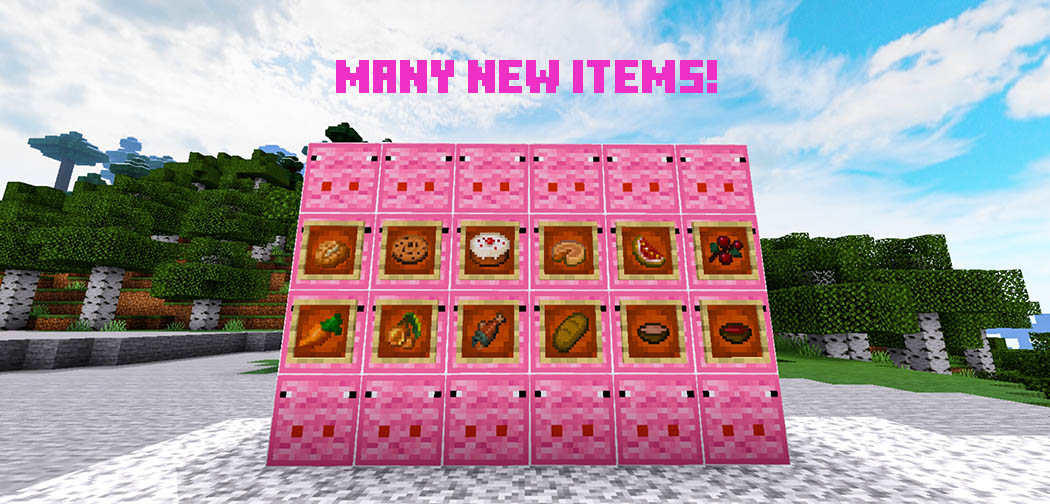
TEXTURE PACK THAT CHANGED :

  • Carrot
  • Old pig texture and saddled
  • Golden Carrot
  • Potato , poisonus potato , Baked potato
  • Beetroot
  • Saddle
  • Lead
  • Carrot On a stick 
  • Porkchop , cooked porkchop

When you made a new world, there was a picture in the top left corner that turned into an Old Pig texture thumbnail.

Choosing pigman’s skin

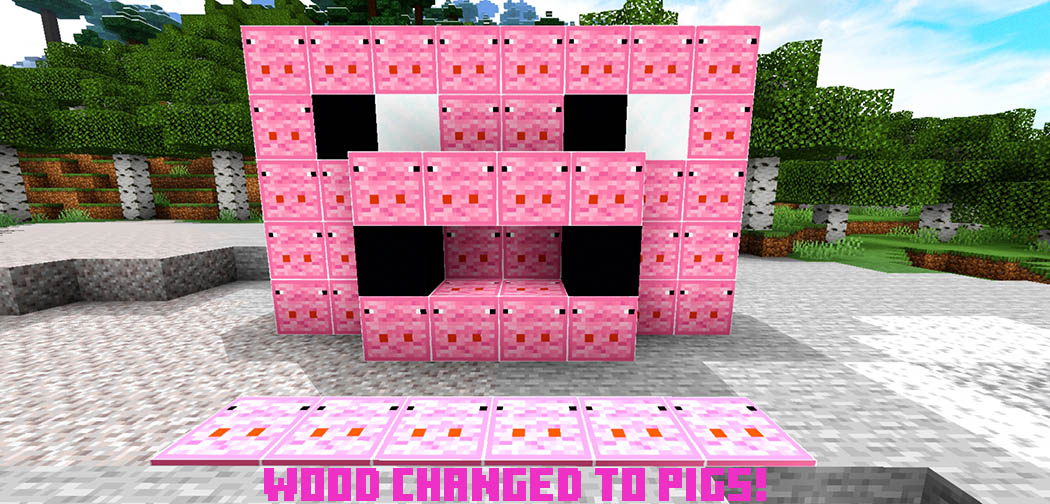
Wool and carpet from an old pig icon

Spawn egg Pig old (NOT AVAILABLE FOR A WHILE)

NEW ONLY OLD PIG TEXTURE; No old item , just changed the Pig texture.

NOTE : THIS TEXTURE PACK WILL NOT WORK WITH OTHER PIG TEXTURE!!!

Changelog

NEW VERSION 1.0.9

  • New UI On Background dressing room like above.
  • New image on description

Installation

Download From MCPEDL : Wait for 100% unless you’re join VIP.

Download From MediaFire : Click download button , wait until it downloaded and import it to minecraft.

Download Texture (Mediafire) 

Download Texture V1.0.8

Download Texture (Drive)

- Advertisement -

Godzilla Greatest Enemies Addon

2

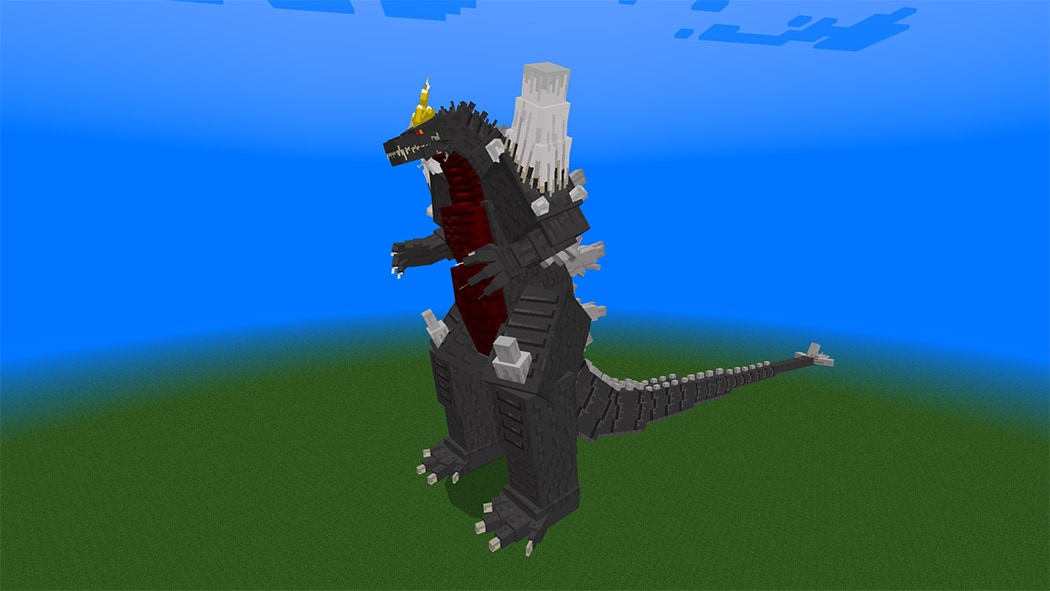
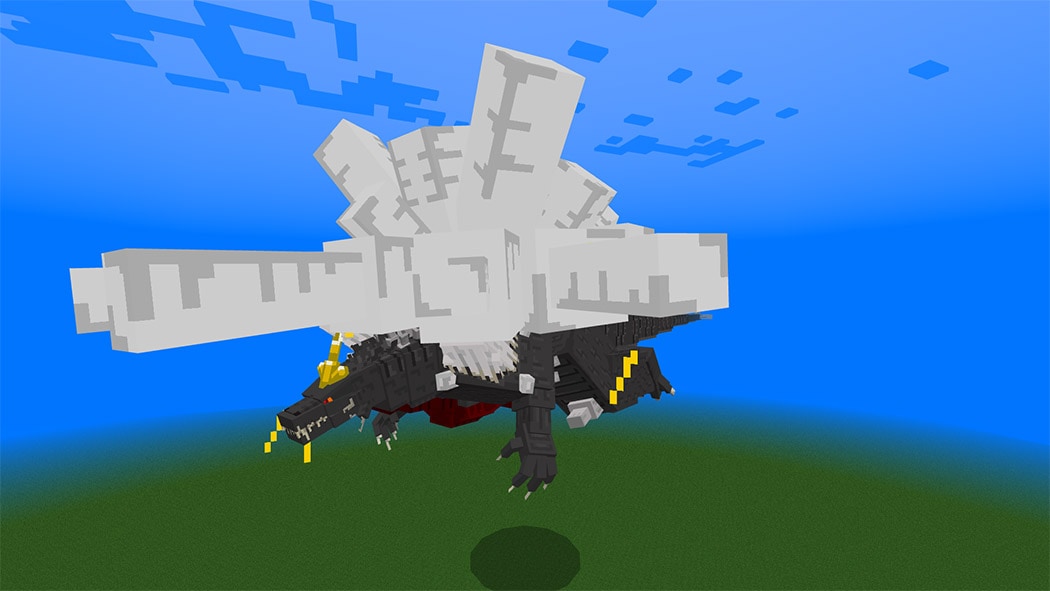
Hello, and welcome to my new addition! In Godzilla Greatest Enemies Addon, I’ll introduce you to three of Godzilla‘s best enemies from the Heisei era, each with a unique twist. Note that Godzilla Greatest Enemies Addon is exclusively accessible for MCPEDL; no other apps or websites can use it without the consent of the creators.

Cre: Monster122 (Youtube, Twitter

Godzilla Greatest Enemies Addon

Let’s start with:

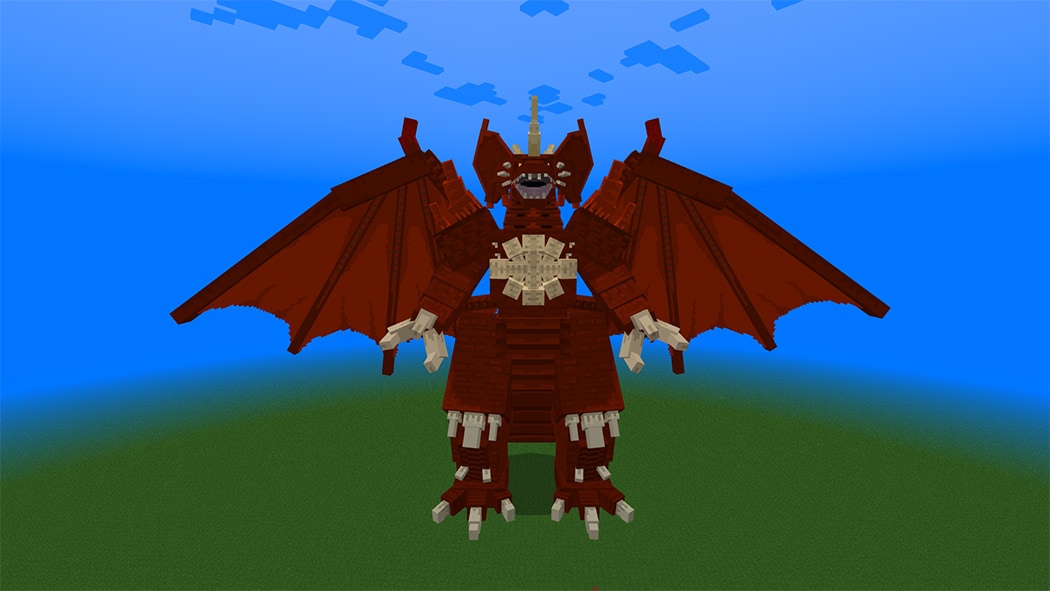
Destroyah

When dies he transform into more powerful version enough to withstand Burning Godzilla’s attack.

  • Health:1890000
  • Attack:38000
  • Horn slice:100000
  • Oxygen Beam(per hit):38000

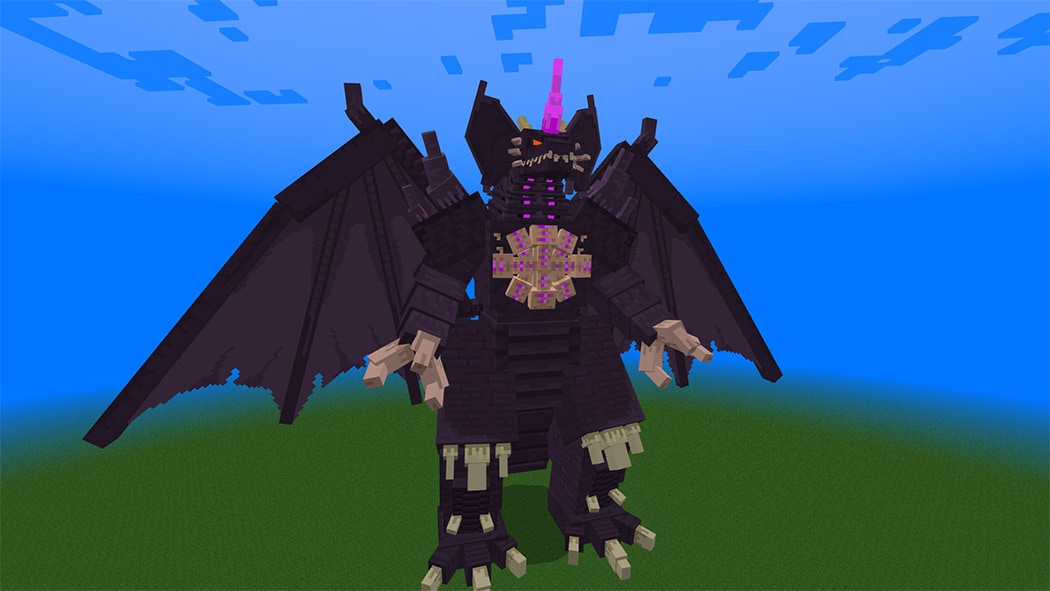
Shin Destroyah

He is more strong than the default one, but he is unable to regenerate himself as a result of the transformation.

  • Health:77700000
  • Attack:580000
  • Horn slice:950000
  • Super oxygen Beam (per hit):989500
  • Chest beam (per hit):8995500
  • Health:77700000
  • Attack:580000
  • Horn slice:950000
  • Super oxygen Beam (per hit):989500
  • Chest beam (per hit):8995500

Space Godzilla

When he dies, this Celestial Godzilla can turn into the Charged Godzilla.

  • Health:1990000
  • Attack:38000
  • Crystal attack:18000
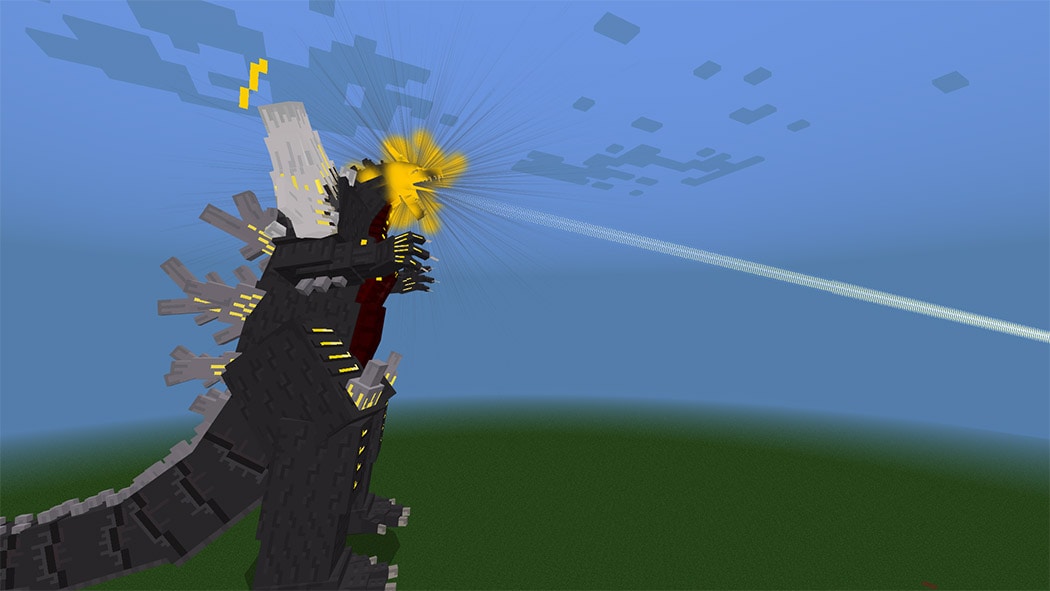
  • Corona beam (per hit):37000
  • Super Corona beam (per hit):41000

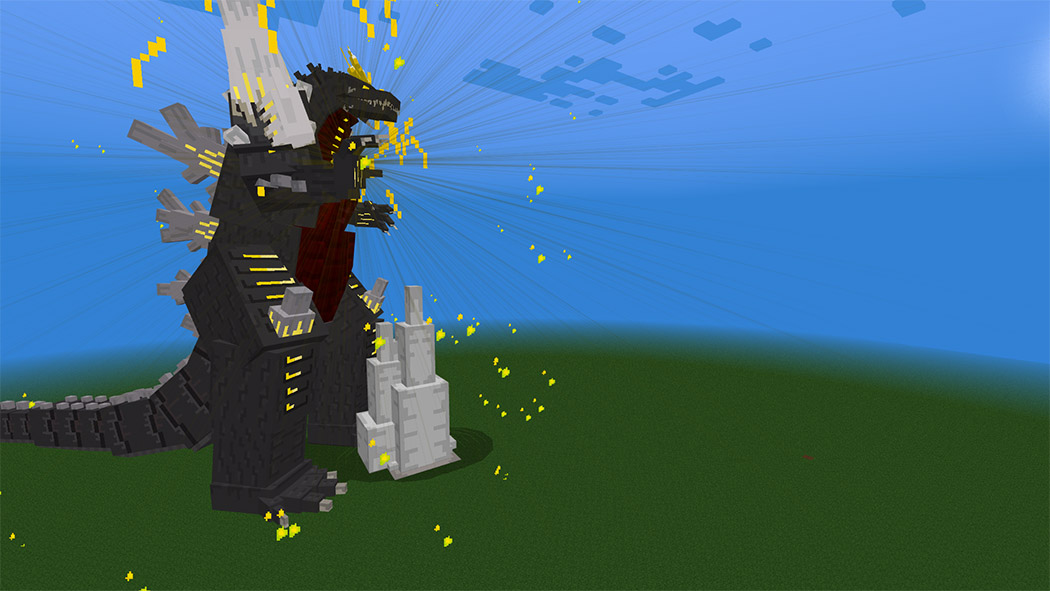
Charged space Godzilla

The charged version of space Godzilla.

  • Health:2750000
  • Attack:40000
  • Crystal attack:18000
  • Super Corona beam (per hit):41000
  • Lightning beam(per hit):40000

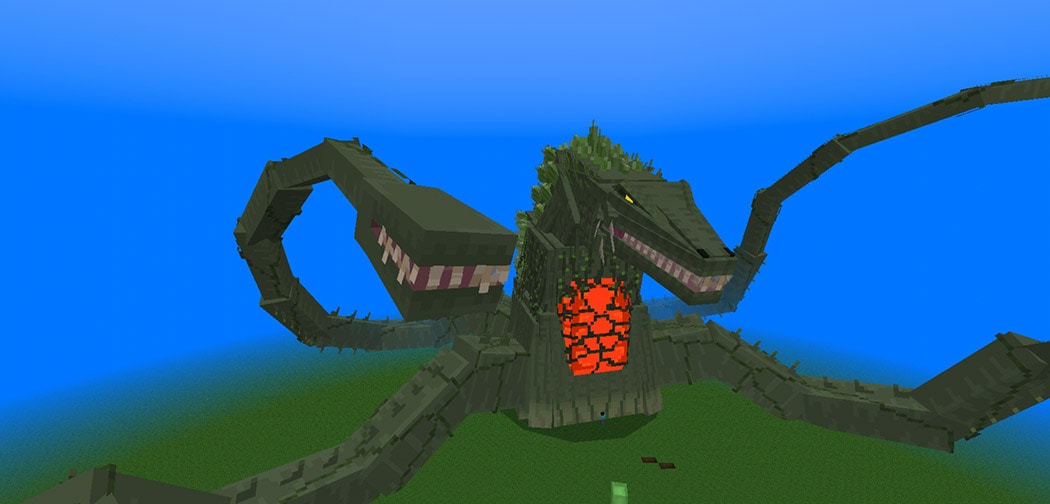
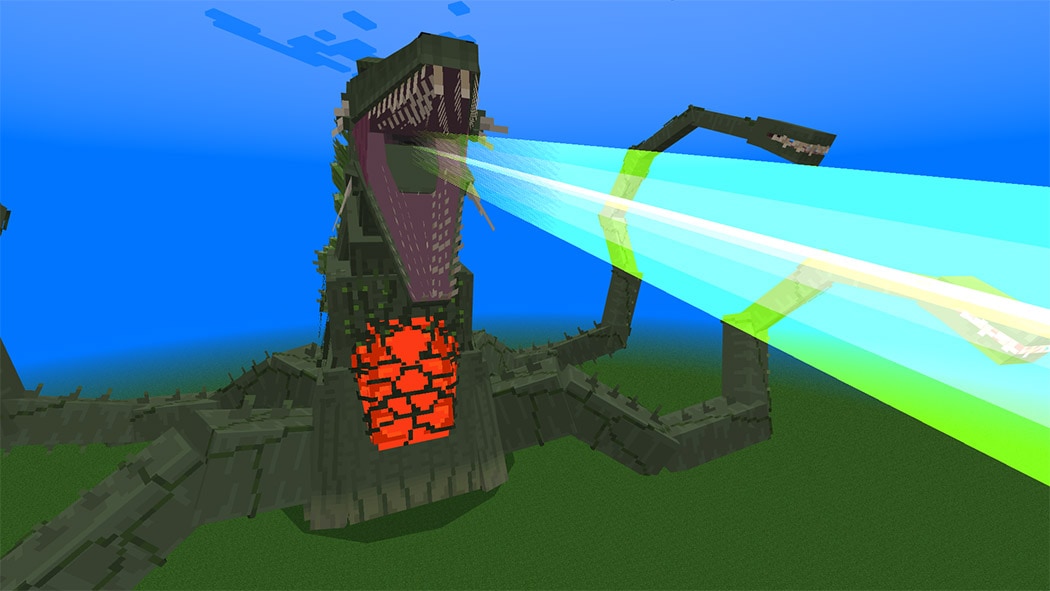
Biollante

A mutated Plant Kaiju Ready to Destroy Godzilla.

  • Health:1790000
  • Attack:37200
  • Vine attack:37200
  • Pull attack:18000
  • Bite:45000
  • Poison beam (per hit):38000

Note: When she dies she can revive herself into Form-1 making her Immortal, the only thing you do to Is to Kill the Form-1 so she can’t revive herself.

With a range of 200 blocks, the Form-1 can produce poisonous smoke.

The Form-1 implies that she is preparing to morph into the Final form in the image above.

Some addons Minecraft PE about Godzilla you can check in Mcpeaddons.com: 

Armor and weapons

Without the weapon and armor, we won’t be able to stop the kaijus

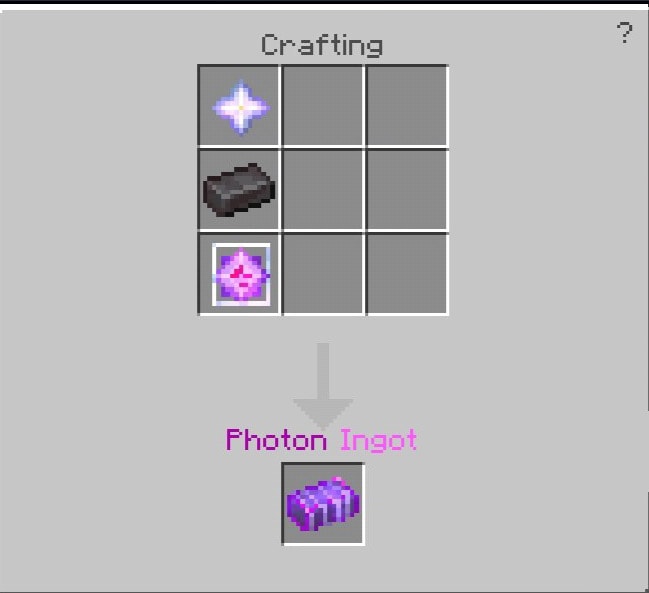
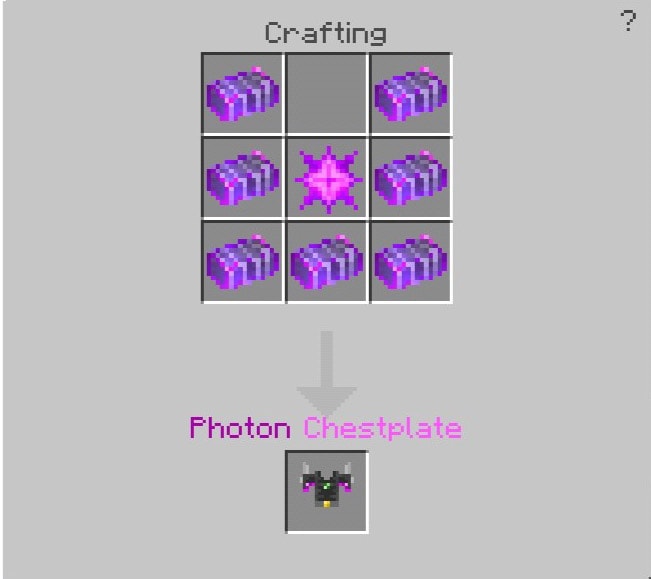
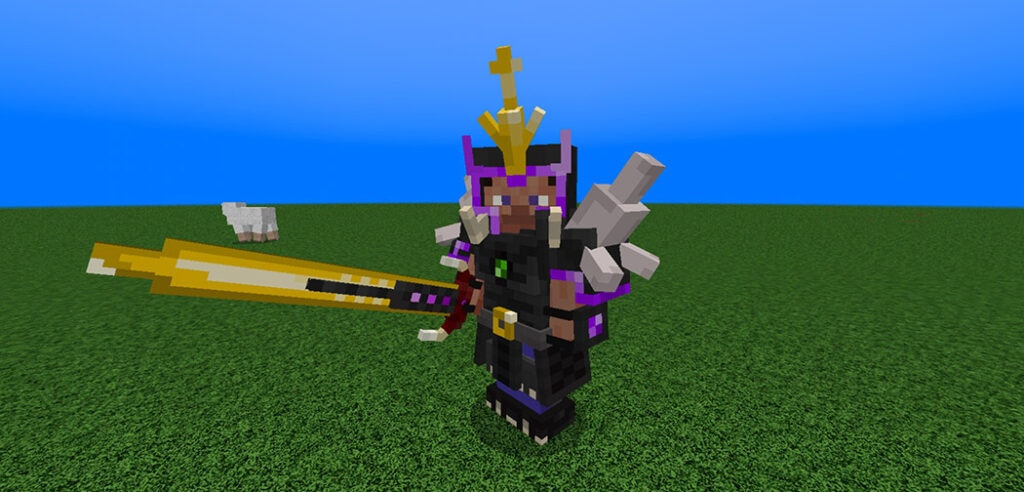
Photon armor

The only and strongest Armor in this addition that can withstand the attack of Burning Godzilla and shin Destroyah.

How to craft it?

The only and strongest Armor in this addition that can withstand the attack of Burning Godzilla and shin Destroyah.

You’ll need one thing before you can make the chestplate

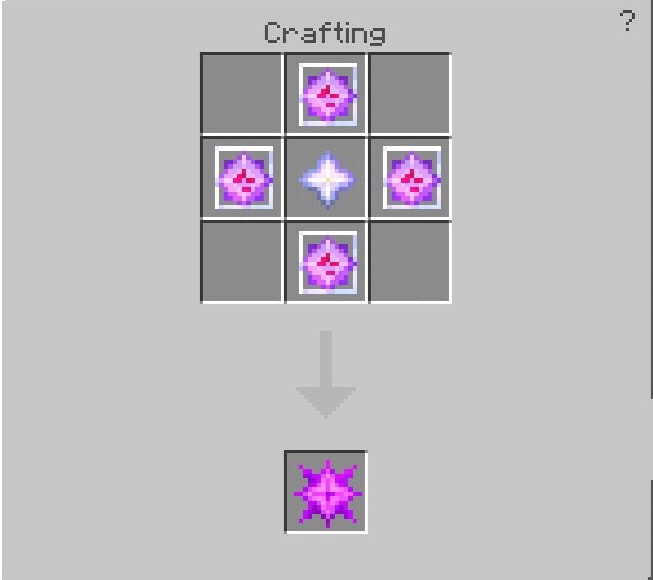
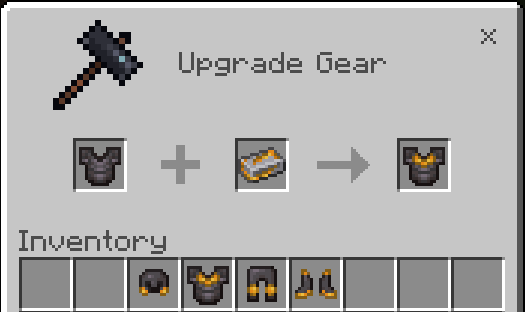
Photon star

You’ll need one thing before you can make the chestplate.

Then you may mix it with obsidian and a Photon helmet to create a complete product.

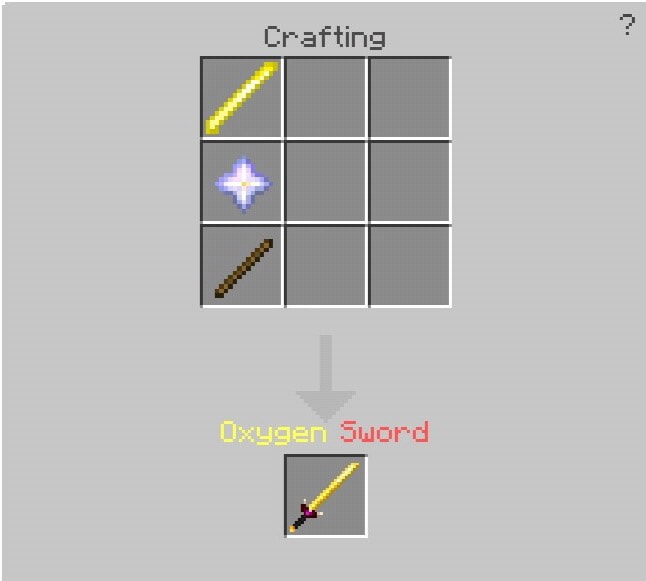
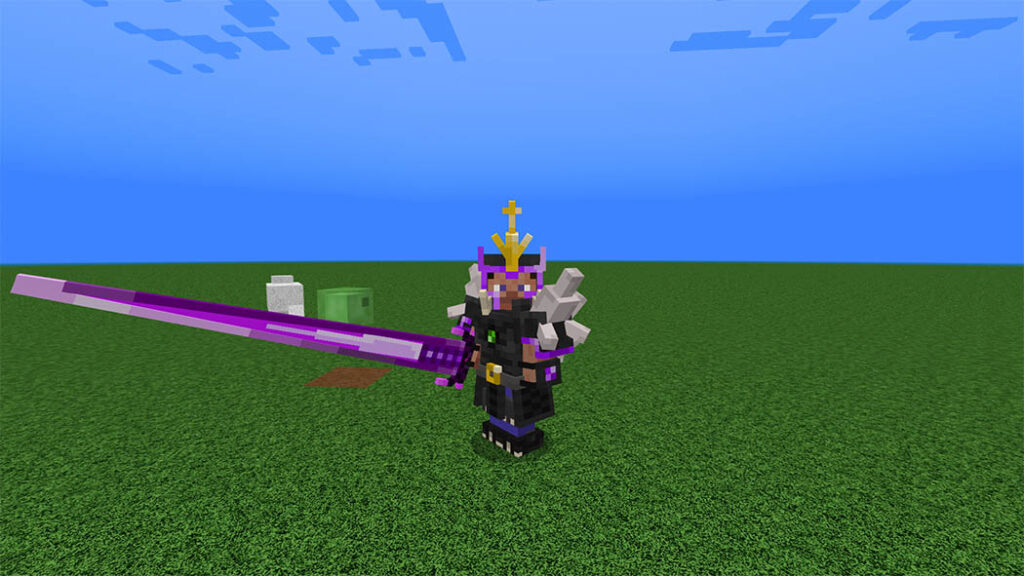
Oxygen Sword

A weapon that can kill any titan.

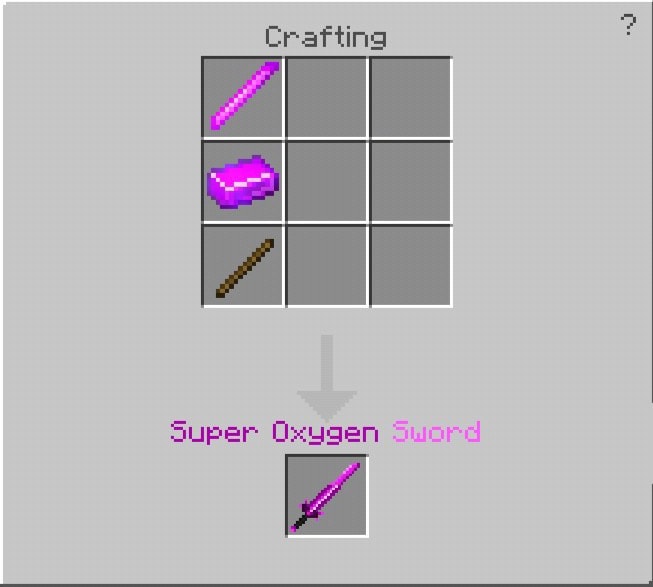
How to craft it?

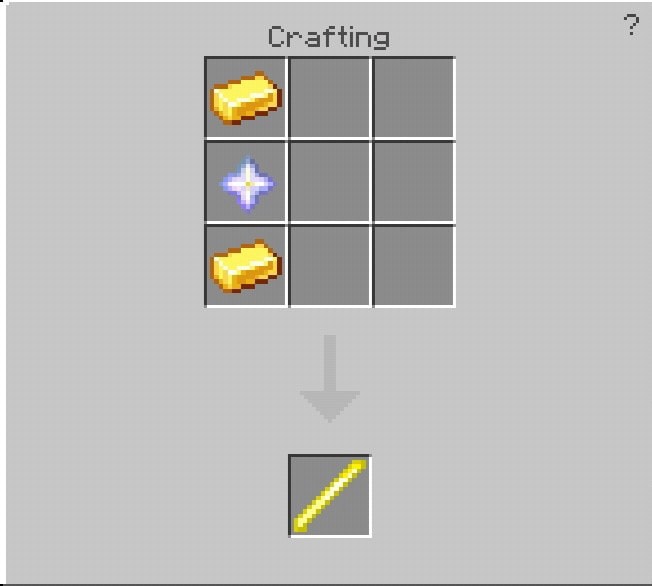
To make the Oxygen blade, you’ll need gold and nether star.


To make the sword, you’ll need a nether star and a stick.

Super Oxygen sword

To make the Oxygen blade, you’ll need gold and nether star.
To make the sword, you’ll need a nether star and a stick.

Enough to kill Shin Destroyah

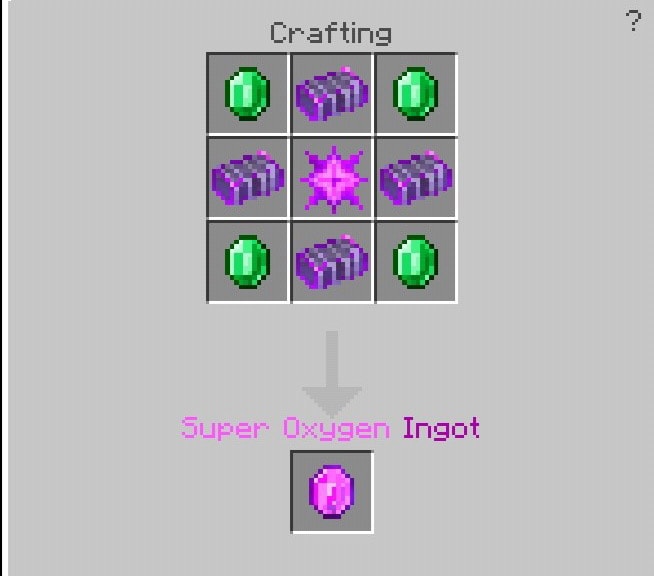
How to craft it?

To make the super oxygen ingot, you’ll need a photon star, a photon ingot, and an emerald.

Create the Hardened super oxygen ingot after that.

You’ll also need 2 Super oxygen ingots and your Oxygen sword for the blade.\

And now for the final product.

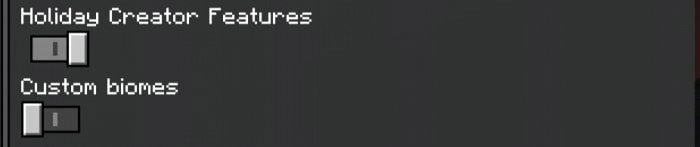
To access these weapon armor and items, you need to turn on Holiday Creators Features

Download Godzilla Greatest Enemies Addon (Drive)

- Advertisement -

Ores Plus Addon v5.0.0 | Nether Ores Update! (Compatible with 1.19)

5

Come to Ores Plus AddOn and check out many cool things in this add-on. There are 8 outfit armors with special powers, 12 new minerals, 10 armors and new tools, plus decorative blocks! That’s a great addon is for you.

Cre: agustinn_, Twitter, Youtube

Ores Plus Addon

If you are facing any problem with the Ores Plus addon, you can report via Discord (2k members)

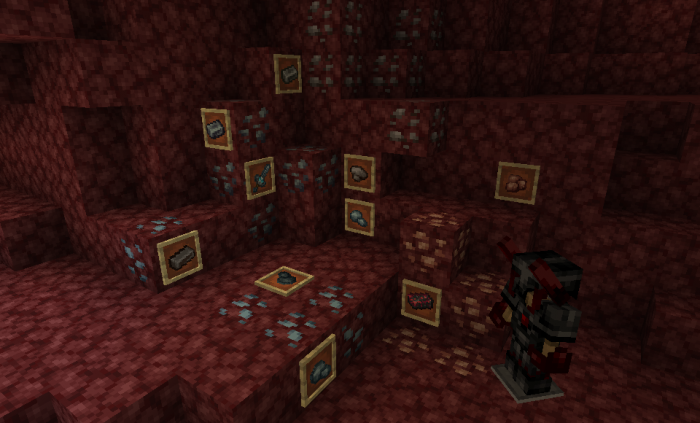
Nether Ores – New Update

New 4 minerals, palladium, titanium, lead and tane!

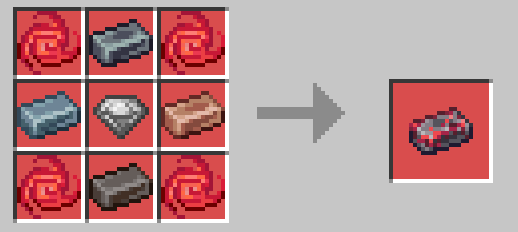
Heillish Armor: this armor increases the player’s skills, gives jump effect, speed and strength, apart from granting a few hearts

How is it obtained?

To make the armor you need a Corrupted Crimtane Ingot, for this you need the normal Crimtane Ingot

Material: 4 Infernal Essence, 1 Lead Ingot, 1 Palladium Ingot, 1 Titanium Ingot, and 1 Tane Ingot

Foods Category – Ores Plus Addon

Ores Plus v5.0.0 BP or here (backup link)
Ores Plus v5.0.0 RP or here (backup link)
Ores Plus Mesa Custom UI (Necessary) or here

Minerals Category

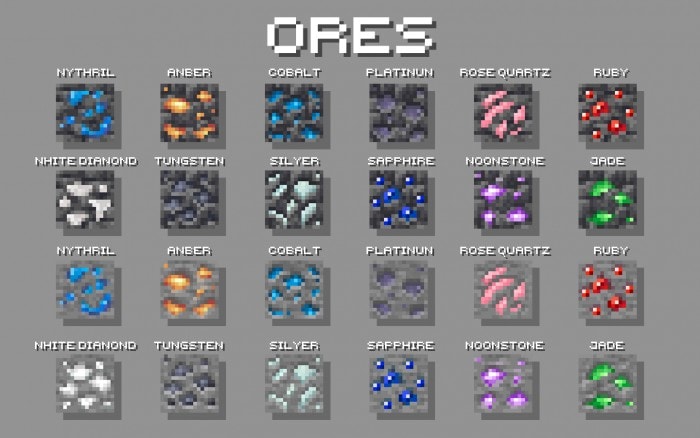
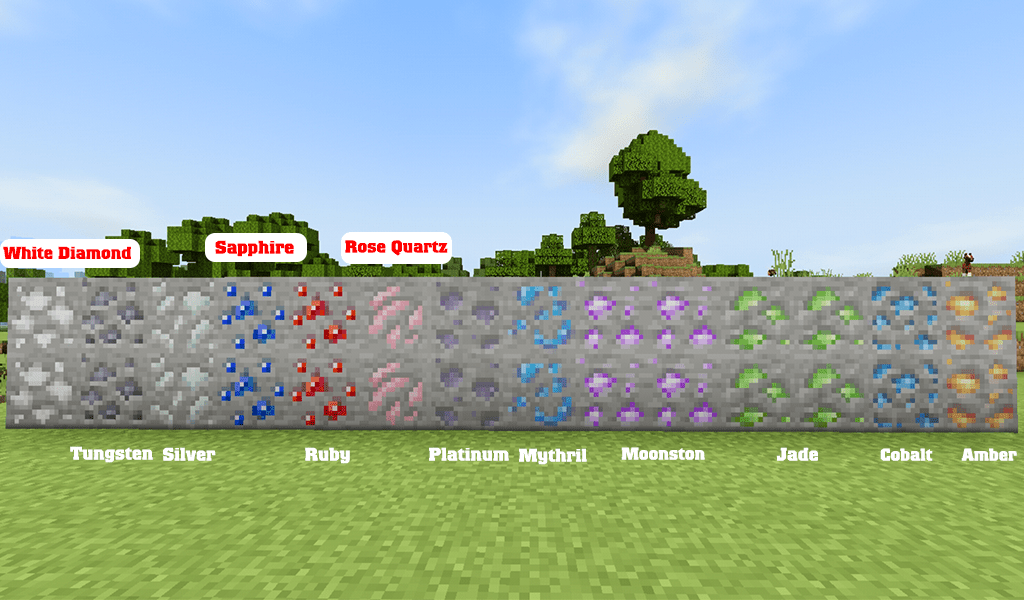
12 new minerals

  1. Amber Ore (Rare): Spawning: 48 to 16 – Deepslate Version Spawning: 12 to -16
  2. Cobalt Ore (Common): Spawning: 126 to 36 – Deepslate Version Spawning: 16 to -24
  3. Jade Ore (Rare): Spawning: 48 to 16 – Deepslate Version Spawning: 16 to -12
  4. Moonstone Ore (Rare): Spawning: 56 to 32 – Deepslate Version Spawning: -38 to – 64
  5. Mythril Ore (Rare): Spawning: 46 to 12 (only in ice biomes) – Deepslate Version Spawning: 16 to -12
  6. Platinum Ore (Regular): Spawning: 16 to 1 – Deepslate Version Spawning: 0 to – 52
  7. Rose Quartz Ore (Common): Spawning: 156 to 16 – Deepslate Version Spawning: 16 to -32
  8. Ruby Ore (Rare): Spawning: 156 to 1 – Deepslate Version Spawning: 16 to -64
  9. Sapphire Ore (Rare): Spawning: 156 to 1 – Deepslate Version Spawning: 16 to -64
  10. Silver Ore (Regular): Spawning: 128 to 16 – Deepslate Version Spawning: 16 to 0
  11. Tungsten Ore (Rare): Spawning: 16 to 1 – Deepslate Version Spawning: -16 to -32
  12. White Diamond Ore (Harder): Spawning: 16 to 1 – Deepslate Version Spawning: -1 to -26

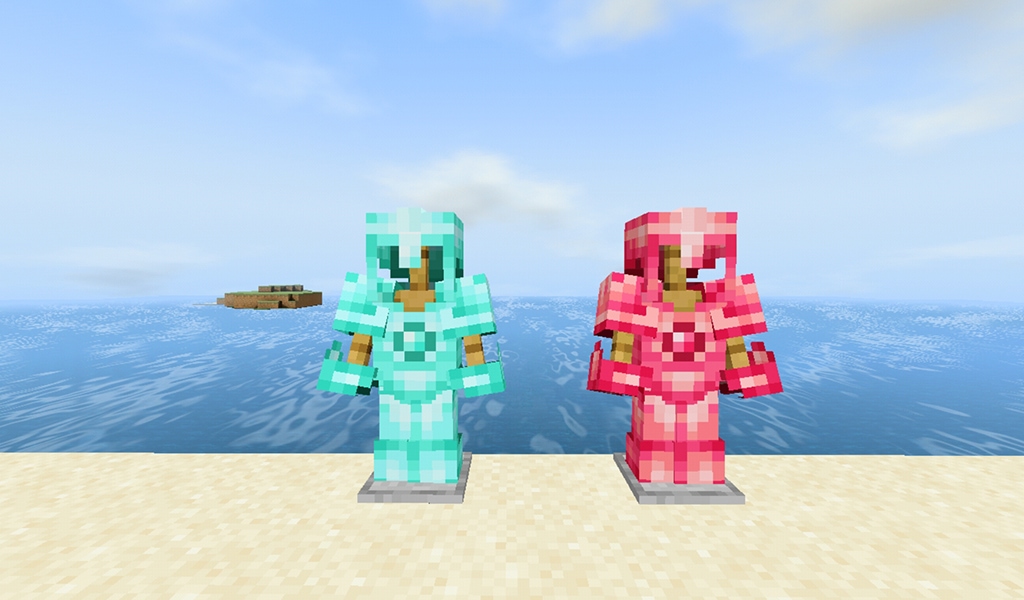
Elemental Armor – Ores Plus Addon

These armors will give you a potion effect as long as you wear it is fully

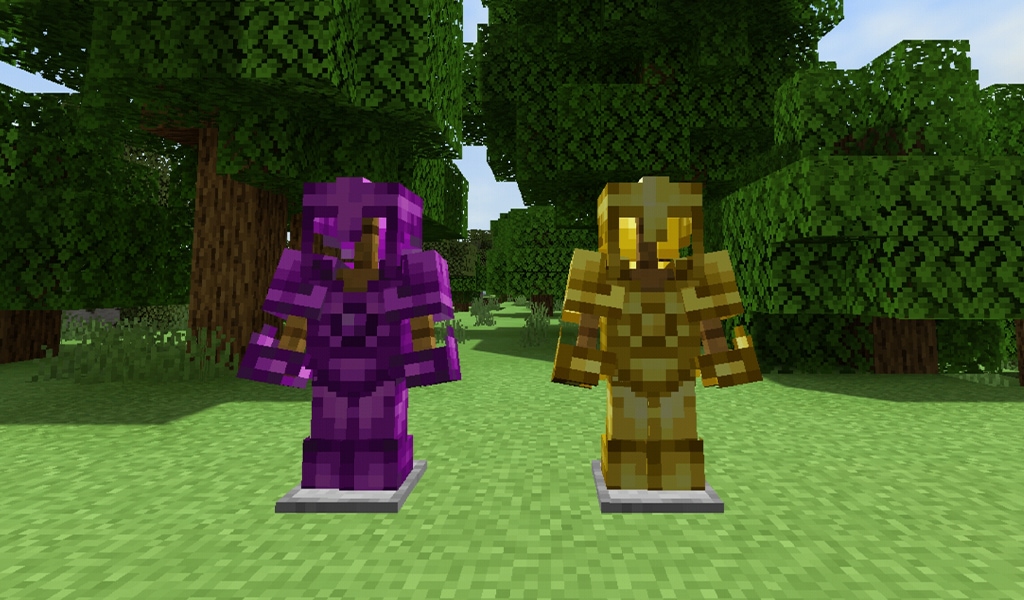
Amber Armor – Cryo Armor

  • Amber Armor: gives you a regeneration effect, protection of +10 points (protect more than the netherite)
  • Cryo Armor: Provide special ability to create ice, protection of +10 points (protect more than the netherite)

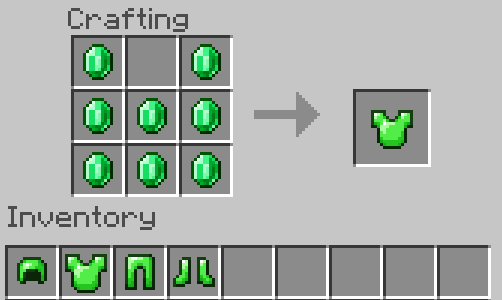
How to craft

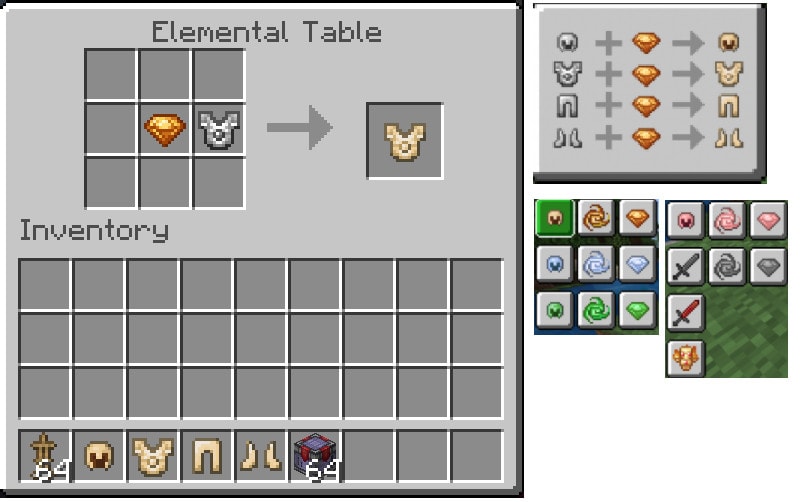
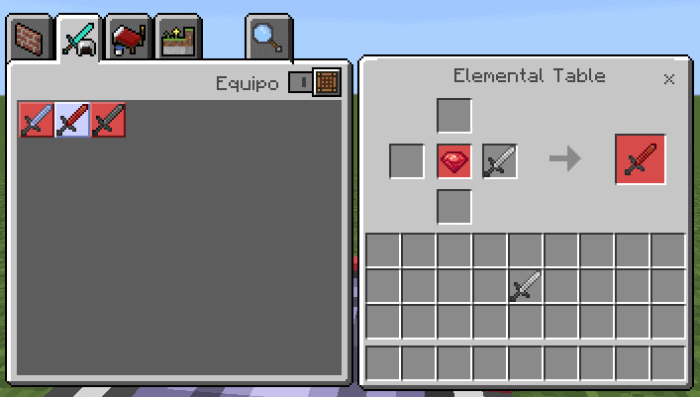
The crafting of all elemental armors appears on the elemental table!

Jade ArmorInfernal Armor

  • Jade Armor: Using it will give you a jump effect, protection of +10 points (protect more than the netherite)
  • Infernal Armor: same as jade armor but it will give you a fire protection effect

End Armor – Desert Armor

  • End Armor: it will give you a slow falling effect,  have protection of +10 points (protect more than the netherite).
  • Desert Armor: same as End Armor but it will give you a speed effect.

Ocean Armor – Spinel Armor

  • Ocean Armor: gives you a conduit effect, has a protection of +10 points (protect more than the netherite)
  • Spinel Armor: adds an extra heart bar, these armors have protection of +10 points (protect more than the netherite)

Download Ores Plus Addon V2 (old)

Elemental Totems – Ores Plus addon

The cafting of all elemental totems appears on the elemental table!

  1. Cryo Totem: It will revive when you add an ice protection
  2. Infernal Totem: revive when your protect to the fire much longer
  3. Jade Totem: when you revive will give you a jump boost
  4. Spinel Totem: when reviving you will give you a heart bar for a limited time
  5. Desert Totem: when reviving you will give you speed
  6. Wither Totem: revive will give a wither effect to any entity that surrounds the player

Ores Category

1. Amber Ore: obtained between layers 1 to 64 (quite difficult to find), can use it to create amber gem essence.
2. Cobalt Ore:

  • Obtained between layers 1 to 64, its variant in deepslate between -58 to 16
  • Mineral drops between 1 to 4 cobalt
  • CUtilities: it has no use
    3. Jade Ore: obtained between layers 1 to 64 (quite difficult to find), can use to create jade gem essence.
    4. Moonstone Ore: Obtained between layers 1 to 21 and its variant in deepslate between -58 to 16, can use to create moonstone armor and the mauve armor.
    5. Mythril Ore: obtained between layers 1 to 64 (quite difficult to find), can use to create the essence cryo gem.
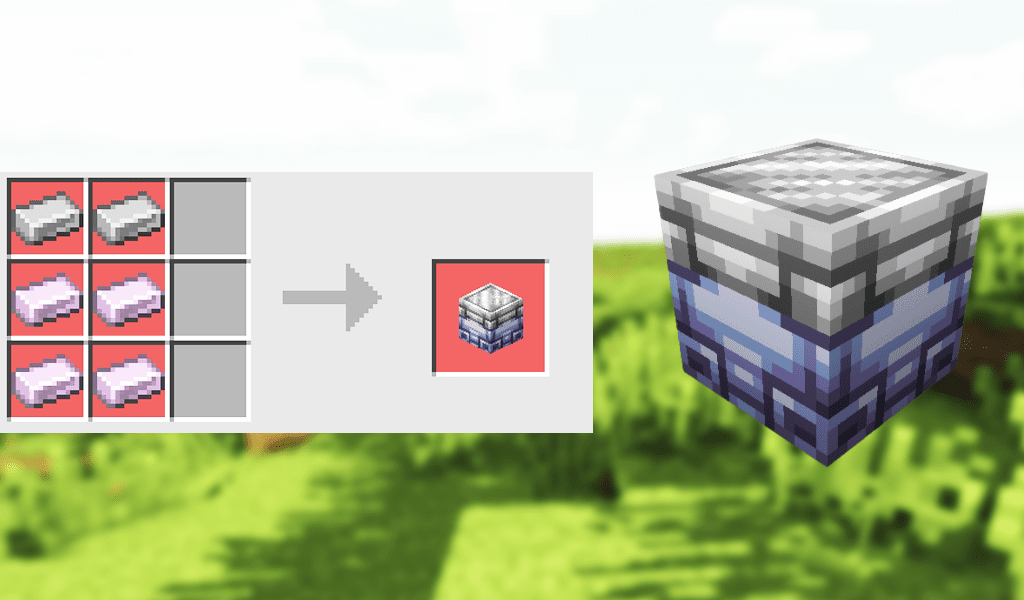
    6. Platinum Ore: obtained between layers 1 to 16 and its varian in deepslate between -52 to 16, you can use it to create the elemental table, advanced smithy table and mauve armor.
    7. Rose Quartz Ore:  
  • Obtained between layers 1 to 54 and its variant in deepslate between -32 to 16
  • Mineral drops between 1 to 4 rose quartz
  • Can use to create decorative blocks
    8. Ruby Ore:  obtained between layers 1 to 64 (quite difficult to find it), can use to create ruby armor and tools.
    9. Sapphire Ore: obtained between layers 1 to 64 it is quite difficult to find, can use to create sapphire armor and tools.
    10. Silver Ore: obtained between layers 1 to 64 and its variant in deepslate between -52 to 16, can use to create the rose gold and the silver weapons.
    11. Tungsten Ore: obtained between layers 1 to 16 and its variant in deepslate between -52 to 16, can use to create the pyrite ingot, reinforced ruby armor, elemental table and tungsten armor.
    12. White Diamond Ore: obtained between layers 1 to 16 and its variant in deepslate between -52 to 16, can use it to create the white diamond armor and sword.

Armor Category Ores Plus addon

Alexandrite:

  • Protection: +21
  • Durability: very high
  • Knockback Resistance: +0.8

Emerald – Ores Plus addon

  • Protection: +10
  • Durability: normal

Mauve armor

  • Protection: +18
  • Durability: very high

Moonstone

  • Protection: +15
  • Durability: high

Pyrite – Ores Plus addon

  • Protection: +20
  • Durability: very high
  • Knockback Resistance: +0.8

Reinforced Ruby

  • Protection: +15
  • Durability: high

Rose Gold

  • Protection: +14
  • Durability: high

RubySapphire

  • Protection: +10
  • Durability: normal

Steel Ores Plus addon

  • Protection: +10
  • Durability: very high
  • Knockback Resistance: +0.5

Tungsten

  • Protection: +15
  • Durability: high

Custom pickaxes Ores Plus addon

 These custom pickaxes are necessary for players when mining the addon minerals.

Elemental Swords

To craft it you need yo 1 White diamond and 1 Elemental Gem. (The electro sword is found in the End Cities)

Table’s Category

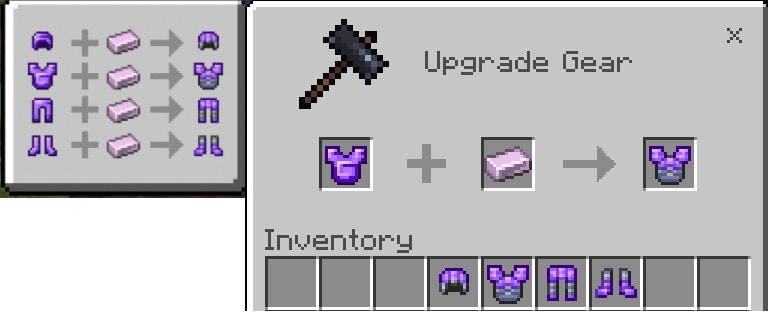
Elemental Table for creating armor, gems, swords and elemental essences

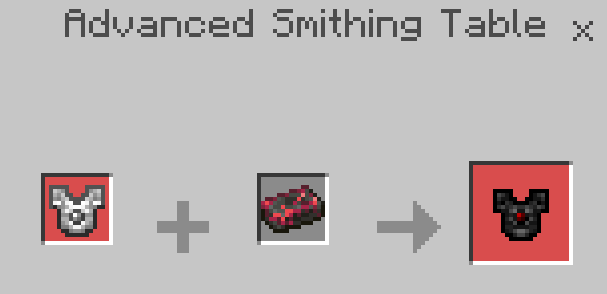
Advanced Smithing Table: create some armor and tools of the addon

Elemental Armor Category

Elemental Gems:  create armor and elemental sword

Elemental Essences: Amber, cryo, amber, jade and wither essences are crafted

Download


mcpeaddons download

Ores Plus v5.0.0 BP or here (backup link)
Ores Plus v5.0.0 RP or here (backup link)
Ores Plus Mesa Custom UI (Necessary) or here

Old version

Ores Plus Add-On v2.2.0 BP or Here
Ores Plus Add-On v2.2.0 RP or Here
Ores Plus Mesa Custom UI or Here

If you are looking for more cool addons, don’t miss these ones on mcpeaddons.com:

Create guns, furniture, animations in ONE toolbox. Try now:


- Advertisement -

Miniblocks Addon for Minecraft [250+]

0

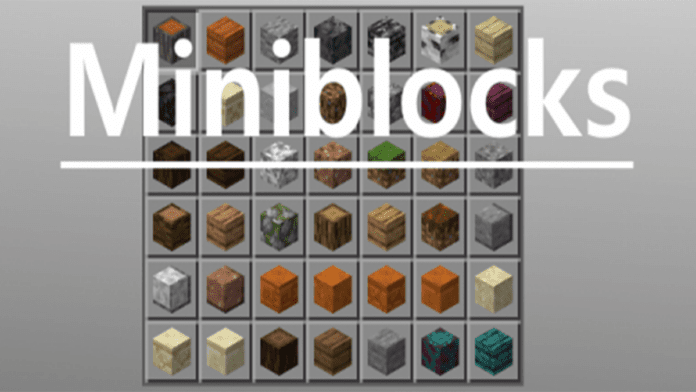
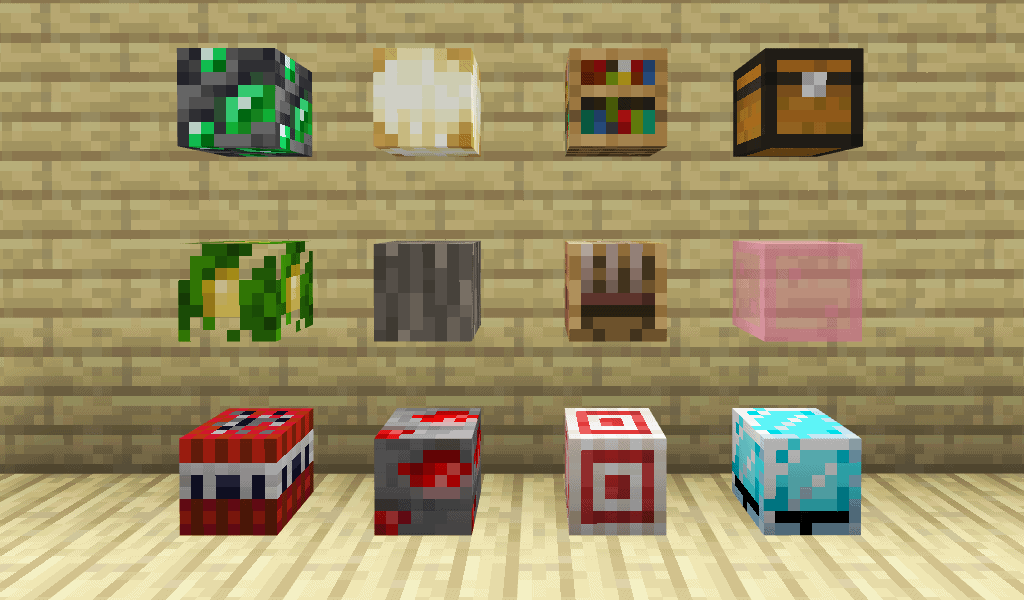
What do you think about the friendly miniblocks addon in survival mode which can use to decorate your world and not make it lag?. Well, why you don’t try this addon right now when it added over 250 mini-blocks!! Use them to decorate and detail your build. Moreover, they will not make your world become lag. That’s so a great choice!

Creator: Ultr4Anubis

Miniblocks Addon

Most of Miniblocks Addon on bedrock Edition use entities or on new custom blocks. However, it does not add in all blocks, only add a limited amount of blocks.

This is a small collection of blocks, around 250+ miniblocks (in fact it’s most likely around 300 blocks)

How to obtain

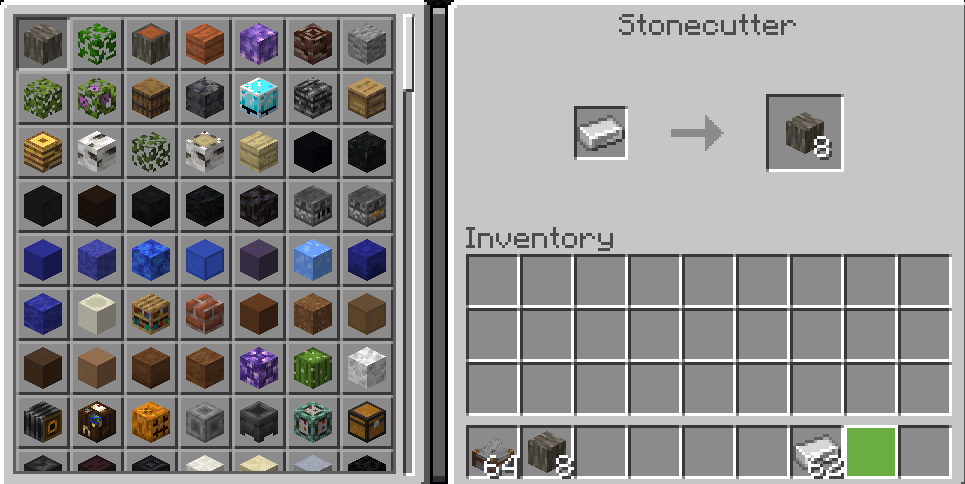
All blocks in this addon can be crafted by placing an iron ingot in a Minecraft Stonecutter.

Features:

  • These blocks are multi-directional and positions
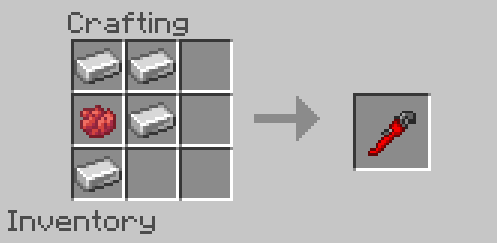
  • Using the wrench to change the position of the mini-block being on the wall to be on the bottom of a block.

Don’t ignore the Wrench in this Miniblocks Addon, because this is the most useful item. It let you rotate the blocks from being at a 45 angle or to being on a wall.

Crafting recipe:

Not stop there, this addon have also one more cool thing. That is emissive mini blocks which allow some mini blocks to be used as functional light sources.

The list of emissive mini blocks:

JackolanternShroomlight
GlowstoneSea Lantern
Redstone LampBlast Furnace
FurnaceSmoker
Beacon

 👉 If you are looking for more addons, you can check out some other ones in MC AddOns

Changelog

– Changed the sound that plays to be less intrusive
– Fixed a broken rotation state caused by 1.18.10
– Added many new mini blocks

Downloads

mcpeaddons download

Miniblocks Addons mcaddon or here (gg drive)
- Advertisement -