Home Blog Page 108

Block-Geo Fixer and Realms Fix] 1.19.21

0

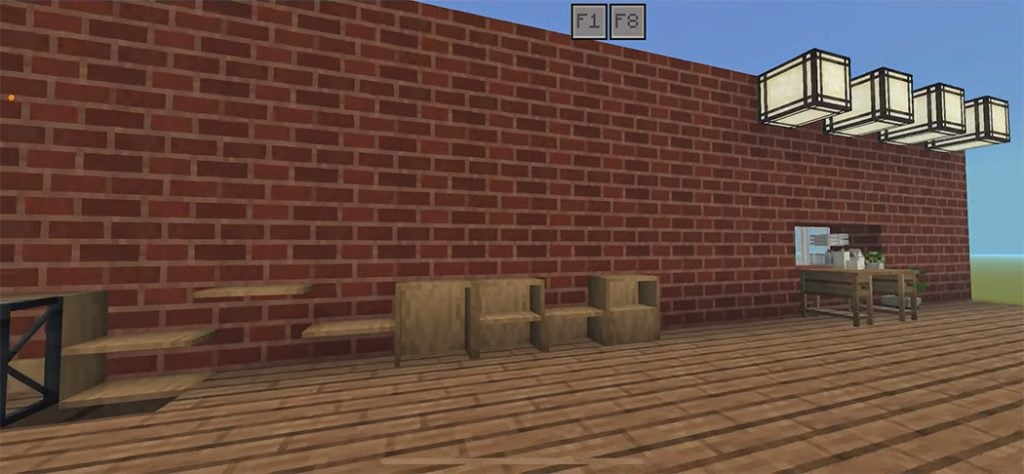
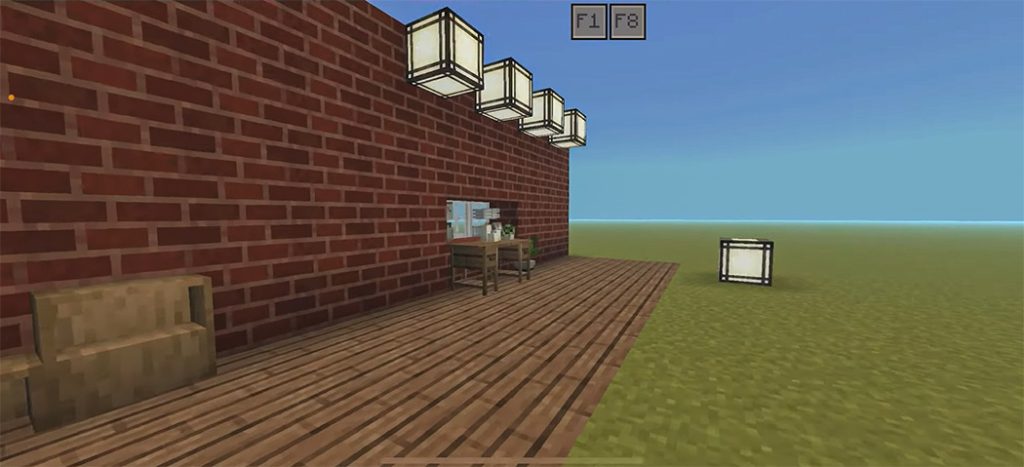
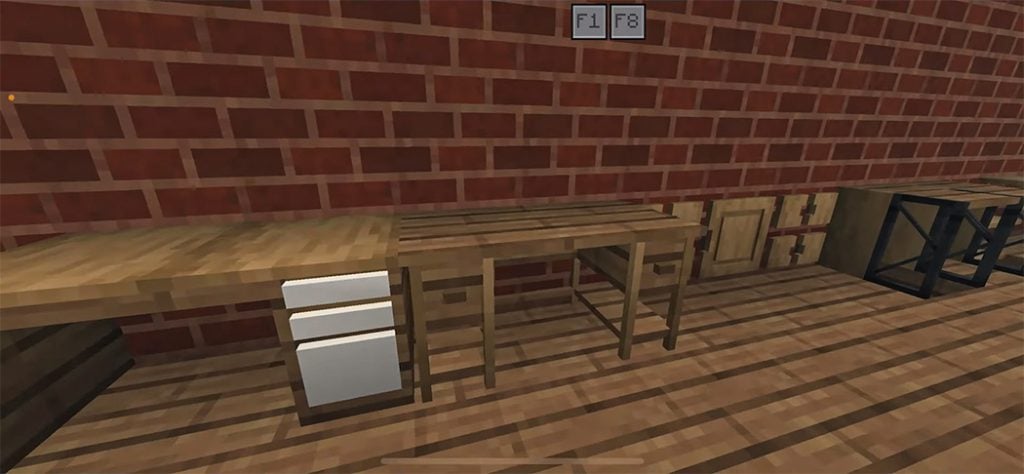
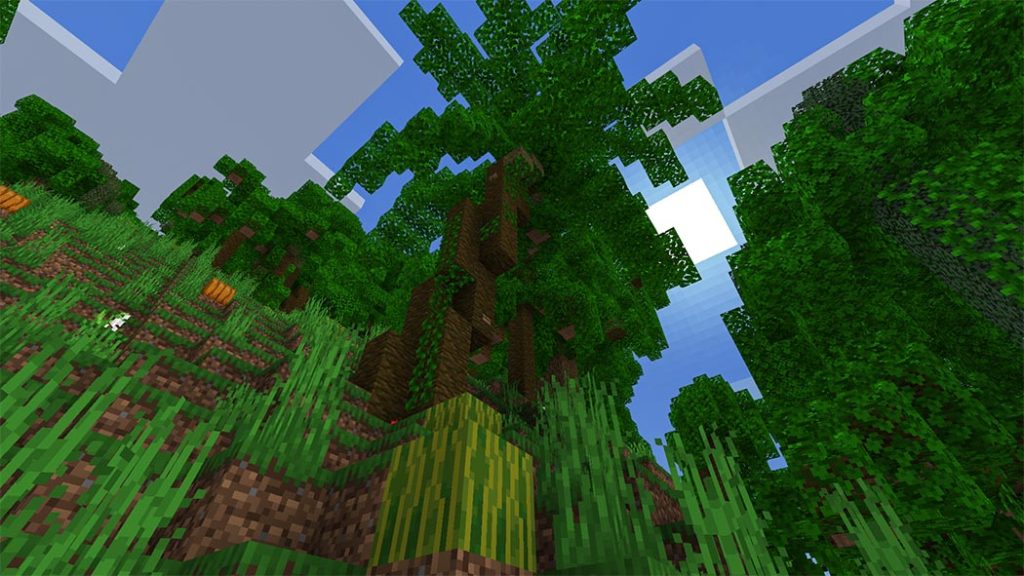
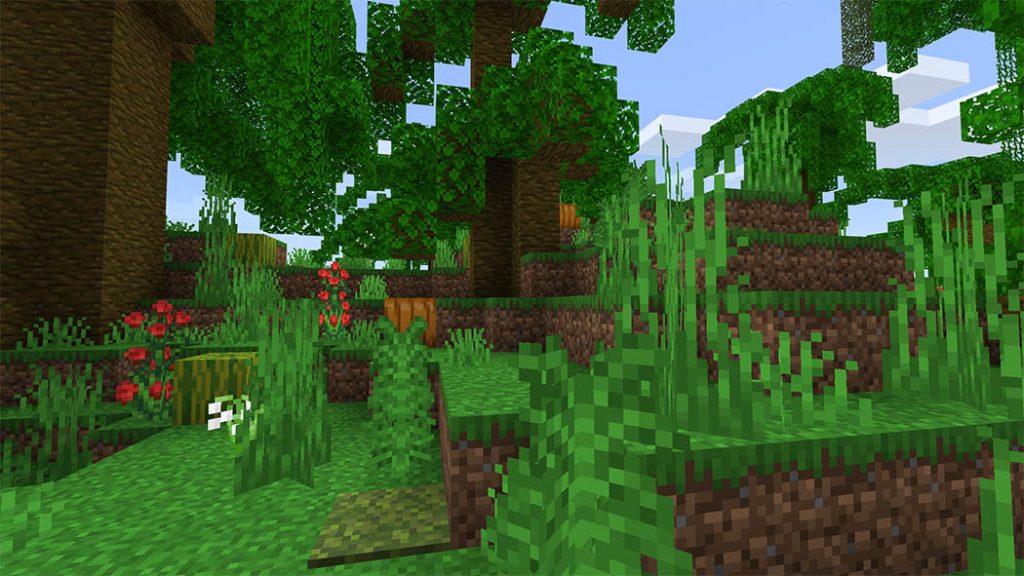
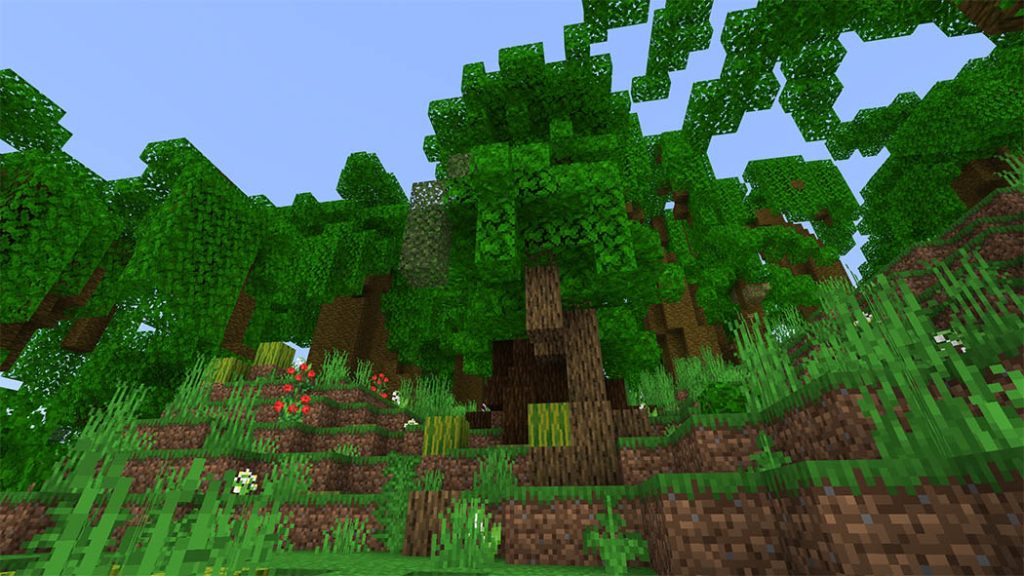
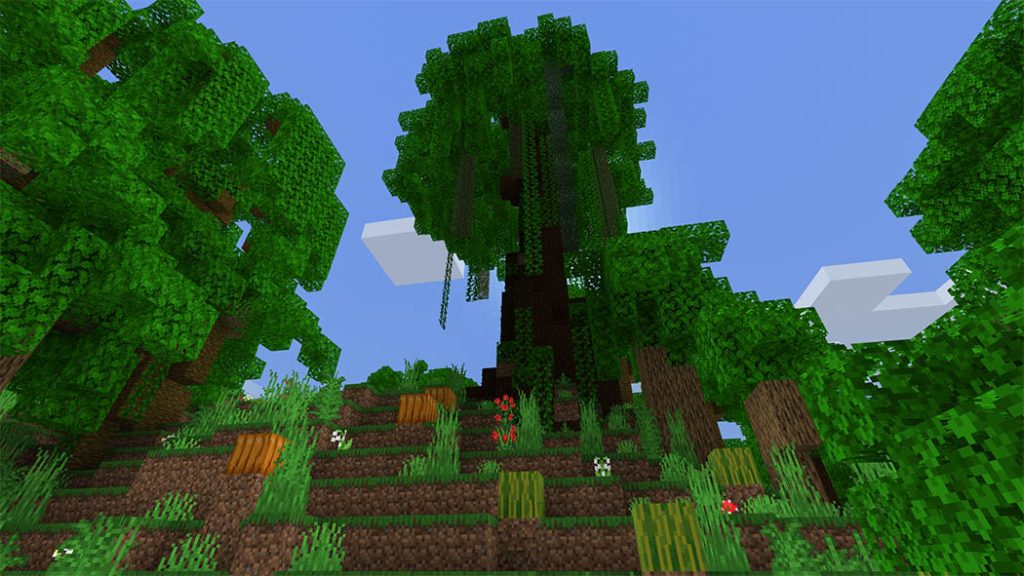
Are you tired that the errors in the textures of blocks more than 1:1? Well, it’s okay! Because this Block-Geo fixer addon fixes custom blocks bigger or taller than 1:1! So you will see many addons will work again!

Creator: TazaMakeThings (Twitter)

Block-Geo Fixer

Sadly, Minecraft is not perfect. Developers don’t notice some things, so there are bugs that prevent you from enjoying the game world. Future revisions will remedy them, but fans have already proposed a another option!

  • Due to 1.18.10, you can no longer create custom blocks more than 1:1 due to “engine limitations” limiting many creators and causing bugs that break the game. But this module breaks that limit and fixes that! Only download this Addon – Block Geo Fixer you can fix above bug:

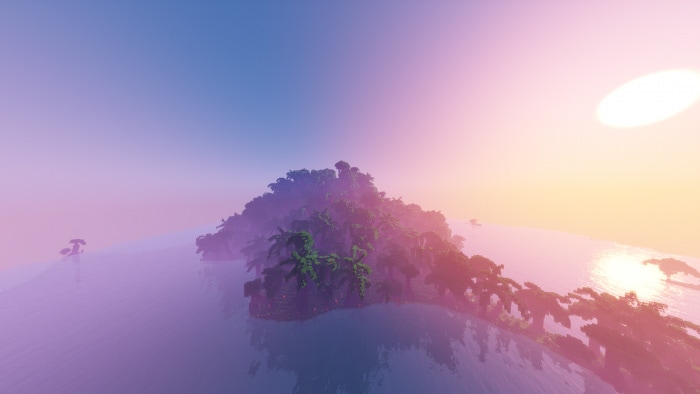
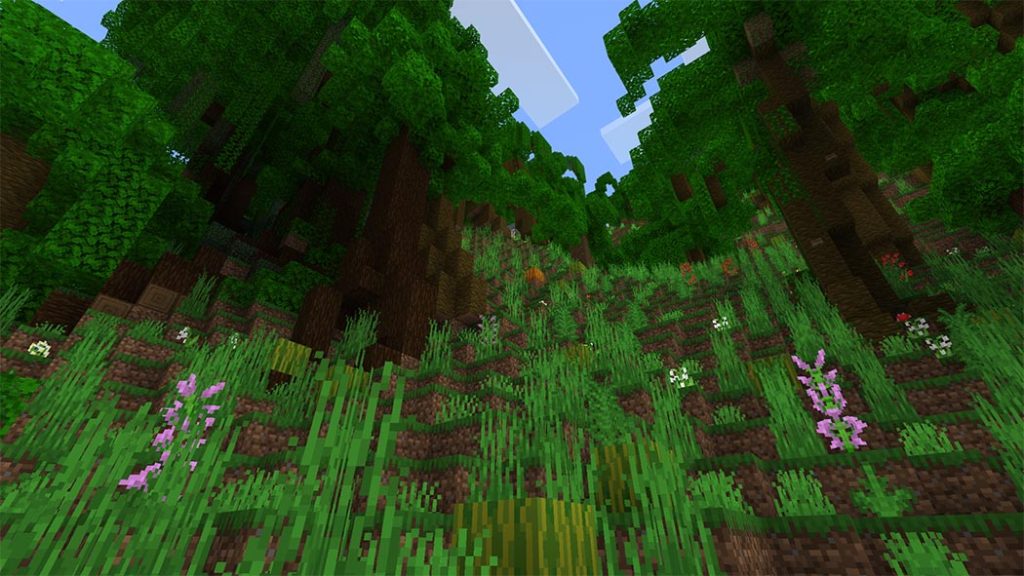
Before:

After:

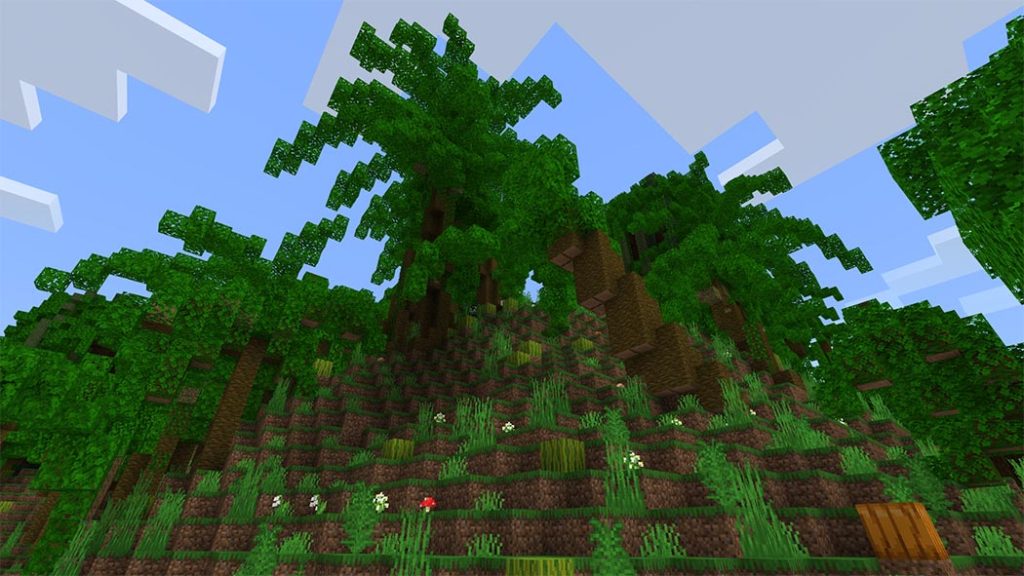
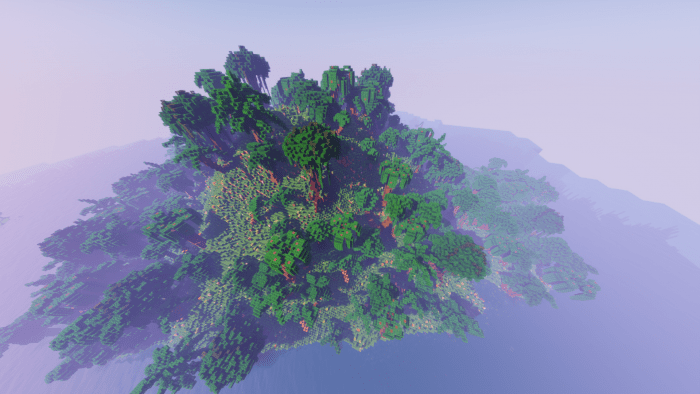
  • Add-on used in the example: Jungle Expansion Add-on

Important!

  • Put this Add-on above of all resource packs to work! Or it won’t work properly

Example

How to fix the Sonic bug:

  • When you enter a realm with the Geo-fixer activated inside the realm, the texture will change to this:
  • To solve this, you must go to “settings”
  • Go to “Storage”
  • And erase this
  • When you join again, press “join” and don’t download the packs

And that would be all! this is a temporal solution until fixing it. If Mojang patches this module, there will be an update as soon as possible to fix the add-on.

Here is an video made by ForgeLogical where he makes the Add-On showcase go check it out!

If mojang patches this module there will be an update as soon as possible to fix the add-on.

Last but very important.

This module was originally created by LukasPAH 

and due to my ignorance I did not know that it was created by him

All crédits for him!

and also for 

TheWTFVerse for making the Sonic fix!

All crédits for him too!

Changelog

[External Changelog]

  • added new images that correspond to the addon version (Very Important)
  • Modified the entire main page (important)
  • Added a new featured image (minimal)
  • Fixed the NO AD link
  • added an explanatory video of the addon created by ForgeLogical

    [Internal Changelog]

  • Added more text and new info in the internal files + An fix for the Pack_Icon Image

Installation

If you want to use it in your Add-On remember to credit me Thats all!

Warning: The Block Geo fixer might not work in all Add-ons, do to the textures or code of the add-on. 

You can also like some other addons on Mcpe Addons

- Advertisement -

5 Best structures to build in Minecraft (Anyone can build)

0

How to build Minecraft structures? Below is 5 best structures to build in Minecraft so that you can craft in your world.

The possibilities of what can be produced with blocks in a large sandbox game like Minecraft are boundless.

However, because the player must use on-screen controls, creating things is more difficult with the Minecraft portable edition. In the Minecraft Pocket Edition, beginners can still build a lot of structures. With this article, you can build for Minecraft Pocket Edition easily.

5 best structures to build in Minecraft

Below is video from Ultimatecraft in order to help you build for Minecraft Pocket Edition or Java and 5 Best Structures to build in Minecraft.

5) Modern base

Minecrafters frequently construct modern bases. They look beautiful and are rather simple to construct.

best structures to build in Minecraft

Quartz and its derivatives are one of the most often utilized building blocks in modern homes. This block can be made from Nether quartz, which can be obtained via mining Nether quartz ore.

4) Hobbit hole

Hobbit holes are one of the most enjoyable base ideas in the game to construct. For those unfamiliar, they are mountain bases that give the player the impression of living in a hole.

5 best structures to build in Minecraft

3) Greenhouse

Greenhouses are structures that house a large number of plants and vegetables. The construction is largely constructed of glass blocks, but players can optionally add a few solid blocks.

Because this tower requires few different blocks and glass is readily available, even beginners can simply construct it in Minecraft PE.

Maybe you like Minecraft Addons by Topic that are similar to 5 Best structures to build in Minecraft in Mcpe addons’s site:

2) Horse Stable

Horse barns aren’t strictly necessary, but they are enjoyable to construct and attractive to look at. If they’re going with a theme, players can create with whichever blocks they like.

Horse Stables look best when only a few different types of blocks are used. One of the most common materials used to construct it is wood.

1) Wooden house

Houses are among the most frequent structures, and players can construct them with any blocks they like.

However, because wood is cheaply obtained by felling trees, building a tiny wooden house is the most straightforward. Wood can be used in a variety of ways. As a result, if the player accumulates an excessive amount of it, it will not be wasted.

With 5 best structures to build in Minecraft that Mcpeaddons recommend in this post, hope you can enjoy with your firends. Thank you for following us. Maybe you support us by using app and download more Building from our app:

House Building Addons for Minecraft PE

Buildings for Minecraft PE (IOS)

- Advertisement -

Luis Animal’s V1 – Amazon First

0

Are you sick of Minecraft’s jungle? Isn’t it as if something is missing? Yes, there are fewer animals. In Luis Animal’s V1 Addon, you can witness a variety of animals in the Amazon forest in this addon. Let’s get right to the Addon explanation, but first, a big thank you to MRM and MRG, as well as MCPEDL, for bringing this to your attention. We’ll get to the explanation without further ado.

Cre: Luis Gaming (Youtube, Twitter)

Luis Animal’s V1

Explanation 

Before we begin the debate, I’d like to express my gratitude to those who have expressed an interest in downloading this addon. And, as I previously stated, there is an Amazon animal, yes, an Amazon animal, in Luis Animal’s V1 Addon. Jaguars, capybaras, dart frogs, and other creatures can be found in this Addon. And here’s what we’re going to say about this animal:

Jaguar 

  • Type : Hostile 
  • Attack : 8
  • Health : 30
  • Spawn in Jungle
Luis Animal's V1

Amazonian Tapir 

  • Type : Not attacking 
  • Attack : Not attacking 
  • Health : 40 
  • Spawn in Jungle 

Some Addons Minecraft Pe about animals you can check in Mcpeaddons:

Capybara 

  • Type : Not attacking 
  • Attack : Not attacking 
  • Health : 20 
  • Spawn in Jungle 

Giant Otter

  • Type : Neutral 
  • Attack: 2
  • Health : 10
  • Spawn in Jungle

Black Caiman

  • Type : Hostile
  • Attack : 15
  • Health : ±30
  • Spawn in Jungle

Green Anaconda

  • Type : Hostile
  • Attack : ±10 + Slowness
  • Health : ±25
  • Spawn in Jungle

Harpy Eagle

  • Type : Hostile
  • Attack : ±4
  • Health : ±20
  • Spawn in Jungle

Amazon Frog

Amazonica Ranitomeya Frog

  • Type : Hostile 
  • Attack : ±2 + Poison
  • Health : 6
  • Spawn in Jungle

Golden Poison Frog

  • Type : Hostile
  • Attack : like Amazonica Ranitomeya Frog
  • Health : 6
  • Spawn in Jungle

Black Poison Dart Frog

  • Type : Hostile 
  • Attack: like Amazonica Ranitomeya Frog
  • Health : 6
  • Spawn in Jungle

Strawberry Poison Dart Frog

  • Type : Hostile
  • Attack : like Amazonica Ranitomeya Frog
  • Health : 6
  • Spawn in Jungle

Blue Poison Dart Frog

  • Type : Hostile
  • Attack : like Amazonica Ranitomeya Frog
  • Health : 6
  • Spawn in Jungle

Black & Green Poison Dart Frog

  • Type : Hostile
  • Attack : like Amazonica Ranitomeya Frog
  • Health : 6
  • Spawn in Jungle

Pink River Dolphin

  • Type : Neutral
  • Attack : ±4
  • Health ±15
  • Spawn in Jungle

Piranha

  • Type : Hostile
  • Attack : ±4 + poison 
  • Health : ±10
  • Spawn in Jungle

Installation

Bug 

  • Pink River Dolphin doesn’t move 
  • Small Amazonian Tapir from the real world 
  • Piranhas may not be able to Spawn 

And that’s it.

Thanks again to everyone.

  • Follow my Twitter
  • Subscribe my YouTube

Download Luis Animals V1 (Mediafire)

Download Luis Animals V1 (Immediate)

- Advertisement -

5 Best Gun Mods For Minecraft PE – Bedrock Edition

1

Are you looking for the best gun mods for Minecraft PE? If you are a gun lover or a lover of shooters and fighting genres, You will love these addons and pocket mods we shared today.

These modifications will replace dull old equipment in your Minecraft environment with a variety of Minecraft bedrock weapon mods.

Download 5 Best Gun Mods For Minecraft PE

The most popular modifications are ranked based on the number of shares and likes they have received on social media. Some people may find it intriguing, but others may not.

You do, however, have a variety of different options.

Actual Guns CSO V3.1.9: 20 Attachments

Welcome to Actual Guns CSO – the first addon to introduce custom guns and features such as first shot accuracy, Recoil recovery, Skins, Different accuracy when (jumping, walking, in air, swimming, ladder, etc), Silencers, Hit-markers, Announcers, Bursts, Semis, B Modes, Enhancements, Attachments, Editions, EnchantmentsParts and more!

Actual Guns 3D v1.3.2

The gun addon is no stranger to Minecraft, but 3D is the first! What about trying something new? Then you should definitely try Actual Guns 3D, this addon is available for Minecraft bedrock edition.

Best Gun Mods - Actual Gun

Better Guns Addon

Better Guns Addon is a Minecraft Gun Addon, that’s just better for those who want to use a gun with other addons? Want to draft them in Survival? This add-on lets you do just that! With Multiplayer and Multi-Addon support!

Resizer Gun

Resizing the animals around you is easy with the Resizer Gun v1.2.2 3D add addons, just install addon you will get 2 guns, expander and shrink then be ready to go. 

Resizer Gun

Have you ever wished to make your pet wolf bigger or the bees smaller to make it look more realistic?

3D Guns & Weapon

Sincerely present to you our new addon: 3D Guns and Weapons addon. This addon will add 3D weapons and 3D Gun for Minecraft PE.

What have in this addon?

3D Gun: 13

3D Weapon: 1

All guns have run animations. To reload all the guns, you need to hold ammo for a certain weapon in your hand.

With Best Gun Modsfor Minecraft PE that Mcpe addons recommend in this article hope you maybe enjoy with your friend. Thank you for following us. Please support more by using more Gun mods for Minecraft in our app:

Actual guns mod 3D for MCPE (ANDROID)

Actual guns mod 3D for MCPE (IOS)

- Advertisement -

Forever Vanilla – Bedrock Port

0

Forever Vanilla is a lovely Java Edition visual resource set. I’m here to introduce you to the Bedrock Port of this incredible bundle! I made every effort to adapt every feature of this pack to the bedrock edition! I hope you like this collection!!

Cre: Redstone_Chicken (Youtube)

Forever Vanilla

Down Below is my Trailer I released on my YouTube Channel!!

If you want to check out my other addons, you can check out my YouTube channel by clicking the link down below!

http://www.youtube.com/c/RedstoneChickenMC

Feature List!

  • Improved block, item and gui textures
  • Better mob models and textures
  • Variated blocks
  • 3D book items
  • Better leaf textures and colours
  • Better/clean particles
  • Fixed vanilla Hotbar transparency
  • Improved enchantment glint

Some other Textures for Minecraft you can check in Mc addons site:

Images!

ForeverVanilla
ForeverVanilla

Information!

Original Java pack – Link

If you find any bugs on my packs please report them to my or kovaszos_uborka’sdiscord server!

https://discord.io/RedstoneChicken

discord.gg/Jmt6Bfznjp

Installation

Read the MCPEDL page above for how to use!

— 

YouTube Channel:

https://www.youtube.com/c/RedstoneChickenMC

My Merch Store:

https://redstonechicken.com

Join My Discord:

https://discord.io/RedstoneChicken

Help me reach 10,000 subs!?😲

Hit that Subscribe 🔔 and like 👍 button!

Download Forever Vanilla (Mediafire)

Download Forever Vanilla (Intermidiate)

- Advertisement -

Java Aspects Texture Pack for Minecraft

0

One of the best Minecraft texture pack 16x for Minecrafter. Now you can easily create Minecraft: Bedrock Edition with the feels, sound, … like the original version of Minecraft called Java Edition. Java Aspects can change the water, bees, particles, and more!. Explore now!

Cre: AgentMindStorm, Youtube, Twitter

Java Aspects – Java Minecraft texture pack

This Java Aspects pack supports New Default textures or Programmer Art textures.

  • Adjust the pack option by selecting the gear on the resource packs screen.
  • Programmer Art textures require you to have the Classic Texture Pack from the Marketplace enabled below Java Aspects.

Feature List

The features will begin with * are unique to Java Aspects (Fidelity). [Not in Java Aspects (Performance)]

Universal Features

Weeping VinesBlackstone Slabs and Stairs
Cut Red Sandstone BottomChiseled Red Sandstone Bottom
WaterMelon Bottom
Ominous BannerGrasses and Ferns
Snowy Grass Block SideCarried and Opaque Leaves
Carried Grass Block TopSave Structure Block
Load Structure BlockStructure Void
LightOld Nether Reactor
Blocks
Kelp SeagrassSoul Lantern
LavaWaterSea Lantern
Stem SidesFireSmoker Front
Soul FireStonecutter SawSoul Campfire
Magma BlockNether PortalCampfire
Respawn Anchor Top


Sculk SensorSculk Catalyst
Block Animations
Empty hand attacking*Held item position and size (first and third person)Punching animationCrouching position
Shield blocking animationAiming animationsIdle arm position and animationCape animation and position
Elytra animationTooting goat horn animationZombie chasing and attackingDrowned swimming
Skeleton idle arm positionSkeleton bow aimingCreeper exploding white overlayEnderman shaking animation
Witch nose position and bobbingWither spawning animation
Piglin arm position and ear bobbingPiglin celebrating head position
Pillager crossbow aiming animationPufferfish fins and bobbingBee bobbing and wing speedFish flopping
Wolf tail alignmentVex arm position and attackingEnd crystal animationBurning and hurt entity overlays
Tropical fish flopping rotation speedVindicator and zombie villager offhand item positionVillager held item position and leg movement speedRemoved blinking
Entity Animations

Other:

  • Items
  • Entities
  • Interface
  • Sounds
  • Water
  • Particles
  • much more

New Default

Nether Wart Block
Cactus Side
Piston Side
Sticky Piston Side
Purpur Pillar Top
Pumpkin Top
Smoker Bottom
Bed Legs
Old Stonecutter


Blocks
Filled Maps
Potions
Tipped Arrows
Command Block Minecart
Grasses and Ferns
Vines
Lily Pad


Items
Dragon Fireball
Vindicator
Savanna Villager Base
Cleric Villager
Biome-specific Zombie Villagers
Llama Chests
Iron Golem
Old Villagers
Old Zombie Villagers
Leather Cap
Entities

Interface:

  • Brewing stand bottle outline
  • Enchanting table lapis outline
  • Equipment tab
  • Mobile armor tab

Programmer Art

Lava
Crying Obsidian
Horn Coral Block
Brain Coral Block
Acacia Door
Birch Door
Dark Oak Door
Jungle Door
Smithing Table Top
Blocks
Shield
Dried Kelp
Bucket of Pufferfish
Command Block Minecart


Items
Cat
Horse
Donkey
Mule
White Rabbit


Entities

Explore Java Aspects pack Christmas Chest

This pack works or without the Minecraft Java Aspects pack. Christmas Chests replaces the default chest textures and icons with Java Edition’s Christmas-themed textures for a more festive experience.

There are two download options below: Fidelity and Performance.

  • Fidelity: it contains features that cause more lag such as item icons, and held item positions,… but crashes the Minecraft game on mobile devices.
  • The performance runs better but doesn’t include durability bars, held item positions, or item icons.

Note: Recommend Mobile Minecraft players should download the Performance version of Java Aspects texture pack.

Java Aspects and Christmas Chests are guaranteed compatible with VDX: Java UI 1.2.1 and Multipixel 1.19, but you must match the load order in the screenshot below:

If you like this addon at mcpeaddons.com, you can also check these ones:

Changelog

Horns and Highlights Update (5.1.1):
– Lines that begin with * are features unique to Java Aspects (not planned for Console Aspects).
– Universal:Textures, Block Animations, and Properties
+ Added the snowy grass side texture from Java Edition
+ Blackstone stairs and slabs now use different top and side textures 
+ Carried mangrove propagule and leaves now match Java Edition

Downloads

Download Java Aspects (Performance) – Required for Mobile Devices or here

Download Java Aspects (Fidelity) – Crashes on Mobile Devices or here

Download Christmas Chests or here

- Advertisement -

Top Minecraft lucky block Addons in 2022

0

What do you think about Lucky Block Addons change Boring Vanilla Block in your Minecraft Game?????

Minecraft mods are a great way to spice up the game and make it more complex. Minecraft has one of the most active modding communities in the world, including modifications such as RLCraft, Optifine, JurassiCraft, Lucky Blocks, and many others.

One of the most enjoyable and engaging Minecraft mods is Lucky Block. Players will be able to manufacture and find lucky bricks in this patch. However, as the name implies, lucky blocks are not always lucky. Players can also get unfortunate and acquire harmful repercussions from time to time.

Top Minecraft lucky block Mods in 2022

Many modders produced their own variants of lucky block modifications with new crafting recipes and varied unlucky and lucky loot tables after the release of the initial lucky block mod. Some of the best Lucky Block mods for Minecraft are discussed in this article.

Astral Lucky Block Addon

Astral Lucky Block Addon adds the astral lucky block which adds new weapons, blocks, enemies, and many more.

There are a total of around 300 different things that can come up when breaking this block. The original Lucky Block was also added so you can create the astral block and of course, it works too.

Lucky Block Addon

Lucky Block Addon has added to Minecraft. A bunch of the items will drop randomly when you destroy luck blocks such as diamonds, dirt, emerald, gold, bedrock, armor or dragon egg, even enchanted apples.

Lucky Block Entity

Lucky Block Entity is an addon that adds new lucky blocks but in the form of a very cute entity. With which you can get random things for your survival world.

Lucky Block Entity

In your world, you can find these entities on the surface of any biome where there is grass, once you manage to find this new entity, you can hit it up to 2 times with your hand and it will drop random objects. With a third hit, this entity will die and will be able to drop an object again, drop advanced objects, generate structures, generate entities, or simply become an angry block of luck.

Hardcore Lucky Block Addon

Hardcore Lucky block is an add-on to the next level. It will bring a mix of emotions to players when they find something that they don’t know what will happen inside the Lucky Block!!!

Since the player breaks the block, there is something horrible will happens at that moment from explosions to monster spawning

This Minecraft mod is for players who are tired of the same old lucky blocks. Lucky Block OMEGA adds many new types of custom weapons, armors, items, and mobs.

You also download more Lucky Block Addons and Map for Minecraft in out App:

- Advertisement -

Craftable Statues by JayCubTruth

0

Decorative statues will add a touch of class to your creations. There are 280 different varieties of craftable statues in this add-on, as well as 16 uncommon epic statues that can only be purchased from stone mason villagers. Any foundation will look more vivid with these sculptures! Make a life-size chess board out of them to remember your lost pets. The options are limitless!

Cre: JayCubTruth (Youtube)

Craftable Statues

() Craftable Statues by JayCubTruth
() Version 1.0.0 created for Bedrock version 1.18

View End User License Agreement

(Pictures at bottom of page!)

How to use Craftable Statues Video:

How to replace the statue textures with YOUR OWN SKIN tutorial:

=== IN THIS READ ME ===

() How to Install
() How to Craft
() Stone Mason Trading
() Special Thanks

Some addons Minecraft PE that Mcpeaddons.com would like to recommend for you:

=== HOW TO INSTALL ===

Important: Make sure to move “Craftable Statues by JayCubTruth.mcaddon” outside the zip file before clicking it!

Double-click the “Craftable Statues by JayCubTruth.mcaddon” file included in this download to open it and import it into Minecraft. Once installed, go to world settings and click behavior/resource pack in the lower left corner to add it to your world. From there, go to “my packs,” choose JayCubTruth’s Craftable Statues, and then “activate.”

S S S
S D S
S S S

S = Stone, Coal, or Quartz
D = Diamond

Pedestal come in three varieties: Stone, coal, and quartz. Once you have a pedestal, you may combine it with an item to create a statue.

□ I □
□ P □
□ □ □

I = Item
P = Pedestal

The items are as follows:

Player Statue with Trident = Trident
Player Statue with Flower = Spore Blossom
Player Statue with Torch = Torch
Player Statue with Sword = Stone Sword
Axolotl = Tropic Fish Bucket
Bee = Honeycomb
Cat = String
Chicken = Egg
Cow = Milk bucket
Creeper = Gunpowder
Dog/wolf = Lead
Enderman = Enderpearl
Fox = Sweet Berry
Hoglin = Crimson Fungus
Horse = Hay bale
Iron Golem Statue = Iron Ingot
Panda = Bamboo
Parrot = Feather
Pig = Raw Pork
Rabbit = Rabbits Foot
Sheep = Wool
Skeleton = Bone
Spider = Spider Eye
Squid = Ink sack
Strider = Warped Fungus
Turtle = Seagrass
Villager = Emerald
Wither Statue = Wither Skull

The statues can be placed and will not despawn. You can break them by punching them. Once you have a stone/coal/quartz statue, you have the option to either cover it with vines, crack it, or coat it with copper!

To cover a statue with vines, you must create the following recipe:

V V V
V S V
V V V

V = Vines
S = Statue

To create a cracked statue you must simply cook it in a furnace.

To create a copper coated statue you must create the following recipe:

C C C
C S C
C C C

C = Copper Ingot
S = Statue

There are 280 craftable statue types plus 16 stone mason exlusive statues for a total of 296 statues!

=== STONE MASON TRADING ===

Stone Mason Villagers will also sell statues as a Journeyman level trade.

There is a 6% chance they offer you one of the following EPIC statues:

  • Amethyst Axolotl Statue
  • Amythist Fox Statue
  • Amethyst Panda Statue
  • Amethyst Wolf Statue
  • Cake Turtle Statue
  • Copper Golem Statue
  • Diamond Axolotl Statue
  • Diamond Ore Panda Statue
  • Dirt Steve Statue
  • Ender Dragon Statue
  • End Stone Enderman Statue
  • Ice Trident Wielding Statue
  • Ice Wolf Statue
  • Netherack Strider Statue
  • Prismarine Trident Wielding Statue
  • Spider Jockey Statue

=== SPECIAL THANKS ===

I’d want to thank everyone on Blockheads SMP, my discord server, and my youtube followers for their continued support as I worked on this add-on. Without your support, I would have most likely given up. 🙂

Craftable Statues
Craftable Statues
Craftable Statues

Changelog

-Added “How to add your OWN SKIN” tutorial video to page. Enlarged Photos.
-Updated download link
3/22/22
-Updated installation instructions
-Updated download link(again. Sigh)

Installation

Important: Make sure to move “Craftable Statues by JayCubTruth.mcaddon” outside the zip file before clicking it!

Double Click the “Craftable Statues by JayCubTruth.mcaddon” file included with this download and it should automatically open and import to minecraft. Once installed you can add it to your world by going to the world settings and clicking behavior/resource pack in the lower left corner. From there you will click on “my packs”, select “Craftable Statues by JayCubTruth”, and select “activate”.

AFTER THAT YOU MUST MAKE SURE THAT “Holiday Creator Features” ARE TURNED ON OR IT WILL NOT WORK!

You can find the holiday creator features setting in the “game” section of your world if you scroll down. Once that’s done you are ready to go!

Download Craftable_Statues_by_JayCubTruth.mcaddon (4.93 MB)

- Advertisement -

Top 10 Skin Packs for Minecraft PE Players

0

If you find some skin packs for your game, Top 10 Skin Packs by mcpeaddons will recommend our best skin packs for you!

Top 10 Skin Packs for Minecraft PE Players

1. Meme Skin packs [30 new skins]

Explore Meme skins pack 4.7 which includes a bunch of strange and funny skin. You can use these skins to scare your friends or just be awkward. Example Steve with the face of a villager, or Elmo dressed as Thanos,…. there are many new ideas skins are added to this skin pack. Let exploring!

Cre: 悠真 小林 (Koba), Youtube

2. Casual Skin Pack

In Top 10 Skin Packs, I will share with you a pack named Casual Skin Pack.

This casual skin pack has added 3.020+ skins divided into 2 parts!. It’s a great skin pack for those who want to change their skin quickly. There are many different skins and new skins are added in this update such as anime, games, horror, rapper, and much more…

Cre: Simon_ITA, Twitter, Youtube

3. Minecraft Youtubers Skin Pack

If you ever wanted to become a fake Youtuber or just want their skin in Minecraft, this pack is for you. Minecraft YouTuber’s skin pack with the name speaks for itself. Although it’s not including all Youtuber, I gladly accept every request to add a new one

Cre: 悠真 小林 (Koba), Twitter

4. Aesthetic Skin Pack Minecraft

Aesthetic Skin Pack are a variety of both unique and vintage-like skins which also include Halloween-like skins due to the spooky season arriving upon the horizon; however, during this skin pack, unfortunately, there are more female skins than male skins since female skins are the hottest.

Cre: Awhbbs (Instagram)

5. Cursed Skin Pack

This skin pack includes a bunch of weird skins that you don’t see on the server. For example, Steve with the face of a Villager, or with Alex’s clothes, Elmo dressed as Thanos and many more are waiting for you to discovery

Cre: 悠真 小林 (Koba), Twitter

If you like Top 10 Skin Packs for Minecraft Players, maybe you like other:

6. Camouflage Skins 2

Camouflage Skins 2.2 is a unique skin pack upgraded from Camouflage Skins 1.16. With this skin pack, you can play hide and seek in your world, hide from your enemies, or just want to troll your friends, let’s discover this skin pack right now!

Cre: Team Freinercraft, youtube, Twitter

7. Camouflage Skin Pack 1

Camouflage Skin Pack is awesome skin for people who want to trick and troll other players on Minecraft? It includes over 65 skins, so it will help you easily camouflage with your surroundings.

Cre: Pavilion

8. Genshin Impact Teyvat Skin

If you know and play Genshin Impact, this pack is created for you. Teyvat skin pack is full of many 5 stars and 4 stars characters in Genshin Impact. This pack that Mcpeaddons introduce to you includes Mondstadt, Liyue, Inazuma characters, and also the traveler.

Creator: MCZackGaminG

9. Minecraft Flat Skin Pack

If you are one of the people who feel annoyed by how 3D all of the Minecraft skins are. Flat Skins Skin Pack is for you! A skin pack with strange and awesome skins

Cre: Donald Delusional (Youtube, Twitter)

10. Naruto Skin Pack

Naruto Skin Pack added all the characters from Naruto Skin Classic and Naruto Shippuden. If you like Naruto, you shouldn’t miss this skin pack

Cre: Pixell Studio, Twitter, Youtube

With Top 10 Skin Packs for Minecraft Players, you can choose more skin for your character!

- Advertisement -

Top 10 Biome Addons For Minecraft 1.18

0

Mcpeaddons introduce you Top 10 Biome Addons For Minecraft 1.18 for you. Are you ready???

Lush Caves and Dripstone Caves are two cool biomes in Minecraft 1.18. These Minecraft Bedrock Biome Addons create a plethora of different and interesting biomes. It adds a new swamp biome to Minecraft, as well as the possibility of an end-of-game update. Unfortunately, the warden and deep dark biome are only available in Minecraft 1.19.

Top 10 Biome Addons For Minecraft 1.18

Expansive Biomes V1.2

Expansive Biomes is the one of the top 10 Biome Addons For Minecraft 1.18 that we would recommend in this article. Expansive Biomes were formerly known as Plenty O’ Biomes, which added 20+ new biomes for everyone to seek out and explore! It not only stops there, but also adds more in the future! Do you want new biomes in your Minecraft world?

Top 10 Biome Addons For Minecraft 1.18 - Expansive Biomes V1.2

Nature Spirit (Nature Overhaul) 

Have you ever wanted to expand your world, wanted new types of trees, or what about the new blocks? The Nature spirit add-on provides this to you, and maybe more than this! It will allow you to build your arsenal with new planks, logs, leaves, trapdoors,…

Maybe you like:

Pure Fantasy World

The vanilla biomes are too boring for you? Pure Fantasy World – Fantasy Biomes Addons is for you! This add-on adds a lot of new fantasy and invented biomes to explore.

SwampPLUS Addon

SwampPLUS Addon brings new structures, mobs, items, and blocks to the swamp world of minecraft making it more alive and engaging than ever.

Specifically, the features that this add on brings include new Mobs, new biomes, swamp boats, and more, let’s explore it with us.

End Expansion

The End world is too boring and you want something new in this biome? And End Expansion is created for you, this addon gives you 2 brand new biomes, new mobs, weapons and many more things…

FEATURES:

  • 2 brand new biomes
  • A new structure
  • 2 unique mobs
  • Custom crafting
  • A cool new weapon

Amplified Biomes Minecraft

Minecraft  Amplified Biomes Addon frequently generates in your Minecraft world. There are epic floating islands and strange outcrops appear around the world. They will immediately draw your attention since you enter these biomes.

The extremely custom biomes include Jungle, Dark Oak Forest, Flowering Forest, Desert, Forest, Ice Spikes, Mega Taiga, Savanna, and Mesa. The Minecraft world will become more interesting with these things, let see some pictures below. 

yBiomes Craft (1.18) 

yBiomes Craft is here now! Have many full natural generation biomes in your game! For you to have fun with many new trees, structures, and biomes is very interesting and great to complete your survival and their worlds.

The diversity of biomes to make your game even more exciting is so huge! Frozen, cold, flooded, hot, tropical, islands, flowering, muddy biomes among many other different types!

Terra Enhance Biome 

Biomes in Minecraft look more interesting and engrossing with the Terra Enhance Biome! There are more than 20 biomes added to this addon that is inspired by the likes of Traverse, Biome Bundle, and Biomes O’ Plenty!

Bioplentia Addon – Magnificent Biomes

The appearance of the biomes is improved in this Bioplentia Addon (Magnificent Biomes). They have a new look, color, and atmosphere in vanilla bombie! Now let try to play a new survival world with friends. 

Biome Chooser Addon 

Three biomes in Minecraft will be updated with new features. Those are deserts, taigas, and savannahs biomes. Biome Chooser Addon is not only added some new mobs such as Meerkats and Ostriches but also stuff like new trees and bushes.

Biome Chooser Addon


With Top 10 Biome Addons For Minecraft 1.18 hope you can change more your world with novel tree, swamp,…. Or more. Thank you following us.

Addons Maker for Minecraft (IOS)
AddOns Maker for Minecraft PE (ANDROID)
- Advertisement -