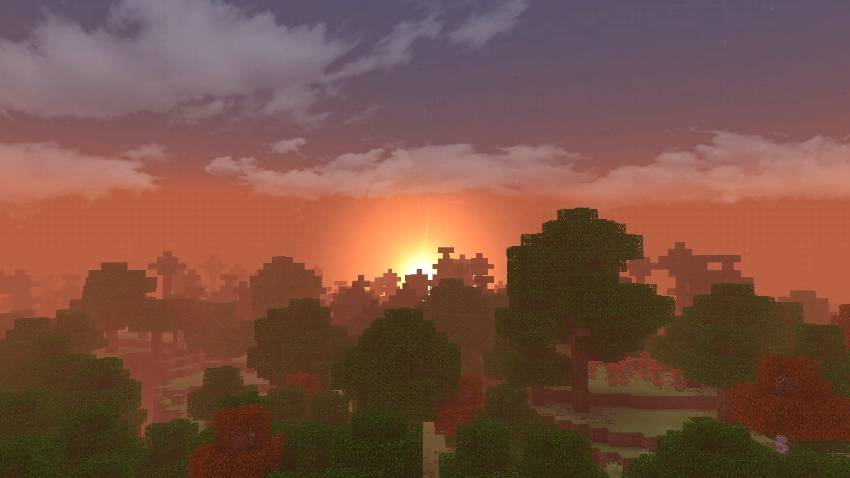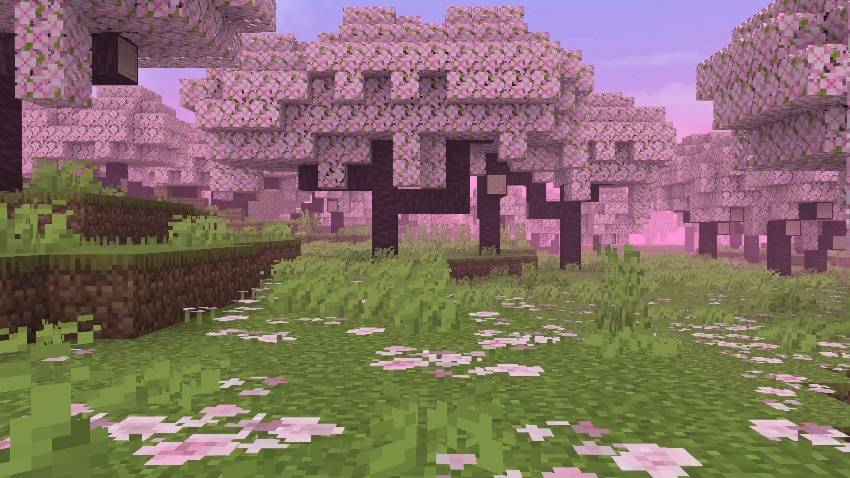
Home Blog Page 4

Best Cottagecore Addons for Bedrock

0

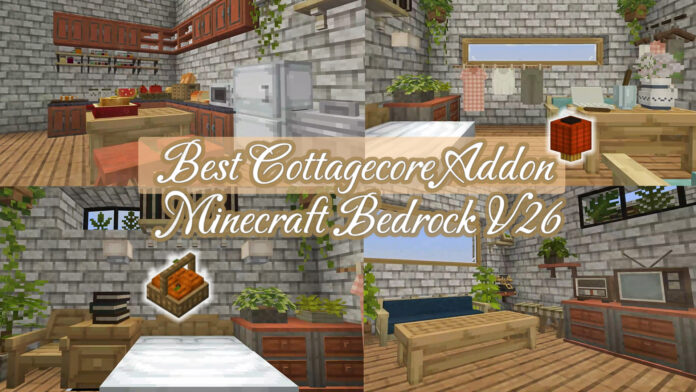
Best Cottagecore Addons for Bedrock enhance the game with custom furniture, plants, and structural elements. It is designed to create a rustic, cozy, and nature-inspired environment, featuring items like hanging planters, antique chairs, and pastel textiles

Creator: Coral Mc

Best Cottagecore Addons for Bedrock

The top cottagecore addons for Minecraft Bedrock (1.21+):

Mizuno’s cit 16

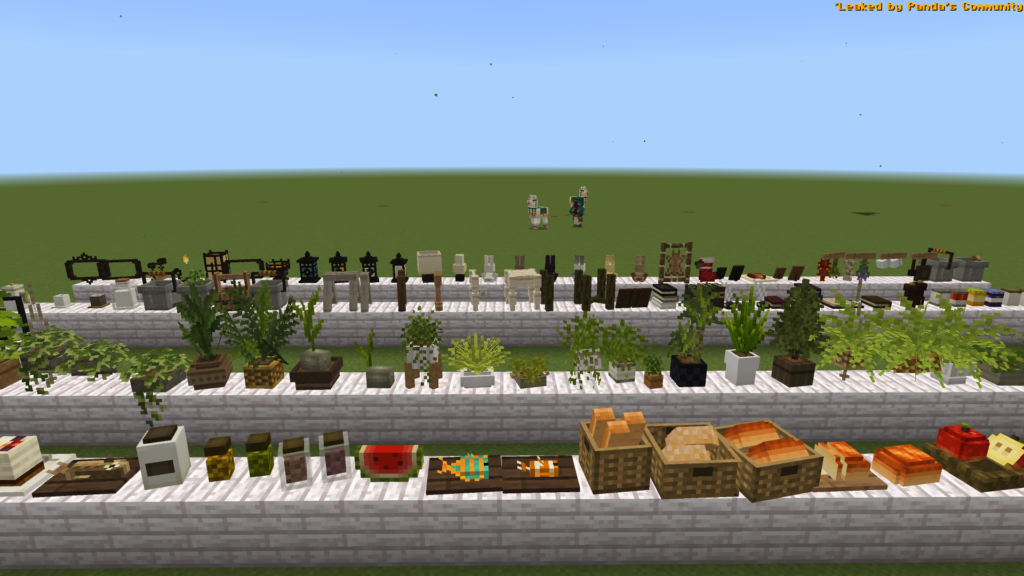
Mizuno’s CIT Pack is created by Mizuno, along with the success of the mizuno craft 16 texture pack. Mizuno’s CIT Pack adds furniture that you can’t imagine, it can convert items in your inventory into furniture, and help you decorate your home wonderfully.
Best Cottagecore Addons for Bedrock

Download Mizuno’s cit pack (newest version)

Ghoulcraft Furniture

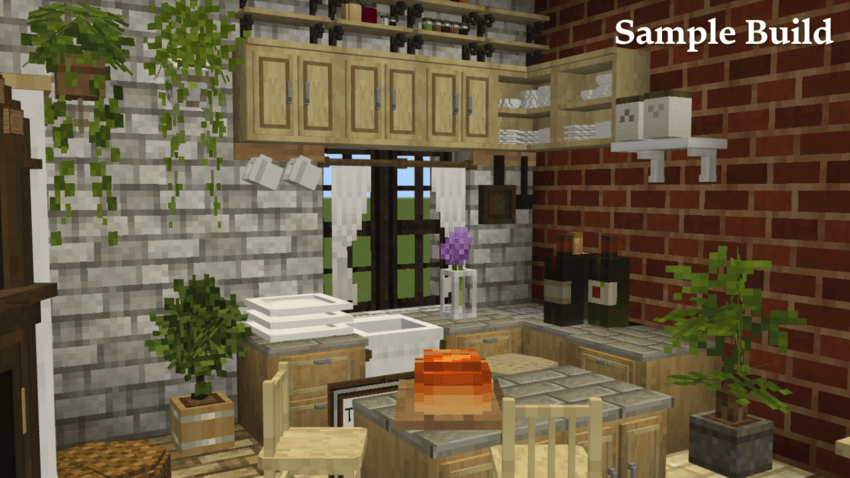
Ghoulcraft BE Furniture is a Minecraft Bedrock resource pack that adds detailed 3D furniture like chairs, tables, and lamps, perfect for enhancing builds with realistic decor. This is the updated version of Ghoulcraft be furniture before.
Download Ghoulcraft

Garden Breeze

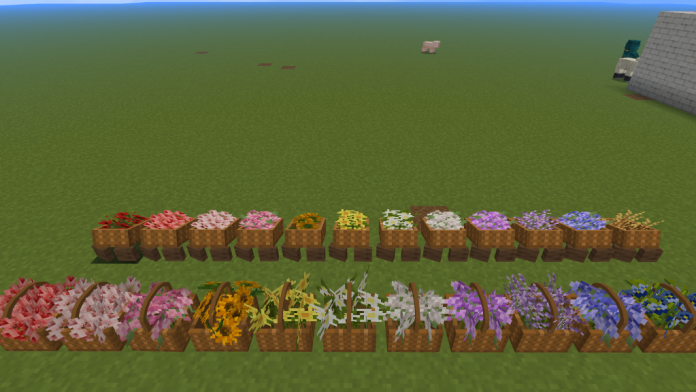
Garden breeze BE is ported by Pinkgummibaerchen, now you can see is garden themed. plenty of flower vases, baskets of flowers, hanging plants, bikes, flower wheelbarrows, outdoor furniture sets, swings..basically anything i could put a flower in.

In this pack you’ll find lots of garden themed items:

– hanging plants
– flower vases
– bikes
– outdoor furniture sets
– baskets of flowers
– vines
-and more!
Download Gadern Breeze Addon

Hannanacraft

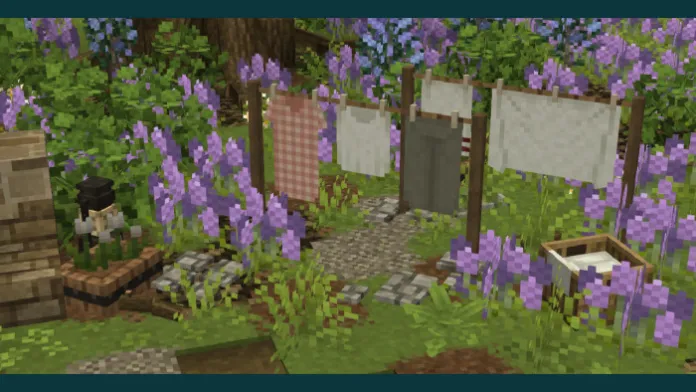
Hananacraft BE is a Minecraft Bedrock Edition addon pack that includes a variety of antique furniture such as rotary phones, old TVs, and radios. Not only antiques, but furniture in general, such as drawers, clotheslines, plant pots, and much more!
Download Hananacraft (Newest Version)

Gooblideco

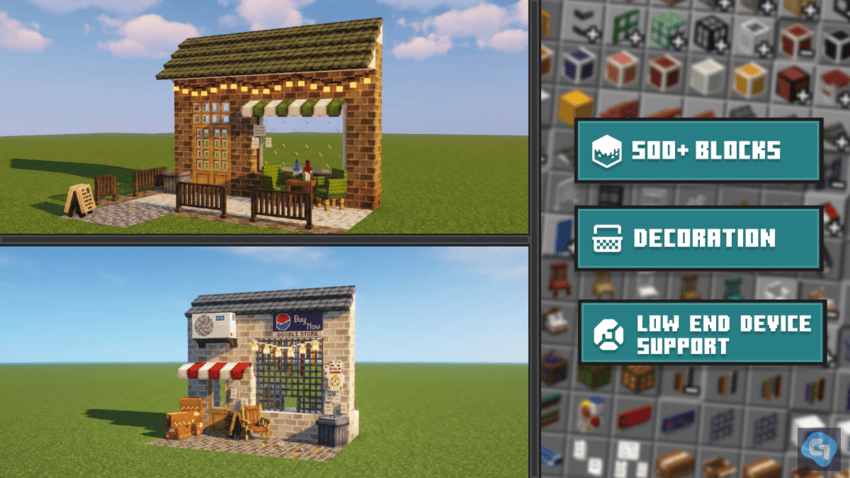
Gooblideco 2.0 is created by Gooblicraft. This addon add you 500+ decorative blocks, including connected walls, roofs, and the iconic Filipino “Sari-Sari Store.” Optimized for low-end devices on Minecraft Bedrock, this ongoing project thrives on your creativity. Join our Discord and let’s decorate with joy!
Download Gooblideco 2.0

Minia Turia

MiniaTuria CIT Pack is a Cit pack is created by Hassuko, it’s add you more and more items include food, furniture elements, rare elements, lamp elements.

Minia Turia: Creative Edition

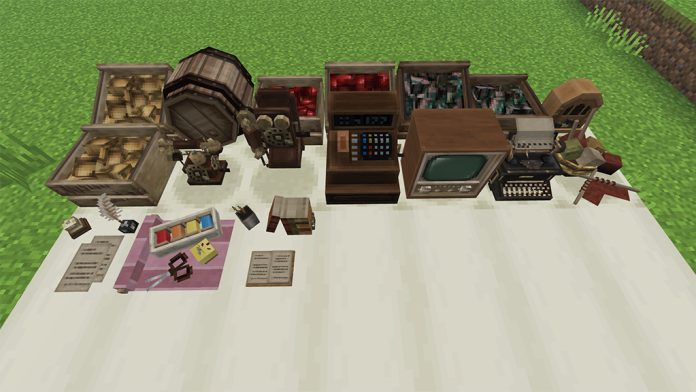
Creative Edition is a specialized furniture addon for Minecraft Bedrock, offering a massive collection of decorative blocks and vintage items. It provides ultimate freedom for builders to design cozy cottagecore or European-style worlds without resource limits. Let your imagination run wild!
Minia Turia: Survival Edition

Survival Edition brings the Minia Turia aesthetic to your survival world. It features around 100 essential decorative blocks that are fully craftable using in-game materials. Balance your adventure with creativity as you collect resources to build your dream rustic home from scratch!

Download Minia Turia

Cocricot Mod

You may have seen online videos describing the Cocricot mod addon, which alters your Minecraft environment and adds European buildings. This resource pack enhances the game’s visual appeal and makes it adorable. Learn more about the Minecraft Cocricot Mod or Texture Resource Pack here, along with instructions for downloading it.

9DEN Expansion Pack

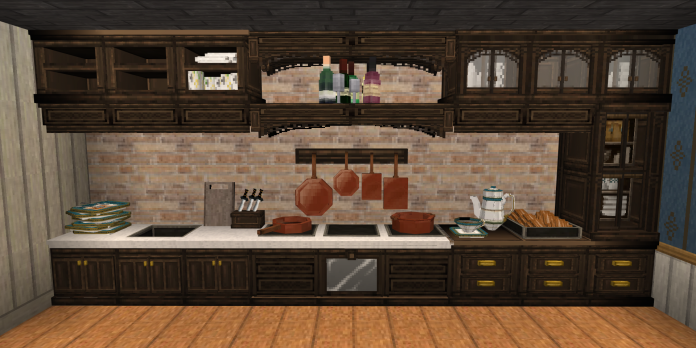
This is a building-specific expansion addon that adds over 15,000 blocks to Minecraft. Pick up this 9DEN Expansion Pack and enjoy building at its best! This pack is for creative play only.
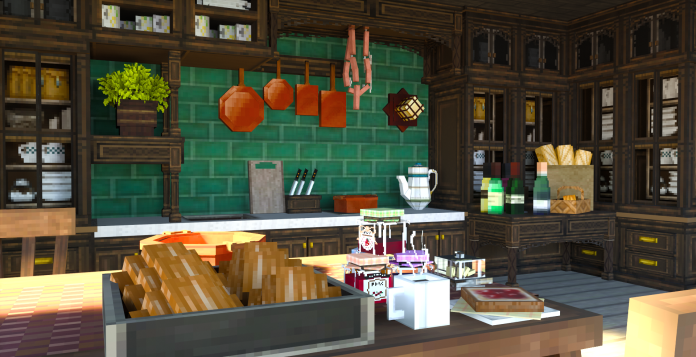
Download 9DEN Expansion Pack: Block and Furniture Addon (recommend to use with 9DEN Texture Pack)
- Advertisement -

Rustic Furniture

0

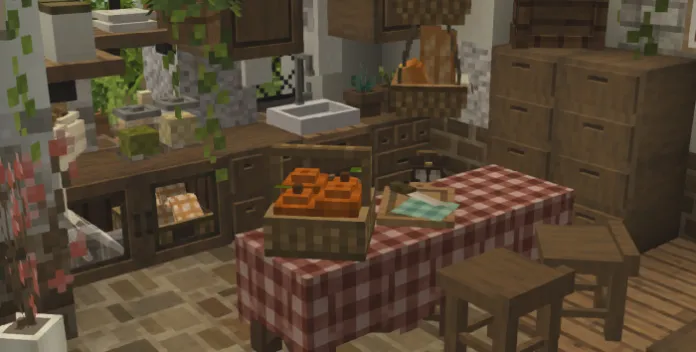
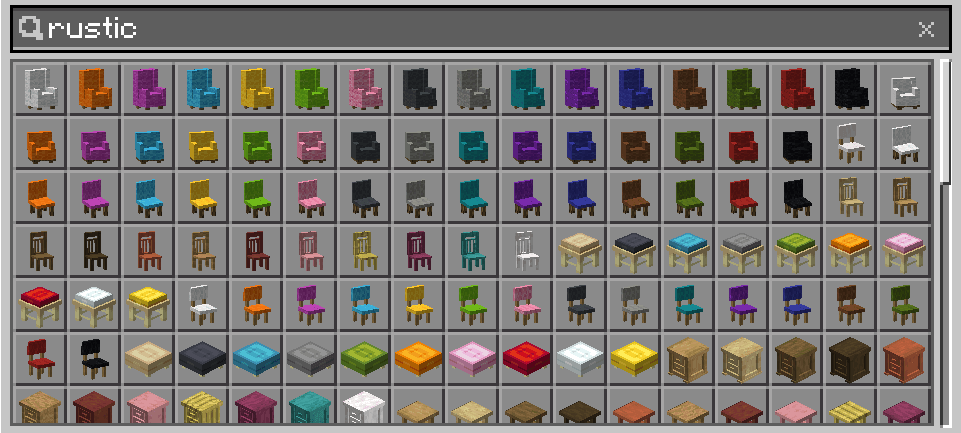
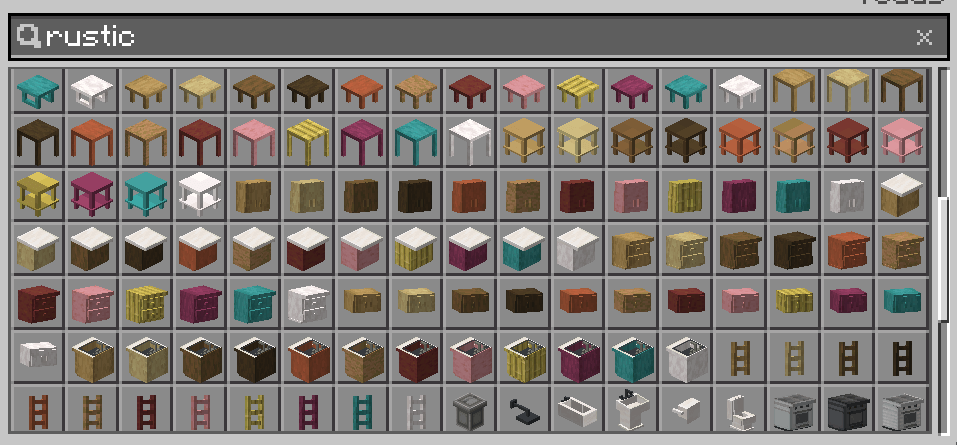
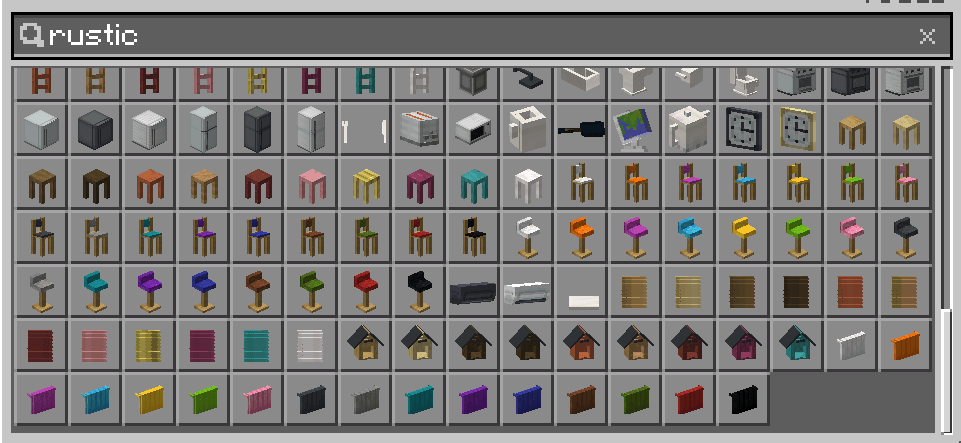
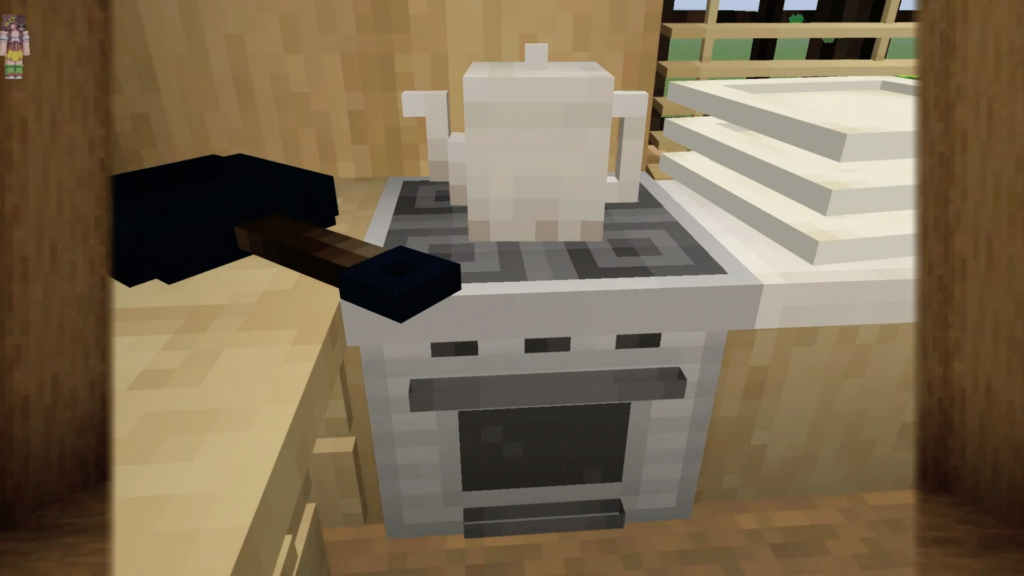
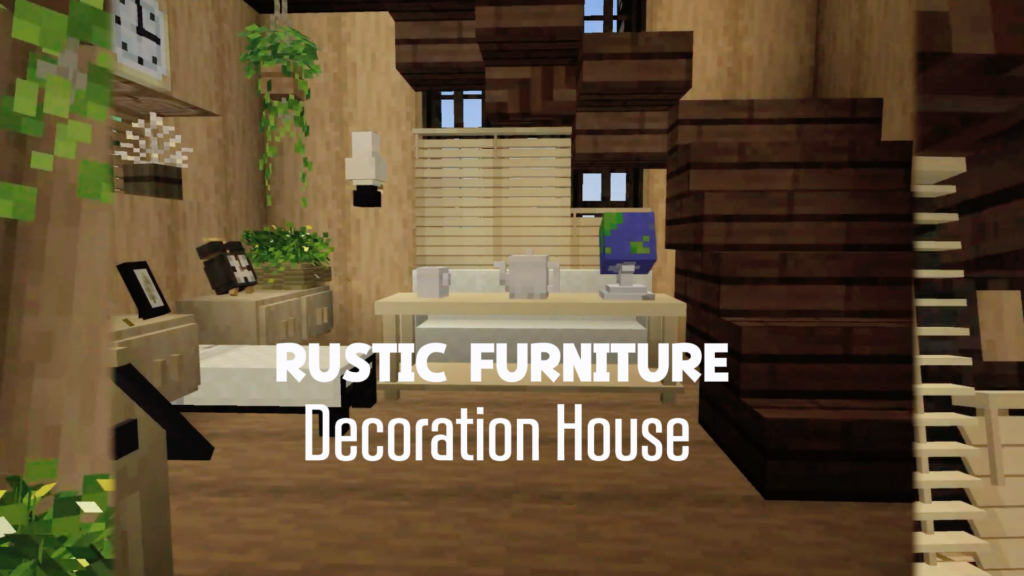
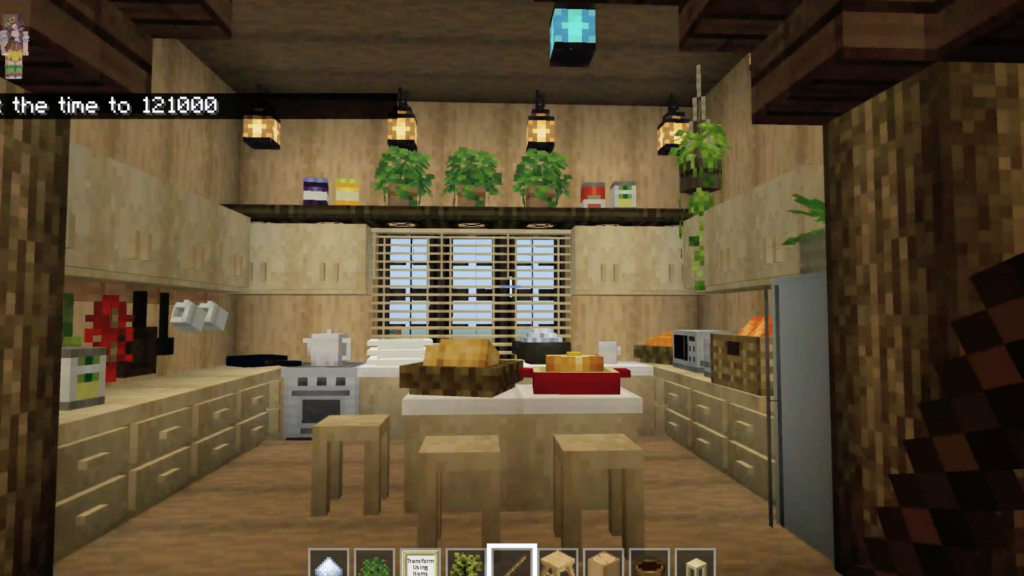
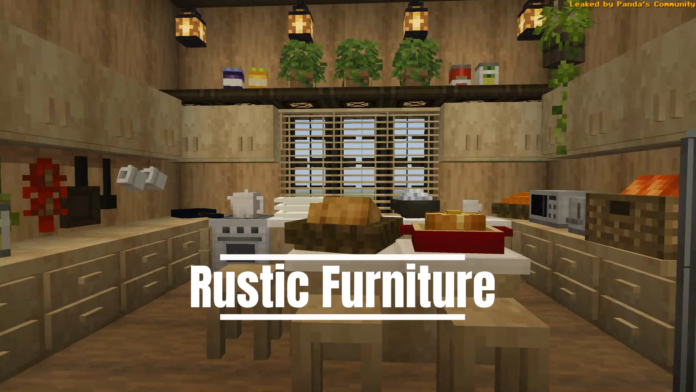
This addon add you more Furniture Variety: Table, chair, sofa, shelf, refrigerator, oven, bathroom items,….

Creator: MrsTrader

Rustic Furniture

Furniture:

  • Chairs & Sofas: Classic, modern, dining chairs, and sofas in 16 colors
  • Tables: Coffee tables, dining tables, shelf tables, and stools
  • Storage: Kitchen cabinets, drawers, and nightstands
  • Appliances: Refrigerators, ovens, microwaves, and toasters
  • Decoration: Mirrors, clocks, globes, teapots, and utensils
  • Bathroom: Showers, bathtubs, sinks, toilets, and towels

Available Material

All wooden furniture is available in 12 different types:

  • Oak
  • Birch
  • Spruce
  • Dark Oak
  • Acacia
  • Jungle
  • Mangrove
  • Cherry
  • Bamboo
  • Crimson
  • Warped
  • Pale Oak

Customization Options

  • 16 colors available for upholstered and decorative furniture
  • 12 wood types for wooden furniture
  • Metal variants in white, gray, and iron

Rustic and modern styles

Installation

  1. Download Rustic Furniture resource pack
  2. Place file in your Minecraft resource_packs folder
  3. Enable pack in world or global settings
  4. Enjoy your new rustic furniture!

Compatibility

  • Compatible with most resource packs
  • Designed to work with vanilla and modified textures
  • PBR (Physically Based Rendering) support

Images

Rustic Furniture
Rustic Furniture
Rustic Furniture
Rustic Furniture
Rustic Furniture

Download Rustic Furniture V.1.mcaddon

- Advertisement -

F.O.G Shader v1.5.6 – Vibrant Visual Update

0

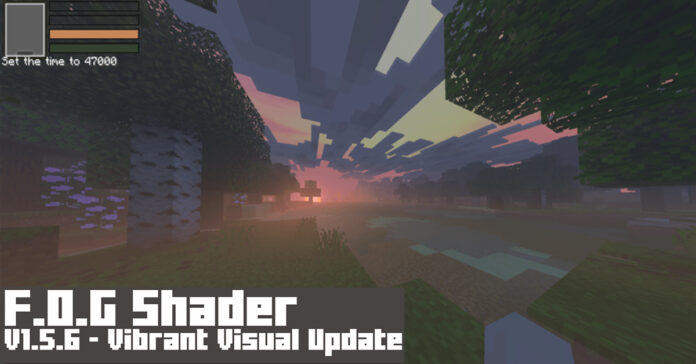
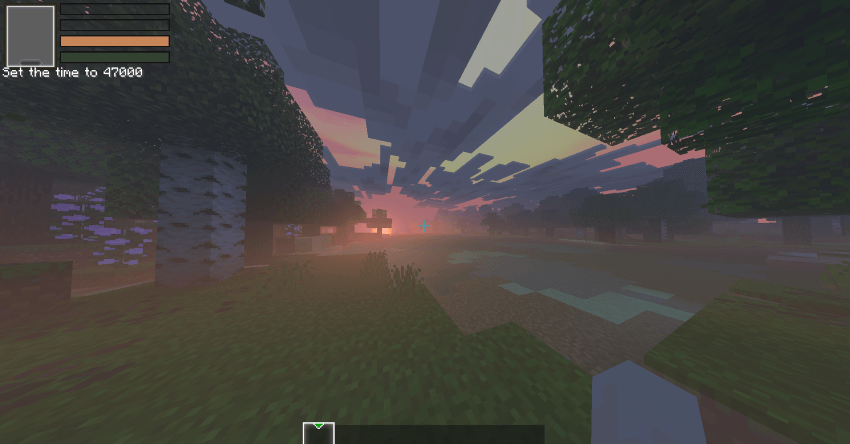
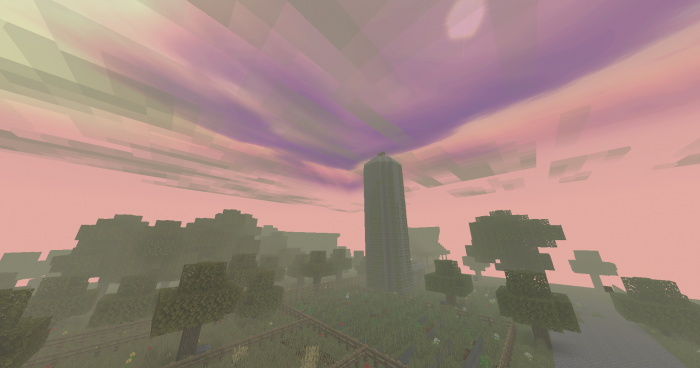
If you’re seeking for Foggy, Scarry Shade-eerr, and other such things, this is the place to be. So this F.O.G Shader, it’s not fancy, it simply makes the scene look more terrifying, un-vibrant, and un-colory, and Scary, wait, did I just say that?

Cre: Hyperest Studios | ファイ (Youtube, Twitter)

F.O.G Shader v1.5.6

Specifications:

Features/Settings:

  1. Set to Vibrant Visual, it’s ok if your device can’t run it, you can still enjoy it.
  2. Vibrant Visual Option: Shadow Quality: Low, Clouds: Medium, Volumetric Fog Quality: Low, Reflections: Low, Bloom: 50%

To change the visual at Global Resources > Active the pack > click Gear icon.

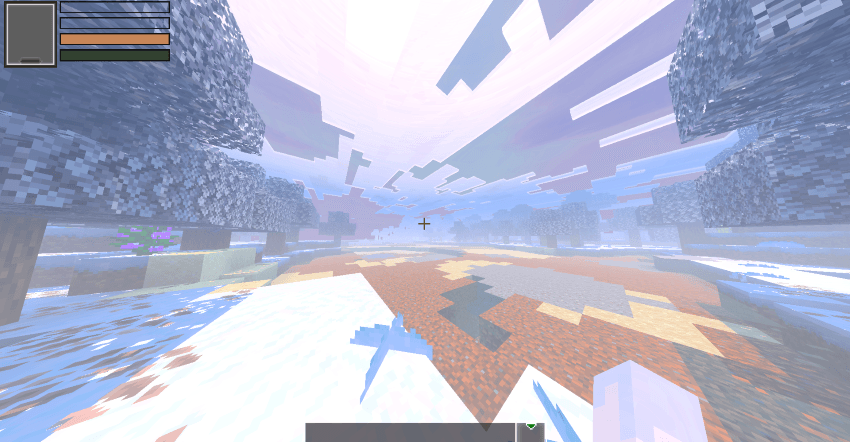
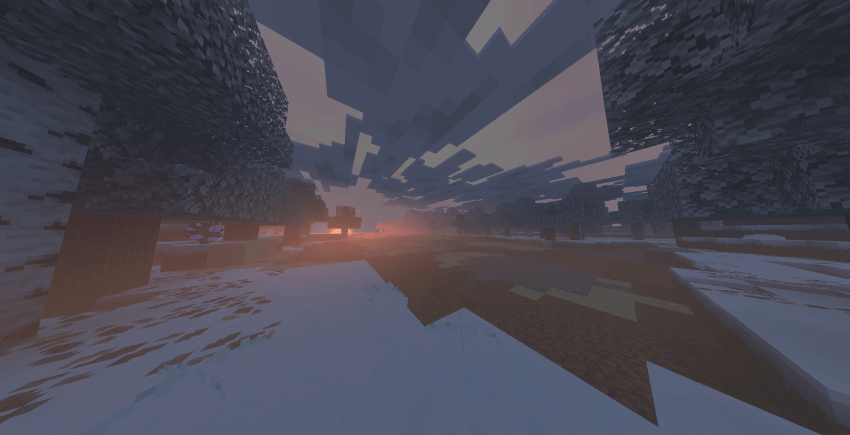
Default mode:

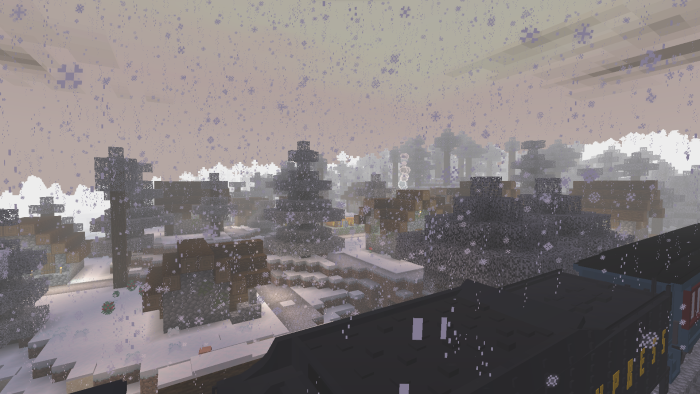
F.O.G Shader
F.O.G Shader

Winter mode

Note: This Shader can be used with Vibrant Visual and Fancy Graphic.

Downloads

MCPE Download

F.O.G Shader v1.5.6

More Minecraft Shaders:

- Advertisement -

Blue Archive v2 Fixed – Futuristic Guns Mod

0

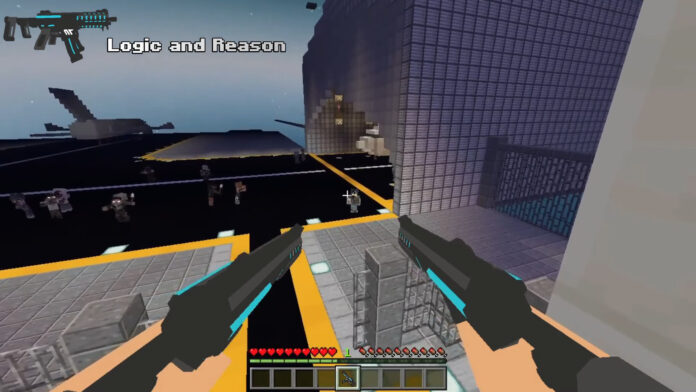
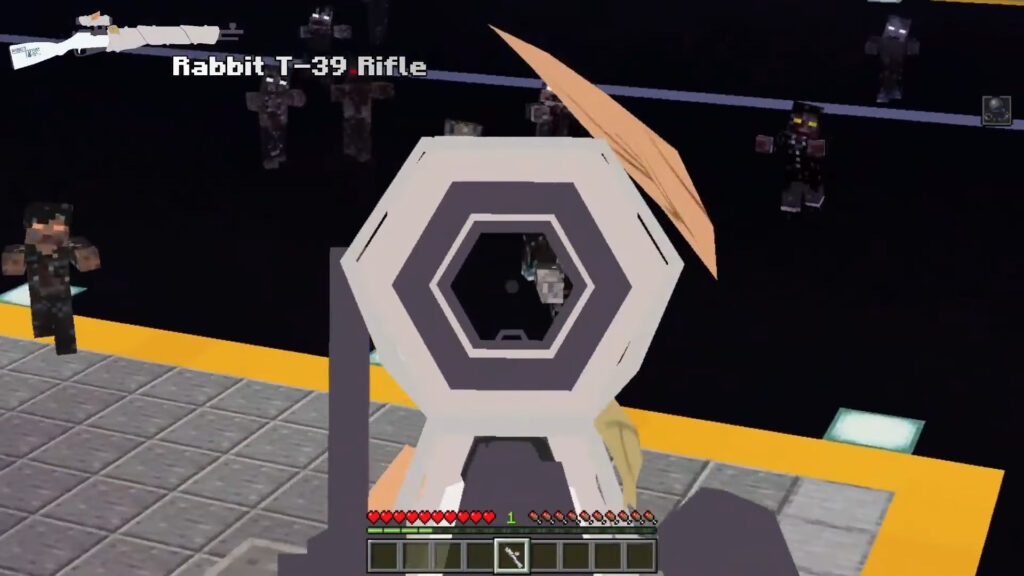
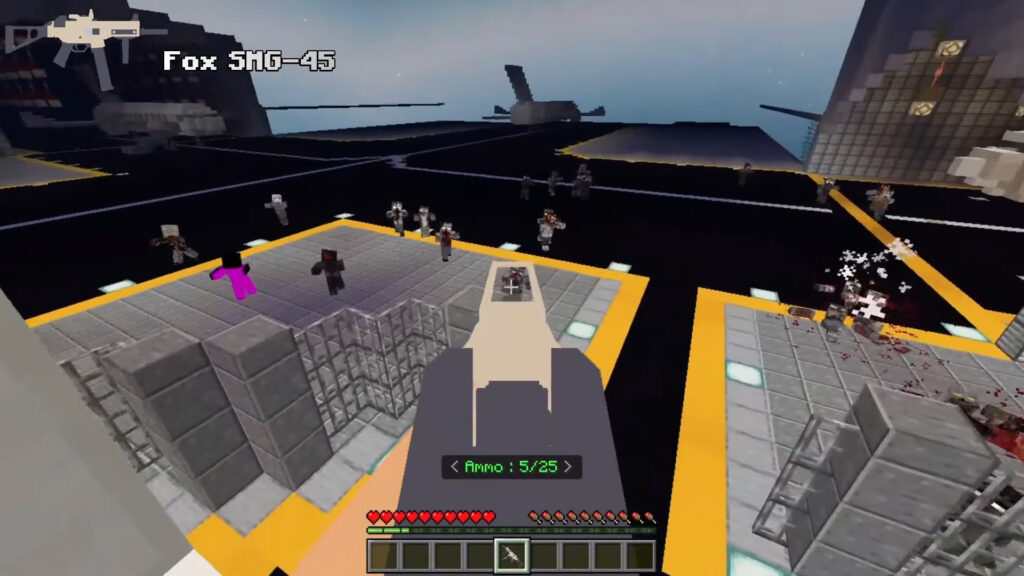
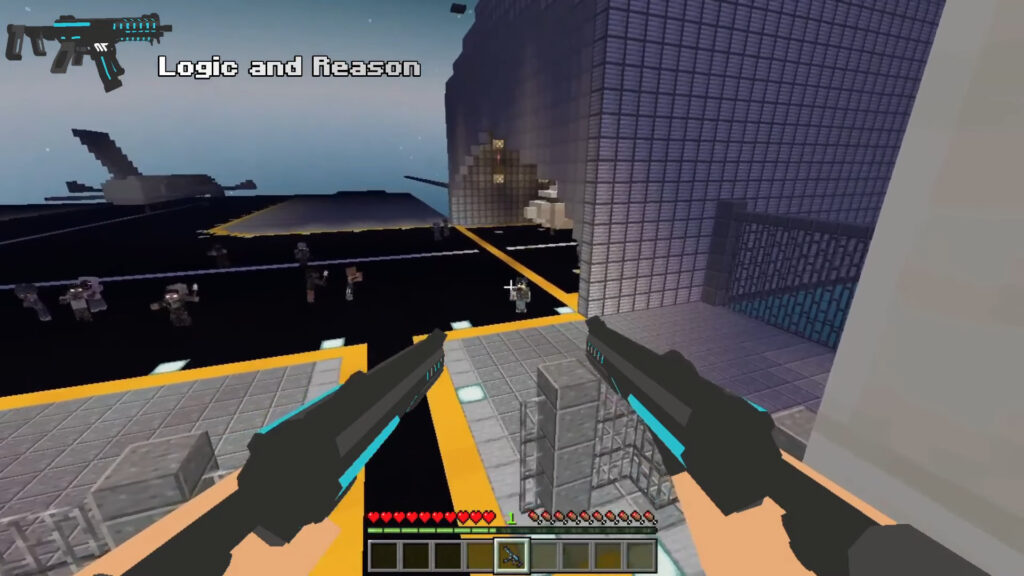
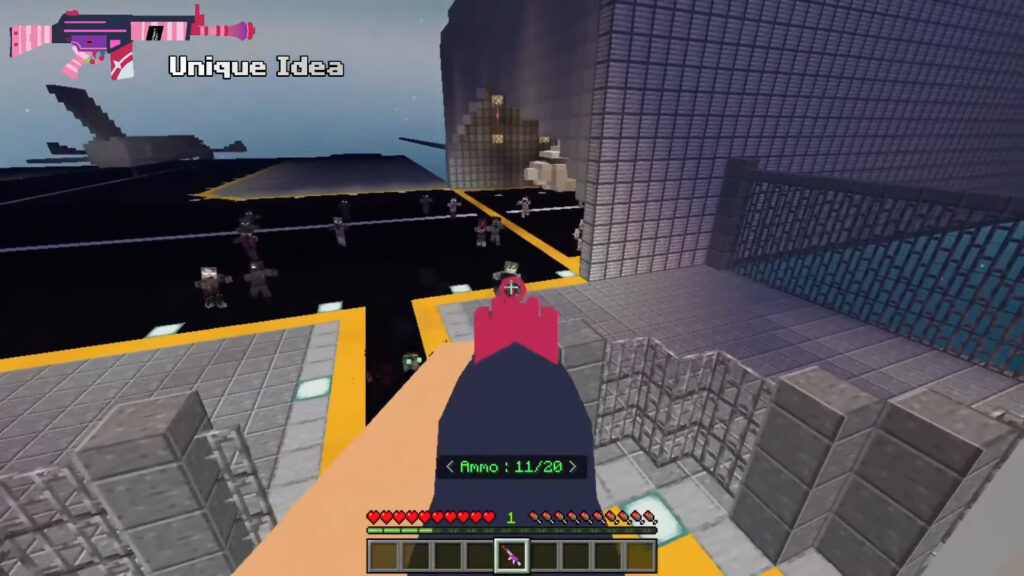
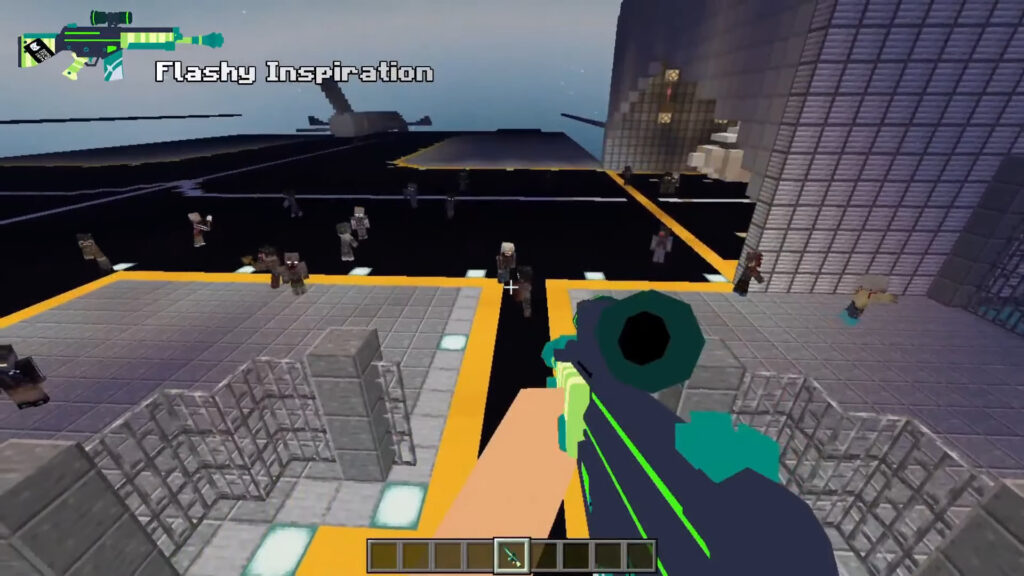
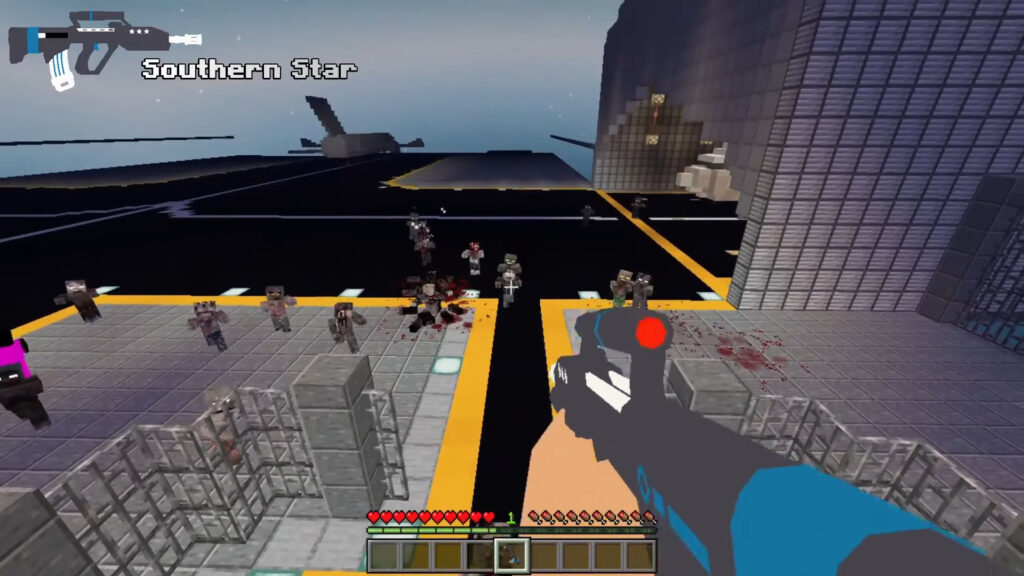
Blue Archive Legacy is a specialized 3D weapon expansion that brings high-fidelity firearms from the popular anime and mobile game to Minecraft. Designed for creative PvP, roleplay, or anime-style milsim, the addon features custom models with unlimited ammo and smooth animations—including automatic inspections every few seconds. Whether you’re wielding its iconic guns or its unique melee weapon, this pack is the perfect choice for players looking to recreate the world of Blue Archive in their custom maps.

Cre: Kangkung-557

Blue Archive

Arsenal & Gameplay Mechanics

  • 12 Guns + 1 Melee: Arm yourself with character-themed gear, such as the Fox SMG45, each featuring meticulously detailed 3D models and high-quality animations.
  • Automatic Inspection: Weapons feature a built-in “auto-inspect” mechanic that triggers every few seconds, showcasing the fluid animation work.
  • Creative-Ready: Optimized for Creative Mode with unlimited ammunition and a focus on roleplay—items are non-craftable to keep the experience streamlined for custom maps and PvP.

Full Blue Archive Weapon

  • Fox SMG45
  • Rabbit T39
  • Logic and Reason
  • THE ISOPUS
  • Southern Star
  • Secretary Vote
  • White Fang 465
  • Flash Inspiration
  • Pen
  • Type Two Automatic Rifle
  • Nan Dash
  • Light Sword Supernova

Note: Enabling all experimental is highly recommended and this addon is compatible with game version 1.21.20

Downloads

MCPE Download

Blue Archive 3D Gun Mod

Explore some Minecraft gun mods in MCPE Addons:

- Advertisement -

Orbital Railgun Addon for Minecraft 1.21+

0

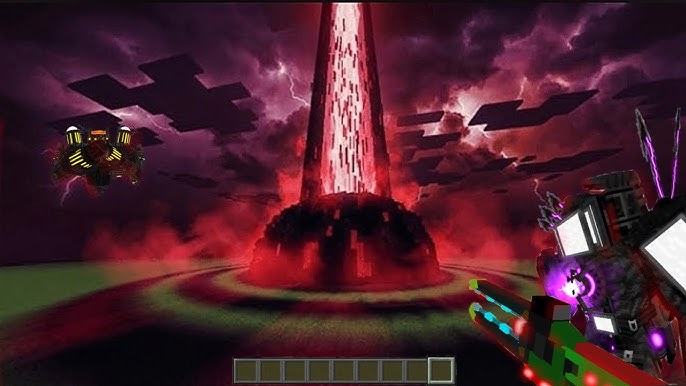
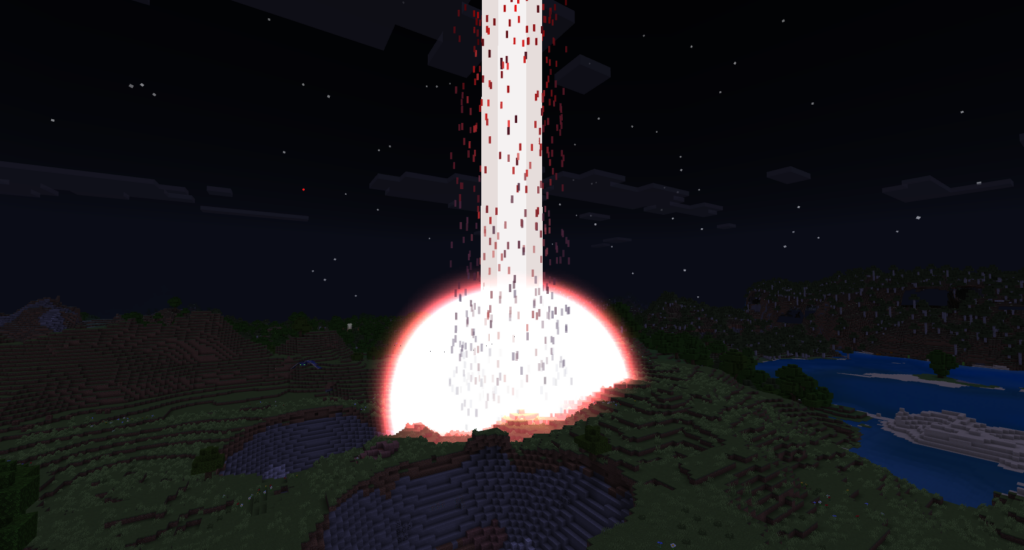
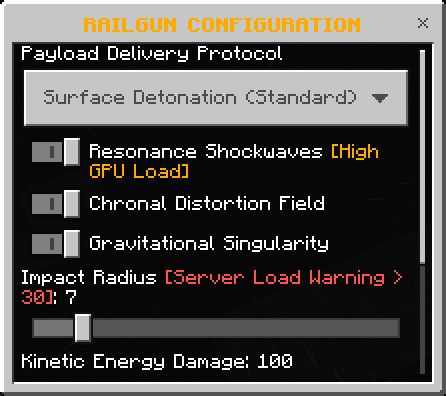
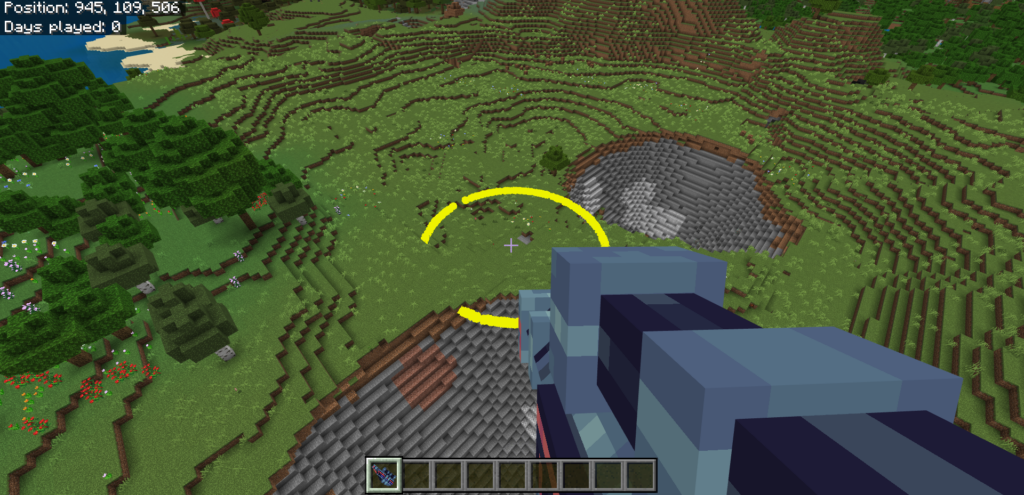
The Orbital Railgun Addon empowers players to rain destruction from the skies, allowing you to summon high-impact orbital strikes complete with custom SFX and stunning visual effects. This highly configurable expansion creates massive craters and a powerful black hole effect upon impact, all while remaining achievements-friendly for your survival world.

Cre: ExterLeo (Youtube)

Orbital Railgun

Key Features

  • Precision Targeting: Utilize the Laser Targeter item to lock onto any ground location with pinpoint accuracy.
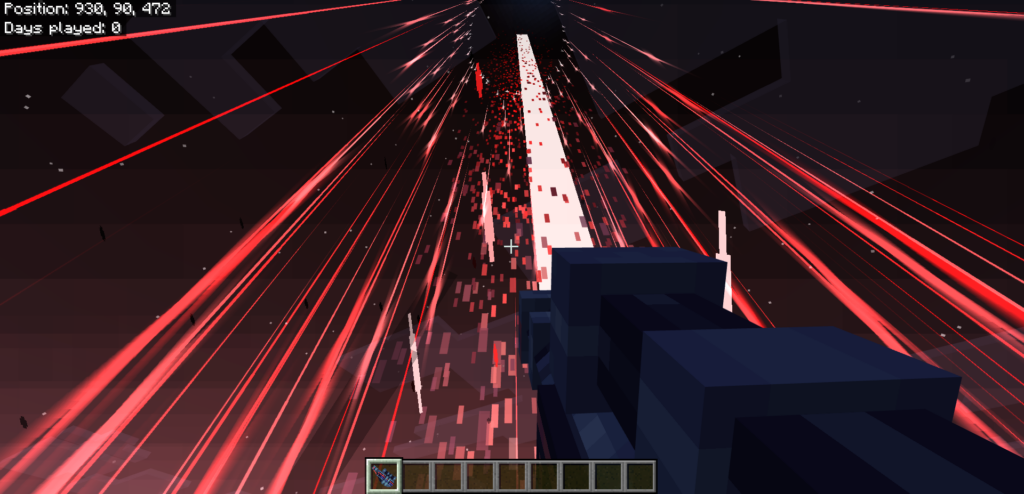
  • Devastating Orbital Strike: Once a target is set, a massive high-energy beam descends from space, triggering a colossal explosion and incinerating everything in its wake.
  • Balanced Gameplay: Features a built-in Cooldown Mechanic, requiring a recharge period between strikes to maintain survival balance and prevent spamming.
  • Immersive Visuals & Audio: Experience the power through Custom Animations, featuring unique charging effects and thunderous sound cues for every impact phase.

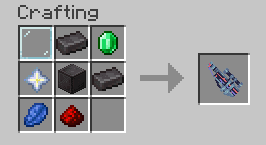
Crafting Recipe

Downloads

MCPE Download

Orbital Railgun Addon

Explore some Minecraft gun mods in MCPE Addons:

- Advertisement -

RG Shader Support Render Dragon

0

RG Shader is a texture-based enhancement designed to bring life to your environment through realistic animations for all grass and foliage. By introducing custom fog effects, it creates a beautiful light-scattering atmosphere throughout your world. This pack is the ideal alternative for players who cannot run “Vibrant Visuals” or prefer not to use patches. We highly recommend giving this shader a try to elevate your gameplay experience.

Cre: RisabGamerz (Youtube)

RG Shader

Highlight:

  • Lifelike lighting and shadows
  • Smooth waving grass, leaves & trees
  • Crystal-clear and reflective water
  • Realistic skies with clouds and sunrise/sunset cycles
  • Atmospheric fog and bloom effects
  • Performance-optimized for smooth gameplay 
  • Compatible with most low to mid-end devices.

Sunrise and Nighttime:

Grass And Leaves

Realistic Rain

Dynamic Fogs

Downloads

MCPE Download

RG Shader Renderdragon mcpack

More Minecraft Shaders:

- Advertisement -

How to use Action and Stuff v1.10 (V1.21+) Every NEW Feature!

3

How to use Action and Stuff v1.10

With 1.10 marking double digits, this is one of our biggest updates yet! Featuring full support for the Tiny Takeover drop, many new actions, movement animation updates, and a massive range of improvements, we hope you love it! 🥑

Creator Addon: Orevillestudios

Image by MAM

Highlights

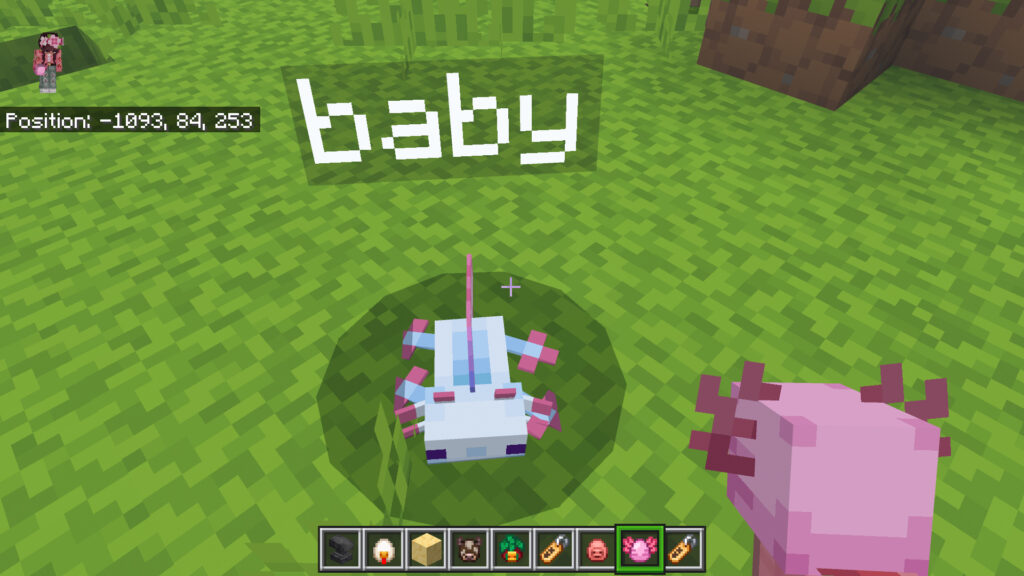
  • Full Tiny Takeover Drop Support: All the babies!
  • Playable Morph Characters!
  • New Actions: Flipping, Superhero Landing, Rolling, Sitting!
  • Directional Swimming & Dolphin’s Grace!
  • Player Movement Overhaul!
  • Better Boats: Themed Designs!
  • Optional 3D Models for Tools!
  • Pack Settings: Customise your Experience!
  • Cherry Biome Mob Variants!
  • Improved 3D Items: Coloured Potions, Beds, Banners & More!
  • New Nametags, Costumes & Skins!
  • …and so much more!

New Content

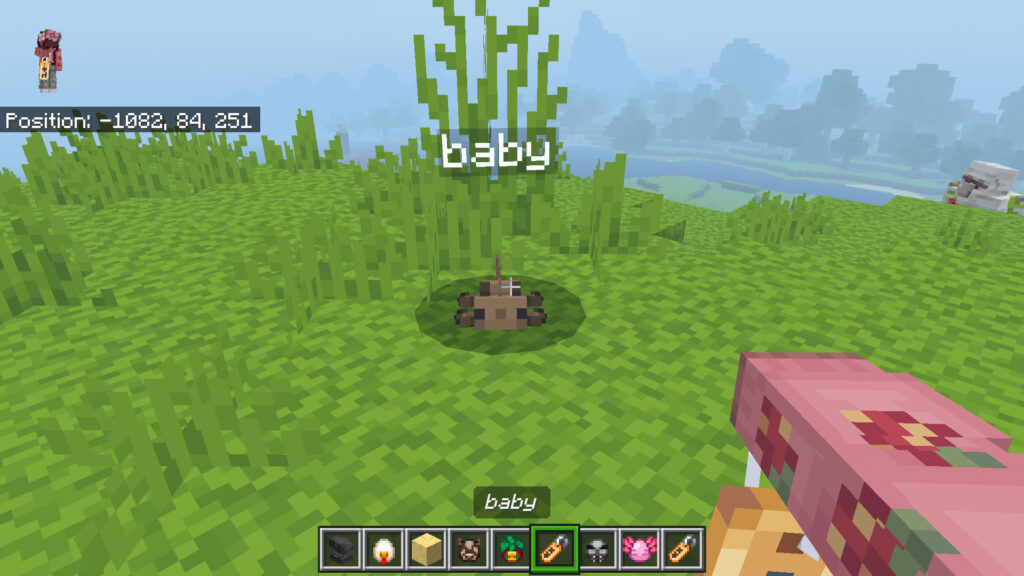
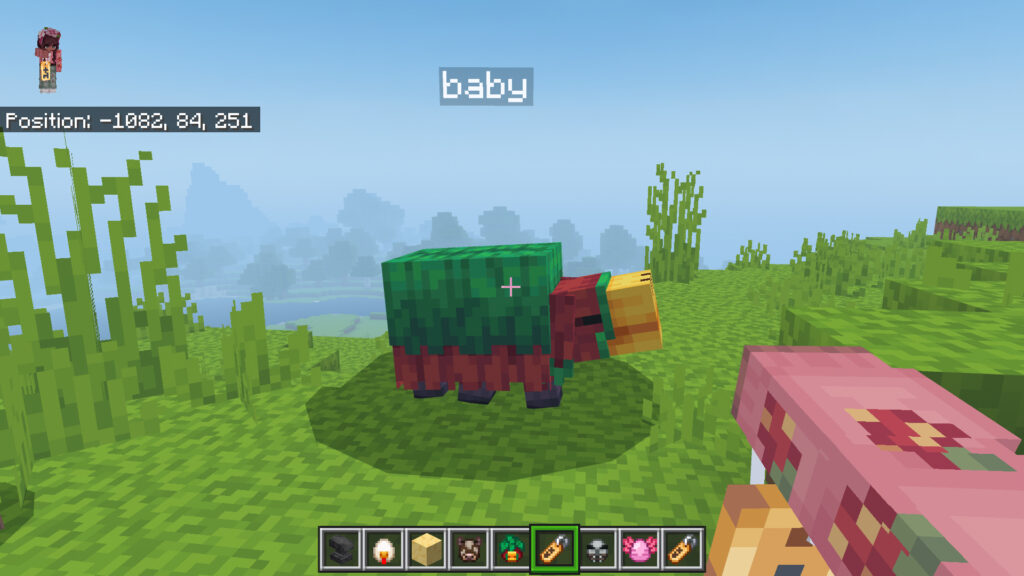
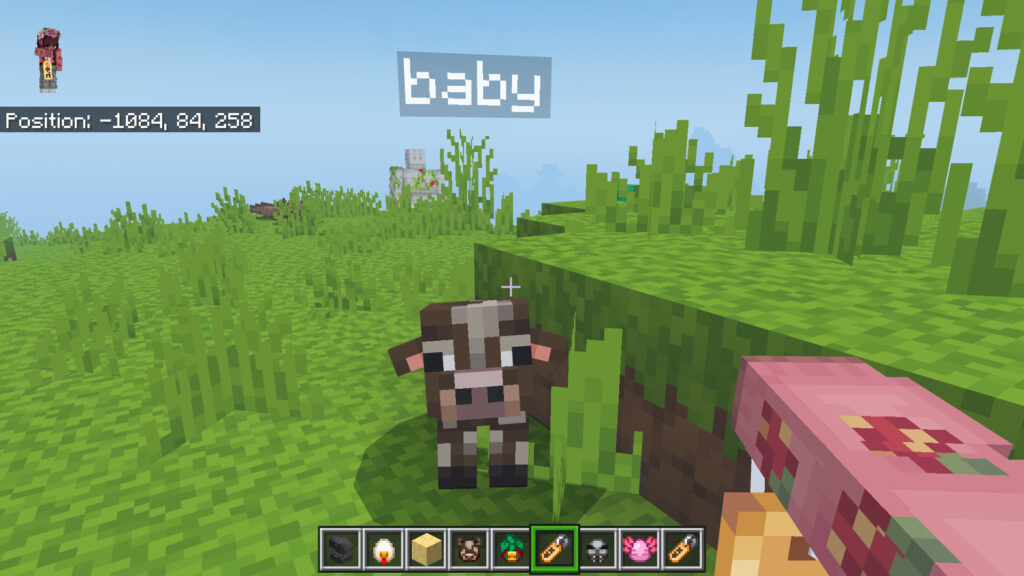
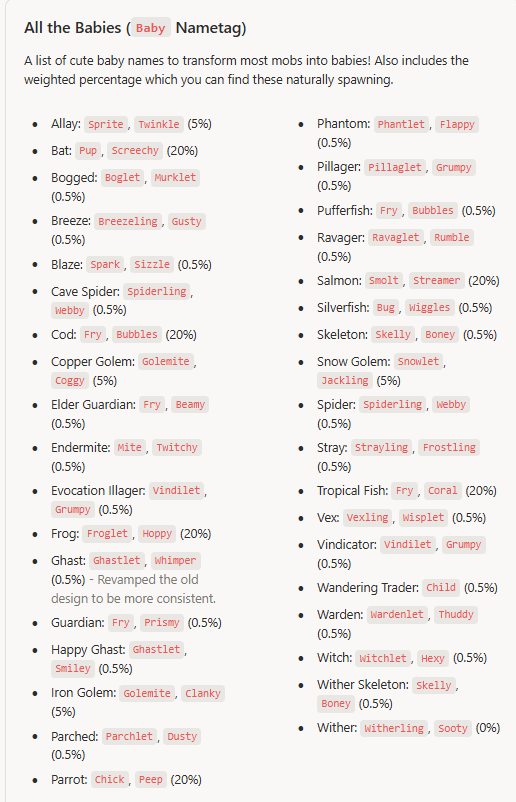
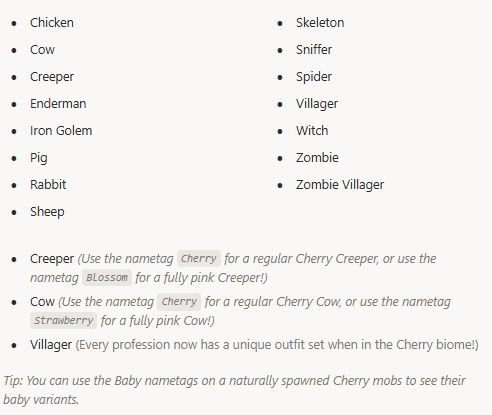
All the Babies

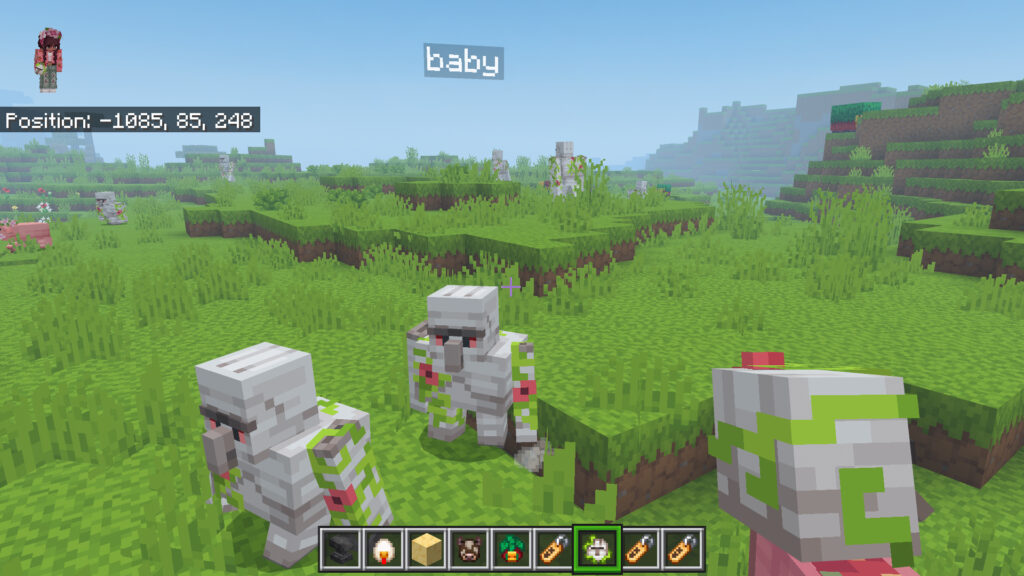
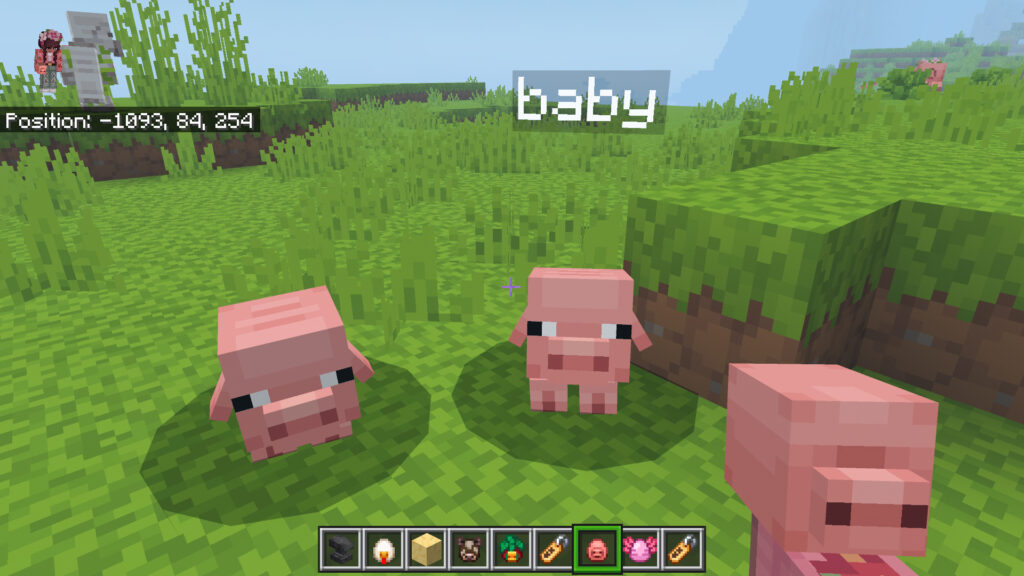
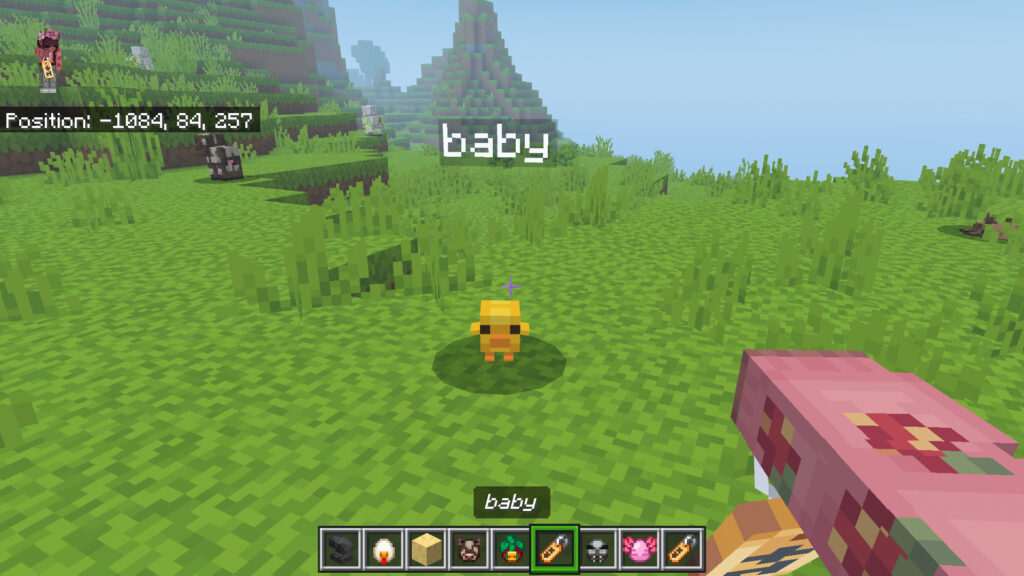
Added custom baby variants for mobs that don’t normally have them.

These “Fake Babies” can spawn naturally in the world. Hostile mobs with a 0.5% rarity, and friendly mobs with either a 5% or 20% chance.

See the Nametags section for details on all of the affected mobs and their spawn rate.

How to use Action and Stuff v1.10

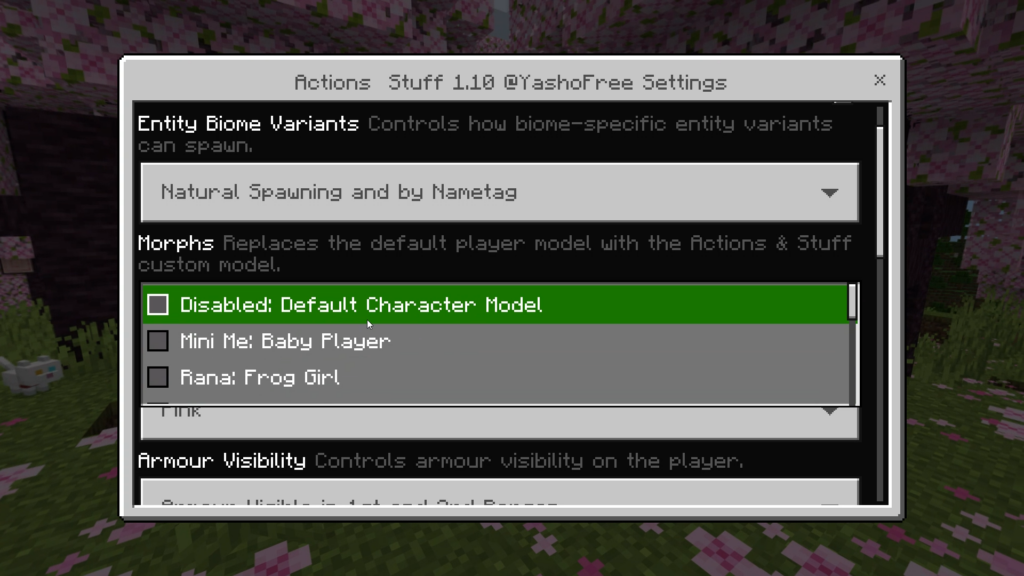
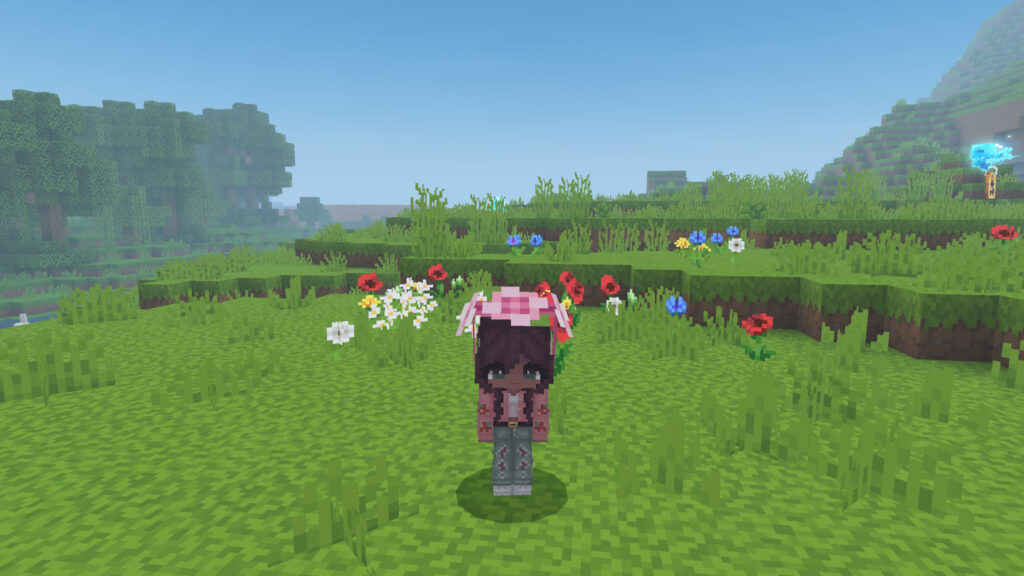
Morphs

Transform into a range of fully custom 3D characters, each with unique visuals, effects, and animations!

Disabled (Default Player Model)

Mini Me (A baby version of your own skin!)

The items are the same size so you’re carrying big items!

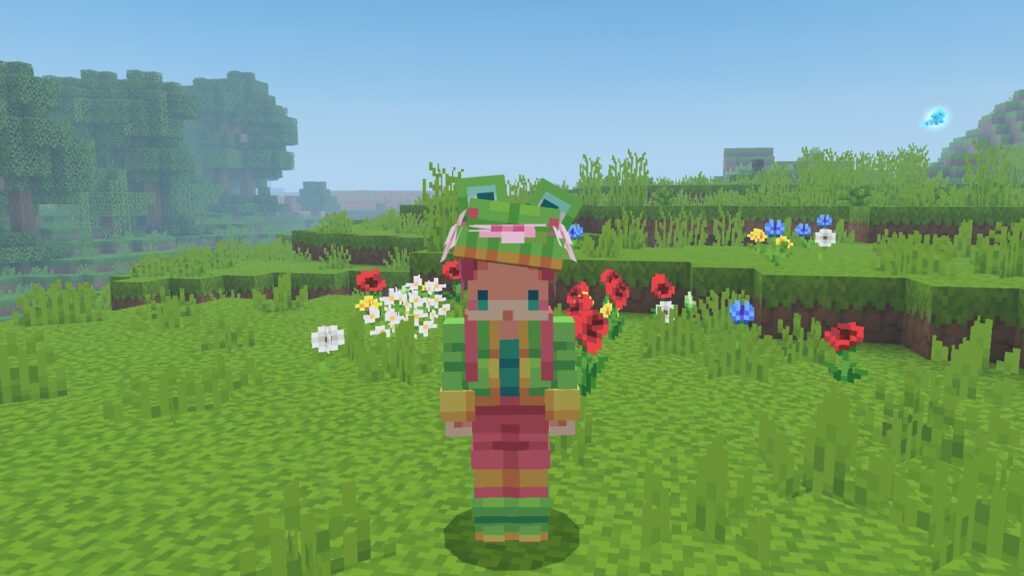
Rana (Frog Girl)

Rana’s hat blinks

Super secret Rana-specific idle animation when standing stationary for a while involving Rana’s hat.

Goober (Slime)

More bouncy animations!

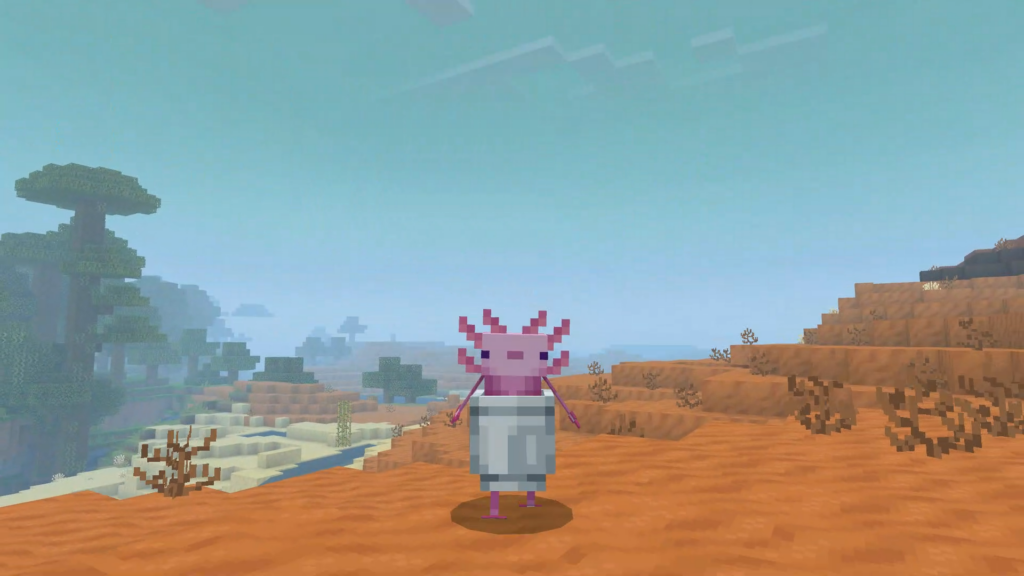
Lucy (Axolotl)

Includes a special sitting animation variant which makes Lucy jump into her bucket and take a cozy nap. Read the “Sitting” section for details.

Interacting whilst sitting will also cause Axolotl to change colour

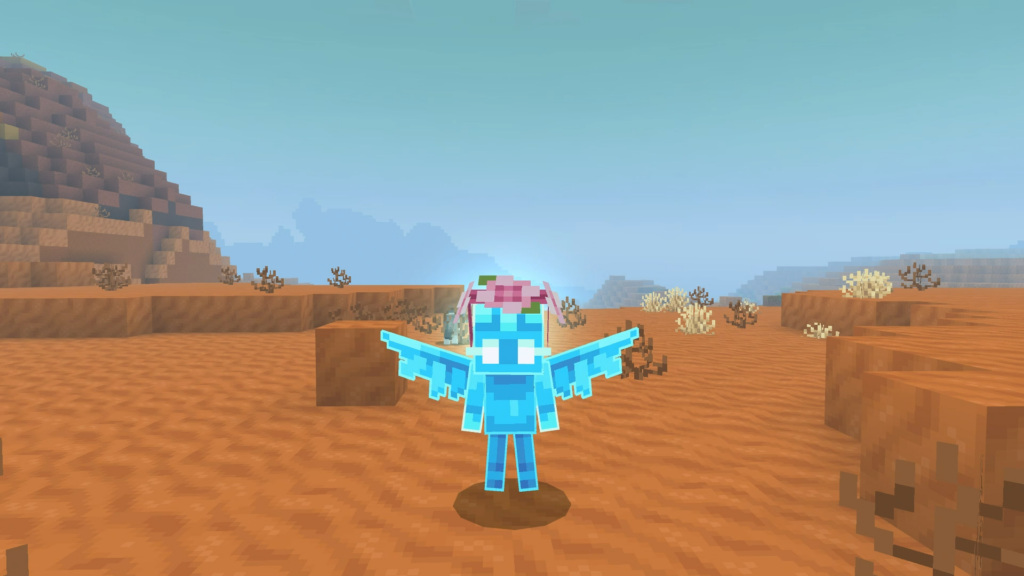
Pixie (Allay)

Floating animations replace the usual movement animations.

  • Iris (Ender Eye)
  • Floating head, and animated blinking!
  • Rusty (Redstone Golem)
  • Piston legs which extend on jump!
  • Ash (Blaze Knight)
  • Animated blaze rods.
  • Echo (Sculk Whisperer)
  • Glowing eyes, and tendril animations!
  • Bandit (Fox)

Excluding Mini Me & Rana, all Morphs have custom sound design for walking and being hurt!

Note: Morphs currently do not show in Multiplayer, only you will see the Morph you have selected. They are also Expressions compatible, so we hope all of our console friends can now enjoy a slice of the Expressions feature!

Balancing Animations

You can now balance on narrow surfaces.

Walk across Fences, Walls, Iron Bars, Chains, End Rods, Lightning Rods or Cauldron edges to see the new Balancing animation.

Arms extend outwards whilst balancing, and there is a surprised facial animation on Expression compatible skins.

Player is properly positioned on blocks (No more floating above fences!).

The animation starts and stops based on your movement speed as you progress across the narrow surface.

Flipping Animations

  • Perform a flip while airborne!
  • Crouching while airborne triggers a flip.
  • You can flip forwards, backwards or sideways based on the movement direction. If you are moving backwards, you will flip backwards!

Superhero Landing

  • Hit the ground hard with a powerful landing!
  • When landing from a fall while stationary, you’ll drop into a heavy impact pose.
  • Begin moving to exit the animation early.
  • If moving on landing, a lighter one-handed landing will play instead.
  • Falls from 8+ blocks create a ring of dust on impact.

Roll Landing

Turn a hard fall into a smooth getaway! When landing whilst sprinting from a 4+ block fall, you’ll go into a forward roll, carrying your movement into the landing.

Sitting

  • Rest your weary legs wherever your journey takes you.
  • Sneak for 5 seconds, then look slightly downward to sit.
  • Once seated, you no longer need to hold crouch.
  • Jump or start to move to stand back up.
  • Some Morphs cannot sit due to their model not supporting it well. Allay, Blaze Knight, Fox and Redstone Golem are part of this list.

Swimming

Direct Swiming

Swimming now supports full directional movement, including sideways and backwards.

Dolphin’s Grace

A new fast swimming animation now triggers when moving quickly in water, such as when traveling along side Dolphins.

Player Movement

  • Overhauled to feel more smooth!
  • Combat Mode:
  • Activates when attacking.
  • Body stays facing forwards, ready to strike.
  • Sideways movement now uses strafing instead of fully rotating.
  • Exits combat mode after 10 seconds.
  • Directional movement improvements:
  • Backwards walking animations have been improved.
  • When sneaking, sideways movement now uses a side stepping animation. (Similar to Combat Mode)
  • Improved transitions:
  • Landing now blends smoothly back into the run animation rather than “resetting” the leg.
  • Jumping now pushes off of the planted foot.
  • Rotation Animation:
  • Revamped the rotation animation to be more fluid when standing still and moving your camera.
  • Body rotation no longer fully matches head rotation, a small quality of life change allowing for more natural poses and better screenshots.

Better Boats

  • Each boat now has a unique design based on its wood type.
  • Custom textures for every wood type (For example, Jungle Boats now appear mossy!)
  • Improved model with a more cubic, less cut-off square shape.
  • Chests now have a unique texture for each boat.
  • Updated the Hand Held models and Item Icons to match the new boat designs.
  • Bamboo rafts now feature staggered stalks with varying lengths.

3D Tools

  • At long last, you can now play with 3D tools!
  • Replaces traditional 2D tools with fully custom 3D models!
  • Sword, Trident, Axe, Pickaxe, Shovel, Hoe, Bow and Cross Bow.
  • Updated the 2D planes on the trident to be slightly 3D.

Note: By default, this feature is disabled and must be toggled on. More information in the Pack Settings section.

Hurt Animations

Third Person hurt animations are now more smooth.

Added a custom First Person hurt animation, rather than just re-using the Third Person animation in First Person.

Pack Settings

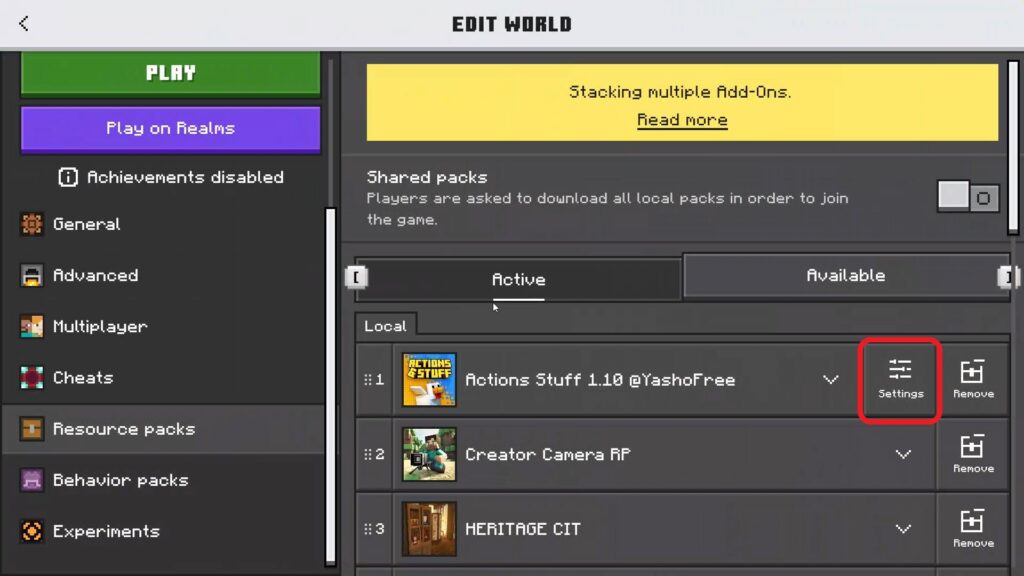
Customise how Actions & Stuff behaves to suit your playstyle. To configure pack settings, head to Actions & Stuff’s Resource Pack and click the small Settings Icon.

  • 3D Tools: At long last, you can now play with 3D tools!
  • Replace traditional 2D tools with fully custom 3D models.
  • Sword, Trident, Axe, Pickaxe, Shovel, Hoe.
  • Updated the 2D planes on the trident to be slightly 3D.
  • Axolotl Colour: Pick the colour of your axolotl in a bucket when you hold it in hand. Choose between Pink, Gold, Cyan, Brown, and Blue.
  • Morphs: Replace your default player model with a range of fully custom 3D characters, each with different visuals, effects and unique animations. Read the Morphs section for more information.
  • Entity Biome Variants: Choose if special biome mob variants can spawn on their own, or only appear when you name a mob with a nametag.
  • Armour Visibility: Choose how equipped armour shows up on you. See it on your arms in first person, keep the normal vanilla look, or hide it completely.
  • Tool Enchantment Glint: Choose how enchanted tools look in your hand. Add a custom outline, a custom glint, enable both, or turn both off and keep the vanilla style.
  • Enchantment Effect Colour: Pick the colour of the enchantment outline. Lots of colours to make your enchanted tools stand out.
  • Totem of Undying Opacity: Choose when your totem becomes see-through in first person. Makes the totem less distracting when you play while holding it in either hand. You can disable the effect if you want to always keep it fully opaque.
  • Enable Expressions: Give your player skin more life with blinking, eye movement, and animated eyebrows. If you experience issues with any of the skins you are using or on servers, you should disable this option.
  • Costumes: Turns some leather armour with trims into custom themed costumes. Only works with the Full Experience texture style.
  • Item Swap Sounds: Play a sound whenever you switch items in your hotbar.
  • Better Rain Particles: Choose between custom rain particles or the vanilla rain look. We are unable to change the colour of the rain from Blue to Grey in Vanilla & Custom Experience as this particle is hard coded. This feature just includes the raindrop particles.
  • Legacy Baby Chick Model: Switch between the Legacy Actions & Stuff Chick and new Tiny Takeover Chick model. You can also use the nametag “Peep” or “Hatchling” to have a mixture of both designs!
  • Note: This is just the beginning for Pack Settings and we plan to continue updating this feature, let us know what you want to see next!

More 3D Items

Beds (At long last, all 16 colours! The names in the Action Bar are also coloured when held.)

Tipped Arrows (Revamped Arrow 3D Model as well as the Item Icon. The wood of the arrow is tinted green for arrows with a negative effect.)

Banners (Complete with a new design – Excluding the Ominous Banner which will still show up as a white banner in your hand. We will explore solutions.)

Firework Star

Potions and Bottles (A complete revamp with all new designs! There is also a new glowing effect, and a green tinted glass to better highlight potions which have a negative effect.)

  • Drinkable Potions
  • Splash Potions
  • Lingering Potions
  • Honey bottle
  • Dragon’s Breath
  • Bottle o’ Enchanting
  • Ominous Bottle
  • Glass Bottle

Note: We found a technique to create unique 3D models for these items which was previously impossible. We are however still unable to turn items such as the Fishing Rod, Held Armour, Harness etc into 3D models but will continue looking for solutions to this. It is also worth noting that the intended colour will not appear correctly for other players holding the items, only yourself.

Cherry Mob Variants

  • Many mobs now appear with a Cherry covered overlay texture when spawned in a Cherry Grove biome. You can also use the nametag
  • Cherry. See the Nametags section for details on all of the affected mobs. There is also a very rare fully pink Creeper which spawns 1% of the time. Trigger this variant with the nametag
  • Blossom.

Coloured Lights

  • Lighting has been completely transformed with vibrant, coloured illumination.
  • Light emitting blocks now cast coloured light when using Vibrant Visuals.
  • From the warm amber of a torch to the eerie neon of soul fire, every light source now casts coloured light on the environment.
  • All Candles each emit a unique lighting colour, which we think will be a great addition for builders to help add atmosphere into your worlds.

Note: We recommend testing coloured lights on a white surface to preview how the look!

Coloured Candles

Each candle has a coloured flame particle to go along with the new Coloured Lights feature.

Note: We plan to revamp the design in the Particles Update. We also recommend testing coloured lights on a white surface to preview how they look!

Pumpkin Overlay

Updated pumpkin overlay to feel like you’re inside the pumpkin, replacing the dark blur with clearer visibility.

Golden Dandelion

  • A mystical flower with the power to alter age!
  • Held in both hands, with a soft pulsing glow effect.
  • Using it causes the flower to shake and pulse.
  • Using it on mobs creates a glowing ring effect with sparkles.
  • When placed, the flower will pulse every so often.

Axolotl Idles

  • Now even cuter, with 5 new idle animations!
  • 2 curious look-around animations, a happy wiggle, a playful jump scare, and a friendly wave.
  • Axolotls will now give you a friendly greeting by waving when equipped.

Tiny Takeover

Added full support for Tiny Takeover with the new Baby Mobs in the Vanilla Experience along with the Golden Dandelion. More information below.

Cubic Chicken

  • Reworked the Full Experience Chickens to better match the new Minecraft design
  • Baby Chickens now have a 5% chance to spawn with an Egg Shell on their head. They will occasionally flick it up, and it will fall back down. Read the Nametags section for more information.
  • The original Actions & Stuff Chicken lives on through the nametag
  • Hatchling or Peep, and the Legacy Baby Chicken Design Pack Setting.
  • REMEMBER WHO YOU ARE!

Rabbit Rework

  • Rabbits have been refreshed with a more varied design.
  • Updated to match Minecraft’s newer style, with additional refinements.
  • Added biome specific variants with unique looks.
  • Variations include different ear positions, amount of fluff, and visible teeth.
  • Baby rabbits have also been updated to match.
  • Updated the Killer Bunny nametag design.
  • Updated Spawn Egg & Item Icon to better match the new design.
  • All animations were redesigned to suit the new Rabbit geometry.

Warden Facial Animations

  • The terror of the Deep Dark is now more expressive than ever.
  • The Warden now opens its mouth during roars, sonic booms, and when taking damage.
  • Improved facial animation across other general animations.
  • Updated to support Gourden & Yeti nametag variants.

Wolf Golden Tag

  • Tamed and named wolves now sport a shining golden tag on their collar.
  • Try it out with any nametag you want, such as Dennis!

Faithful Vanilla

Removed left over custom textures from the Beta Actions & Stuff from the Vanilla subpack for a more faithful Vanilla experience. This is a mind set we plan to adopt moving forwards to ensure that Vanilla Experience does not feel “too custom” as that is what is intended for the Full Experience. This includes the following mobs:

  • Baby Bee
  • Baby Chicken
  • Baby Slime
  • Baby Turtle
  • Cow
  • Creeper
  • Enderman
  • Evoker
  • Parched
  • Mooshroom
  • Pillager
  • Sniffer & Baby Sniffer
  • Vindicator
  • Witch

Axolotl 3D Planes

Adjusted the 2D planes on the Axolotl to be ever so slightly 3D. This is a design philosophy we will adopt moving forwards for all 2D planes.

Panorama

A new pink panorama set in the Cherry Grove biome, with babies galore.

Props

Miscellaneous

  • Added more props!
  • Target: Target
  • Orange Candle: Golden Candelabra
  • Beehive: Beehive
  • Bamboo: Bamboo Planter
  • Rose Bush: Rose Bush Planter
  • Spyglass: Telescope(Interact for a custom animation!)

Plushies

  • Added more plushie variants! Crouch + interact to cycle through different designs.
  • Black Wool: Spider
  • Brown Wool: Cow
  • Light Gray Wool: Chicken
  • Magenta Wool: Axolotl

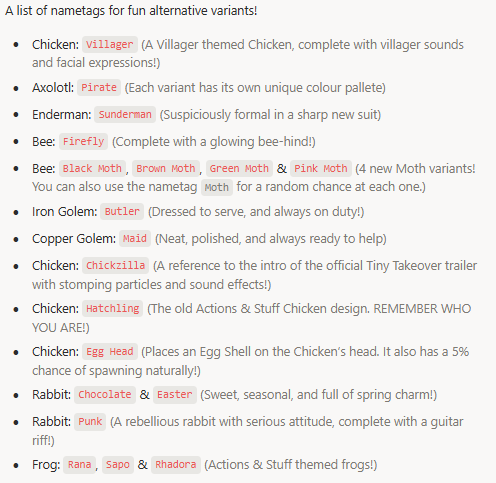
Nametags

All the Babies (Baby Nametag)

Note: These “Fake Babies” can spawn naturally in the world, too. Hostile mobs with a 0.5% rarity, and friendly mobs with either a 5% or 20% chance. The Baby Wither does not spawn naturally. Good luck!

Cherry Mobs (Cherry Nametag)

A list of mobs you can use the cherry nametag for a cherry biome inspired design!

Miscellaneous

Costumes

  • Added 4 new costumes!
  • Cherry Blossom Dress (Spire Trim)
  • Wildflower Dress (Eye Trim)
  • Pirate Outfit (Tide Trim)
  • Maid Uniform (Bolt Trim)

Improvements

  • Slightly cleaned up Nether Portal texture.
  • Improved the sync of many baby mob’s walk cycles so that they are better attached to the ground.
  • Improved Cape animation to be more fluid.
  • Re-Added the fire overlay. We added this in the 1.6 update then had to remove it in 1.8 as Vibrant Visuals broke the effect. Recently however it is no longer broken, so we can add it back in!
  • Updated Flowing Lava texture.
  • Added a universal nametag for

Festive & Halloween

  • Mobs so that all of the seasonal nametags don’t need individually memorized.
  • Water in Vibrant Visuals is now less transparent. We still think it could do with being more opaque, and will look at other techniques to do this without sacrificing Fancy Graphics water.
  • Changed Blaze material to have no shading for a slightly brighter look.
  • Added Pig sounds to Pig Creeper.
  • Added outline to enchanted books.
  • Rudolph and Reindeer can now have the Snowy overlay.
  • Adjusted Bed 3D item to have a better fall animation in first person.
  • Added various missing Snowy Baby mobs for the Pillager, Skeleton, Witch, Wandering Trader and Iron Golem.
  • Added extra names for the Baby Wolf,

Pup & Puppers

  • Slightly adjusted Plains fog colour to be less saturated.
  • Reduced “shakiness” when attacking whilst moving.
  • Fixed momentum from falling deaths carrying into respawn animation.
  • Arrows wiggle more when they impact a surface.
  • When holding the Spear in the “Charge” state, the character will return to the standing pose after it fatigues, rather than holding it charged forever.
  • Made the Gourden nametag’s beating heart (Which is a flame), slightly more emissive.
  • Idle Animation revamp, most idle animations have been slightly altered to improve them.
  • Added some miscellaneous UI textures to improve overall look and feel of the creative inventory panel and some workstation panels. (Crafter, Smithing Table, Brewing Stand)
  • Added missing UI textures for the frozen, wither and horse HUD hears.
  • Added UI textures for the locator bar.
  • Improved some UI textures in the settings section as well as the Marketplace section of the game.
  • Improved pumpkin hot air balloon design to include stem foliage.
MCPE Download

Download Action and Stuff V1.10 (From Marketplace)

- Advertisement -

TACZ Golden Zero Addon for Minecraft 1.21+

1

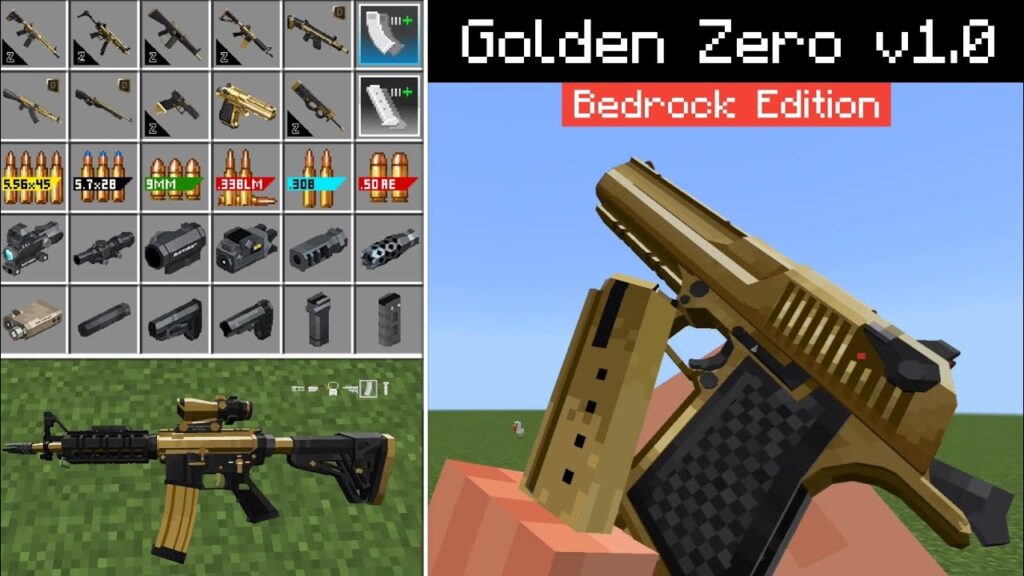
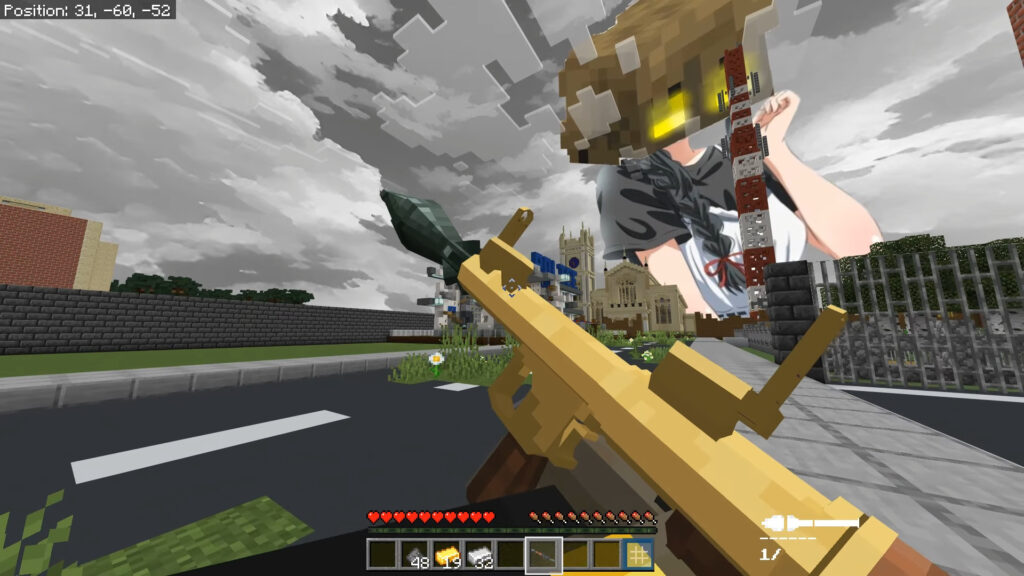
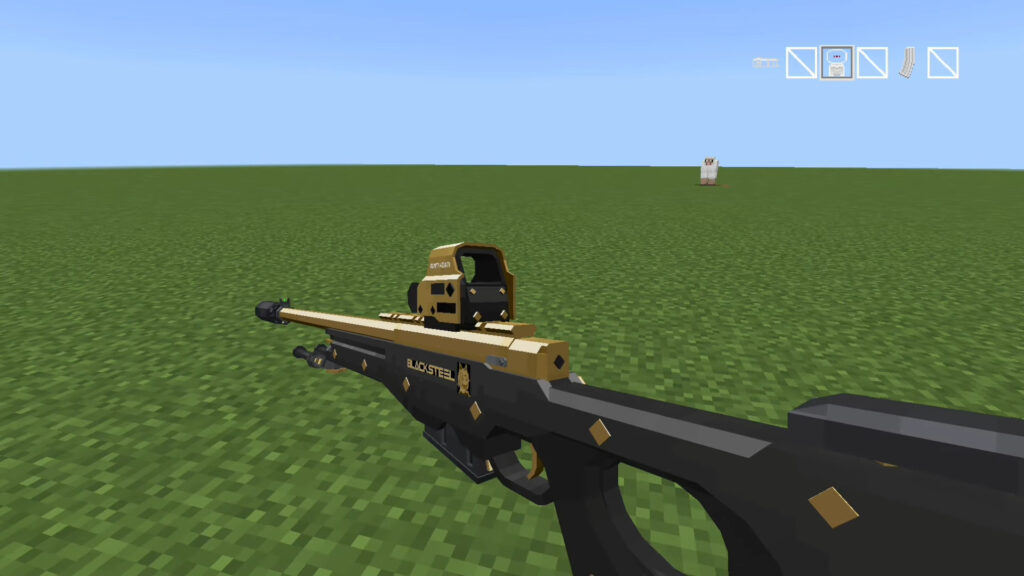
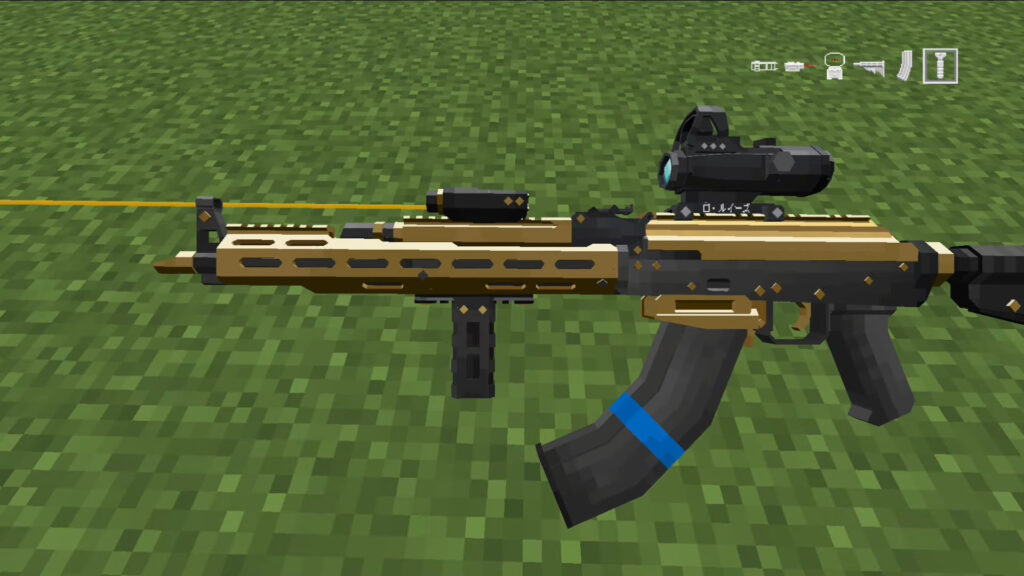
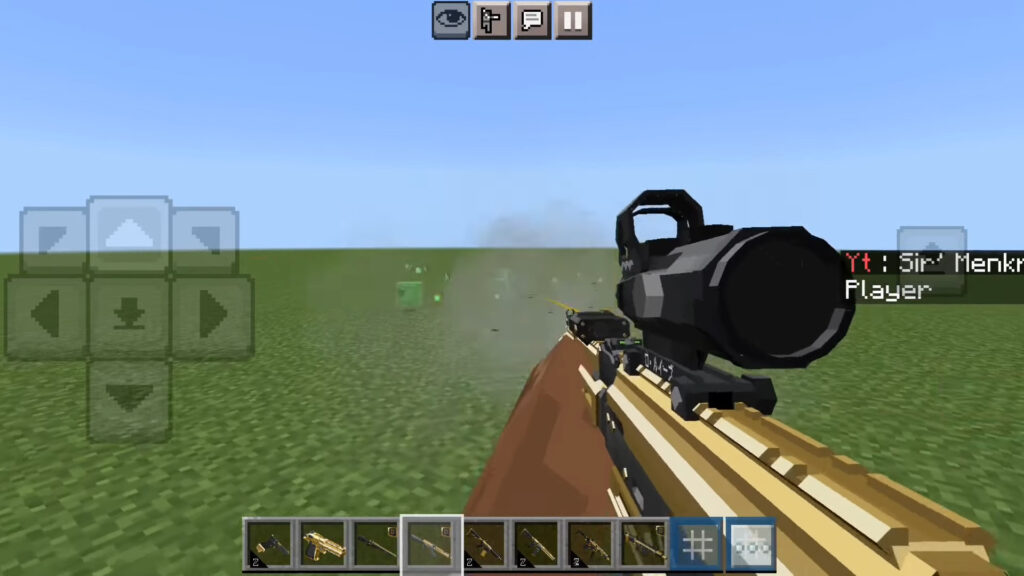
Powered by the acclaimed Timeless and Classics Zero (TaCZ) system, TACZ Golden Zero is a premium 3D weapon expansion that brings elite craftsmanship to your arsenal. This edition features iconic firearms reimagined with a luxurious gold-and-black aesthetic, all while maintaining the advanced mechanics and ultra-realistic animations the TaCZ system is known for.

Cre: Sir’ Menkrep (Youtube)

TACZ Golden Zero

Elevate your combat experience with a selection of high-tier TaCZ firearms, now reimagined with polished gold textures and custom firing sound effects for a truly elite feel.

Weapon List

Pistols

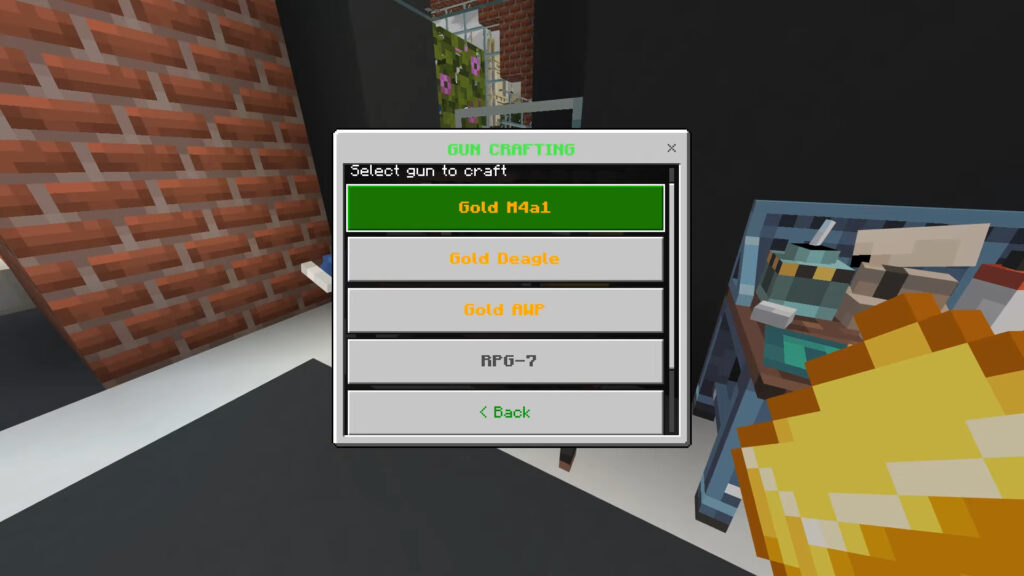
  • Golden Deagle: A high-damage .50 caliber pistol with a sharp metallic shine.
  • Glock 17 Gold: A sleek, reliable handgun with polished detailing.

Assault Rifles:

  • AK-47 Gold: The classic rifle with a premium wooden and gold finish.
  • M4A1 Gold: Features smooth handling and modern optics.
  • Mk-556 Gold: A reliable tactical rifle with high fire rate.
  • SCAR-H Gold: A high-power battle rifle with a refined finish.

Submachine Guns (SMGs):

  • MP5 Gold: Compact and fast-firing with clean gold textures.
  • P90 Gold: Futuristic design with striking gold accents.

Specialty Weapons:

  • AWP Gold: A deadly, elegant bolt-action sniper rifle.
  • AA-12 Gold: A fully automatic shotgun designed for heavy room clearing.

Downloads

MCPE Download

TACZ Golden Zero 1.21+

Explore some Minecraft gun mods in MCPE Addons:

- Advertisement -

Fallout Remake Gun Mod 1.21

0

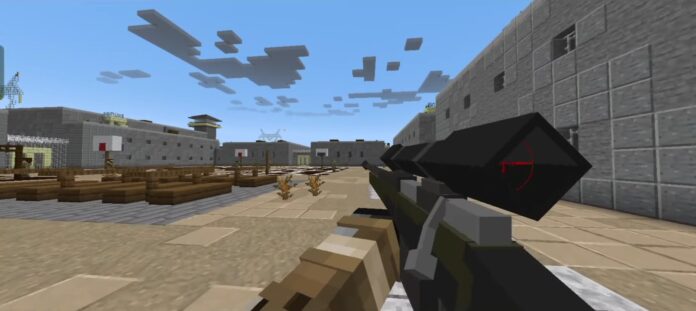
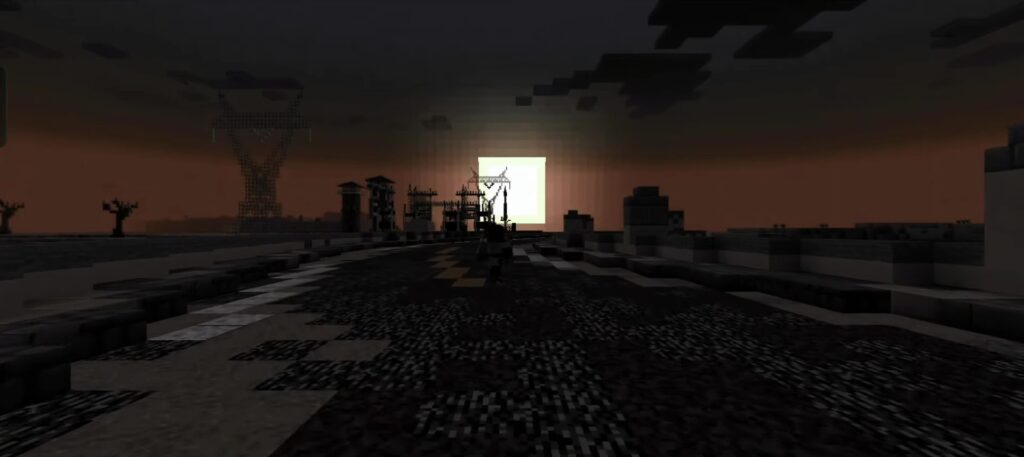
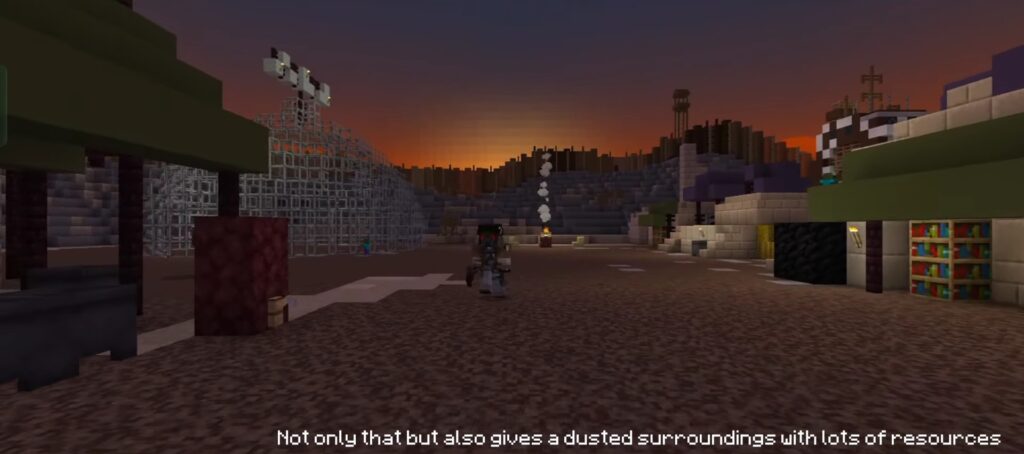
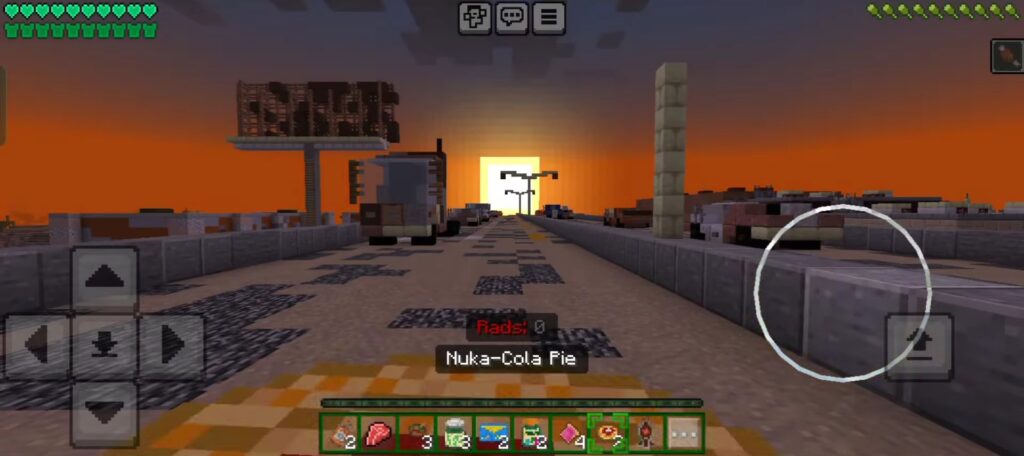
Experience the post-apocalypse in Minecraft with Fallout Remake, a massive survival expansion heavily inspired by the Fallout franchise. Survive a nuked wasteland filled with iconic creatures, high-tech factions, and legendary gear.

Cre: RedStarStudios

Fallout Remake

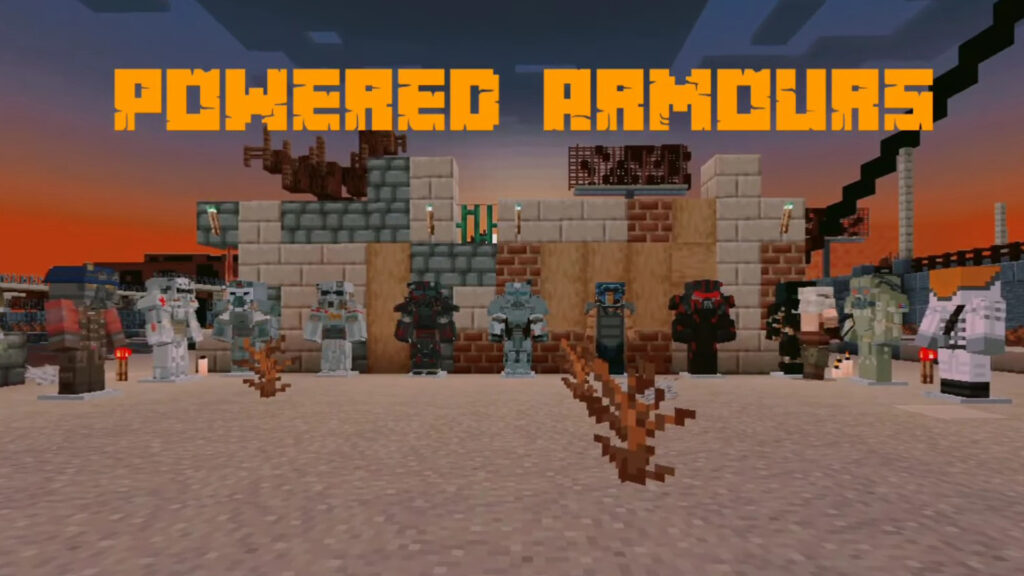
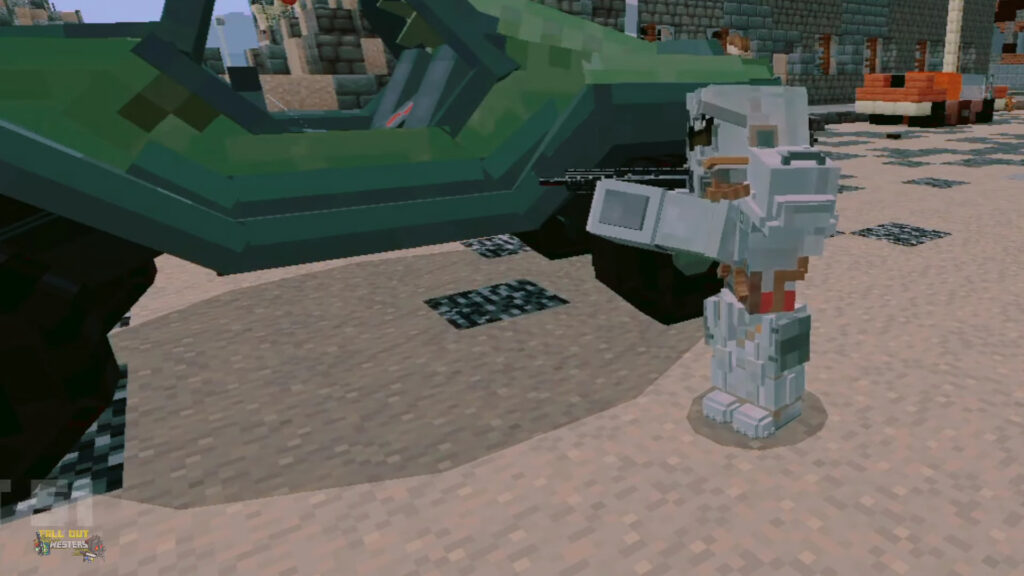
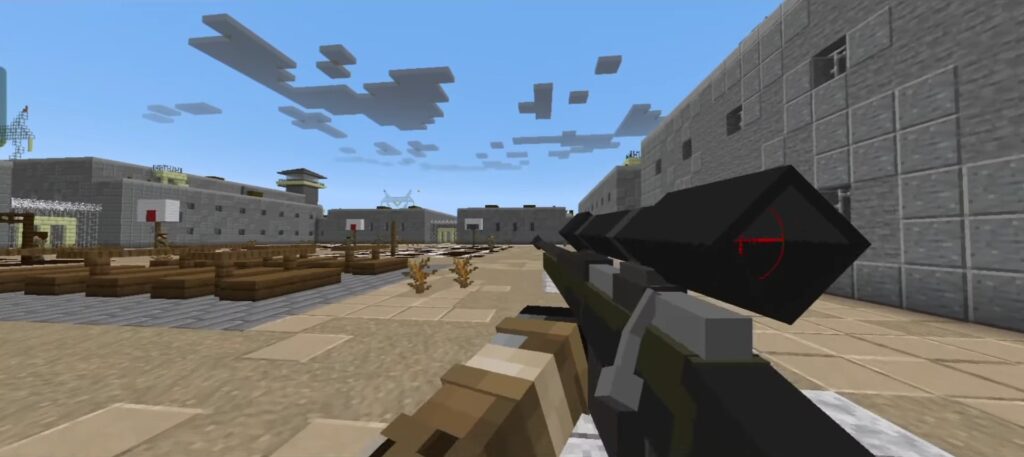
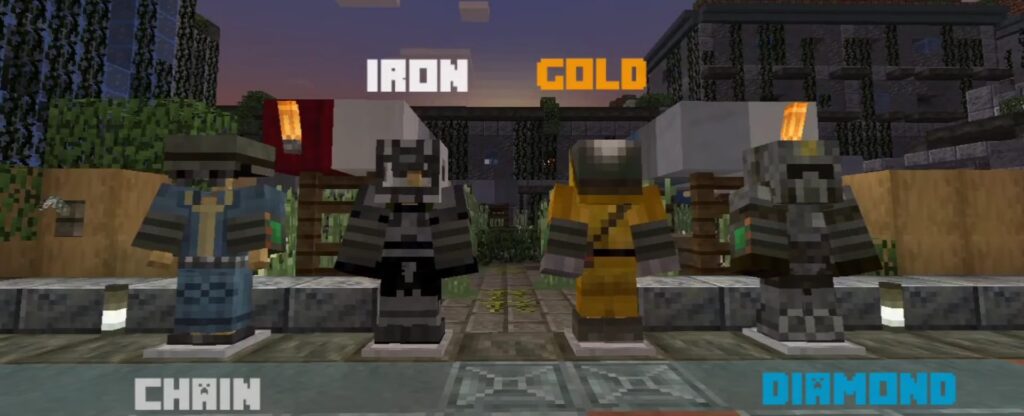
Features custom 3D guns with reload mechanics/animations/sounds, Power Armors (multiple sets + paints), structures (Raider Bases, Enclave HQs), blocks/items, and faction spawns for true Fallout chaos in survival worlds!

Detail:

  • Mobs & Factions: Ghouls, wasteland beasts; BOS & Enclave patrols/spawn groups.
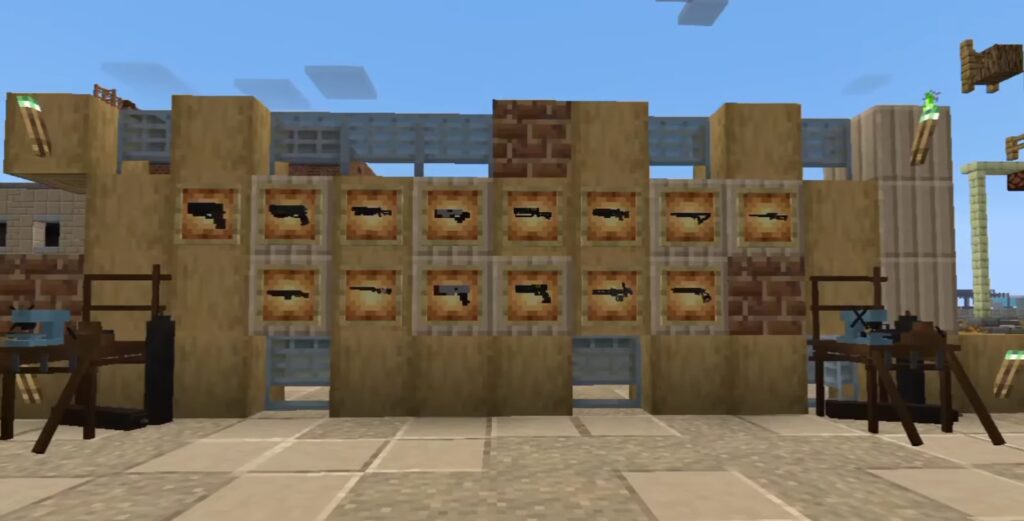
  • Weapons: Guns w/ reload system, animations, sounds (improved visuals/handling).
  • Armors: 3+ new Power Armors; craftable paints (e.g., Love Ranger) in the Armor Workshop.
  • Structures: Raider Base, Enclave HQ (worldgen on 1.21.114+).
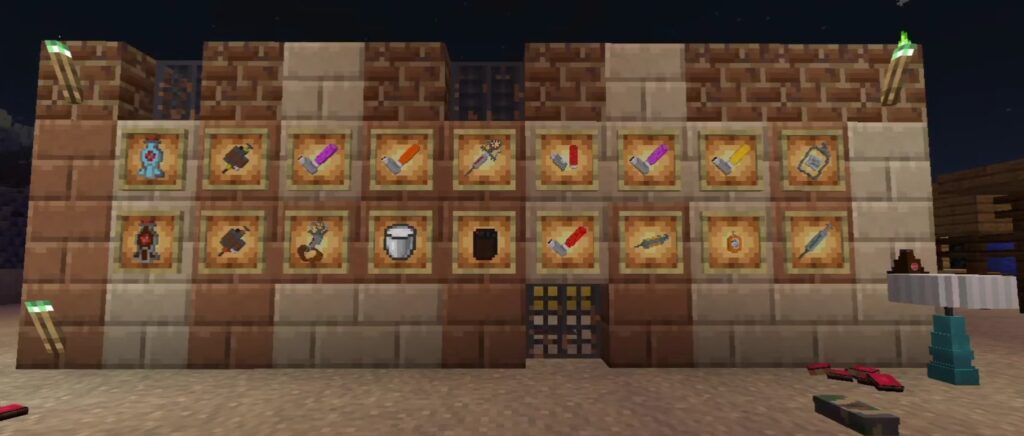
  • Items/Blocks: Vault-Tec Storage Box (stacked), 3 new blocks, stimpaks/nuka-cola (from original).

Power Armours: contains so many Powered Armour sets, plus new uniforms to wear

Most important Drinks and Buffs which include: Syringes, Boosters, Aderline and Nuka cola

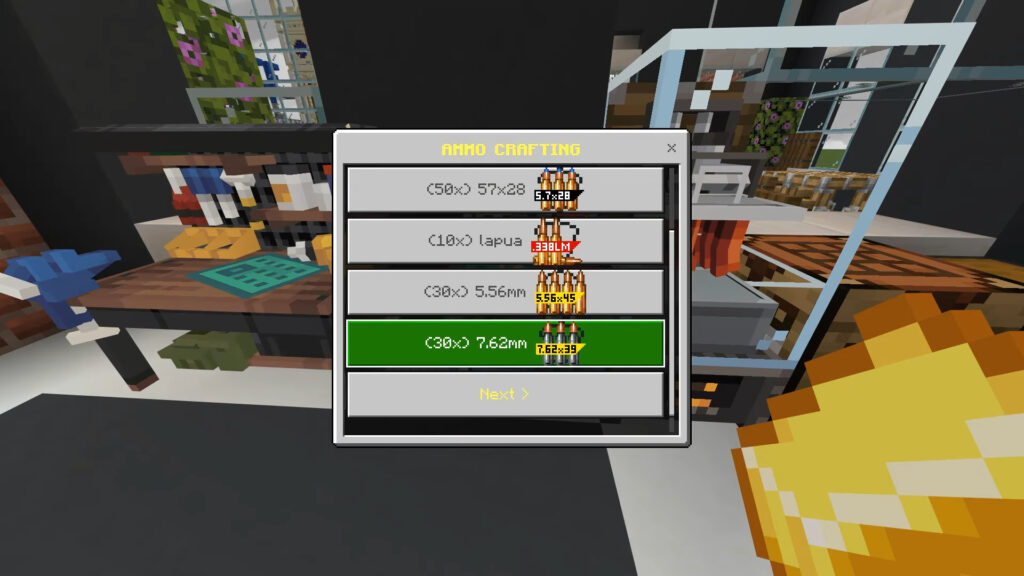
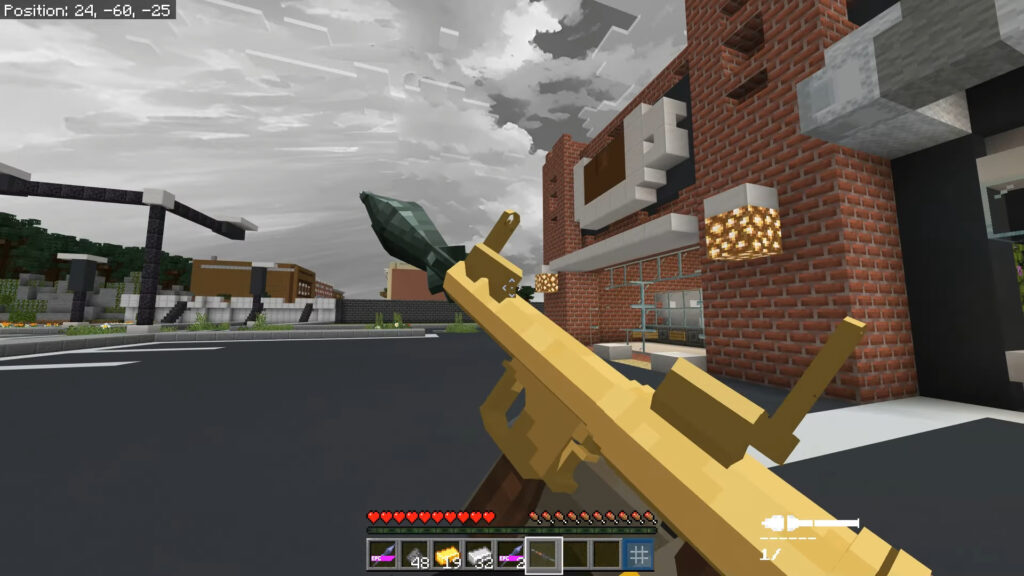
Gun: Pistols, Machine gun, Swag off, RPG7, Sniper,…

Your basic armor will be retextured with Fallout suits

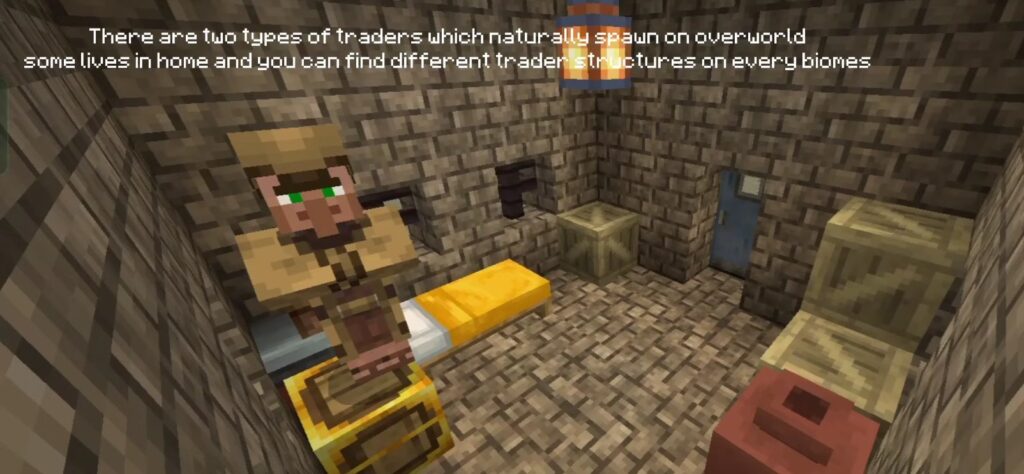
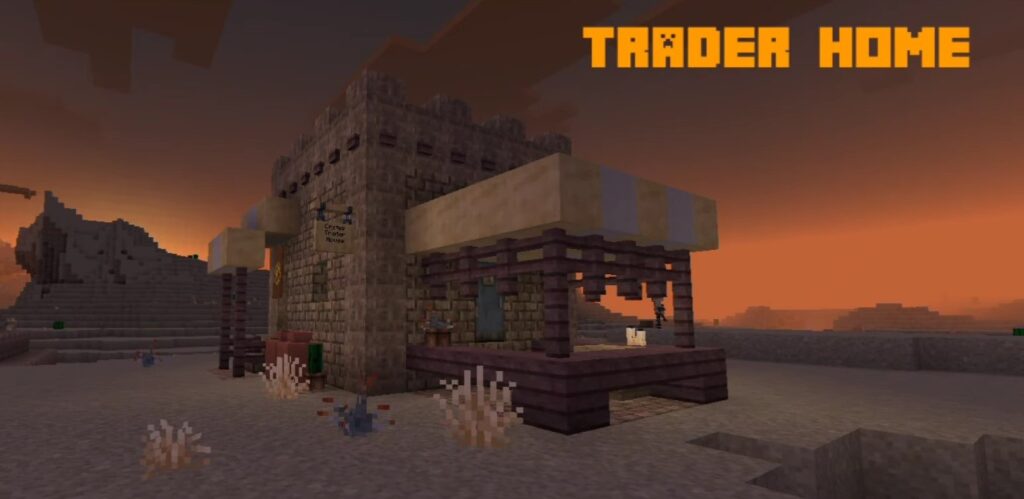
There are two types of Traders which naturally spawn on overword. Some live in a home and you can find different Trader structures on every biome.

Note: Player need to Enable the Experimental Settings if the Fallout Westers Redux addon does not work.

Downloads

MCPE Download

Fallout Remake Gun 1.21

More cool Minecraft Addons:

- Advertisement -

Glowing Ores, Blocks & Items [Beta]

0

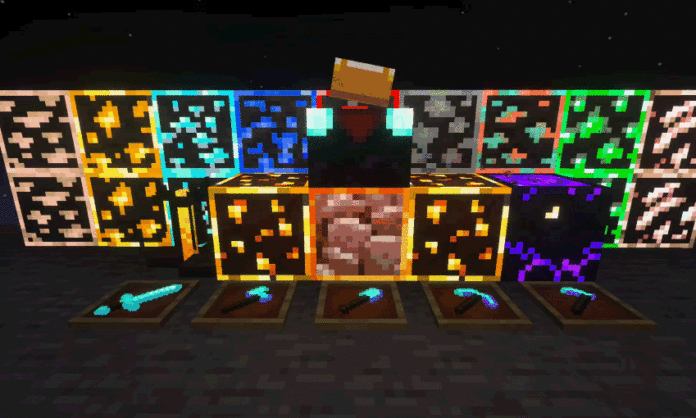
Elevate your underground exploration with the Glowing Ores, Blocks & Items expansion.

Cre: Bruhh69

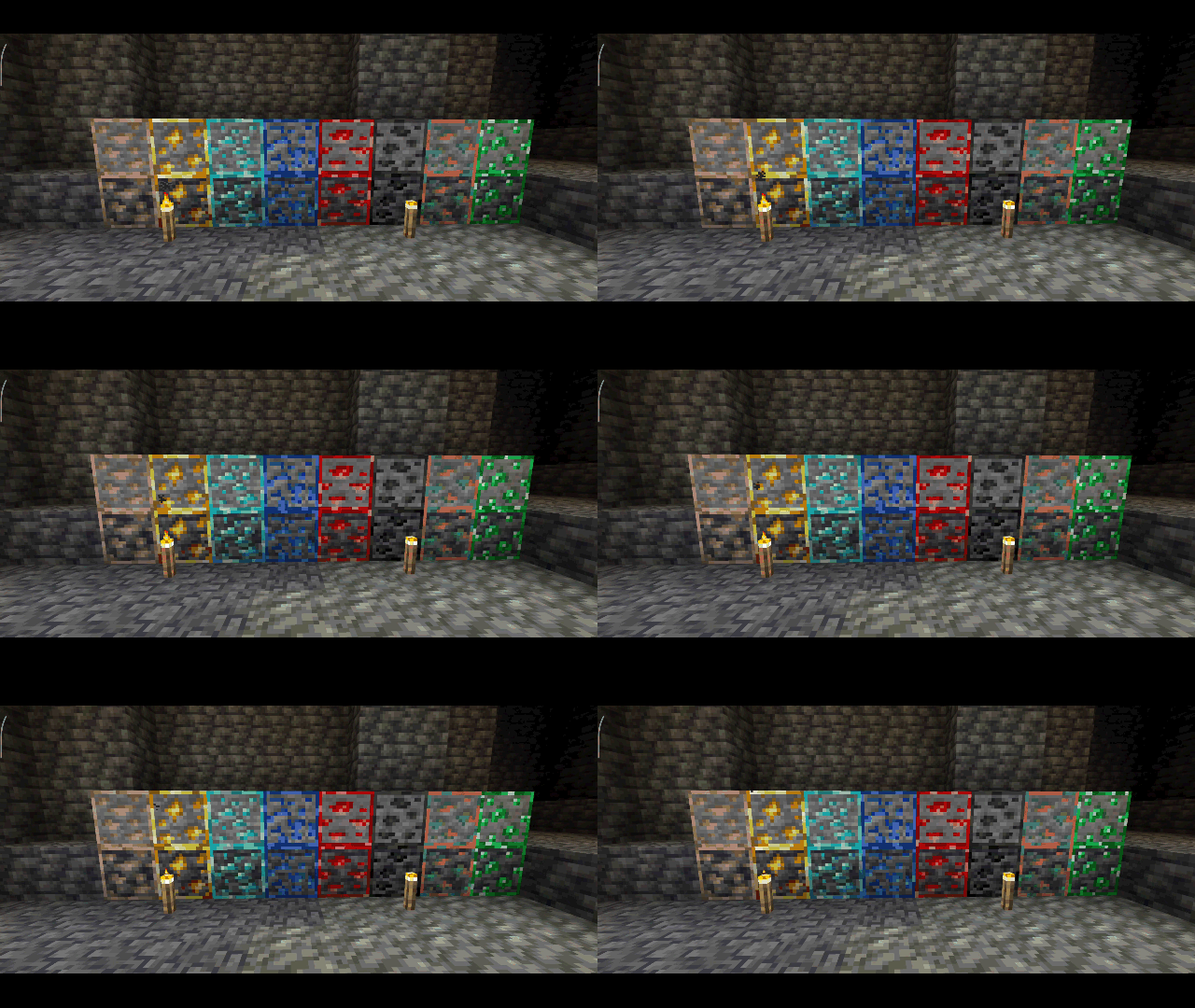
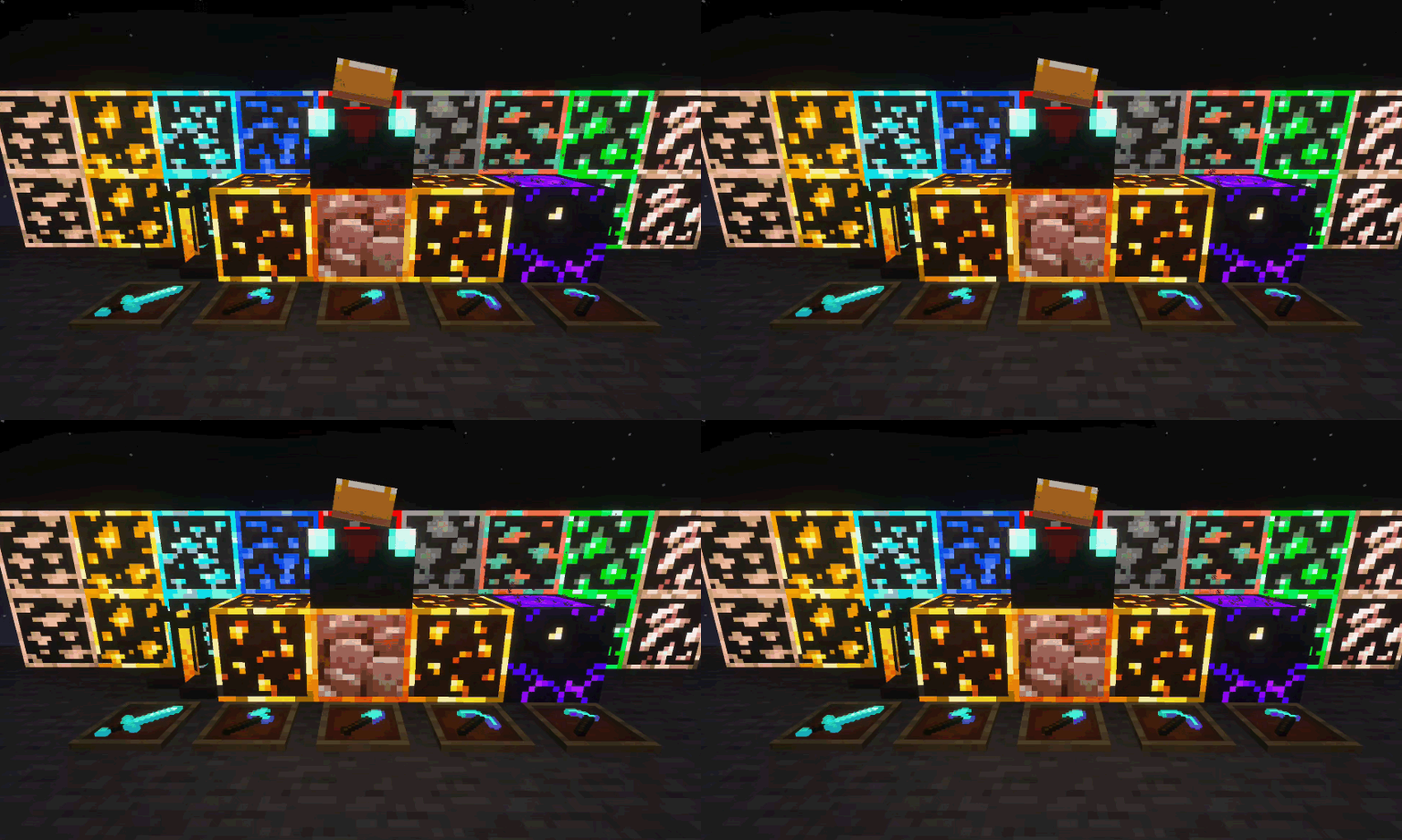
Glowing Ores

Without pack

With pack (vibrant visuals ON)

⚙️ Recommended Settings

To get the best visual experience and avoid “blinding” lights, please use the following settings:

  • Bloom Intensity: Set to 15% or below to reduce overexposure and maintain clarity.

Important Disclaimer

  • Dependency: This pack requires the Vibrant Visuals shader to be activated to function.
  • Hardware: A High-Specification device is required to run the Vibrant Visuals engine smoothly.

Key Features & Updates

Complete Overhaul: The classic Animated Glowing Ores has been evolved into a comprehensive system for ores, blocks, and items.

Fully Functional Ores: All ores are now fully optimized with high-quality glowing effects.

New Glowing Blocks: Added emissive textures for the Respawn Anchor, Enchanting Table, and Brewing Stand.

Luminous Gear: All Diamond Tools now glow in the dark! (Other tool sets will be added in future updates).

Development Status: Currently in Beta for regular blocks and items, with more content being added in turns.

Downloads 

MCPE Download

Glowing Ores, Blocks & Items Beta v0.1

More cool Minecraft Addons are here:

- Advertisement -