Home Blog Page 69

Modern Blocks Addon

0

Modern Blocks Addon helps you build and create your modern house, buildings, offices, bedroom, kitchen, closet, and any other constructions with these new stylish modern blocks to make your world appear more contemporary. Create contemporary furniture with many variations, tiles with various variations, each of which contains a new design, construct roads with all the necessary materials, and much more!

Creator: Vechrozilator (Youtube, Twitter)

Modern Blocks Addon

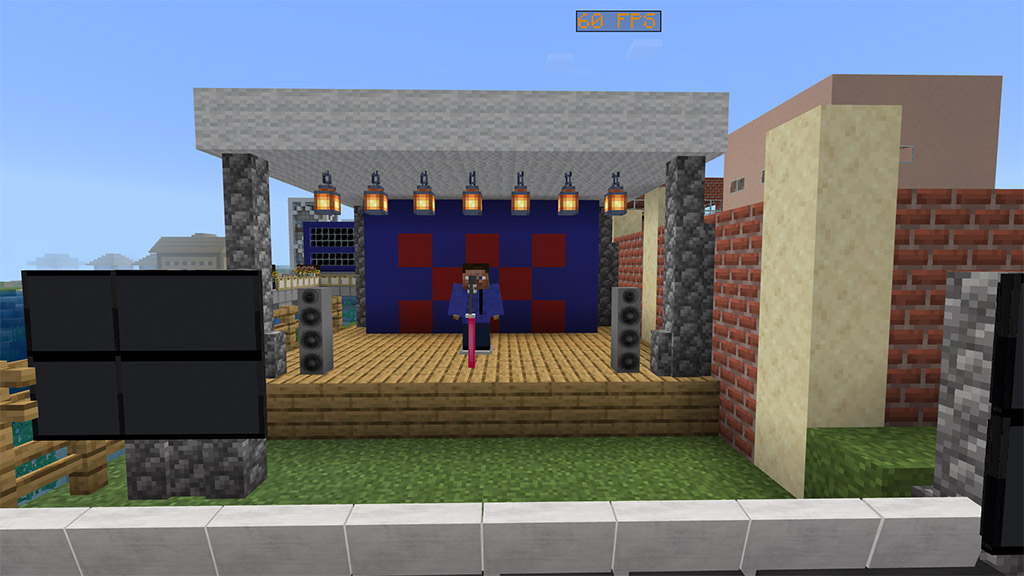
The game now has 1000+ modern blocks, including contemporary bookshelves, cabinets, drawers, tiles, and 3D block furniture. The majority of these blocks come in 16 different colors, and wooden blocks come in all different types of wood. Customizable tiles can be used to add various patterns using Tile Pattern.

Tools

There are also tools in Modern Blocks Addon use to destroy certain blocks, hence it’s not yet possible to destoy custom blocks faster in survival using vanilla tools so these tools were made.

  • Plastic Axe – use to destroy plastic type of blocks faster
  • Wood Saw – Use to destroy wood type of blocks faster including vanilla blocks
  • Sledgehammer – use to destroy stone type of blocks and tiles faster including vanilla blocks

Tiles

Tiles is one of the key components used in the construction industry for building interior and exterior floors, footpaths, swimming pools, walls, partitions, and roofs. There are different Tiles added in the game and each have their own unique properties, textures and uses.

There are now 260 unique tiles in the game, and each one has a slab type. There are several different sorts of tiles, each of which has 16 distinct colors and 5 additional patterns. rough-textured porcelain tiles are ideal for outdoor flooring; a wooden tile with a grainy appearance; tiles with a check pattern and 16 different colors; Bathroom and swimming pool tiles

Here are a few examples of Tiles-based builds:

This pool is made with pool tile and pool liner in the border of the pool:

It looks more realistic pool, right?

Decorative Blocks

There are countless blocks available for use in designing, building constructions, and other purposes. The majority of decorative blocks are produced using liquid polymers, which are created when crude oil is melted in a blast furnace.

Hence, Chemistry As tables aren’t craftable in the game, you can’t buy crude oil in survival, thus I’ll add the recipe. The same recipes are used in the Uncraftable add-on that I also made.

There’s also an alternative way to produce liquid plastic, using Plastic Extractor you can produce it.

Plastic Extractor can be use to extract liquid plastic in ground to produce liquid plastic, it can only place on nature blocks that you can find in world layer except ores.

One of the most thing a liquid plastic can made are Plastic Blocks, here are different plastic blocks below.

Furniture Blocks

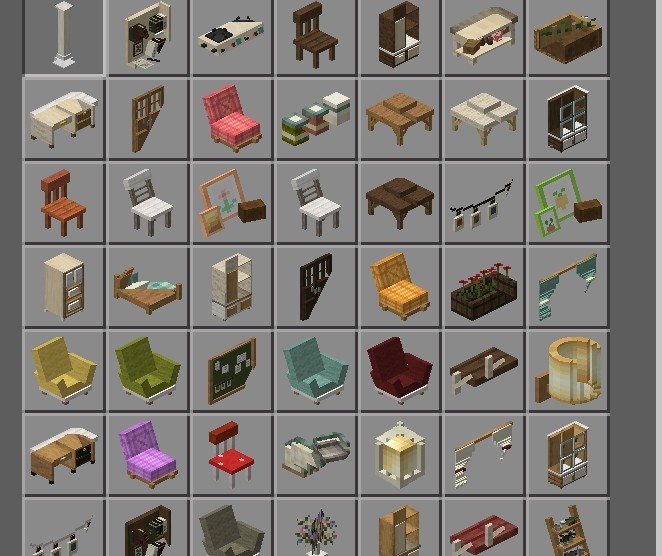
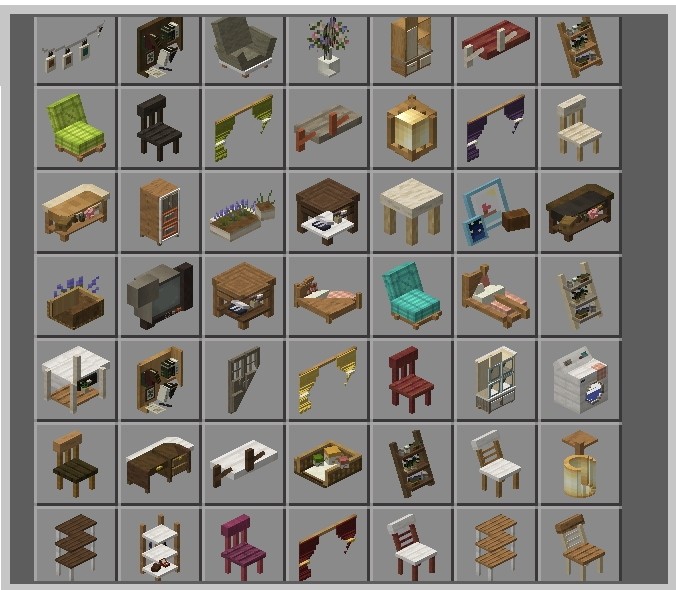
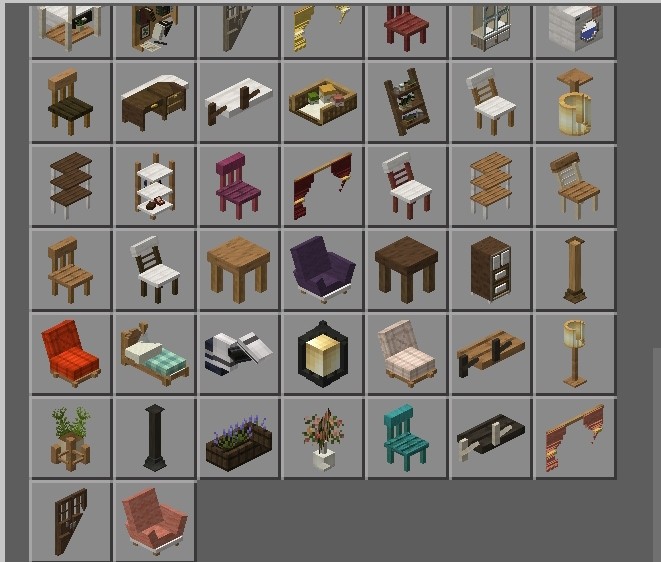
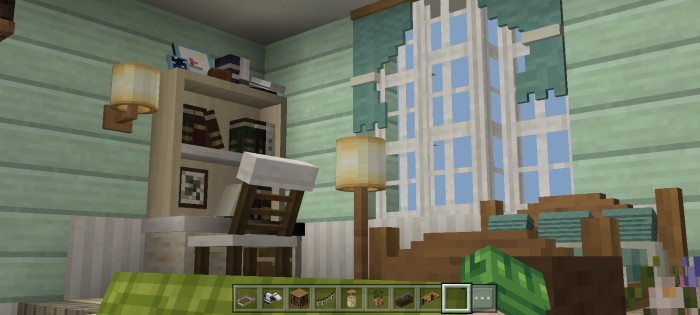
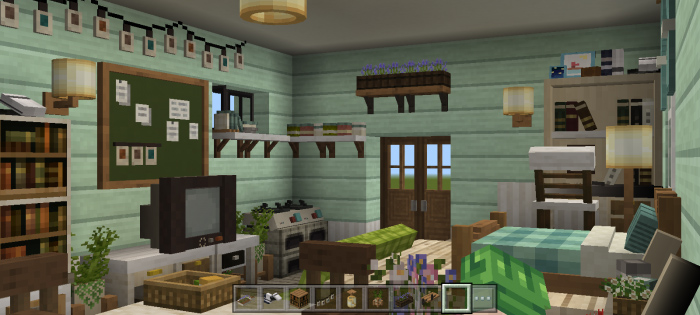
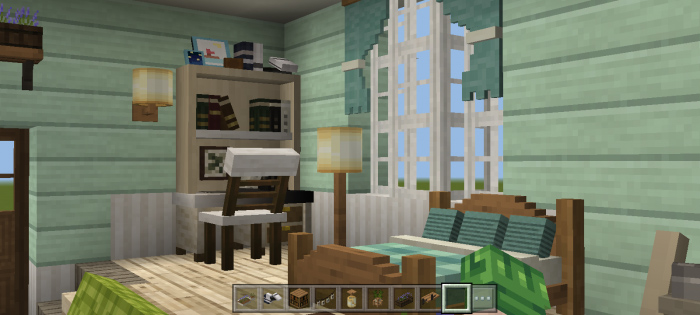
We also have furniture blocks which are use for designing interior structures such as offices, kitchens, wardrobe, schools and etc.

We also have 3D furniture that has uses other than just adornment. Some of the blocks now have uses, and the others will do so in the near future.

Picture Frame

Are you tired of our painting as our decoration? We have a new picture frame, one is standing one and the other is hanging on wall. These picture frames has no picture yet by default, you are free to choose what pictures you can install on it. Just choose any available pictures.

Picture frame:

Wall picture frame:

Here’s an example build using wooden drawer together with picture frame and other vanilla blocks.

Kitchen Stuff

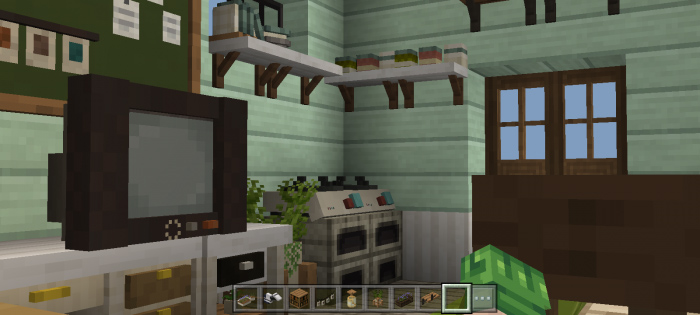
There are blocks too that are made for kitchens such as countertops, countertops with sink, cabinet and drawer is included. We also have fridge, microwave oven, cooking range and etc. which are currently has no function yet, however the water dispenser is now functional this work together with water container, you can learn how it work after trying it.

City Decor

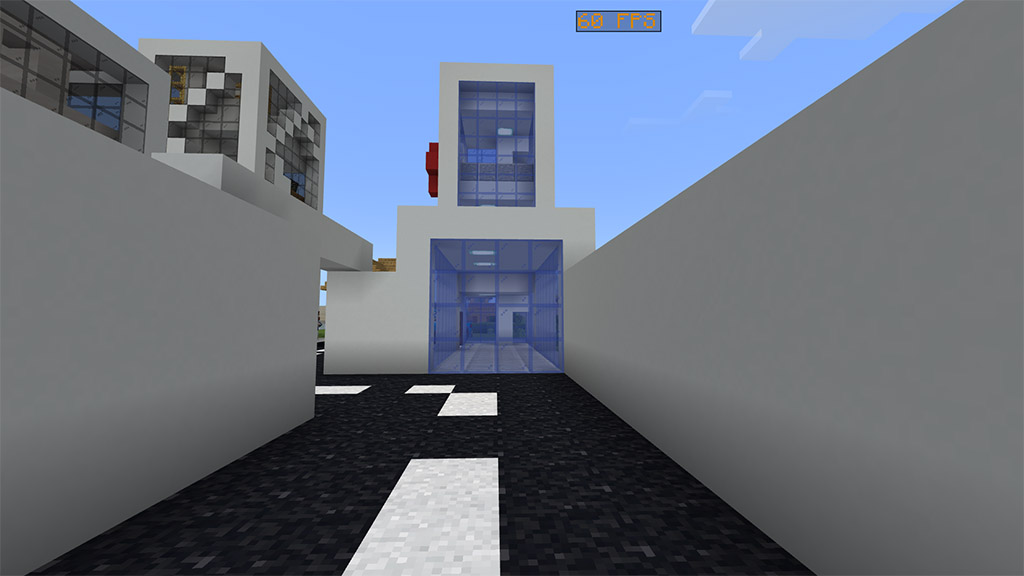
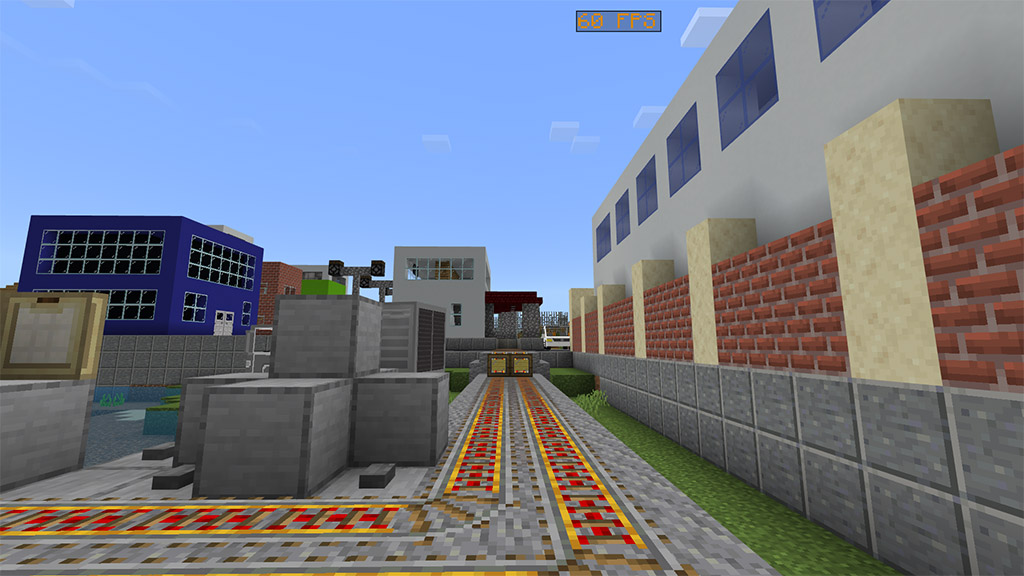
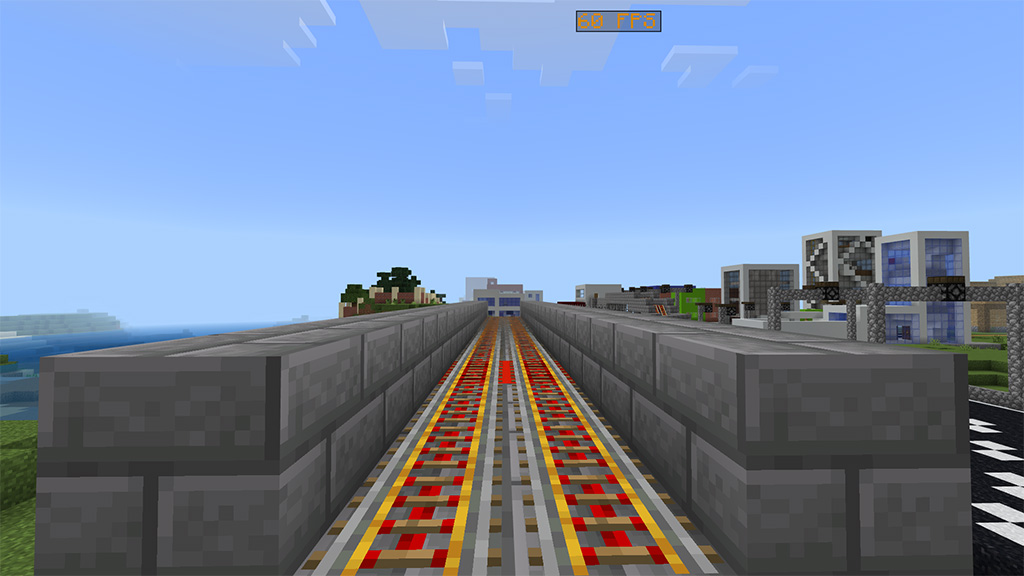
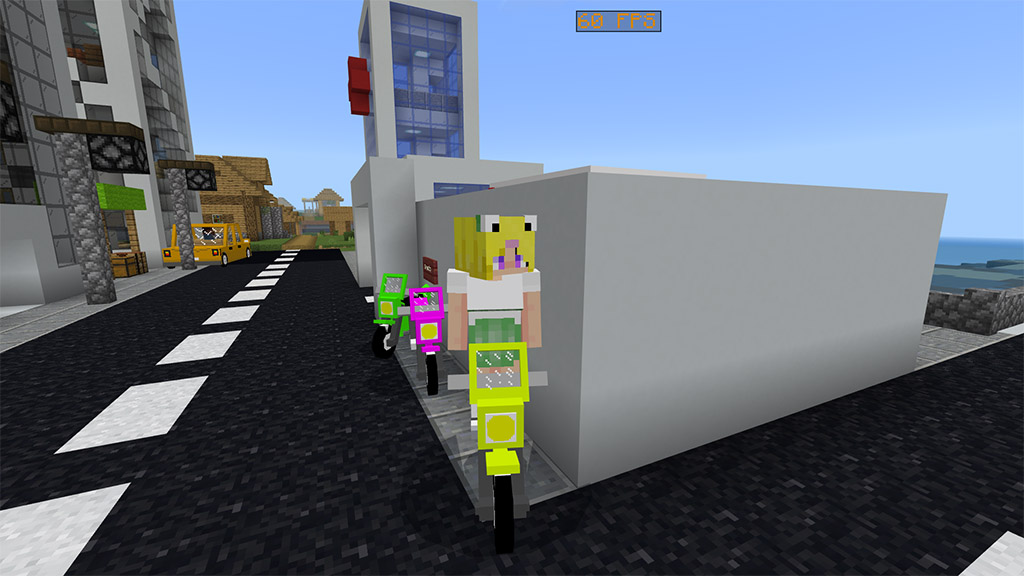
Our modern blocks isn’t complete without a decoration blocks for building cities, say no more to alternative blocks you use in building roads, we have a road blocks for that, there different varieties of road blocks which you could need in building city highways or roads.

This isn’t only about road blocks, there are other blocks too such as caution block, traffic cone and any city related blocks.

Where to see all blocks and items?

All blocks and items can be found in your creative inventory, hence they’re in creative inventory in survival you can able to see them in your recipe book and thus you don’t have to memorize every blocks recipe.

Need more in-depth guide?

If the highlights discussion isn’t enough for you, we have Modern Blocks Guide, this is a guide which is made for this addon, it is another pack so you have to download and install it too if you need it.

It modified the ‘How to Play’ UI and make it a guide. This guide provides all things you need in this addon, just read the guide and you’re ready to go. Here’s how it look like.

About Me!

To contact us easily, to suggest feedback and receive new update of my content join in our community with Discord Server

Want to support me financially? Donate via Paypal

Watch showcase video!

Terms of use

  • Do not repost in any website or apps without using my link or mcpedl link.
  • Do not steal any textures in Modern Blocks Addon and add into your own project.
  • Do not merged this addon to your addon.
  • If you want to make a video showcase of this add-on at least credit me.

Some Furniture addons Minecraft PE you can check in Mcpeaddons.com:

Changelog
  • Delete the previous version of Modern Blocks Addon first before installing the new update
  • After updating the addon, in your existing world some blocks might appear weird, just destroy them then place again to fixed

What’s New

Added Mangrove type of the following blocks

  • Mangrove Chair
  • Mangrove Table
  • Mangrove Tiles
  • Mangrove Cabibet
  • Mangrove Drawer

Added Bamboo type of the following blocks

  • Bamboo Flanks Chair
  • Bamboo Mosaic Chair
  • Bamboo Planks Table
  • Bamboo Mosaic Table

Added more /function command

  • Function command for slabs
  • Function command for a tile with pattern

Improvements & Changes

  • Updates all blocks into new format to support current and future updates of the game
  • The addon is more stable and optimize
  • Road Block with Line is now connectable, hence they ‘re now connectable Road Block with Corner Line was removed
  • Improve the behavior of Plastic Door and Plastic Trapdoor
  • Improve the behavior of Water Dispenser
  • Gas Stove has now an item form

Fixes

  • Fixed a bug where blocks can no longer worked in current update of Minecraft
  • Fixed a glitch texture of some 3D blocks
  • Fixed all error occurs from the content log

Installation

By using this addon you have to enable the following experiments in world settings to make it work.

  • Holiday Creator Features
  • Upcoming Creator Features
  • Molang Features

Download both behavior pack and resource pack and install them both.

- Advertisement -

MS Painted Resource Pack 1.19 / 1.20 | Minecraft Resource Pack

1
MS Painted Resource Pack

The design of the MS Painted resource pack was based entirely off of the MS Paint program. While this may seem underwhelming on paper, the resource pack applies the same vibrant colors that you can use in a regular MS Paint program to Minecraft in a way that brings the visuals to life.

Cre: Stridey

MS Painted Resource Pack

Although the colors themselves are relatively basic like they are in MS Paint, they become very appealing to the eyes when combined and applied to the Minecraft landscape. However, the downside of the vibrant colors in the MS Painted pack is that they can make the landscape a lot brighter than normal. In general, the vibrance of the MS Painted’s color palette will likely be a relatively minor issue, but if it ends up bothering your eyes, you can always make the brightness a little darker.

That way, you can enjoy the appeal of the MS Painted resource pack without being bothered by its liveliness! The MS Painted pack has also extremely clear-cut visuals and the application of MS Paint in the basis of its design creates a unique artistic style makes it stand out from many of the other resource packs available to Minecraft players. Along with that, another perk of the MS Painted resource pack is that it has an astonishingly smooth texture and with a relatively little noise.

In regards to the resolution quality of the MS Painted resource pack, the textures in the MS Painted are a 16 x 16 resolution, which is relatively low. However, that isn’t too surprising since resource packs like MS Painted aren’t usually designed to require higher resolutions, so a 16 x 16 quality is about the average for these types of packs. Nonetheless, it should be said that the benefit of having a lower-resolution resource pack is that it doesn’t require a computer with a better quality hardware and, therefore, can be used on almost all types of computers.

How to install MS-Painted Resource Pack

NOTE: Many resource packs require optifine to be preinstalled, so be sure to install it.

  1. Download the MS Painted Resource Pack for Minecraft from the download section below – if there are many different versions, just pick the one that you like or that you think your PC can handle.
  2. Launch the game client through the Minecraft launcher.
  3. On the main menu, click “Options”
  4. On the options menu, click “Resource Packs…”
  5. Click on “Open Resource Pack Folder” – folder titled “resourcepacks” will pop up.
  6. Move the .zip file you downloaded in the first step to the newly opened “resourcepacks” folder.
  7. Click “Done”.
  8. Click on “Resource Packs…” again.
  9. Your pack should have appeared in the left window, just hover over it and click on the arrow pointing to the right.
  10. Click “Done” again.
  11. The pack has now been successfully loaded and ready to be used in your world!

Before downloading, please pay attention to the fact that:

Credit for the creation of MS-Painted goes to Stridey.

▶️ We never modify or edit resource packs in any way. None of the resource packs, shader mods or tools you see on this website are hosted on our servers. We use only official download links provided by official authors. Therefore, they are completely safe and secure.
▶️ Since the links are official and we update them manually – the links may stop working with each new update. We make every effort to update links as quickly as possible and usually we update everything on time and users have no problems, but if suddenly any link stops working – let us know through the comments below.
▶️ Don’t forget to leave a comment below and vote for the pack. By doing this, you help the author(s) keep improving the project. If you want to support the author(s), be sure to check the author links just below the download links.
Download MS Painted Resource Packs:

📥[16x] [1.19.x] Download MS-Painted Resource Pack

📥[16x] [1.18.x] Download MS-Painted Resource Pack

📥[16x] [1.17.x] Download MS-Painted Resource Pack

📥[16x] [1.16.x – 1.15.x] Download MS-Painted Resource Pack

When it comes to resource packs in Minecraft, MS-Painted is one of the best there is to offer. Although we’ve been playing Minecraft for years and have tried out a number of resource packs, the MS Painted resource pack really caught our attention.

If you like this Realsource Cartoon RTX Pack, let’s browse for more with MCPE Addons!

- Advertisement -

MAGIS

0

Ever thought that you would like to have magic powers like elements and other powers in Minecraft? I guess it’s already in Magis addon by adding 15 magical staffs with their powers and abilities and also adding 2 new armors with unique abilities.

Creator: Hams22 (Youtube)

MAGIS

Crafting and Forging

Manufactures you need to get started

Magical Crafting Table

This block is used to craft all the cores that are later used as materials for staff and armor.

Recipe:

Magical Forge

This block is used to combine the cores with base staff which will become staffs with their abilities.

Recipe:

Cores

These materials were later combined with base staff on magical forge.

Elemental Core

Ice Core

Used to make Ice Staff.

Recipe:

Fire Core

Used to make Fire Staff.

Recipe:

Thunder Core

Used to make Thunder Staff 

Recipe:

Earth Core

Used to make Earth Staff.

Recipe:

You can craft reinforced deepslate on crafting table.

Acid Core

Used to make Acid Staff.

Recipe:

Water Core

Used to make Water Staff.

Recipe:

Amethyst Core

Used to make Amethyst Staff.

Recipe:

Wind Core

Used to make Wind Staff.

Recipe:

Sand Core

Used to make Sand Staff.

Recipe:

Poison Core

Used to make Poison Staff.

Recipe:

Details:

– Potion of Poison (0:45)

– Splash Potion of Poison (0:22/0:16 Poison II)

More Cob

Skeleton Core

Used to make Skeleton Staff

Recipe:

Wither Skeleton core

Used to make Wither Skeleton Staff.

Recipe:

Zombie Core

Used to make Zombie Staff.

Recipe:


Creeper Core

Used to make Creeper Staff.

Recipe:

Armor Core

Speed Core

Used to make Speed Suit.
Recipe:

Details:

Splash Potion of Swiftness (1:30/1:07 – Speed II).
Stealth Core

Used to make Stealth Suit.
Recipe:

Details:

Splash Potion of Invisibility (8:00/6:00).
Staffs

There are 15 different types of staffs in each category according to the core that has been combined into the staff.

Base Staff

Base

Nothing to do with this, you need to combine it with core on magical forge. Craft this staff on crafting table.

Recipe:

Elemental Staff

Ice Staff

Shoots an ice ball for 6 damage on hit and splash damage by 5 within range 2.5 blocks.

Fire Staff

Shoots an ice ball for 6 damage on hit and splash damage by 5 within range 2.5 blocks.

Thunder Staff

Summons lightning bolt within a range of 7 blocks ahead.

Earth Staff

Summons lightning bolt within a range of 7 blocks ahead.

Acid Staff

Spawns four 3×3 acid pools 10 blocks ahead for 5 damage per hit.

Water Core

Summons wave 6 blocks wide with 2 damage per hit.

Amethys Staff

Summons amethyst spikes streak 10 blocks ahead for 5 damage per hit.

Wind Staff

Spawns wind shockwave within 7 bloks radius for 2 damage per hit.

Snad Staff

Spawns a pile of sand balls above the mobs within 7 bloks radius for 3 damage on hit.

Poison Staff

Shoots a poison ball for 6 damage on hit and burst fatal poison for 7 seconds of effect within 3 block radius.


Video to see more about Elemental Staffs.

Mob Staff

Creepy Staff

Summon creepers that will help you attack monsters and blow them up.

Skeleton Staff

Summon skeletons that will help you shoot monsters.

Wither Skeleton Staff

Summon wither skeletons that will help you attack monsters.

Zombie Staff

Summon zombies that will help you attack monsters.

Armor

There are 2 new armors in this addon

To activate armor abilities you need to equip them all to your body.

If you remove your armor your abilities will be lost.

Stealth Suit

Sneak to make you invisible.

You will be visible again when you take damage or remove your armor.

You can craft it on crafting table.

Stealth Hood

Stealth Cloak

Stealth Leggings

Stealth Boots

Speed Suit

Sprint to make yourself run faster.

Your speed does not apply when you walk and swim.

You can craft it on crafting table.

Speed Helmet

Speed Chestplate

Speed Leggings

Speed Boots

Some Addons Minecraft PE you can check in mcpeaddons.com:

Video to see more about armor

Notes

Magis addon use player.json not recommended to be combined with other addons that use player.json as well.

Please!

  • Don’t provide any direct link or your mediafire link other than this mcpedl link.
  • If you feature this addon on youtube please leave credit to me and provide the link of this mcpedl page.
  • Don’t take and copy anything from this addon without my permission.
  • Don’t publish this addon on any page and any application without my permission.

Hope you can understand it

You have to activate the experimental gameplay!!

My Discord Hams#5988

Installation

Download link uses linkvertise just click on free access with add button and wait for a few secs for the download link.

download-button

Download MAGIS (Resource pack) or Link Backup

Download MAGIS (Behavior pack) or Link Backup

- Advertisement -

MeoWhy Furniture V2.0 Testfix🍄 (+170 Decorations!!) 1.19 | Minecraft Furniture Mod

0

MeoWhy Furniture contains more than +170 decoration blocks for your world, This furniture addon does not have any type of theme, it is simply a lot of furniture for any type of situation.

Creator: MeoWhen-1 (Youtube, Twitter)

MeoWhy Furniture

@furnituremod

Step by step to download Meowhy furniture fypシ゚viral foryoupage modfurniture minecraftfurnituremod furniture #meowhy Meowhyfurniture

♬ Up and Away (Vocalese) – GHOSTLAND

Updates 1 or more times per week!

⭐This add-on has:⭐

▁▁▁▁▂▂▂▃▃▃▃▄▄▄▃▃▃▃▂▂▂▁▁▁▁

🛋️cabinets

🛋️tables

🗺️Flags

🏚️Roofs

🖌️Wallpapers

🍄mushrooms

⬜stones on the ground

🎟️Picnic stuff

🏘️windows

🚧fences

🖼️paintings

⭐and more!!⭐

Review videos:

QuickReview:

Decoration ideas:

2.0 test update:

Added chairs and dummy entity!

MeoWhy Furniture
MeoWhy Furniture

Dummy entity is work in progress, so you can only find it on creative mode!

1.9 update!

Placeable items 

//(Shield and Trident at the moment)\\

MeoWhy Furniture

Just put the item you want to be a block in a crafting table and you will get it, if you break the block you will get the normal item

(example in the gif below)

MeoWhy Furniture

Salmon-mon-mon♪ (bunch of salmon) crafted with… Salmon…

MeoWhy Furniture

Roof [Type 2]

MeoWhy Furniture

Lots of new flags!

MeoWhy Furniture

More recent updates furniture: Teddy bear, Stripped spruce log pillars.

MeoWhy Furniture

What you can make with this addon?

MeoWhy Furniture
MeoWhy Furniture

How to use some of the blocks:

MeoWhy Furniture

All in this addon is friendly survival! And you can craft everything in a crafting table!

Craft Recipes:

MeoWhy Furniture
MeoWhy Furniture

Some furniture models and wallpapers

Random:

MeoWhy Furniture

Books:

MeoWhy Furniture

Paintings:

MeoWhy Furniture

Wallpapers:

MeoWhy Furniture
MeoWhy Furniture
MeoWhy Furniture

SUPER IMPORTANT!

-You need to download “Block Geo Fixer” to be able to see correctly all the furniture (without it you can’t see the furniture)

-If you want to use this MeoWhy Furniture addon in your Realm you need to download another “Block Geo Fixer” This one doesn’t work on realms, you can search it here on Mcpeaddons.com.

Activate experimental features (necessary).

SUPER IMPORTANT

MeoWhy Furniture

If you break any of these I will probably report your video and the respective punishment will be given to your channel.

MeoWhy Furniture

Exclusive furniture if you install “MeoWhen Hats”

MeoWhy Furniture

Sorry for not updating anymore, I’ll do it soon. I was inactive for personal reasons for a long time. I’m still busy but I have some things to add =)

Some other Funiture you can check in Mcpe Addons:

Changelog

Fixed recent Minecraft update compatibility:

Some furniture disappeared in last Minecraft updatenow is fixed.

Fixed some broken models.

Minor texture adjustments.

2.0 update:

• Added chairs (2 in total)

• Added dummy (entity, only in spawn eggs, creative mode)

• Some 1.19 fixes

1.9 updates:

• Added Shield (placeable block)

• Added Trident (placeable block)

• Added Salmon stack (placeable block)

• Added Spanish language (MX and ES)

IMPORTANT recent UPDATES:

Fixed all blinking textures!

Installation

You need to download 3 link files! (Resource pack, Behavior pack and Geometry Fix!)

Then click the mcpack file and import it to Minecraft 🙂

ACTIVATE EXPERIMENTAL FEATURES!

DOWNLOAD

mcpeaddons download

Download MeoWhy Furniture (Resource pack)

Download MeoWhy Furniture (Behavior pack)

Download Geometry fix (NECESSARY) || MediaFire

If you want to download more Furniture for Minecraft you can check app “Furniture decor for Minecraft

- Advertisement -

RLCraft Mods for Minecraft Bedrock 1.19 1.20 | Minecraft Mods

25
RLCraft mod pack for MCPE 1.19

RLCraft Mods is one of the most challenging modpack ever produced for Minecraft, and it is finally on bedrock. There are a plethora of features that make it more tough, such as new animals that do massive damage. Download RLcraft Mods right now!

Cre: RLCraft

RLCraft Mods for Minecraft Bedrock

RLCraft Mods pack for Minecraft Bedrock edition 1.19 and above

  • Thirst Bar
  • Temperature & Heat
  • Healing From Food Removed
  • Torches Made More Realistic
  • F3 Debug Disabled, Map And Compass Enhanced
  • Mob Spawners Drop Loot & Have A Set Lifespan Now
  • Randomized Spawning When You Have No Set Spawn Point
  • Items & Abilities Locked Until You Level Up In Certain Skills
  • New And Powerful RPG Skills And Perks Can Be Unlocked With XP
  • Randomized Ruins, Structures, And Dungeons Generating All Throughout The World
  • All New Weapons & Tools
  • All New Mobs, Passive & Aggressive, From Lycanite’s Mobs, Ice & Fire Dragons, & Infernal Mobs
  • New Custom Crafting & Smelting Recipe’s For Certain Vanilla Items
  • Sound Engine Overhaul For Added Realistic Immersive Experience
  • Item Physics Overhaul
  • Brand New Enchantments, Potions, & Individual Item Qualities
  • Over 340 optional Quests!
  • All new underground biomes, cave and cavern generation
  • Revamped Nether
  • CARPETS ON STAIRS!!!!!!!!!!!!!!!!!!!!!!

RLCraft Mods is here, it’s hardcore, it’s unforgiving, it’s unfair, it could just be the hardest most realistic realism minecraft modpack out there!

Download RLCraft Mods for Minecraft Bedrock 1.19+ (1.20 update)

📥RLCraft Mods Behaviour Pack
📥RLCraft Mods Resource Pack

How much does RLCraft Mods cost?

With MCPE Addons it’s totally free. You can download this mod by the links above or you can install through our app:
📱 Google Play Store: play.google.com/store/apps/details?id=co.pamobile.minecraft.addonsmaker
📱 Apple Play Store: apps.apple.com/app/addons-maker-for-minecraft/

Why is RLCraft Mods called RLCraft?

RLCraft with the RL standing for Real Life or Realism. This mod is a vision of everything ‘ve always wanted in Minecraft when it comes to pure survival, adventuring, RPG, and immersion

What do you need to run RLCraft Mods on mobile phone?

RLCraft Bedrock will requested a strong smartphone to run smoothly. If you are using an outdated devices, please aware that your game will be crash!

How many mods are in RLCraft?

185 separate mods

RLCraft is a Minecraft modpack consisting of approximately 185 separate mods that have been bundled and tweaked to create a challenging Minecraft fantasy world. The modpack is currently on version 2.9.3, and runs on Minecraft version 1.12.2
RLCraft Mods for Minecraft Bedrock 1.19 1.20

Several RLCraft Mods and manually modified each one to meet the precise play-style, ensuring they all worked well together, adding custom scripts for different changes to vanilla behavior, and so on.

You can learn more at RLCraft Fandom Wiki: https://rlcraft.fandom.com/wiki/Mods

Browse for more interesting mod packs

MCPE ADDONS
- Advertisement -

My new money addon

0

RU: Я создал свой первый экономический аддон, в котором содержится купюры с помощью которых можно в майнкрафте создавать свои экономические игры или режимы!

EN: I created my first economic addon, which contains banknotes with which you can create your own economic games or modes in minecraft!

Creator: alexnoyev

New money addon

RU: В данном аддоне купюры от 1 до 1000$, а именно: 1,2,5,10,20,50,100,200,500,1000. Также некоторые купюры можно разменивать на купюры пониже, например 100 можно обменять на 2 купюры по 50$. Делать в верстаке!

EN: In new money addon addon, banknotes from $1 to $1000, namely: 1,2,5,10,20,50,100,200,500,1000. Also, some bills can be exchanged for lower bills, for example, 100 can be exchanged for 2 bills of $ 50. This is done in a workbench!

Some Screenshots:

Some addons Minecraft PE you can check in Mcpeaddons.com:

Money Addon by alexnoyev


- Advertisement -

KC’s Simple Textures Release

0

Hey guys! This is my first post to inform you all that I am releasing my texture pack: KC’s Simple Textures!

It isn’t completely done yet, but it will be soon. I hope you like it! The early versions release of my textures pack!

Creator: Kilrc

KC’s Simple Textures

Screenshots:

Some Textures Minecraft PE you can check in Mcpeaddons.com:

Download KC’s Simple Textures.mcaddon

- Advertisement -

The 10 BEST Shaders for Minecraft 1.19 – Work perfectly for Minecraft Bedrock Edition

0
Best shader for mcpe 1.19

The Wild Update will be considerably more enjoyable if you use Minecraft 1.19 shaders. This is due to the old Minecraft visuals, which are only truly realistic when using a shader. Mod creators took advantage of the time before the release to make their shader packs compatible with 1.19. As a consequence, all flaws and defects have been eliminated. Nevertheless, the shader needs are somewhat diverse because most scenarios have many variants. Sildurs Vibrant Shaders 1.19, for example, provides intense and light variants. You will be the best judge of how powerful or sluggish your gadget is.

Best shader for mcpe 1.19

Best Shaders for Minecraft 1.19

1. EVO Shader

EVO Shader created by @TRXDev will bring your MCPE to realistic looking with realistic lighting, it’s had many improvements in graphic, also have directional lighting from sun,semi-3D Cloud without lag and many more.

EVO Shader includes new attributes like fbm darkness, realistic water crimpy, darkness shadow, new realisitc lighting, sun blaze, and beaucoup added. lighting colouring is grounded on SEUS V11 (PC) and some like SEUS RENEWED (PC), in opportunity this shader make a new feeling for mcpe it character. Don’t forget to read description, and enjoy the shader)

EVO Shader
evo-shader-v1.3
evo-shader-v1.3

2. The Thin White Shader (NEW VERSION ULTRA)

TTW Shader created by @illurito – is a realistic shader with realistic shadows, gentle lighting, and magnificent skies that can operate on most low-end devices. Support for lower phones.

TTW Shader aims to offer Minecraft a new elegant and realistic look while also attempting to optimize it by minimizing texture changes so that it can operate on a wide range of devices.

Shadows that are realistic.

TTW Shader
TTW Shader

3. Vexze Shader

VExZE Shaders created by @HyraZero – is the result of a collaboration between Hyrazero (Zebra Shader Creator) and KK3310 (Vert Shader Creator). By combining the coloring and lighting of Vert and Zebra to make it look beautiful but still light for Low-End devices.

This shader has 2 editions namely Z Editon and V Editon.

  • The first one made according to Hyrazero’s taste
  • The V Edition is made according to KK3310’s taste without changing the main base of the combination of Vert and Zebra shaders.

This shader is suitable for use when playing survival or creative, because this shader will add to the beauty of your Minecraft.

VExZE Shader
vexzh shader
VExZE Shader
VExZE Shader

4. RealSource REALISTIC RTX

RealSource RTX is a new 3D texture pack for Minecraft PE that it change both Rtx texture Pack Bedrock and the Minecraft Java RTX texture pack! It’s available in 128, 512, 1024 px. Textures with light, reflection, and 3D surface structure in combination with RTX create the most realistic RTX package for Bedrock.

With this rtx texture pack bedrock package, you will play all your survival or creative maps with RTX! The goal of the RealSource RTX pack is to get as close as possible to the realistic appearance of textures!

The RealSource pack has unique texture linking and uses an intelligent resolution of the effects of individual textures. The size of the 1024px pack is about 4500MB.

Best Minecraft RTX shaders

5. SEUS PE Shader Renewed

The most realistic shader pack for Minecraft PE created by Gabriel Paixão as of right now. The reflection of the sun’s and moon’s light on the lake creates a lovely sheen. The sky and the nether have both seen significant improvements, as have the shadows. If you want to play a more realistic version of Minecraft, you should give this a shot because the hype is real. Gabriel Paixo, Twitter Account, Creator Accessed on April 7, 2017 (added version for MCPE 1.1.01)

SEUS PE Shader Renewed 1.19
SEUS PE Shader Renewed

Best Texture Packs for Minecraft 1.19

6. Bare Bones

Bare Bones is a popular minecraft resource pack that was initially created in 2017 and continues to receive critical acclaim and high reviews from many gamers. The Bare Bones resource packgives minecraft world a much more simple look that is easy on the eyes and is appealing to many people. Many other packs have tried to perform this same feature in the past, but Bare Bones is clearly way ahead of the competition. Ultimately, the main focus of the Bare Bones resource pack is to transform the game into a much more simple style that is still appealing to anyone who plays the game, whether they are brand new to the world of Minecraft or if they have been playing for many years.

The Bare Bones resource pack uses a variety of textures that offer a clean and vibrant appearance throughout the game while still obtaining their simplistic visuals. These visuals provide a sleek appearance that provides a delightful experience for any gamer that plays Minecraft. These simple visuals are a great way to experience the game in a new way and are a favorite feature for a wide variety of gamers. Another important highlight of Bare Bones is that it also features special animated textures for many of its items and blocks to create an even more immersive experience as you explore throughout the world of Minecraft. The standard resolution of the Bare Bones texture is 16×16, which makes it easy for any system to operate this game without experiencing any technical issues or drops in frame-rate.

7. Mizuno 16

Mizuno 16 enhances the world of Minecraft with impressive visuals. This texture pack will become a favorite of many players because of how well the textures in this pack look on screen. The fact that this resource pack is able to keep the graphics looking great without being over the top is a monumental accomplishment that few resource packs are able to achieve. Low-resolution resource packs often fail to make their textures visually pleasing. Because of these lack luster textures, most low-resolution resource packs are unable to take the Minecraft visual world to the next level. You can often find a lot of noise present in these texture designs. Noise found in these textures take away from the overall appeal and appearance of these low-resolution resource packs. The Mizuno’s 16 Craft succeeds where many other low-resolution packs fail.

This particular pack provides beautiful graphics that are engaging by getting rid of many noise related problems that are prevalent in packs of this type. When you load Minecraft after installing the Mizuno 16 Craft resource pack you are greeted with amazing visuals. The simple design of the installed textures are streamlined and beautiful. The resource pack reveals a magnificent color pallet that features art influenced textures. With clean and noiseless textures this pack is able to reduce eye strain while providing an enjoyable gaming experience. This is one of the best features of the resource pack. Beyond changing Minecraft’s typical textures the Mizuno’s 16 Craft makes changes to the standard user interface. The Mizuno 16 Craft uses a 16×16 resolution like the name of the resource pack suggests. Because of this and the resource pack’s low screen resolution many players are able to enjoy this game with no difficulties. This resource pack allows people with low-end computers to enjoy this pack as much as someone with a high-end computer can.

Mizuno’s 16 Craft Resource Pack 1.19 / 1.18

8. Scorpio PE

Scorpio PE is a shader textures pack for Minecraft PE (Android / iOS) where these shaders will make your game much more realistic, beautiful and livelier. This shaders package adds a lot of cool features such as clouds, shadows, water, leaves, sunlight which usually shaders packages that have these features definitely need a powerful device but these shaders can be used on Low-end devices.

9. ESBE 3G

ESBE 3G Shader created by @McbeEringi – this texture pack will make your world more beautiful with fewer device resources. You don’t have to prepare a powerful device (iPhone 5 is still enough to).

  • More lightweight depiction
  • Luminace based tone map with varying saturation
  • Waving water, leaves, crops, flowers, and nether gate
  • New water reflection with correct cloud position (chuk border issue resolved)
  • Wet effect when raining
  • Texture hybrid shader generated moon (auto switched to default render when the texture detected)
ESBE 3G Shader
ESBE 3G Shader
ESBE 3G Shader
ESBE 3G Shader

10. Bicubic Shader

The underwater caustic, 2D cloud, water reflection, water bump, and other features of the Bicubic Shader (1.19, 1.18) for Minecraft: Bedrock Edition are intended to give the game a lovely appearance. Amazing, lightweight shaders that look extremely good! No Lag! With some amazing lighting, the skies and water are lovely.

  • This shader is only supported for Minecraft: Bedrock Edition on Android and iOS
  • The Renderdragon material is only for MCBE Android version
Bicubic Shader (1.19, 1.18)

We also strongly urge you to get a Minecraft 1.19 texture pack. Texture packs and shaders improve the appearance of the new warden, the deep black biome, and the mangrove swamp. (viagrageneric.org) The deep dark biome, like the old city, may be found in caverns. As a result, you should select a 1.19 shader that is bright and illuminates at night. This will assist you in keeping a look out for hostile mobs in caverns. You may be attacked by the warden. You can obviously only protect yourself if you can see stuff with a shader loaded.

The mangrove swamp is a wetland biome. Because of all the water, Minecraft shaders for 1.19 can really make an impact in the swamp. When waves are introduced and the light reflects on the lake surface, the dark-colored water looks exceptionally realistic with a shader mod. This is true for the Java Edition as well as the Bedrock Edition. When you apply 1.19 shader packs, the swamp hills benefit as well. They produce realistic shadows, adding to the allure of the new wetland ecosystem.

Download any shaders/texture pack you like and import directly into your game with just one app:

Find more information from each shaders

- Advertisement -

Terraria 3D Star Cannon Add-on

0

A potent weapon from the well-known video game Terraria is now available in Minecraft! Collect Falling Stars to serve as ammunition, and use this weapon to quickly penetrate through adversaries! complete with audio, special effects, and a 3D appearance!

Creator: King Creeper Studios (Youtube, Twitter)

Terraria 3D Star Cannon Add-on

This release is still in beta; it has not yet been finished. There isn’t any crafting yet, but it will be shortly. The player json file is not used by this add-on, but you will need to enable all the required experimental features; see the information below for additional details.

Star Cannon

Early on in the game Terraria, you can pick up the Star Cannon, a potent weapon that fires Fallen Stars as ammunition.

When held, the weapon has a 3D appearance that alters your appearance.

Currently there is no crafting recipe, you can only get the Star Cannon from the Wandering Trader.

Right-click or push and hold as if you were eating an apple to fire the Star Cannon. Although it has no knockback, it can penetrate through numerous foes. With each fired star, it causes 25 damage.

The Star Cannon is capable of autofire, holding down the use button will keep it firing, but watch your ammo.

Fallen Star

Fallen Stars are the ammo used for the Star Cannon, they just need to be in your inventory, otherwise it won’t fire.

Fallen Stars spawn at night, you will see them falling to the ground.

Once on the ground, they will stay there and spin around so they’re easy to spot. Fallen Stars have a faint glow and show particles.

To pick up a Fallen Star, simply hit it, then it will drop as an item.

Below is a video on how it looks:

Some Addons Minecraft PE you can check in Mcpeaddons.com:

IMPORTANT:

Be sure to keep these features on so the add-on works.

terraria 3d star cannon addon

Installation

  1. Click the link. Be sure to read and follow ALL the instructions below so you don’t mess up! All the links are safe, just follow the guide.
  2. Scroll down until you see “Free Access” button, click it.
  3. Click the “Discover Articles” button.
  4. YOU DO NOT NEED TO READ AN ARTICLE, just click the X at the top right. It will make you wait for a few seconds, just click the X again when it’s done.
  5. The “Continue” button should be enabled now, click it and it should bring you to the Mediafire link.
  6. After downloading the files, just tap them and Minecraft should automatically install the packs.
  7. If that doesn’t work, you can rename all .mcaddon files to .zip files then manually put the packs in the right folders (resource packs to resource_packs folder, behavior packs to behavior_packs folder). Mediafire may rename the file, so be sure to check and rename it to the right one.

And you’re done! This was only tested on Android, but you can try it on other devices. For any questions, visit my profile and visit the Youtube channel, Twitter or Discord profiles and leave a message.

You can use this add-on the way you want, even use some data as reference, just be sure to give proper credits as always. Only use this link when sharing, DON’T USE YOUR OWN LINKS.

Download Terraria 3D Star Cannon or Link Backup

- Advertisement -

Master Builder for Minecraft (More items with custom Chests)

0

Have you ever thought with a mobile application that helps build minecraft houses – constructure but you can completely set chests and customize each chest that you put? All only in master builder for Minecraft.

Creator: Pa Technologies (YoutubeFanpage)

Master Builder for Minecraft (Custom Chest)

Over 6 years of release and has a top spot when looking for Buildings MCPE, Builder for Minecraft. Master Builder for Minecraft had unlimited cool design ideas for structure addons maker. And now, we provide a SPECIAL and ONLY function on Master builder for Minecraft – “STRUCTURE ENTITY EDITOR”. It allows adding entities to the structure by using Chest, which can put many chests and custom items into a building. So hot for downloading now!!!

Master Builder for Minecraft PE is known as a Minecraft building tool that helps players understand how to build, some guides, and tips for Minecraft house cheat.

With this app, you can explore many cool and fresh Minecraft building ideas from simple structures to complex! It might be a huge skyscraper, floating island, medieval house, or modern building… that uses format Minecraft schemactic or litematic.

FEATURES:

  • Master Builder app is a clear and intuitive interface.
  • More than 20 categories and 1000+ structures for Minecraft building ideas.
  • Explore the variety of constructures: medieval, floating island, vehicle, arena, boat, ship, garden,…
  • Easy add entities on chests and put them wherever your structure.
  • Constantly updated data on Minecraft buildings and structures.
  • Can be restored Minecraft world in-game.
  • Auto-build house Minecraft.
  • Supporting all versions of Minecraft.
  • Works without any launchers!

Master builder for Minecraft is for Minecraft builder can modify whatever you want! It’s not just a Minecraft building tool or a Minecraft house cheat normal, but also adds a chest full of items and treasures that you can customize yourself.

It’s pretty fun to invite your friends into the house and you tease them with trap chests that you put.

HOW TO USE:

  • On Master Builder for Minecraft:
  • Select your favorite structures (ARENA, CASTLE, DUNGEON,….)
  • Tap “VIEW IN 3D” to check how it looks in the game.
  • Explore STRUCTURE ENTITY EDITOR, tap to ADD CHEST and select items. Note that you can select many chests at the same time.
  • On Minecraft Game:
  • Go to your world and find master block in Inventory (like an addon).
  • Place structure block wherever you want Minecraft building to appear.
  • Then go to the builds and check each chest you put. Enjoy it!

No need to spend time building a house, all you need is this building tool. Start with a Minecraft farm builder, Minecraft blueprints, or any other constructions. Let’s create your own map and share it with everyone.

ATTENTION:
This app needs to use the internet to load new data, so please be aware of data usage!

This is an unofficial application for Minecraft Pocket Edition. This application is not affiliated in any way with Mojang AB. The Minecraft Name, the Minecraft Brand, and the Minecraft Assets are all property of Mojang AB or their respectful owner. All rights reserved. In accordance with http://account.mojang.com/documents/brand_guidelines

Some others Minecraft Application you can check more in https://mcpeaddons.com:

Download Master Builder for Minecraft (ANDROID)

- Advertisement -