Home Blog Page 8

Litematica Minecraft PE – Construct Addon

1
construct addon

Are you looking for the perfect Minecraft builder tool to make building easier in Bedrock Edition? Meet Litematica Minecraft PE – Construct Addon, the ultimate mod for creating, importing, and managing schematic builds. Inspired by the popular Litematica mod on Java, Construct Addon brings similar power and efficiency to Minecraft Bedrock Edition.

Creator:  ForestOfLight

What is Litematica Minecraft PE?

Litematica Minecraft PE is a lightweight addon designed to help players build faster and smarter in Minecraft. With it, you can load schematic files, preview large builds, and complex structures block by block with guidance. It’s the perfect tool for anyone who wants to turn big ideas into reality without struggling with manual building.

Equip yourself with the resources to simplify the survival building experience using Construct, an addon crafted to assist you in moving your creations from creative mode to survival. It provides these user-friendly features and many others:

Features

– Easy Place: Always places blocks correctly.

– Block Validation: Highlights incorrect blocks.

– Material Grabbing: Pulls required materials from chests in just one click.

– Layered Building: Build structures in layers.

– Structure Management: Create and edit many structures at once.

– Structure Importing: Import structures from other worlds quickly and easily.

Litematica Minecraft PE

Usage Litematica Minecraft PE

To install this addon, simply follow the same steps as you would for any other, and remember to enable Beta APIs!
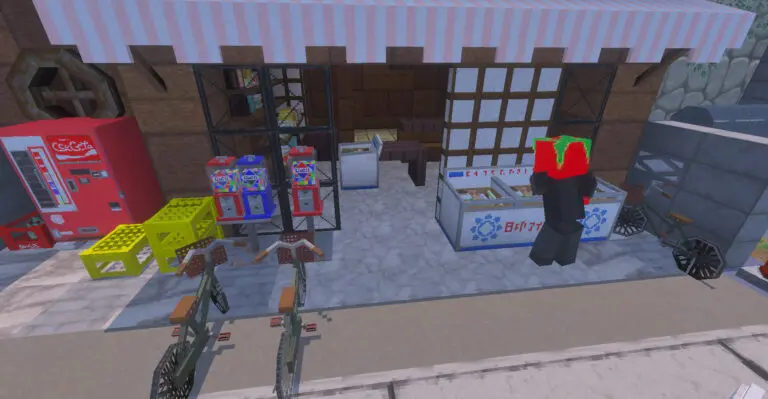
To obtain the Construct item, use /construct:item, which will bring up the Construct menu. You can also find this item in the Creative inventory under the “Items” tab. When you use the Construct item, a menu will appear that allows you to manage your structure instances. You can create new instances, modify existing ones, and remove them when they are no longer needed. There are numerous options available to personalize your building style!
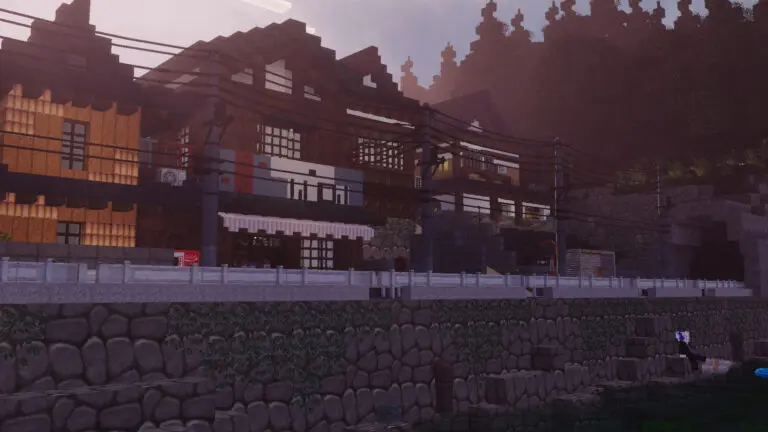
Pro tip: Consider naming the Construct item after a structure instance so that it automatically selects it when you access the menu!

Don’t forget to check out the Builder Settings tab, where you can improve your building experience with Easy Place and Material Grabbing options!

Adding New Structures

Construct utilizes Minecraft’s vanilla structure system, allowing you to create and build new structures effortlessly.

The easiest method to add a new structure to the list is by saving it with a structure block.
Importing structures from different worlds is as straightforward as placing the .mcstructure file into Construct’s Construct [BP]/structures folder. After that, to choose your structure in the Construct menu, select “Other” when the structures are displayed and type in the filename (excluding the “.mcstructure”). You only need to do this once for new structures, as it will remember them for future use!

Commands

Usage: /construct:item
Gives you the Construct item. Use it to open the menu.

Usage: ./construct
Shows the construct form. Only available while Canopy is installed.

Installation

MCPE Download

↳Litematica Minecraft PE Construct Addon

house builder for minecraft
Master Builder for Minecraft

Try other toolbox for Minecraft building at MCPE Addons

- Advertisement -

Easy Build – Mod Effortless Building

1
Easy Build

Do you love creating amazing structures in Minecraft but hate the slow, block-by-block process? The Easy Build – Mod Effortless Building is the solution you’ve been waiting for! With this powerful tool, Minecraft building becomes faster, smoother, and more enjoyable than ever before.

Creator: Gaos

Easy Build Menu

The Mod Effortless Building is designed for players who want to speed up construction without losing creativity. Whether you’re making modern houses, castles, skyscrapers, or farms, this addon helps you place, copy, and arrange blocks with ease.

Instead of spending hours stacking blocks, you can now build large and detailed structures in minutes. Perfect for beginners who want simplicity and pros who want efficiency!

easy build
easy build
easy build

Building Modes

Air Building

easy build

Rectangular Building

easy build

Spherical Building

easy build

Conical Building

easy build

Destruction Modes

Rectangular Destruction

easy build

Spherical Destruction

easy build

Conical Destruction

easy build

CLIPBOARD

Cut and Copy:

  • Use a stick to set position 1 and position 2
  • Then go to the menu and click Cut/Copy

Paste:

  • Stand where you want the structure to be pasted
  • Then go to the menu and click Paste

Undo and Redo

Settings: Fill Mode (Solid, Hollow, Outline)

NEW UPDATE

– Fixed Main Menu Bugs

– Fixed Icons for Settings, Undo, Redo

– NowΒ Mobile Friendly,Β Instead of holding, use the interact button 2 times!

– Fixed Bug where the rotation of a block doesn’t follow the first block.

Installation

MCPE Download

↳Easy Build [Effortless Building Bedrock]

house builder for minecraft

How to Use Easy Build – Mod Effortless Building

  1. Download and install the mod in Minecraft Bedrock Edition.
  2. Enable Experimental Gameplay in your world settings.
  3. Open your world and start building with advanced placement tools.
  4. Watch your creations grow effortlessly!

Stop wasting time on repetitive block placement and start enjoying Minecraft building like never before. Download Easy Build – Mod Effortless Building now and create your dream world with speed and style!

- Advertisement -

Smooth Pixels Texture Pack v1.9.2Β 

0

Fresh your Minecraft world, polished look without losing its original charm. The Smooth Pixels Texture Pack unifies colors and block designs, removing harsh contrasts to create a cleaner, more cohesive, and visually stunning experience.

🎨 Minimal yet authentic – Enjoy a refined aesthetic while keeping Minecraft’s true identity.
🌍 Unified tones – Say goodbye to cluttered textures and embrace smoother, consistent visuals.
✨ Simplicity with beauty – Important details stand out naturally, without distractions.

Cre: MattePlay20 (Youtube)

Smooth PixelsΒ Texture Pack

Whether you’re a builder focused on fine details or a casual player who wants a more pleasant visual experience, Smooth Pixels transforms your world into something fresh and immersiveβ€”while staying true to the β€œVanilla” spirit.

Now you can try the package with compatibility for the vibrant visuals of Minecraft.

⚠️ Note: If you see a warning when activating the pack, don’t worryβ€”just ignore it. The pack works perfectly fine in Vanilla Minecraft. The warning only applies to devices not compatible with Vibrant Visuals.

Downloads

MCPE Download

SmoothPixelsBedrock .mcpack

More cool Minecraft Texture Packs:

- Advertisement -

Blessed Guns Addon – 3D Survival Gun Mod

1
Blessed Guns

Looking for the best gun mod to make your Minecraft world more exciting? The Blessed Guns Addon is here to take your adventure to the next level! This is not just another Minecraft gun mod – it’s the ultimate gun mod packed with realistic weapons, smooth animations, and action-packed gameplay that will keep you hooked.

Creator: redsiyyt

What is Blessed Guns Addon?

The Blessed Guns Addon brings real-world style firearms into Minecraft, giving players a fresh combat experience. From pistols and rifles to snipers and shotguns, each weapon is designed with incredible detail and realistic shooting effects. Whether you’re defending your base from mobs or engaging in PvP battles, these actual gun mods will transform your game.

Features

πŸ”« Massive Weapon Collection – Includes pistols, assault rifles, sniper rifles, shotguns, and more.

🎯 Realistic Shooting Mechanics – Custom animations, bullet trajectories, and reload systems.

🎨 High-Quality 3D Models – Each gun has a stunning, realistic look.

⚑ Smooth Performance – Optimized for both low-end and high-end devices.

πŸ›  Easy Installation – Works with the latest Minecraft Bedrock Edition versions.

Blessed Guns
Blessed Guns
Blessed Guns
Blessed Guns
Blessed Guns
Blessed Guns
Blessed Guns
Blessed Guns
Blessed Guns

Why Blessed Guns Addon is the Best Gun Mod for Minecraft

Unlike many Minecraft gun mods, the Blessed Guns Addon focuses on both performance and realism. You won’t just get a few generic guns – you’ll get an arsenal of finely tuned weapons that feel great to use. This makes it one of the most actual gun mods that players keep recommending.

How to Install

  1. Download the Blessed Guns Addon file.
  2. Import it into Minecraft Bedrock Edition.
  3. Enable Experimental Gameplay in your world settings.
  4. Load up your world and start blasting with your new weapons!

If you’re ready for intense battles, epic raids, and the thrill of real shooting action, download the Blessed Guns Addon today. Experience why players call it the best gun mod for Minecraft Bedrock Edition.

Installation

MCPE Download

↳ Blessed Guns Addon

Actual Gun Mod for Minecraft

Explore some Minecraft gun mods inΒ MCPE Addons:

- Advertisement -

Conqueror Of Villagers

0

Have you ever dreamed of having your own villagers’ empire? With this add-on, you can HIRE citizens, assign them professions, and receive resources automatically. Become the LORD of the villagers and grow your fortune thanks to their work!

VirtualBlack8

Conqueror Of Villagers

DodoFilms

πŸ’– SUPPORT US

We created this with passion and dedication.
If you’d like to support us so we can keep making content like this, you can do it for just $2:

https://www.patreon.com/DodoFilms2

πŸ’¬ DISCORD COMMUNITY

Join us to get the latest news, updates, and share your ideas and feedback:
https://discord.gg/qvYzJjyAn5

πŸ› οΈ HOW TO GET WORKERS?
1. Defeat the Pigmen, hostile enemies that kidnap Villagers and turn them into slaves.

2. Once you free them, give them a Constitution to turn them into Citizens.

3. Then, assign them a job by giving them a Job Manual, which you can get from the Wandering Trader.
Each manual turns the Citizen into a Guild Leader and unlocks contracts:

  • Miner’s Manual β†’ Becomes a Miner Boss, who sells the Miner Contract.
  • Lumberjack Manual β†’ Becomes a Lumberjack Boss, who sells the Lumberjack Contract.

4. Use the contract to summon a worker wherever you want.
These workers will generate resources automatically over time.

πŸ‘₯ MOBS

Arqueror Thunder: A dangerous archer who captures Villagers and turns them into slaves.

Slaves and Citizens: You can rescue them and give them a new life as helpful workers.

🧱 Workers

Miner: Generate minerals automatically over time.

Lumberjack: Wood is generated automatically over time.

MCPE Download

πŸ“₯ Download it now!:

https://www.curseforge.com/minecraft-bedrock/addons/conqueror-of-villagers

Download Conqueror of Villagers (Backup)

- Advertisement -

Build Minecraft Greenhouse Instantly

0
minecraft greenhouse

Looking for creative Minecraft build ideas? Want to build a Minecraft greenhouse without spending hours placing every block? You’ve found the perfect solution.

Creator: House Builder for Minecraft (Android, iOS)

Build a Greenhouse in Minecraft easily

Looking to upgrade your Minecraft world with a stunning greenhouse? Don’t waste hours building it block by block β€” do it instantly with the House Builder for Minecraft app!

🌿 Modify minecraft greenhouse in House Builder app

βœ… Instantly build Minecraft greenhouses and homes
βœ… Discover top trending Minecraft building ideas
βœ… View 3D previews before importing into your world
βœ… Compatible with Minecraft PE and Bedrock Edition
βœ… Perfect for survival, creative, or roleplay maps

minecraft greenhouse

With just a few taps, you can:

  • Browse a collection of beautiful greenhouse designs
  • Preview the structure in full 3D before downloading
  • Instantly import it into your Minecraft world
  • Enjoy a ready-to-use, nature-inspired build in seconds
minecraft greenhouse

🌍 Perfect for All Minecraft Players

Whether you’re a beginner or a pro builder, House Builder for Minecraft gives you the tools to bring your world to life with beautiful, functional structures β€” greenhouses, farms, cabins, castles, and more.

πŸ‘‰ Download now on Google Play & App Store and start placing structures like a pro.

Build smarter. Build faster. Build beautifully

⬇️ Download Minecraft Greenhouse

house builder for minecraft

Explore other houses in Minecraft:

- Advertisement -

πŸ§œβ€β™€οΈ Ex Mermaids [Bedrock] πŸ§œβ€β™€οΈ

0
πŸ§œβ€β™€οΈ Ex Mermaids [Bedrock]

Creator: VirtualBlack8 (Youtube)

Ex Mermaids is an original project created by VirtualBlack8 and D Flog Flag, which brings to Minecraft Bedrock a fully customizable entity with multiple shapes, unique behaviors, and a complete system of interaction, taming, and visual transformation.

Ex Mermaids

🎬 Trailer

πŸŽ€ More than a mermaid, she is a versatile ally with thousands of possible combinations.
🎨 4 Modes Γ— 26 Textures Γ— 10 Hairstyles Γ— 4 Outfits = +4,000 possible visual combinations


πŸ’–Support me on Patreon or Ko-fi!

If you enjoy my addons and want to support my work on a voluntary basis, you can do so at:

πŸ‘‰ Patreon: VirtualBlack8
πŸ‘‰ Ko-fi: VirtualBlack8

Everything I create is 100% free, with direct downloads and no ads.
Your support, no matter how small, motivates me to keep creating, updating, and improving every day.

Thank you! πŸ™‚

πŸ’¬ Join our Discord!

Join our community to receive technical support, add-on news, share ideas, or report bugs.

πŸ‘‰ Click here to join


βš™οΈ Key features

Ex Mermaids are unique creatures that inhabit the ocean, but they can adapt to different environments by switching between four different modes: Mermaid, Girl, Harpy, and Lamia.

They appear in the ocean and their appearance (texture, outfit, and hairstyle) is totally random.

Each form has special abilities, different mechanics, and favorite foods to heal.

❗ They can only be tamed using a Pearl Collar
❀️ Maximum health: 30 hearts
πŸ—‘οΈ Damage: 2 hearts
πŸŽ’ Pick up items, but only attachables are visible (visual bug)

🌊 MERMAID

Favorite Food: Tropical Fish
❀️ 🩹 Curation: 5 Hearts
πŸ“ Exotic, colorful, and alive like the ocean; Your favorite treat

Foods: Salmon, Cod, Kelp, Tropical Fish

🧬 Ability: Breathe underwater and swim nimbly. He does not walk on land.

🏑 GIRL

Favorite Food: Golden Apple
❀️ 🩹 Healing: 12 Hearts
πŸ“ Not only food, it’s also stylish.

Foods: Apple, Bread, Cooked Chicken, Baked Potato, Golden Apple

🧬 Ability: Freely explore the surface. He is not afraid of water.

πŸ•Š HARPY

Favorite Food: Cooked Chicken
❀️ 🩹 Curing: 8 Hearts
πŸ“ Flying makes you hungry, and nothing beats a hot, golden chicken

Foods: Chicken, Rabbit, Cooked Rabbit, Beetroot Soup, Cooked Chicken

🧬 Ability: Can fly and float. Takes no fall damage.

πŸ”₯ LAMIA

Favorite Food: Blaze Powder
β€οΈβ€πŸ©Ή Curing: 15 Hearts
πŸ“ Your Burning Body Loves Pure, Concentrated Fire

Foods: Porkchop, Cooked Beef, Beef, Cooked Porkchop, Mushroom Stew, Blaze Powder

🧬 Ability: Ideal for the Nether. It is immune to fire.

πŸŒ€ Use the Bond Amulet to change shape. Each transformation consumes the item.

🎯 Important mechanics

πŸͺΌ Taming: Wear the Pearl Collar on a wild Ex Mermaid.

⏸️ Standby Mode: Tap your tamed Mermaid Ex with any empty hand to get them to stop following you.


πŸͺž Switch Mode: Use the Bond Amulet to switch between the 4 modes.


πŸ–ŒοΈ Change Hairstyle: Use the Coral Hairbrush. There are 10 styles available.

πŸ‘— Change Outfit: Use the Seashell Drape. There are 4 outfits available.

❗ You can only interact with the entity if it is already tamed.

πŸ§ͺ Current Status (Development)

πŸ”§ This addon is still in development. Some things are not finalized.

πŸ’¬ You can leave suggestions or reports directly on the Discord server.

πŸ›  Crafting

Pearl Collar


Bond Amulet


Coral Hairbrush


Seashell Drape

🧾 Credits

πŸ‘₯ Creators: VirtualBlack8 and D Flog Flag
πŸ”¬ Special thanks to testers: Okuma_senpai

πŸ›  Installation

πŸ“₯ Download the ExMermaids[Bedrock]v1.0.1.mcaddon file.
πŸ“± Open it directly from your file explorer.
πŸ“¦ Minecraft will automatically open and import both the behavior pack and the resource pack.
βœ… Once it says “Import Completed,” activate the add-on in your world from the Resources and Behavior sections.

⚠️ Important Information and Additional Notes

πŸ”§ Supported Version: Requires Minecraft Bedrock 1.21.93 or higher.
🚫 Not compatible with betas or previews; they could generate errors.
♻️ Remove any previous versions before installing them to avoid conflicts.
πŸ“ It doesn’t use player.json, which makes it highly compatible with other addons.
🌐 It works on realms and servers, as long as both packages are activated correctly.
πŸ› If the import fails, re-download the file or install it manually.
πŸ“Ή If you make a video, review or presentation, don’t forget to give credit and use the original link on this page.
❌ Don’t upload the add-on to other sites or share alternative download links.

πŸ’‘ Share only official MCPEDL or CURSEFORGE links

πŸŽ‰ Thank you and enjoy it to the fullest! πŸ˜€

πŸ“₯ Download it now!:

ExMermaids[Bedrock]v1.0.1.mcaddon

- Advertisement -

πŸ¦‰ Mob to Waifu [Bedrock] πŸ¦‰

0

Creator: VirtualBlack8 (Youtube)

This add-on was created by VirtualBlack8, tasked with bringing new styles, animations, interactions, and a more enigmatic and immersive experience to your Minecraft Bedrock world.

🎬 Trailer

Ever wondered what it would be like if every encounter with your Minecraft creatures was shrouded in an aura of mystery and seduction?

With Mob to Waifu, the most iconic mobs show a shape that goes further than you can imagine: anime waifus with a melancholic, ethereal air…
Become the hero of a world full of waifus as dangerous as they are enigmatic!

In this first version, four iconic creatures have gone through this sinister transformation.


πŸ’–Support me on Patreon or Ko-fi!

If you enjoy my addons and want to support my work on a voluntary basis, you can do so at:

πŸ‘‰ Patreon: VirtualBlack8
πŸ‘‰ Ko-fi: VirtualBlack8

Everything I create is 100% free, with direct downloads and no ads.
Your support, no matter how small, motivates me to keep creating, updating, and improving every day.

Thank you! πŸ™‚

πŸ’¬ Join our Discord!

Join our community to receive technical support, add-on news, share ideas, or report bugs.

πŸ‘‰ Click here to join


βš™ Key features

This add-on adds waifu versions of your most iconic Minecraft creatures, wrapped in an enigmatic and melancholic aura, thus increasing both style and interest in your adventures.

✨ Available creatures:

Zombie


Creeper


Enderman


Skeleton

And also, a new creature joins the cast:

Enderlina

A smaller version of the Enderman, but no less disturbing.

Premium Artistic Design

All models and textures were created by me, VirtualBlack8, and character designs by the talented @Whiplash2587.
Together we bring a polished and captivating anime style that integrates with the game world without losing its essence.

πŸ§ͺ Current Status (Development)

πŸ”§ This addon is still in development. Some things are not finalized.

πŸ’¬ You can leave suggestions or reports directly on the Discord server.

πŸ›  Installation

πŸ“₯ Download the MobtoWaifu[Bedrock]v1.2.8.mcaddon file.
πŸ“± Open it directly from your file explorer.
πŸ“¦ Minecraft will automatically open and import both the behavior pack and the resource pack.
βœ… Once it says “Import Completed,” activate the add-on in your world from the Resources and Behavior sections.

⚠️ Important Information and Additional Notes

πŸ”§ Supported Version: Requires Minecraft Bedrock 1.21.93 or higher.
🚫 Not compatible with betas or previews; they could generate errors.
♻️ Remove any previous versions before installing them to avoid conflicts.
πŸ“ This add-on uses the default .JSON files of the following mobs: Zombie, Skeleton, Enderman, and Creeper.
❗ Because of this, it is not compatible with other add-ons that modify these entities.
🌐 It works on realms and servers, as long as both packages are activated correctly.
πŸ› If the import fails, re-download the file or install it manually.
πŸ“Ή If you make a video, review or presentation, don’t forget to give credit and use the original link on this page.
❌ Don’t upload the add-on to other sites or share alternative download links.

πŸ’‘ Share only official MCPEDL or CURSEFORGE links

πŸŽ‰ Thank you and enjoy it to the fullest! πŸ˜€

πŸ“₯ Download it now!:

MobtoWaifu[Bedrock]v1.2.8.mcaddon

- Advertisement -

🌸 Lovely Robots [Unofficial Port] 🌸

0

Creator: VirtualBlack8 (Youtube)

Lovely Robots is an unofficial port of the original Java mod, created by the talented Lilacx02. This adaptation for Bedrock was developed by VirtualBlack8 and D Flog Flag, who added new mechanics, modern animations, and visual improvements to offer a complete and functional experience in the world of Minecraft Bedrock.

 πŸŽ¬ Trailer

Who said love and steel didn’t get along?

Discover your robotic companions, fight alongside them and make them stronger in this unique adventure.


πŸ’–Support me on Patreon or Ko-fi!

If you enjoy my addons and want to support my work on a voluntary basis, you can do so at:

πŸ‘‰ Patreon: VirtualBlack8
πŸ‘‰ Ko-fi: VirtualBlack8

Everything I create is 100% free, with direct downloads and no ads.
Your support, no matter how small, motivates me to keep creating, updating, and improving every day.

Thank you! πŸ™‚

πŸ’¬ Join our Discord!

Join our community to receive technical support, add-on news, share ideas, or report bugs.

πŸ‘‰ Click here to join


βš™οΈ Key features

This add-on introduces 7 unique robots, each with its own style and function.

They can all be tamed, level up, and evolve as they fight by your side.

βœ”οΈ Each robot can reach up to 16 levels.

πŸ€– Available robots

 πŸ° Bunny

Role: Scout

Light, fast and curious. Ideal for recognition and exploration.

πŸ“ˆ Chance to level up when killing entities: 12%

 πŸ”« Bunny2

Role: Assault

More aggressive and offensive. Attack fast and mercilessly.

πŸ“ˆ Chance to level up when killing entities: 10%

 πŸ― Honey

Role: Tank

Rugged and reliable. Ideal for being on the front line of combat.

πŸ“ˆ Chance to level up when killing entities: 7%

 πŸ¦ Vanilla

Role: Balanced

Balanced in attack and defense. Perfect for all kinds of situations.

πŸ“ˆ Chance to level up when killing entities: 9%

 πŸ± Neko

Role: Agile

Agile and fast. It makes quick attacks and can evade with ease.

πŸ“ˆ Chance to level up when killing entities: 11%

 πŸ¦Š Kitsune

Role: Support

Assists the team with support and coverage skills.

πŸ“ˆ Chance to level up when killing entities: 6%

 πŸ‰ Doragon

Role: Legend

A legendary being with great power.

πŸ”’ It does not level up: it is already at its maximum capacity.

🧠 Important mechanics

🎨 You can paint them: use the colors below the image of the robots in the frames.

πŸ₯• Domestication: Use apples, carrots, golden apples, or golden carrots to tame them.

❀️ Passive Regeneration: All heal slowly over time.

πŸ’‰ Accelerated Healing: Use apples, carrots, golden versions, or even Redstone to heal them quickly.

⏸ Standby Mode: You can leave them still when you don’t want them to move.

πŸ›‘ BaseDefense Mode: Protects an area automatically.

βš”οΈ AutoAttack Mode: They chase and attack enemies on their own.

πŸ“– Sample statistics: Use a book in them to see their information.

✨ Glow in the Dark: Her eyes and weapons have a glowing nighttime effect.

πŸ›  Craftings

Before creating any robot, you must craft the “Robot Core“:

Then, each robot has its own unique crafting

Bunny:

Bunny2:

Honey:

Vanilla:

Neko:

Kitsune:

Doragon:

πŸ“œ Mod License / Port Permit:

The mod is under the MIT license and contains the following:

> Permission is hereby granted, free of charge, to any person who obtains a copy of this software and associated documentation files (the “Software”) to use it without restriction, including, but not limited to, the rights to use, copy, modify, merge, publish, distribute, sublicense, and/or sell copies of the Software.

🧾 Credits

Mod original: Lilacx02 (Java)

Port Bedrock and Expansion: VirtualBlack8 and D Flog Flag

✨ Special animation (walking): DodoFilms – Thank you for your awesome contribution!

πŸ§ͺ Special thanks to our testers: Nescau and Okuma_senpai

πŸ§ͺ Current Status (Development)

πŸ”§ This addon is still in development. Some things are not finalized.

πŸ’¬ You can leave suggestions or reports directly on the Discord server.

πŸ›  Installation

πŸ“₯ Download the LovelyRobots[UnofficialPort]v1.0.9.mcaddon file.
πŸ“± Open it directly from your file explorer.
πŸ“¦ Minecraft will automatically open and import both the behavior pack and the resource pack.
βœ… Once it says “Import Completed,” activate the add-on in your world from the Resources and Behavior sections.

⚠️ Important Information and Additional Notes

πŸ”§ Supported Version: Requires Minecraft Bedrock 1.21.93 or higher.
🚫 Not compatible with betas or previews; they could generate errors.
♻️ Remove any previous versions before installing them to avoid conflicts.
πŸ“ It doesn’t use player.json, which makes it highly compatible with other addons.
🌐 It works on realms and servers, as long as both packages are activated correctly.
πŸ› If the import fails, re-download the file or install it manually.
πŸ“Ή If you make a video, review or presentation, don’t forget to give credit and use the original link on this page.
❌ Don’t upload the add-on to other sites or share alternative download links.

πŸ’‘ Share only official MCPEDL or CURSEFORGE links

πŸŽ‰ Thank you and enjoy it to the fullest! πŸ˜€

πŸ“₯ Download it now!:

LovelyRobots[UnofficialPort]v1.0.9.mcaddon

- Advertisement -

πŸ–ŒοΈ ThreeD Player Skin [Bedrock] πŸ–ŒοΈ

0

Creator: VirtualBlack8 (Youtube)

his resource pack was created by VirtualBlack8, in charge of giving greater realism, style and visual depth to your character in Minecraft Bedrock.

🎬 TrÑiler

Do you want your skin to look more stunning, unique, and plump?

With ThreeD Player Skin, the second layer of any skin is transformed into a realistic 3D visual effect,
giving more detail, style and life to your in-game appearance.


πŸ’–Support me on Patreon or Ko-fi!

If you enjoy my addons and want to support my work on a voluntary basis, you can do so at:

πŸ‘‰ Patreon: VirtualBlack8
πŸ‘‰ Ko-fi: VirtualBlack8

Everything I create is 100% free, with direct downloads and no ads.
Your support, no matter how small, motivates me to keep creating, updating, and improving every day.

Thank you! πŸ™‚

πŸ’¬ Join our Discord!

Join our community to receive technical support, add-on news, share ideas, or report bugs.

πŸ‘‰ Click here to join


βš™ Key features

This resource pack transforms the second layer of any skin into a realistic three-dimensional effect, adding volume, detail, and a unique style to your character in Minecraft.

✨ Ideal for:

Players who want to stand out with a more detailed and realistic appearance.

Improve the visual style without modifying the gameplay.

It is compatible with 64×64 and 128×128 skins, and is designed to fit both slim arms (Alex) and wide arms (Steve).

 Choose your type of arms! This package cannot combine both models, so make sure you use the correct one:

Alex model (thin arms):

Steve model (wide arms):

More images:

πŸ§ͺ Current Status (Development)

πŸ”§ This addon is still in development. Some things are not finalized.

πŸ’¬ You can leave suggestions or reports directly on the Discord server.

πŸ›  Installation

πŸ“₯ Download the ThreeDPlayerSkin[Bedrock]v1.2.7.mcpack file.
πŸ“ Import it into Minecraft and wait for the installation to complete.
βš™ Activate the texture pack in your Global Resources before entering your world.

⚠️ Important Information and Additional Notes

πŸ”§ Supported Version: Requires Minecraft Bedrock 1.21.93 or higher.
πŸ“ This texture pack uses player.json, making it incompatible with other packs or addons that modify it.
πŸ›‘ As a purely visual and client-side texture, it works without affecting gameplay and does not require server installation.
🌐 It works perfectly in realms and servers, as long as it’s enabled in Global Resources.
πŸ› It has not been tested in beta or preview versions, so bugs may occur in those environments.
♻️ Remove any previous versions before installing the latest update.
πŸ“Ή If you create a video, review, or presentation, please remember to credit properly and include the original link to this page.
❌ Do not share third-party download links to respect the creator’s work.

πŸ’‘ Share only official MCPEDL or CURSEFORGE links

πŸŽ‰ Thank you and enjoy it to the fullest! πŸ˜€

πŸ“₯ Download it now!:

ThreeDPlayerSkin[Bedrock]v1.2.7.mcaddon

- Advertisement -