


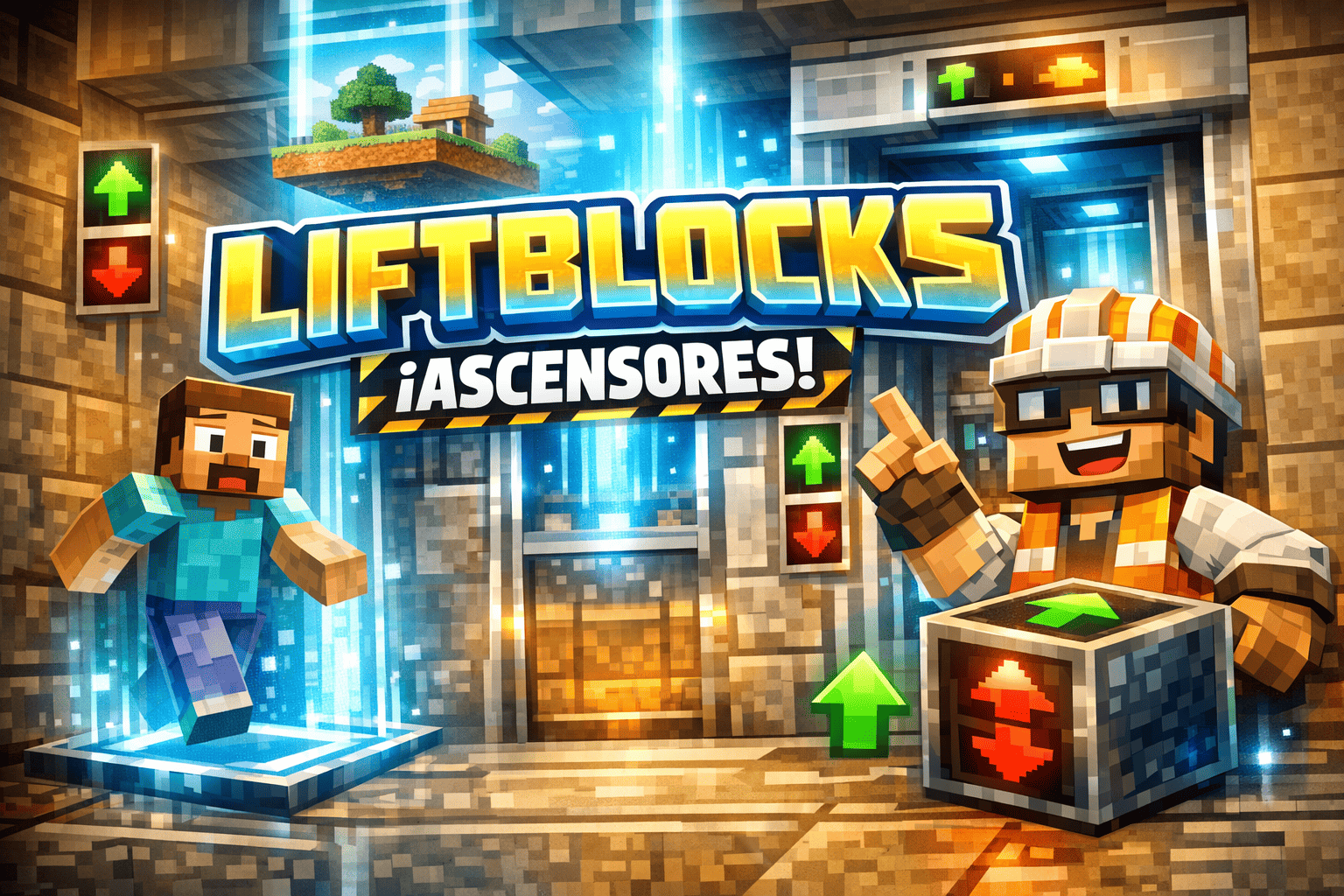
A functional elevator addon for Minecraft Bedrock that allows players to move vertically between connected elevator blocks with simple jump and sneak controls.
Creator: BLUCKS450
LiftBlocks — Elevator Addon
Created by BLUCKS450
What is LiftBlocks?
Jump to go up. Sneak to go down. That simple.
✅ Key Features
- 4 elevator types with different ranges and visual effects
- Automatic floor detection — just align the blocks vertically
- Unique particles and sounds for each elevator type
- On-screen floor indicator when traveling between floors
- Per-player cooldown to prevent bugs in multiplayer
- Full multiplayer compatibility
- Balanced crafting recipes for survival mode
🏗️ Elevator Types
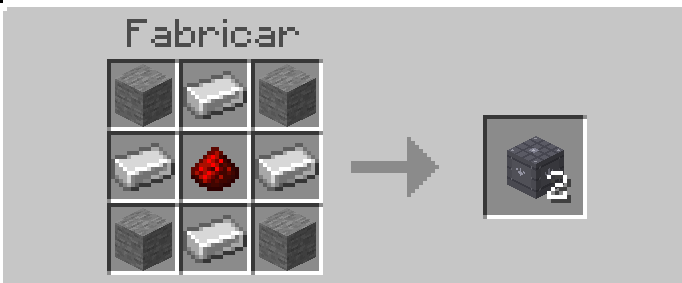
⚙️ Basic Elevator
The starter elevator. Easy to craft and perfect for small bases.
- Range: 64 blocks
- Recipe: Stone Iron Ingot Redstone
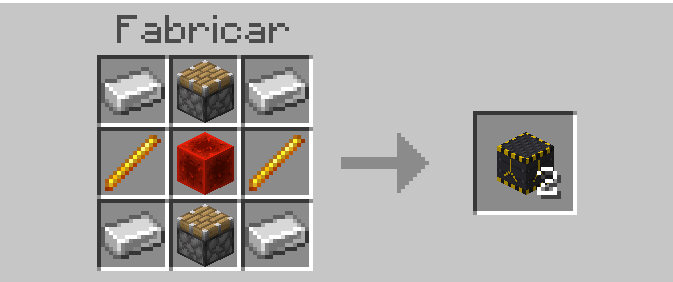
🔩 Industrial Elevator
Faster and with greater range. Requires Nether materials.
- Range: 100 blocks
- Recipe: Iron Piston Blaze Rod Redstone Block
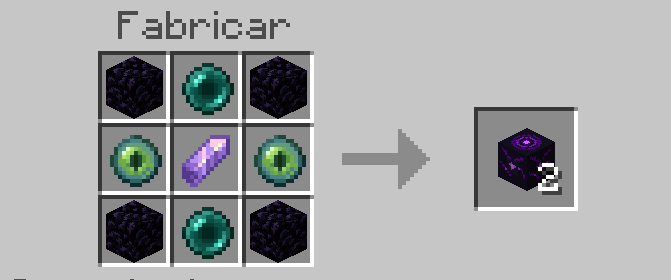
🟣 Ender Elevator
The most powerful elevator in the addon. Instant teleport with End-style effects.
- Range: 128 blocks
- Recipe: Obsidian Ender Pearl Eye of Ender Amethyst Shard
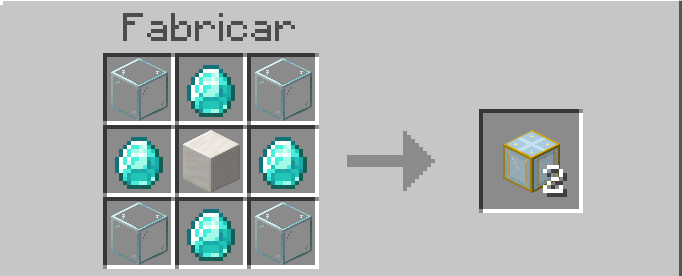
💎 Luxury Elevator
Translucent design with a built-in glow. Perfect for mansions and luxury builds.
- Range: 80 blocks
- Recipe: Glass Diamond Quartz Block
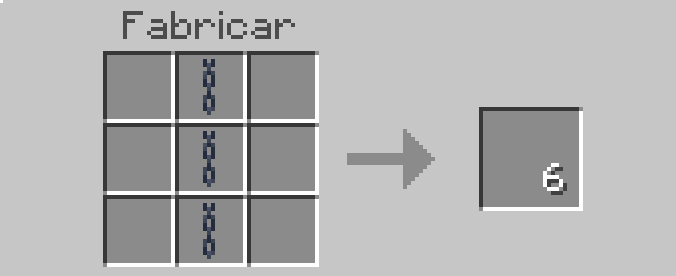
🔗 Decorative Cable
A thin block to fill the space between floors visually.
- Recipe: 3× Chain in a column → 6 cables
🎮 How to Use
- Craft any elevator type at a crafting table
- Place 2 or more blocks of the same type in the same column (same X and Z, different Y)
- Stand on top of the block
- Jump → travel up to the next floor
- Sneak → travel down to the floor below
Elevators only connect with blocks of the same type. A Basic won’t connect to an Industrial.
⚙️ Installation
- Download the
.mcaddonfile - Open it — it installs automatically into Minecraft
- Enable the addon in your world (Behavior Pack Resource Pack)
- Under World Settings → Experiments, enable:
- ✅ Beta APIs
- ✅ Holiday Creator Features
The addon will not work without these options enabled.
💬 Commands
Type in the in-game chat to receive all blocks:
/function liftblocks:give📋 Requirements
- Minecraft Bedrock Edition 1.21.0 or higher
- Experiments: Beta APIs and Holiday Creator Features enabled
LiftBlocks — Created by BLUCKS450

