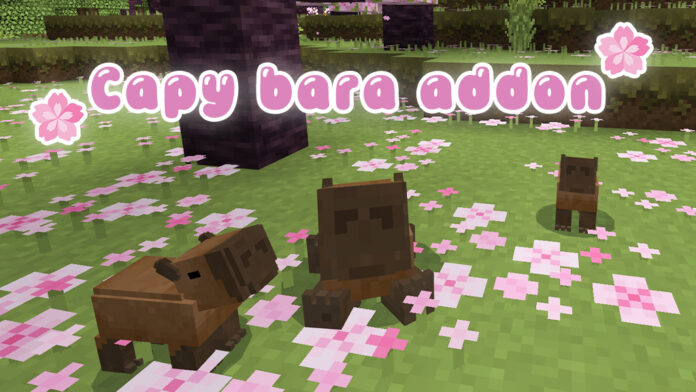
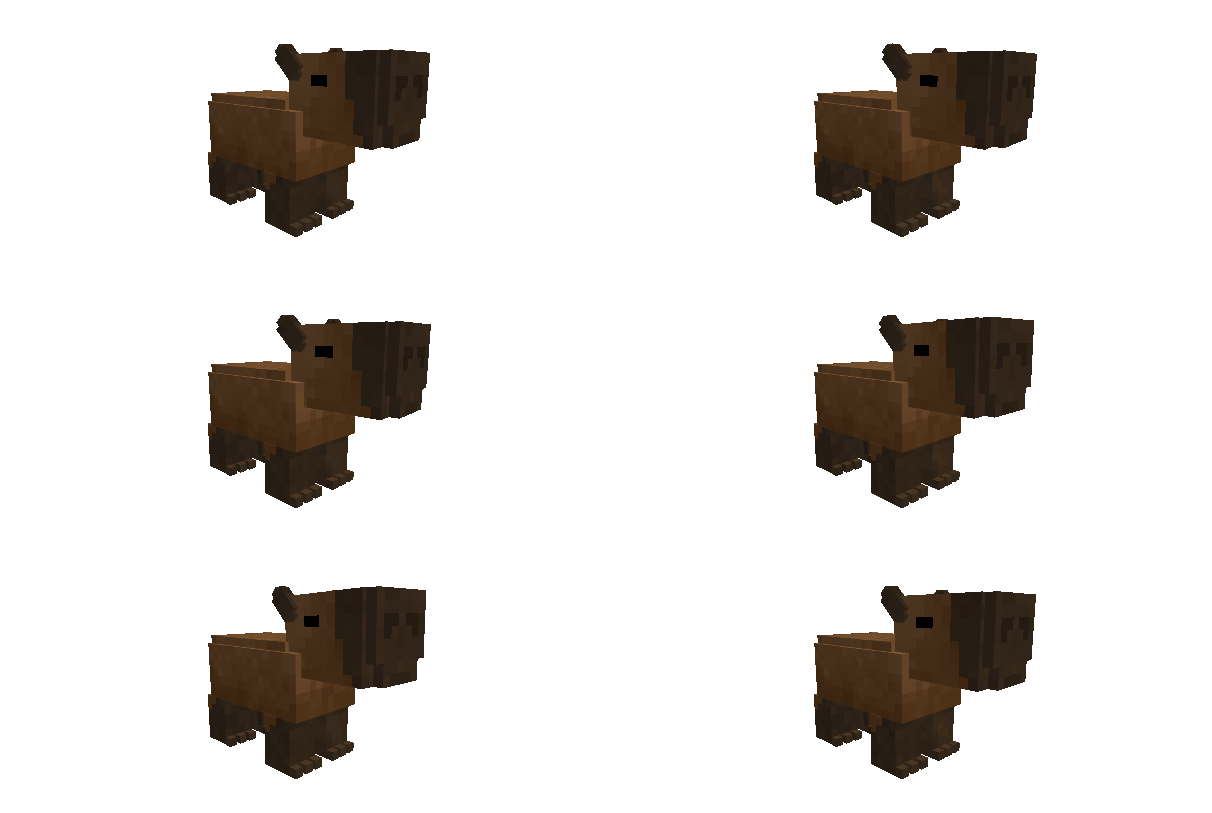
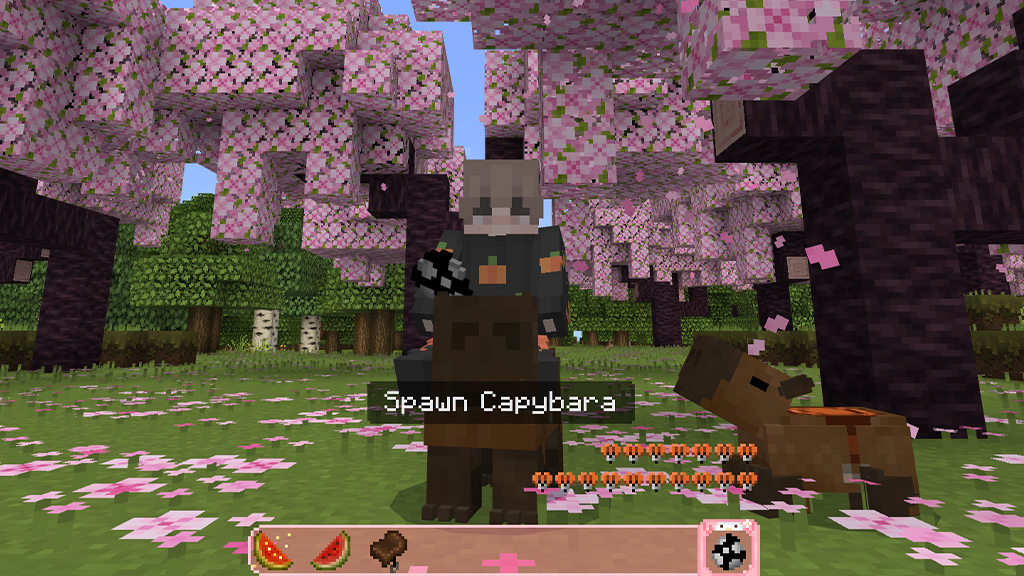
Capybaras: Autumn Update V1.2 addon, only done a couple times before on bedrock edition. Literally adds nothing else. but honestly why would you need anything else? the myth, the legend himself. Has pulled up. Ladies and gentlemen. The Capybara Addon.
Creator: ItsDarkwolf6
Capybaras: Autumn Update V1.2
If you enjoyed the trailer or my content in general, feel free to subscribe! Join me on my journey to get on the Minecraft Marketplace!
I’m gonna start releasing my addons early on my YouTube channel for a first come first serve kind of thing so if you like my stuff feel free to tag along.
Introduction:
35 Health (17 and a half hearts.)
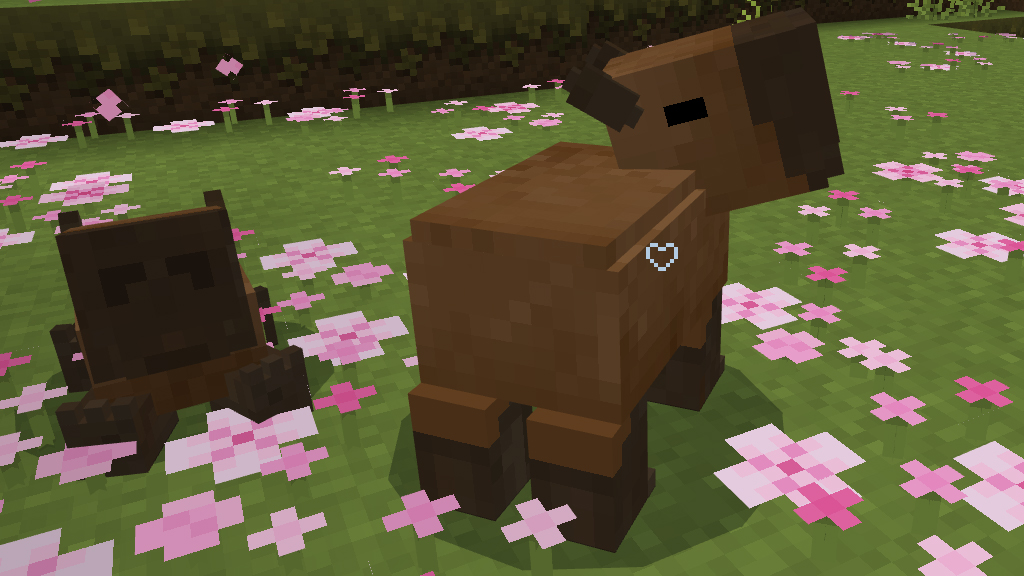
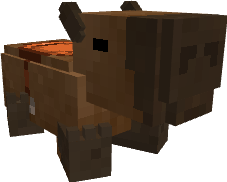
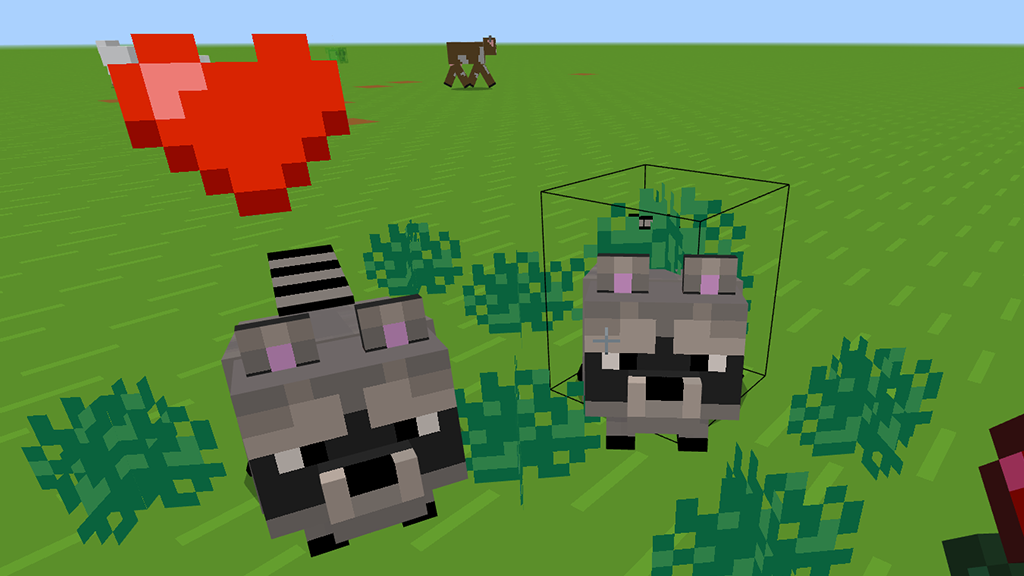
This addon adds an animal called a “Capybara”. An animal native to South America and is the largest and most chill rodent. They can be found in swamps, jungles, and mangrove swamps and do not attack any mob, neither should mobs attack it. Including you.
You can find them naturally spawning in jungle biomes.
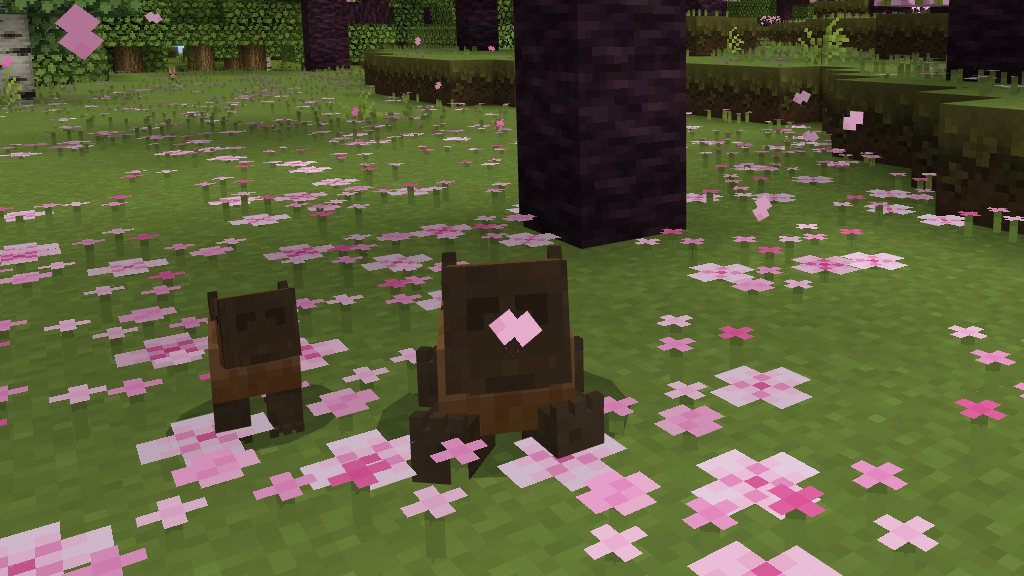
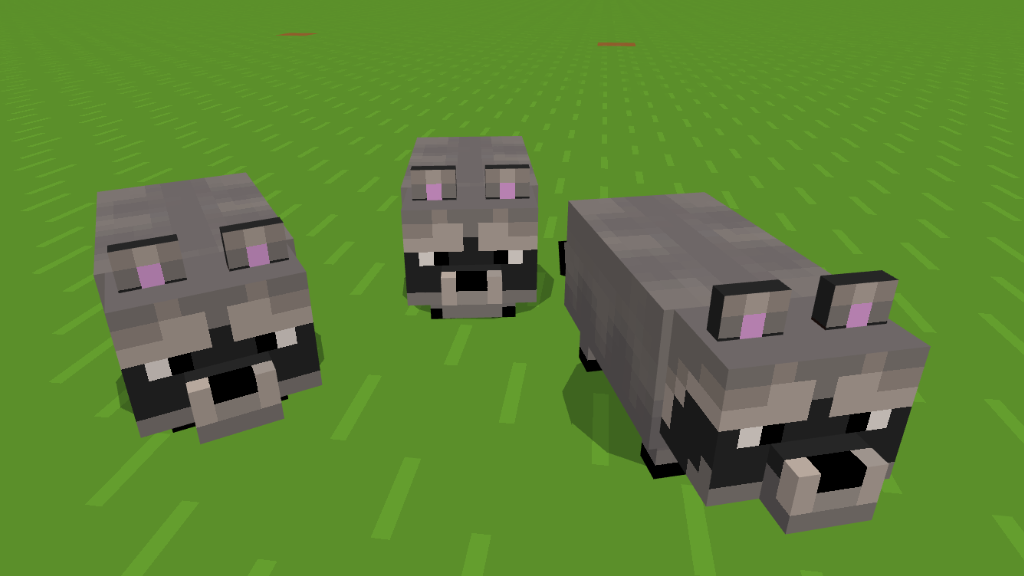
They naturally spawn in three slightly different but noticeable sizes.
Taming:
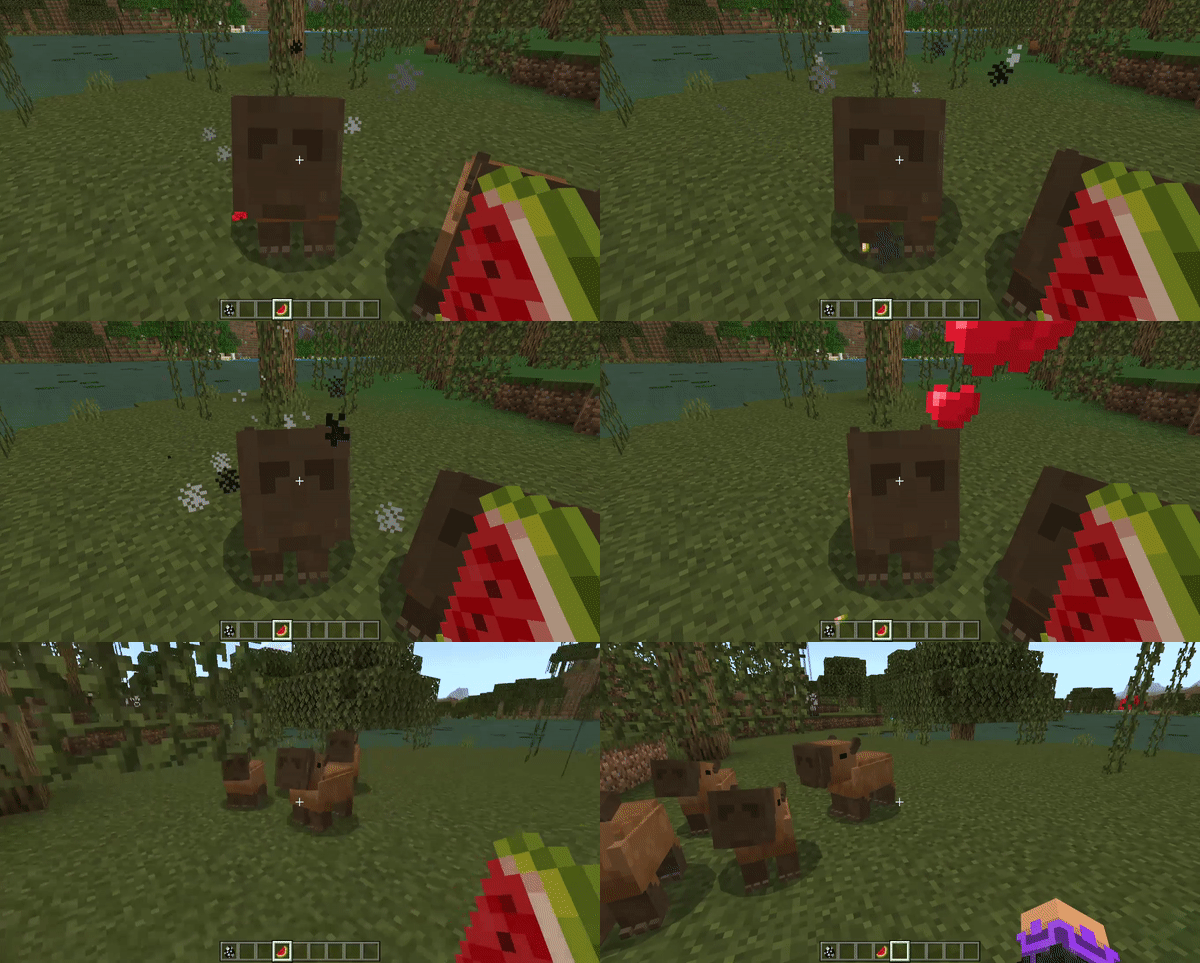
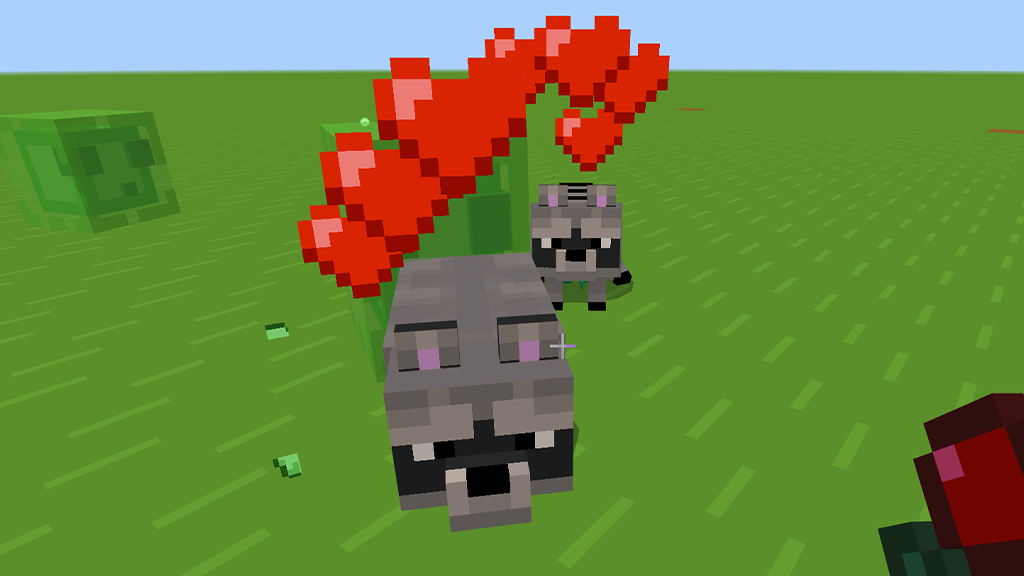
If you want a capybara, (which you should like come on look at them). They can be tamed with melons. When tamed, they will follow you around and also teleport to you when you’re too far away.
You can also have them sit down. Because convivence.
Breeding:
If you want more of them, they are based off their real counterparts. Adult capybaras can be bred with the following items:
Sugar Cane
Tallgrass
Seagrass
Sticks
Potato’s
Sea Pickles
Mounting:
If you put a saddle on a capybara, you can actually ride them and control them.
Note: If you start riding one and they’re not tamed, they might wander off in a random direction mid travel. They‘re chill with a walk but they don’t know you like that yet.
Literal Living Jet Ski:
They also travel very fast in water. They are literal jet skis.
Costumes:
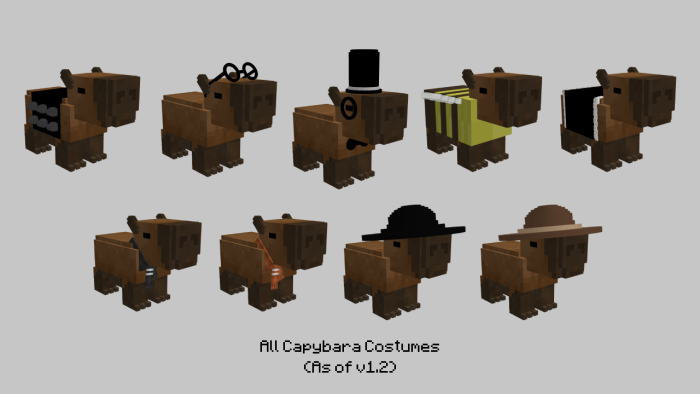
Along with being able to tame capybaras and bring them along with you on your journey, you can also put cute outfits on them.
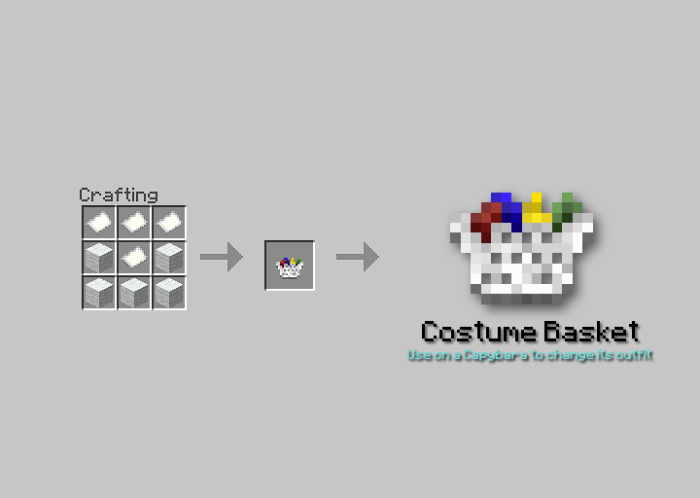
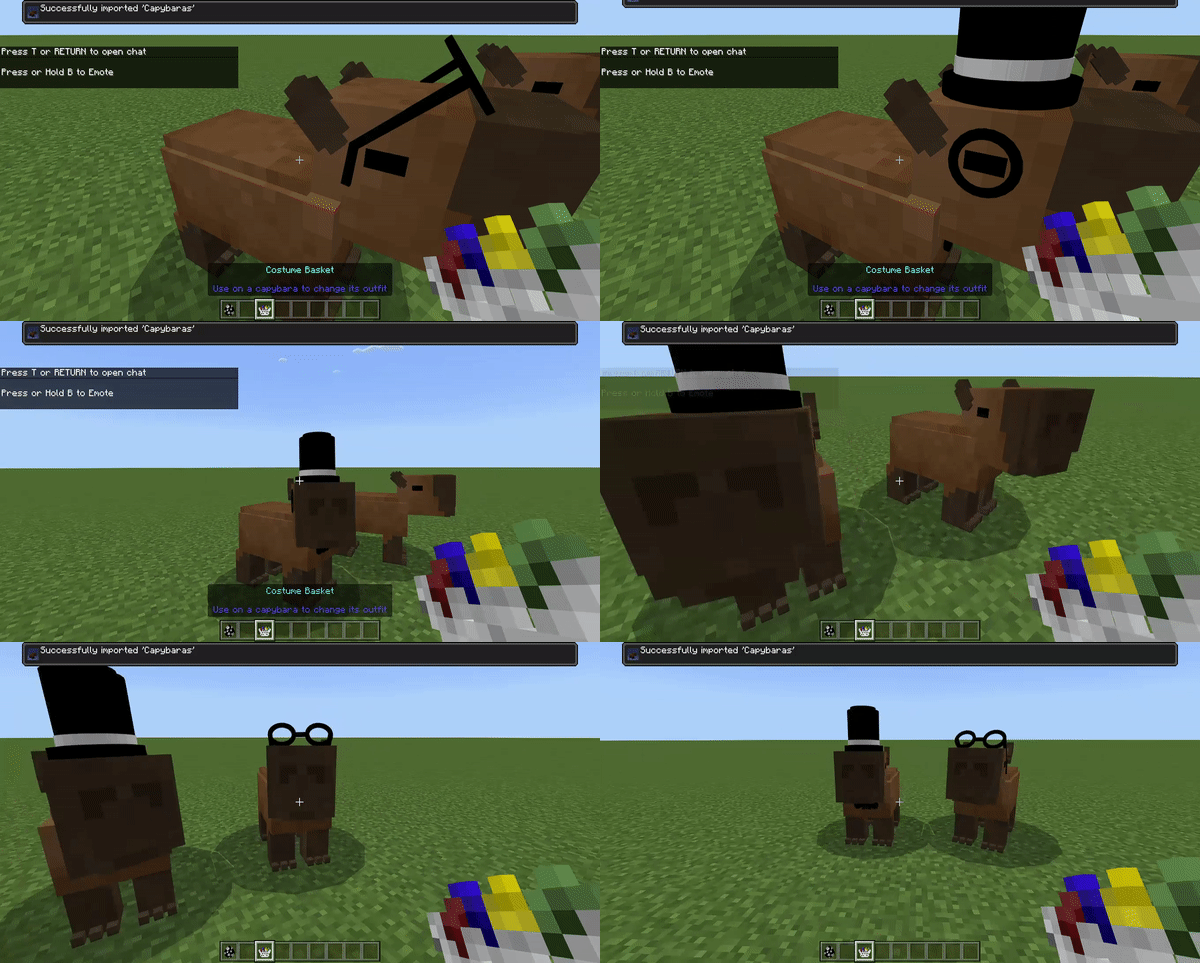
In order to give a capybara a costume, you will need to craft an item called the “Costume Basket”. Once that is crafted, you can use the basket on the mob itself then it will shuffle through its costume list. At the moment the list is randomized but that may be changed further down the line.
In order to take a costume off, simply sneak and interact with the costume basket in hand to remove any existing costume they have on.
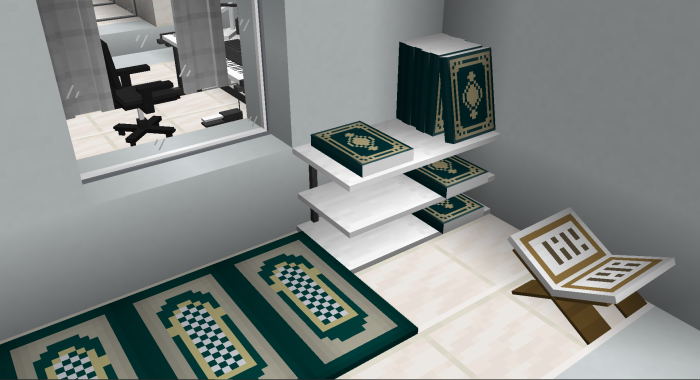
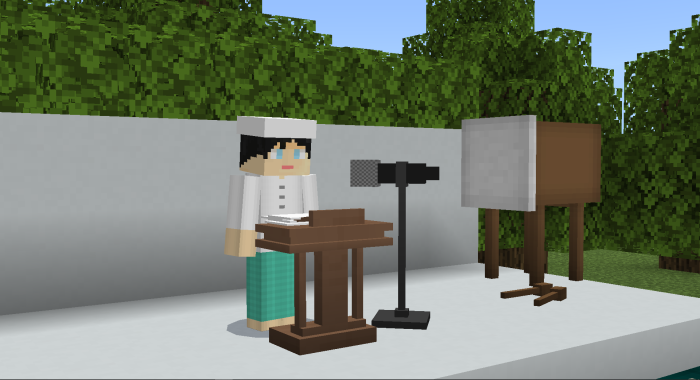
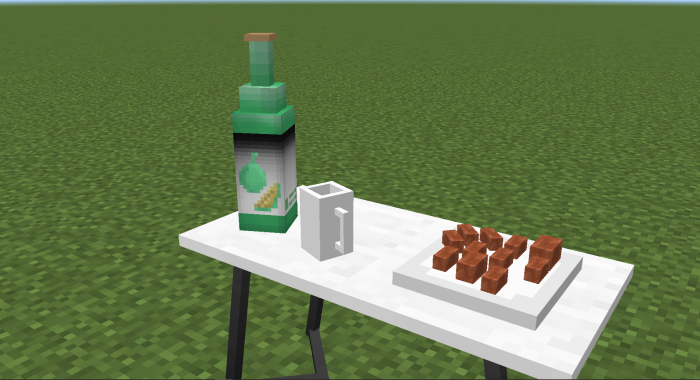
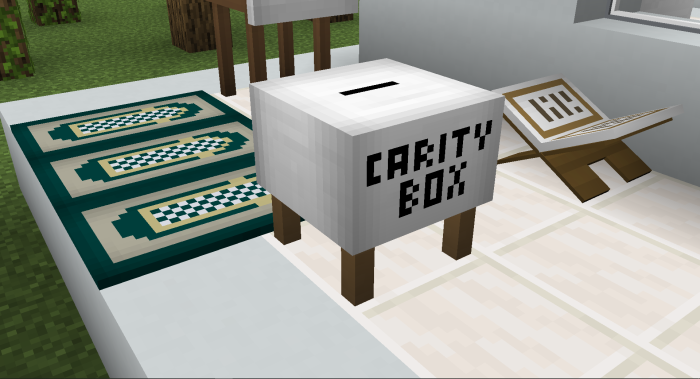
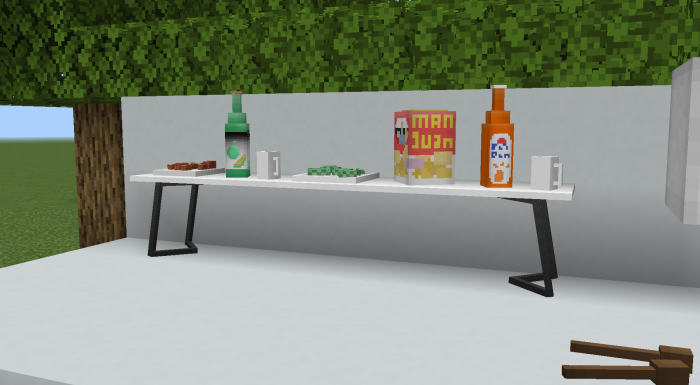
Hi everyone! Have no idea how to make your property look fancy during Ramadan this year? Do not worry, we have got you covered with monoDeco Ramadan Edition, the best thing ever! 🌙✨ This furniture is truly unlike anything you have ever seen; it has that unique quality that will make your room stand out. Whether you are updating your workstation, your hangout area, or your crib, monoDeco Ramadan Edition will provide some extra flair.
Creator: monorogu
MonoDeco Ramadhan Furniture
But here’s the deal – to unlock the full magic of this special edition, you gotta team it up with monoDeco Plus. It’s kinda like adding a super cool upgrade to your favorite game – it’s the must-have base that blends perfectly with the Ramadan Edition stuff, making your design dreams come true.
So, why settle for basic when you can take your space to the next level with monoDeco Ramadan Edition? Get ready to wow everyone and bring those Ramadan vibes into your place. Let’s make this year’s celebration totally unforgettable – in style! 🌟
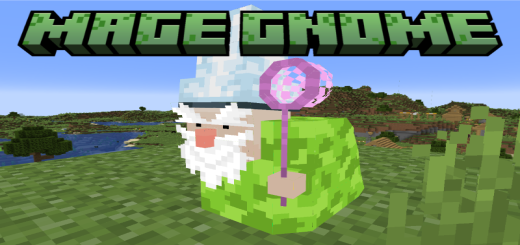
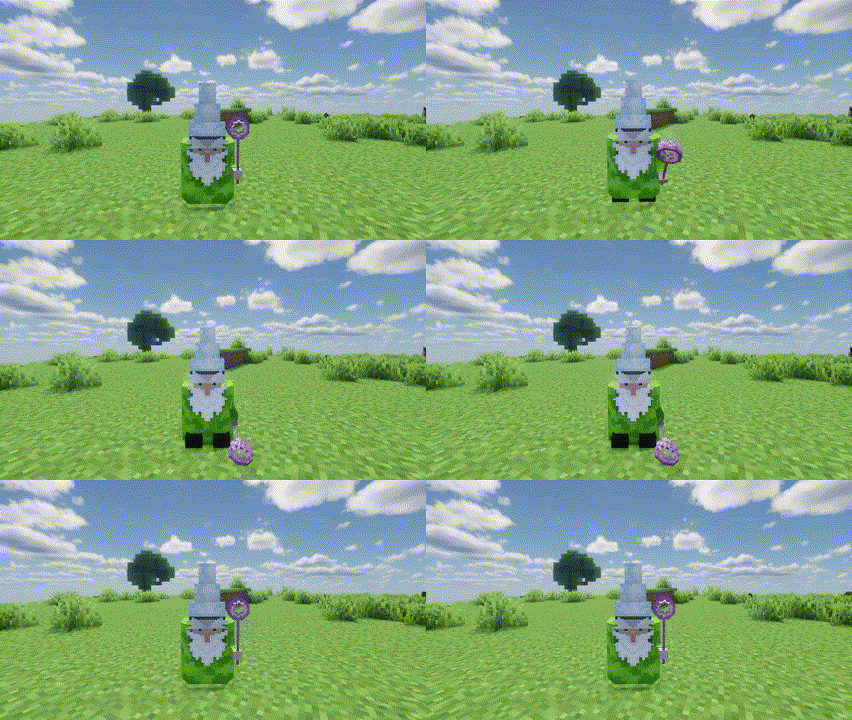
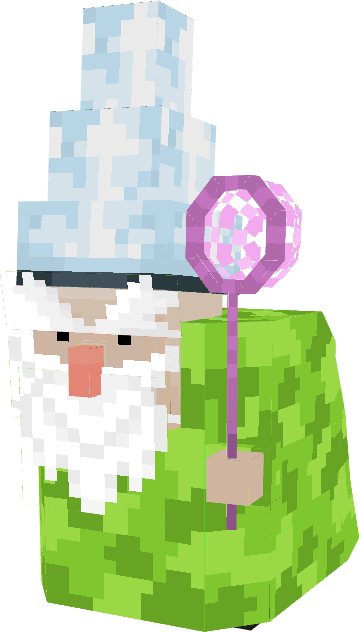
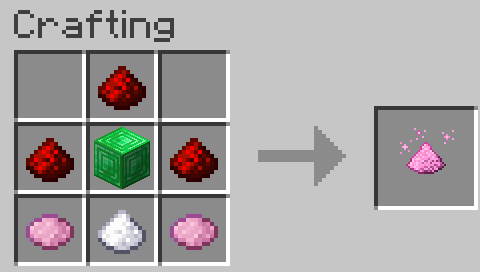
In this version of the mod The Gnome Chronicles, the Green Mage is a magical entity that spawns naturally in forests, offering players the chance to tame and make him a loyal companion. This small gnome, known for his pointed hat and emerald robe, roams the natural environment and can only be tamed using Magic Dust, a crucial resource that players can craft at their workbench.
Creator: Iced Fox Studios
The Gnome Chronicles
Once successfully tamed, the Green Mage becomes a faithful companion, following the player’s commands. You can instruct him to follow you, sit in a designated spot, or attack nearby enemies. There are no trading options or access to magical wands; his role is purely focused on combat support and companionship.
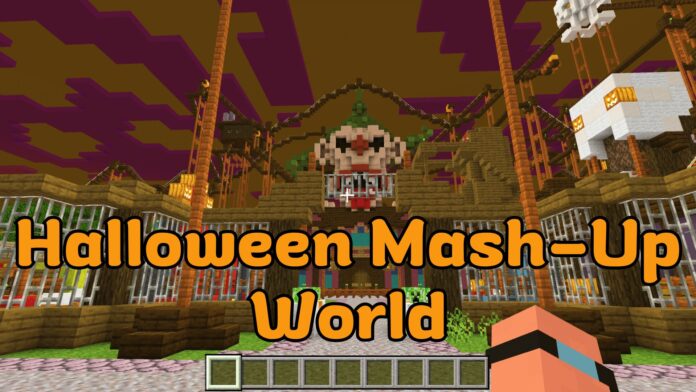
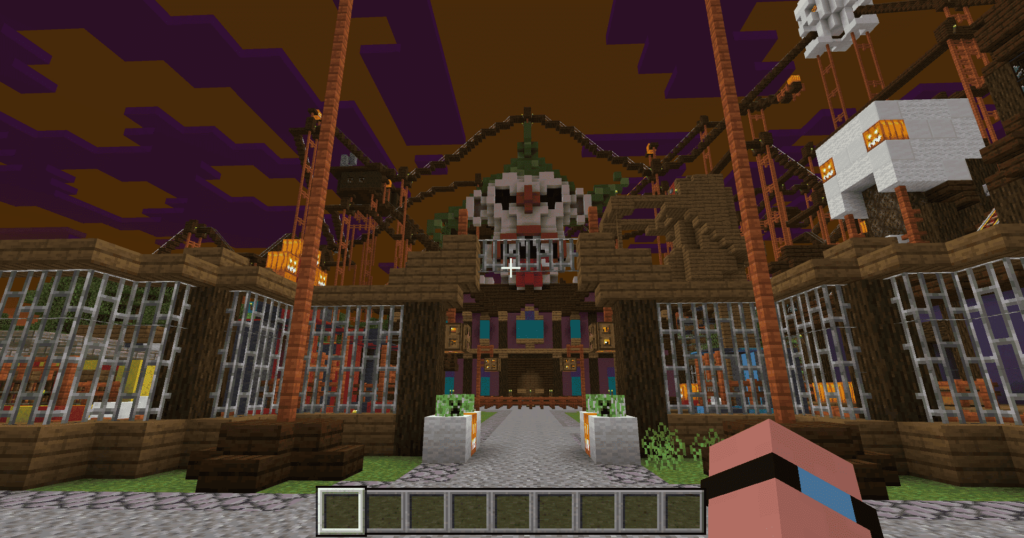
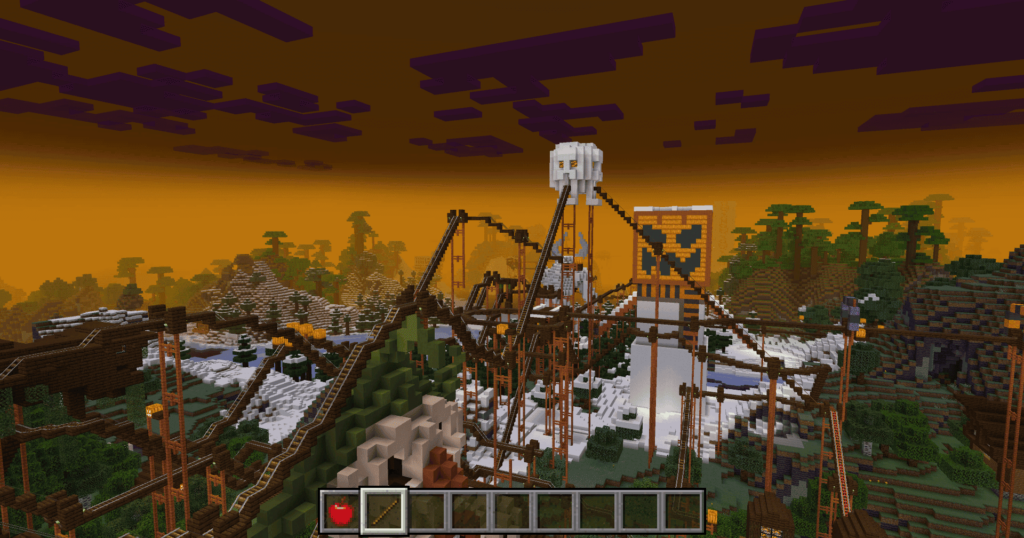
Get ready for a spine-chilling adventure with the Halloween Mash-Up World, one of the most exciting themed maps for Minecraft players. Dive into a hauntingly beautiful world filled with eerie landscapes, creepy structures, and festive Halloween décor, offering endless exploration and fun. Whether you’re a seasoned adventurer or new to the Halloween Mash-Up pack, this world has something for everyone.
Creator: GhostPeashooter
Halloween Mash-Up World
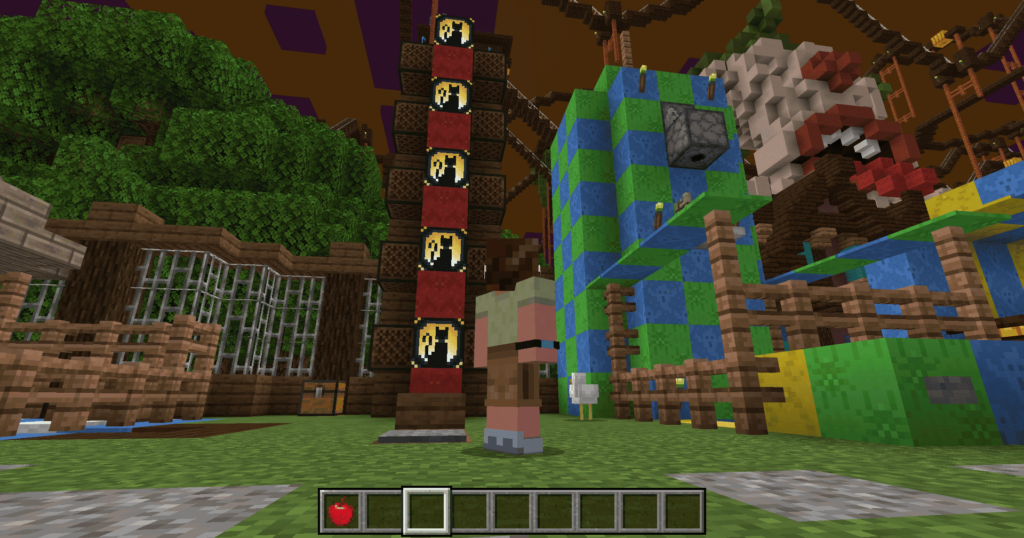
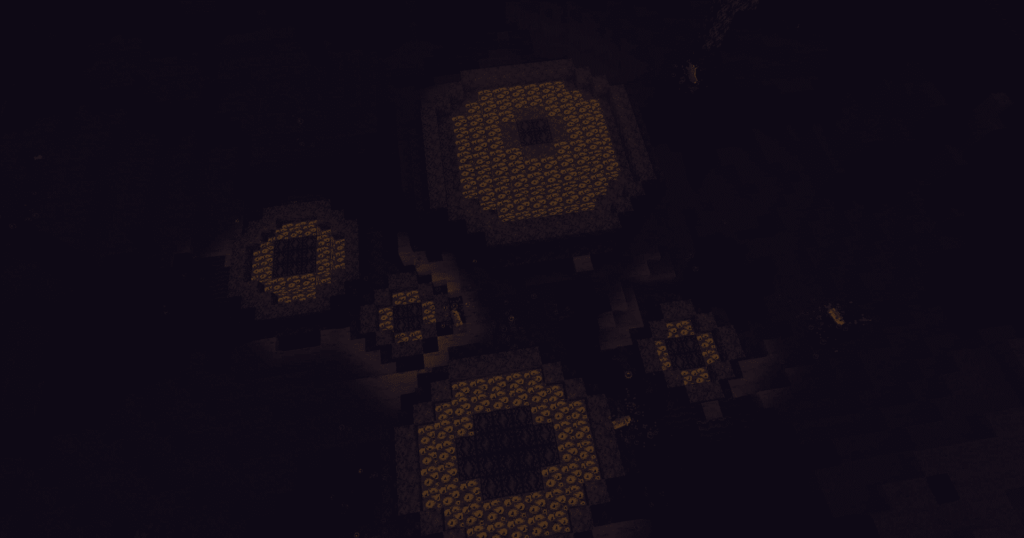
The Halloween Mash-Up World features a sprawling, hand-crafted map packed with spooky details, from haunted houses and eerie forests to massive pumpkin patches and mysterious castles. With a variety of hidden secrets, treasures, and mini-games scattered throughout the world, you’ll never run out of things to discover. Perfect for both solo players and multiplayer fun, the map is designed to immerse you in a classic Halloween atmosphere, offering thrills and chills at every turn.
In addition to its stunning design, the Halloween Mash-Up World comes with a themed resource pack, transforming the look and feel of your entire game. Characters, mobs, and even items are given a spooky makeover, adding to the overall ambiance. You’ll also enjoy a specially curated soundtrack filled with hauntingly good tunes to keep the Halloween spirit alive throughout your journey.
If you’re looking for the perfect way to celebrate Halloween in Minecraft, the Halloween Mash-Up World delivers an unforgettable experience. Explore the spooky map, conquer its challenges, and immerse yourself in a world where every corner holds a new surprise. Gather your friends and enjoy the ultimate Halloween adventure today!
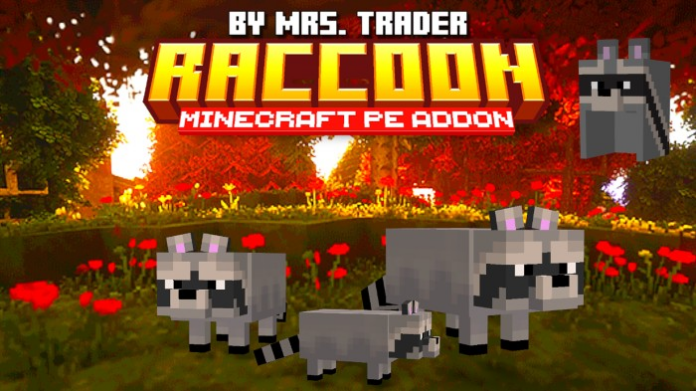
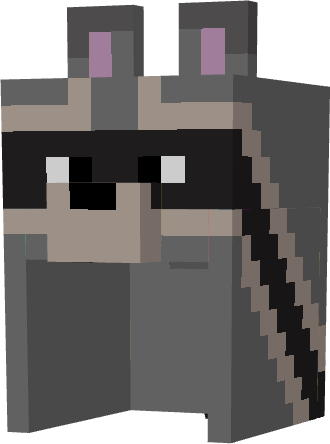
Raccoon’s AddoN introduces a new mob: the raccoon, a friendly and domesticated animal, perfect for any adventurer looking to explore with a loyal friend by their side.
Add a furry and adorable companion to your Minecraft world with the raccoon!
¡Agrega un compañero peludo y adorable a tu mundo de Minecraft con el mapache! Este mod presenta un nuevo monstruo: el mapache, un animal amigable y domesticado, perfecto para cualquier aventurero que busque explorar con un amigo leal a su lado.
Creator: Mrs. Trader
Raccoon’s Addon
Raccoon Features:
Biome: Raccoons are primarily found in forest biomes, especially near rivers and lakes. Favorite Food: You can attract raccoons with sweet berries, making domestication easier.
Domestication: To domesticate a raccoon, feed it sweet berries until it trusts you. Once domesticated, it will follow you, and you can give it commands like sit or follow.
Healing: If your raccoon gets hurt, you can heal it with various foods like cooked meat, raw fish, or even sweet berries.
Breeding: If you have two domesticated raccoons, you can breed them by feeding them sweet berries, resulting in a baby raccoon ready to accompany you.
Behavior: Domesticated raccoons are loyal and can protect you from nearby threats, in addition to being faithful companions on your adventures.
Raccoon Pelt: When your adorable raccoon says goodbye, it will drop raccoon pelts, perfect for your creations.
Raccoon Hat: You can craft a charming raccoon hat. This accessory not only gives you style, but you can also enchant it to enhance your experience!
Special Wake-Up Gift: Your raccoon will surprise you with a special gift! If you sleep next to your loyal companion, it will give you a random item upon waking, adding a touch of magic and surprise to your adventures.
This addon will be constantly updated to include new features, improvements, and optimizations. Stay tuned for future versions to enjoy an even more magical experience with your raccoons in Minecraft!
Changelog
Changes to the addon description
Now it’s clearer
Future updates, texture changes and new behaviors!
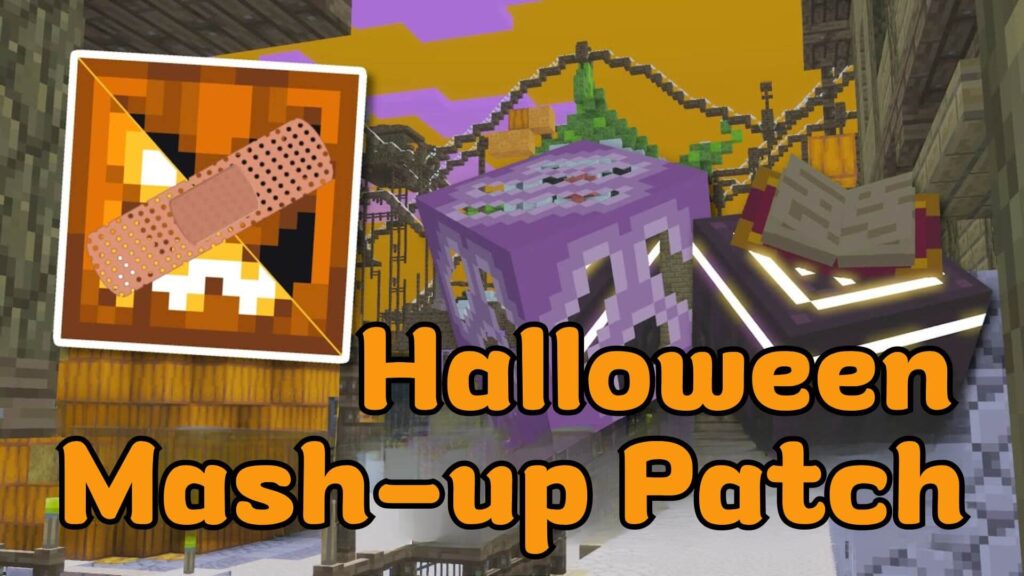
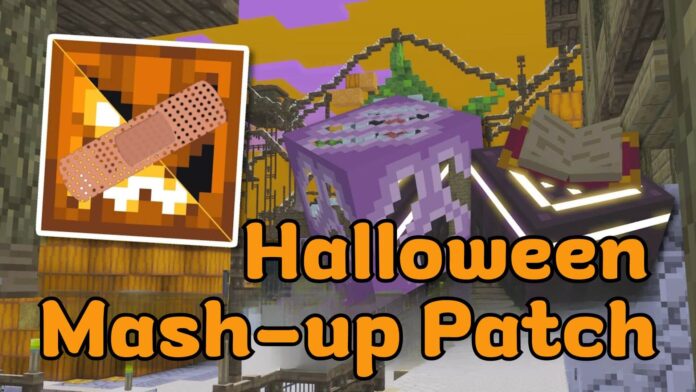
The Halloween Mash-up Resource Pack on Bedrock Edition has always been a fan favorite, but it lacks many of the unique features found in its Legacy Console Edition version. That’s where the Halloween Mash-up Patch (1.21, 1.20) comes in, restoring these missing elements and enhancing the overall experience for players.
Creator: AgentMindStorm
Disclaimer: This patch is not a copy of the Halloween Mash-up Pack. To use it, you must apply it above the original Mash-up from the Marketplace to avoid copyright infringement. The Halloween Mash-up Patch does not distribute files from the Halloween Mash-up pack.
Halloween Mash-up Patch
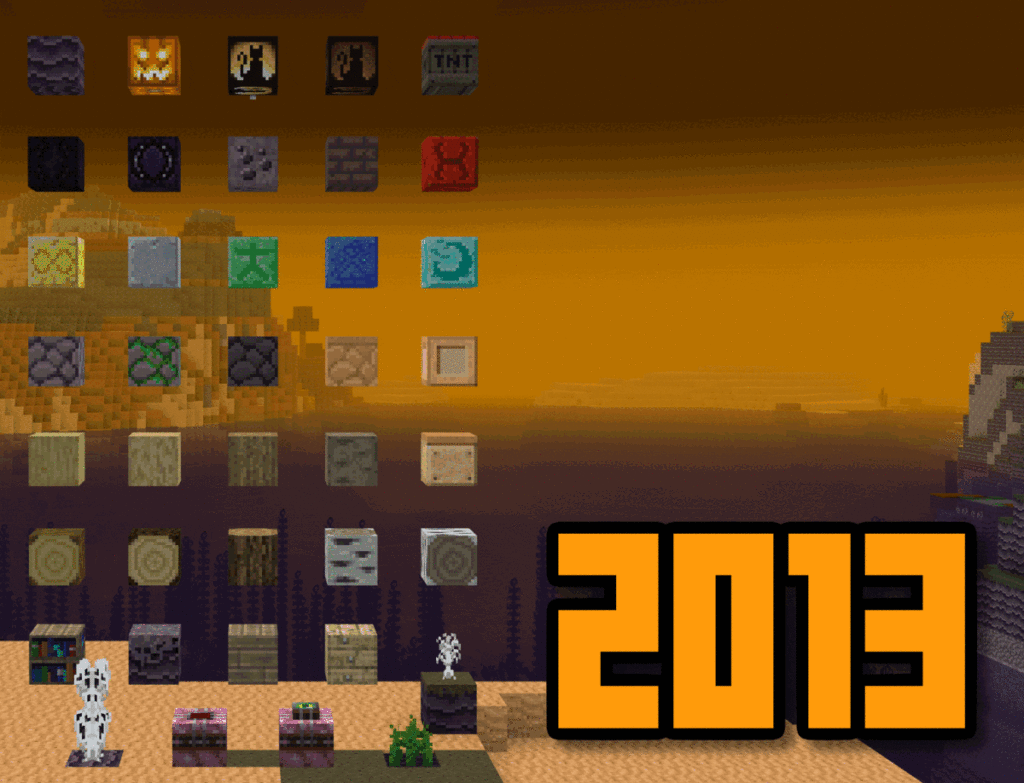
This patch not only brings back the original Halloween 2013 Texture Pack with some minor differences, but also makes the Halloween Mash-up fully compatible with key modern technologies such as the Deferred Renderer, Ray Tracing (RTX), and Java and Console Aspects. It even adds Halloween-themed songs to compatible music player packs, enriching the atmosphere for your spooky adventures.
Feature
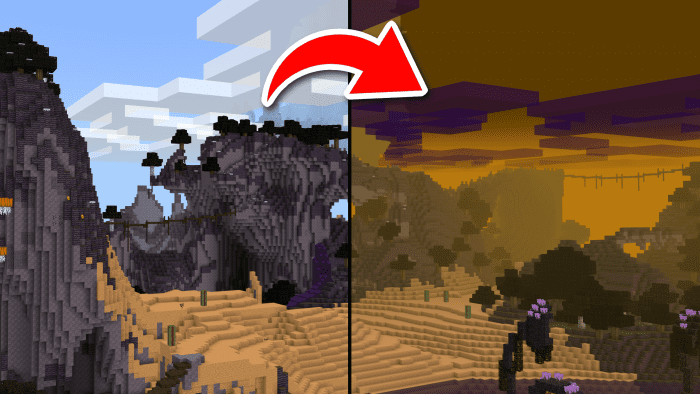
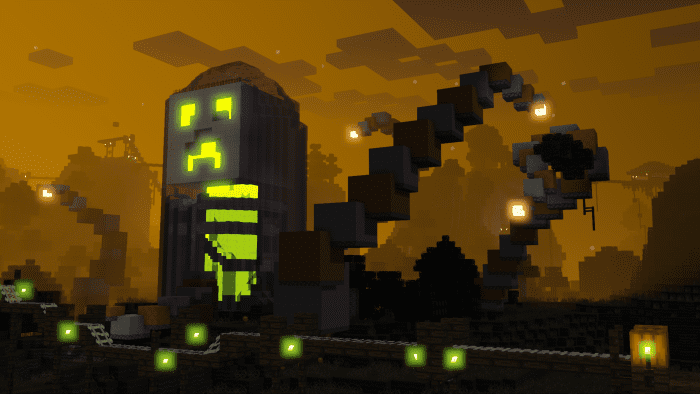
The most significant transformation you’ll notice when you enable this resource pack is the ambiance. It features a warm orange hue combined with a foggy mist, creating a vibrant Halloween vibe throughout the world.
Modification List:
Orange sky
Thick, moody fog
Purple clouds
Transparent water
Cohesive grass textures
Unique stained glass textures
Unique wool textures
Accurate bed and shulker coloring
Old potion particle colors
Clean block animations
Unique Jellie cat texture
Improved block rotation
Transparent birch, spruce, and dark oak door textures
Textured piston arms
Consistent door items
Many other texture changes
3D chest inventory icons
Fiery launched fireworks
Fixed miscolored pixels
Pumpkin Minecoins (and other minor menu changes)
Accurate Mash-up World Panorama
Deferred Renderer Only: Green-tinted block light
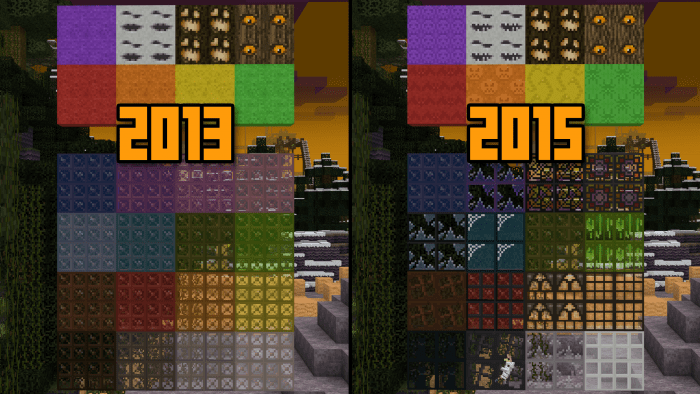
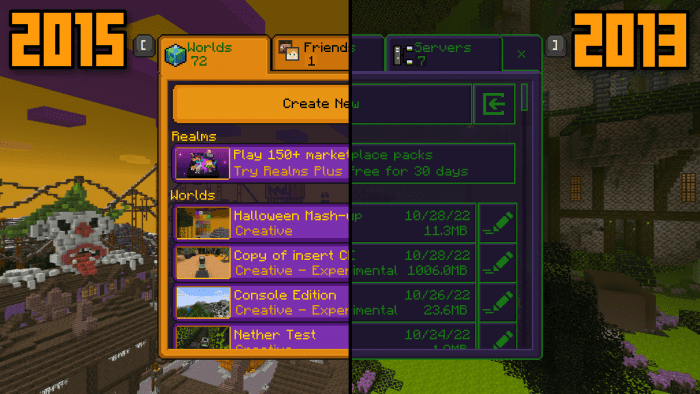
The distinction between the 2013 and 2015 versions
The menus for Halloween 2013 feature a purple and green color scheme, contrasting with the orange palette utilized in Halloween 2015.
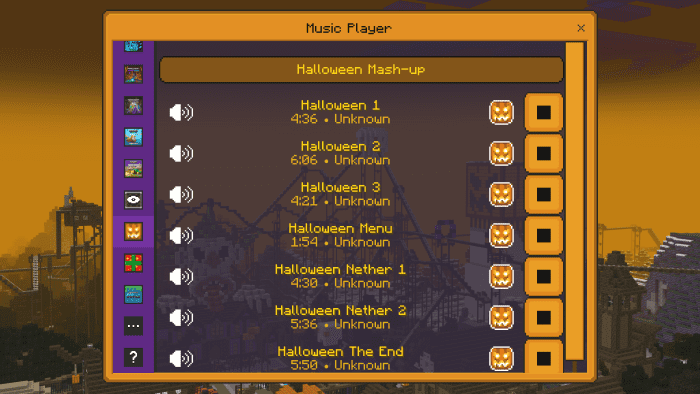
The seven Halloween mash-up songs will be displayed beneath the Wild Update section in the music player, provided that you are utilizing a compatible music player pack concurrently.
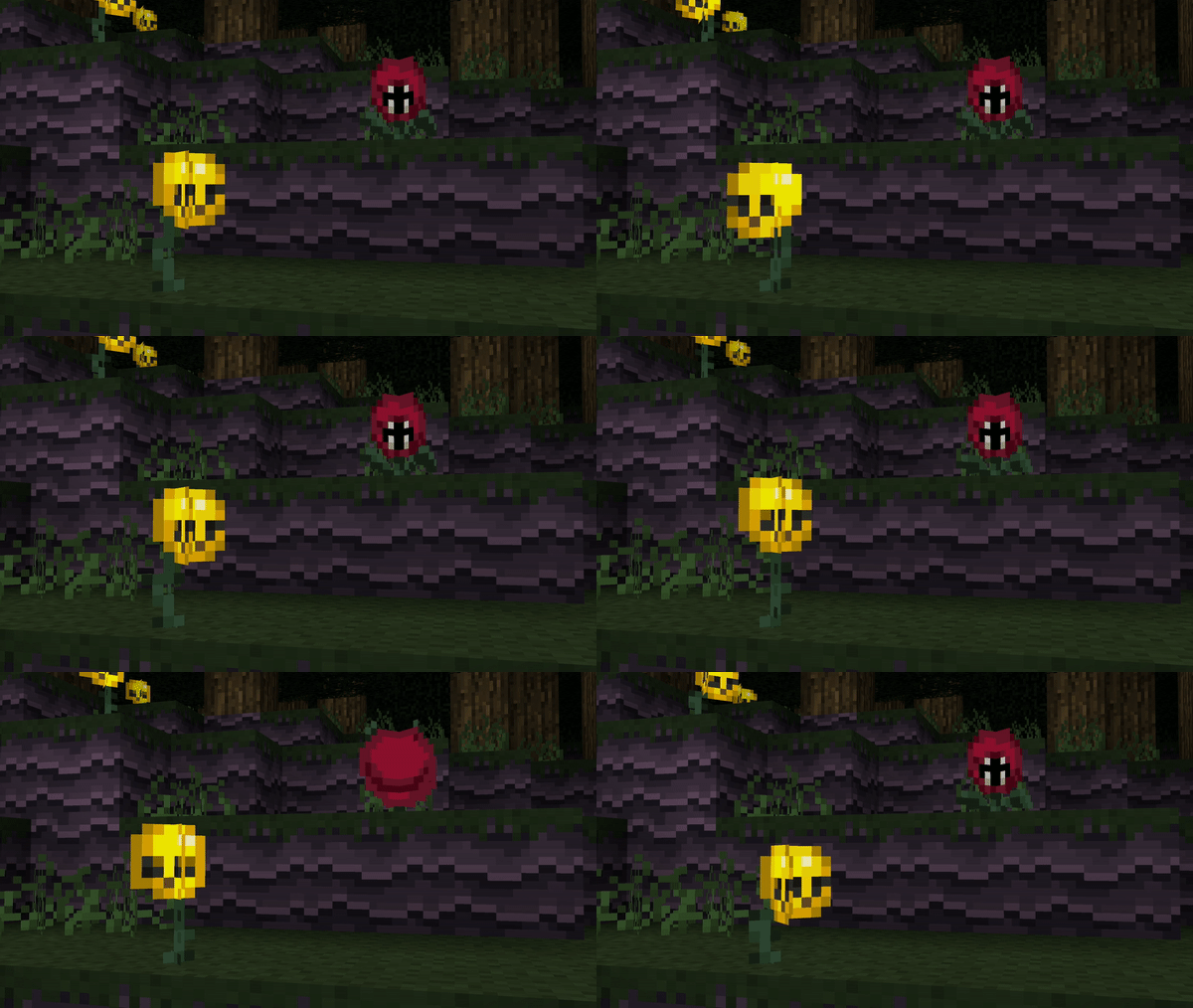
Flowers and other lively blocks can now groove along with the music player without fading between frames.
This update introduces support for Deferred Renderer shaders and Ray Tracing (RTX). Experience lifelike lighting and shadows with a touch of classic Halloween charm!
Installation
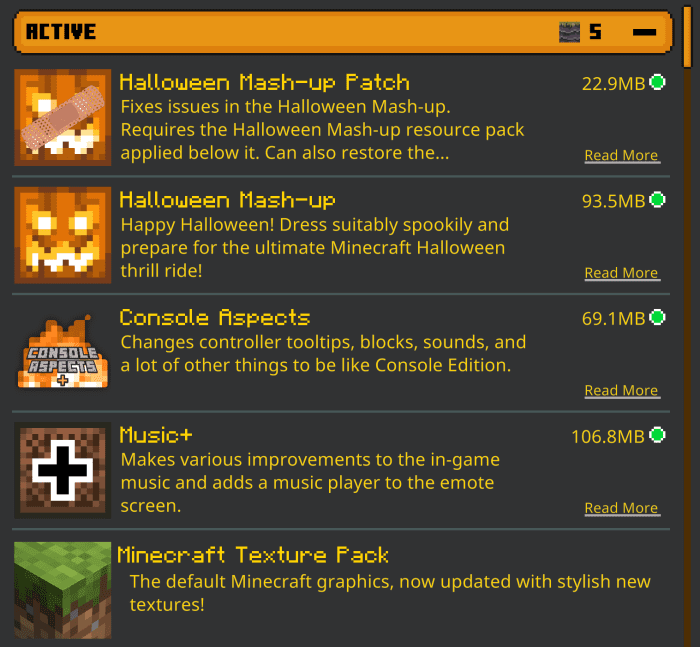
The Halloween Mash-up Patch is designed to function only when it’s placed on top of the Halloween Mash-up resource pack. If you don’t have the Mash-up, the patch won’t operate as intended. Make sure to download the Halloween Mash-up pack from the Marketplace.
To enjoy the Halloween Mash-up music in your music player, simply apply the Patch over the Halloween Mash-up resource pack along with a compatible music player pack in the Global Resources section. You can choose either Music+ or Music Player UI Lite for this purpose. For those using Java or Console Aspects, ensure you apply them below both the Mash-up and the Patch for proper compatibility.
If you’re using a mobile device, Minecraft will notify you that ray tracing isn’t supported on your device. Don’t worry—this is completely normal, and the Halloween Mash-up Patch will work just fine whether ray tracing is enabled or not!
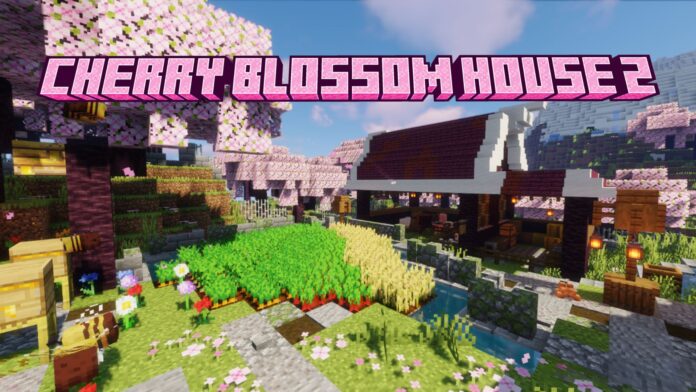
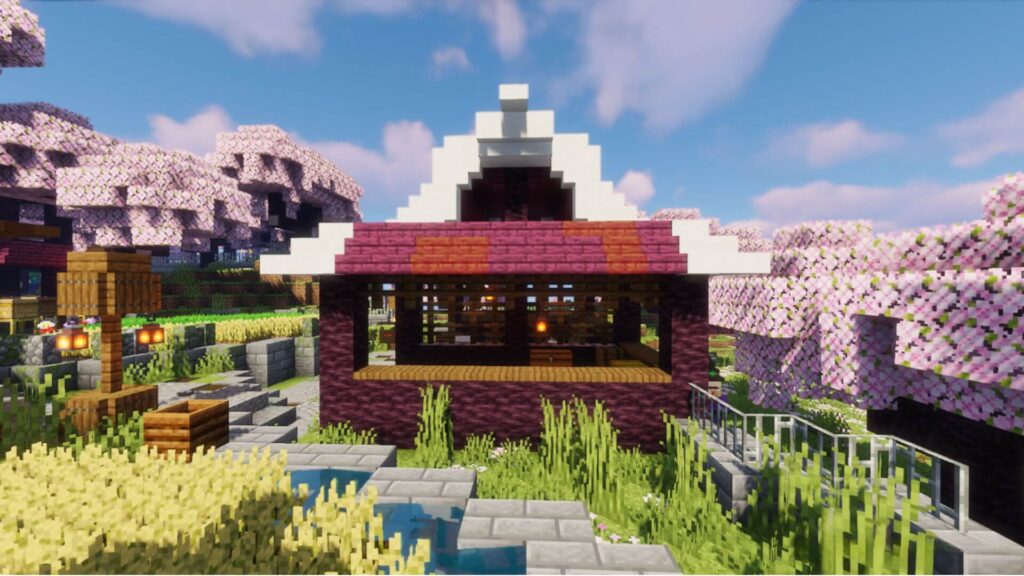
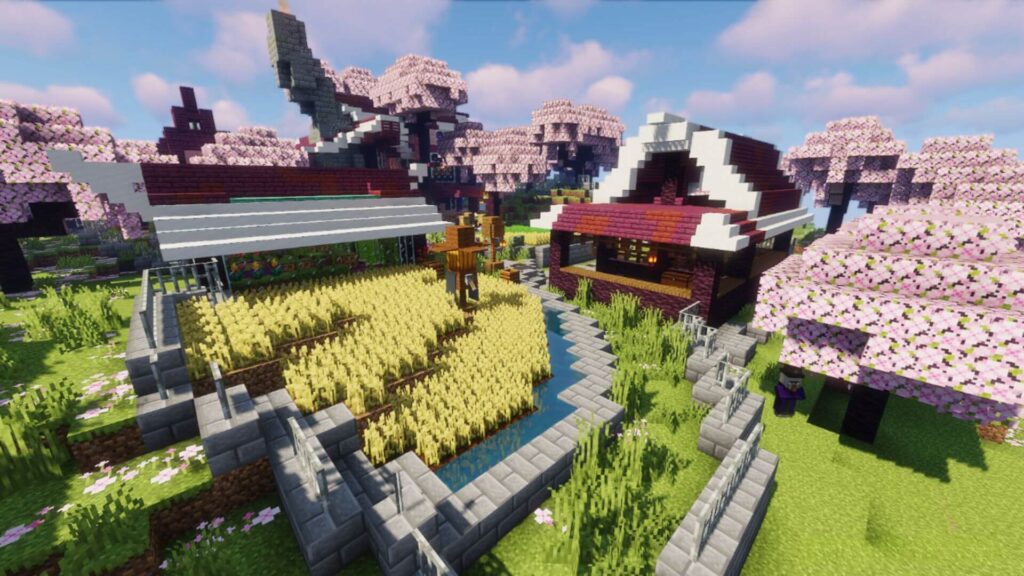
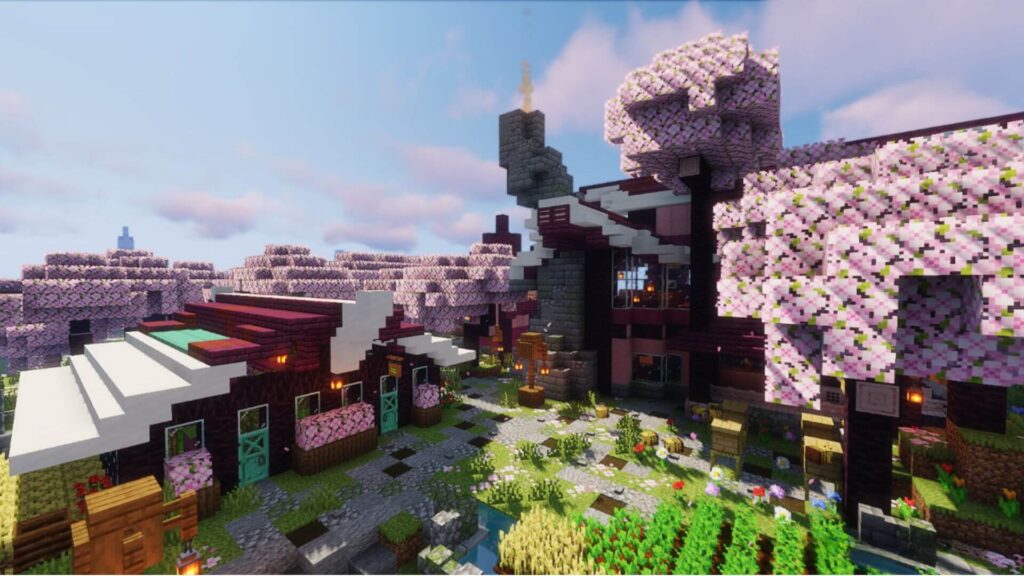
Cherry Blossom House 2 Map has been converted to Minecraft Bedrock 1.20+. Welcome to a delightful creation that beautifully integrates nature with elegant design.
Creator: Little_Gator
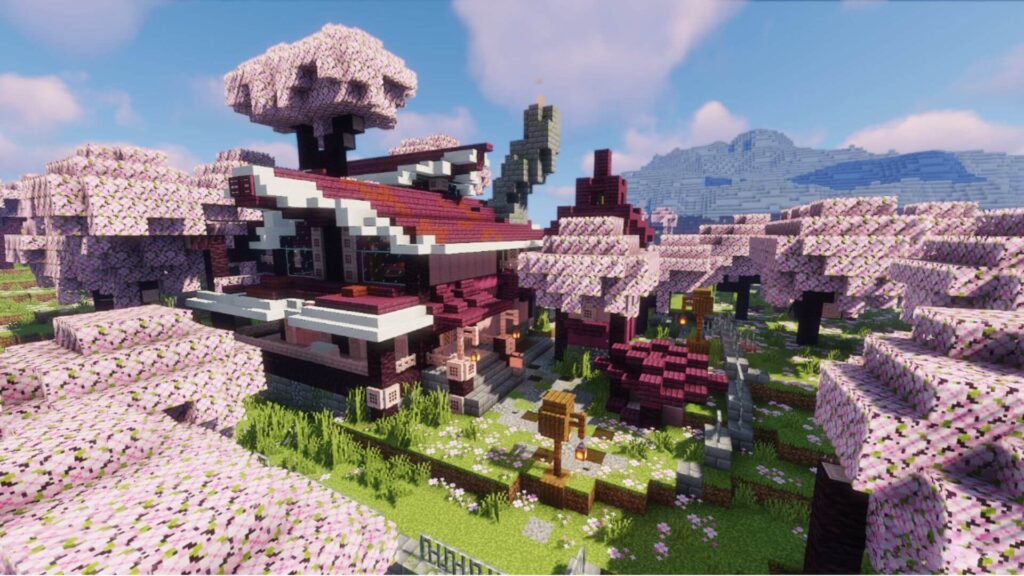
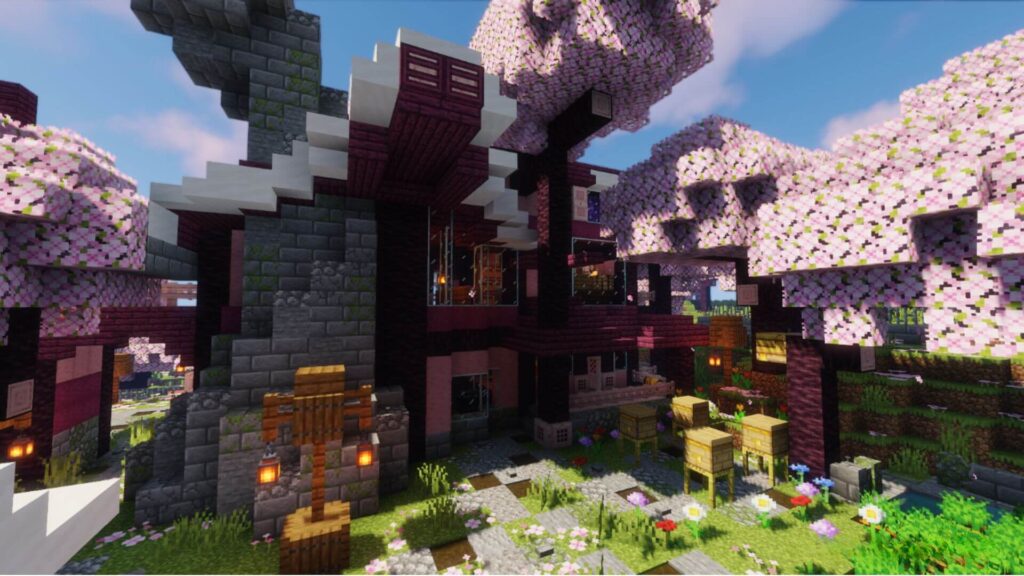
Set amidst blooming cherry blossoms, this house features a harmonious blend of natural elements and sophisticated architecture. Players can enjoy a vibrant lifestyle surrounded by lush crops, buzzing bee hives, and a cozy animal shed. The addition of a greenhouse ensures a sustainable and colorful living experience, making it a perfect haven for those who appreciate the serene beauty of nature intertwined with refined living.
Screenshot for Cherry Blossom House 2 Map
In conclusion, this thoughtfully crafted home offers a perfect balance of nature and elegance, providing a peaceful and vibrant lifestyle. With its lush surroundings, thriving crops, and cozy amenities, it creates an ideal retreat for those who cherish the beauty of nature. The integration of a greenhouse further enhances the experience, making this house a true sanctuary for anyone who appreciates sustainable living in a serene and beautifully designed environment.
This add-on was made by VirtualBlack8, in charge of giving new styles, animations, interactions and a more immersive experience to your Minecraft Bedrock world.
🎬 Trailer
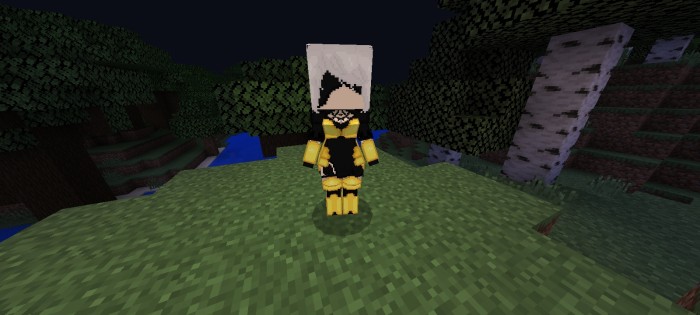
Have you ever dreamed of having your anime characters fighting by your side?
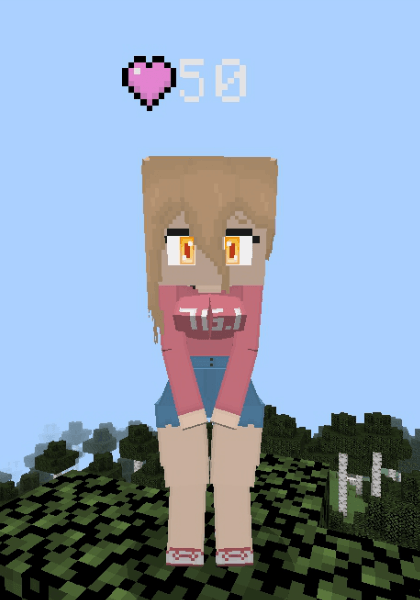
Discover your waifus, make them your best allies, and experience an adventure like no other in your Minecraft Bedrock world.
💖Support me on Patreon or Ko-fi!
If you enjoy my addons and want to support my work on a voluntary basis, you can do so at:
Everything I create is 100% free, with direct downloads and no ads. Your support, no matter how small, motivates me to keep creating, updating, and improving every day.
Thank you! 🙂
💬 Join our Discord!
Join our community to receive technical support, add-on news, share ideas, or report bugs.
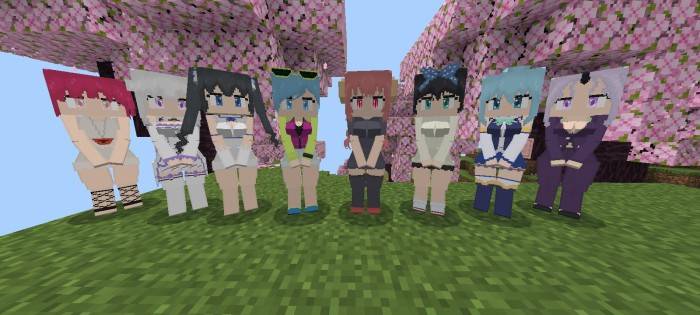
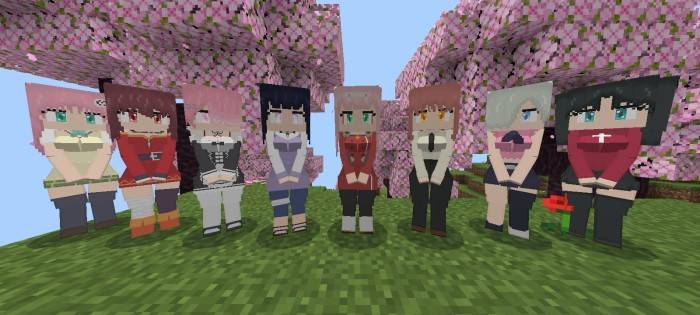
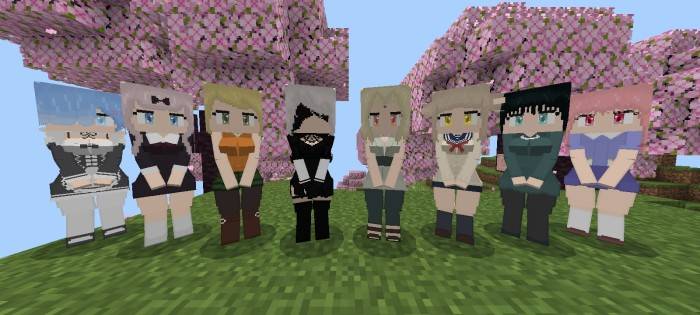
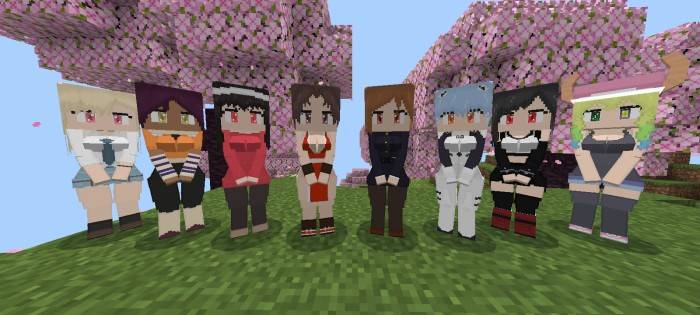
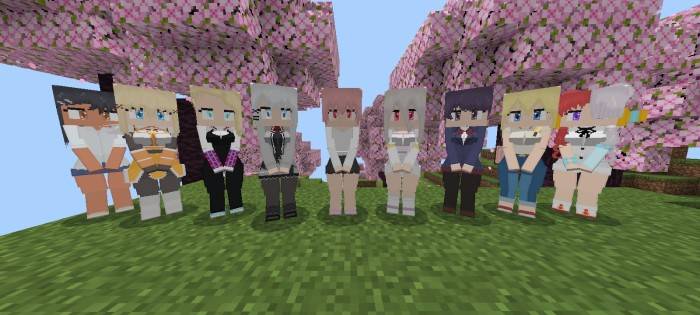
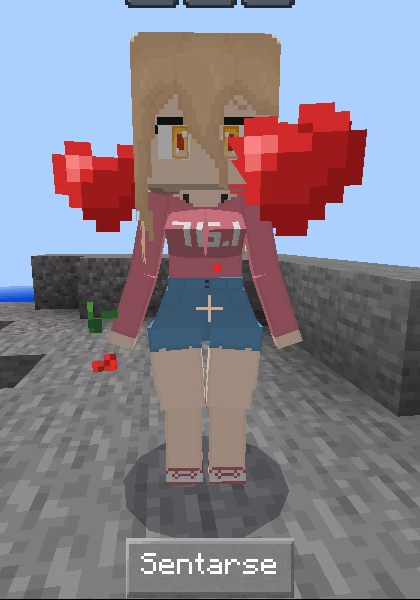
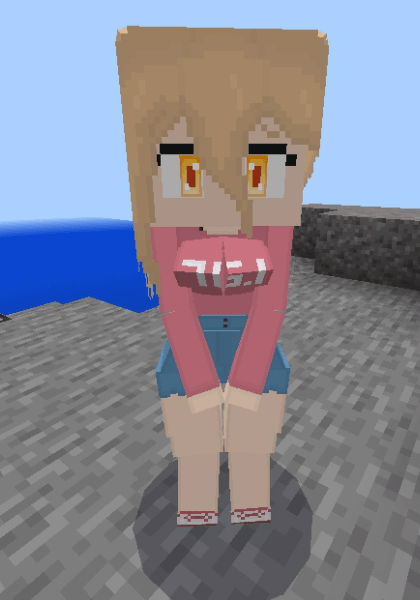
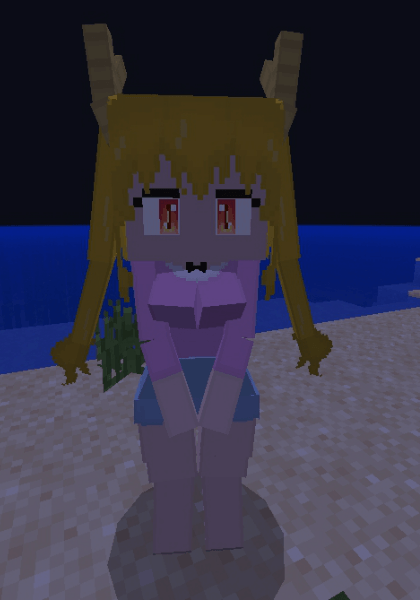
This add-on adds over 57 iconic characters from anime and other series directly to your Minecraft Bedrock world.
✨ Available waifus
Interactive, customizable and with unique animations!
🧠 Important mechanics
How to tame them:
You only need one Poppy. Give it to the waifu you want and it will follow you everywhere. You can order him to sit, follow you, or even defend your life.
Loyal. Lethal. Adorable.
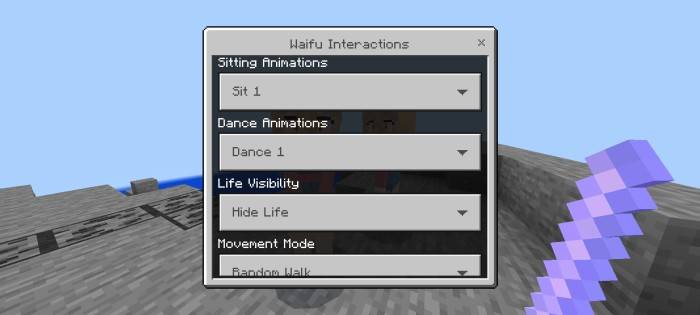
Interaction with Waifus:
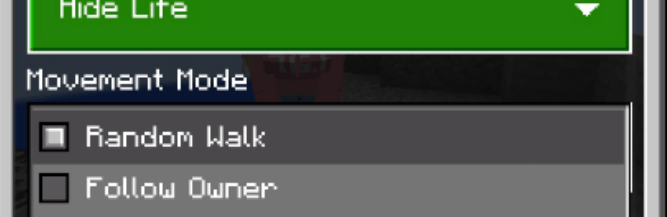
The Waifu Wand is the key to customizing your behavior. With it you can:
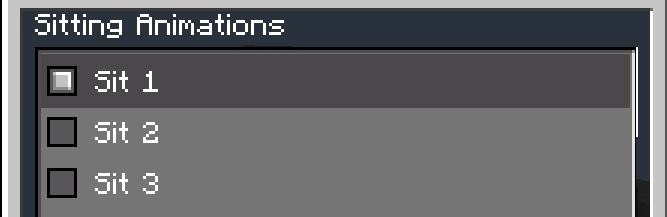
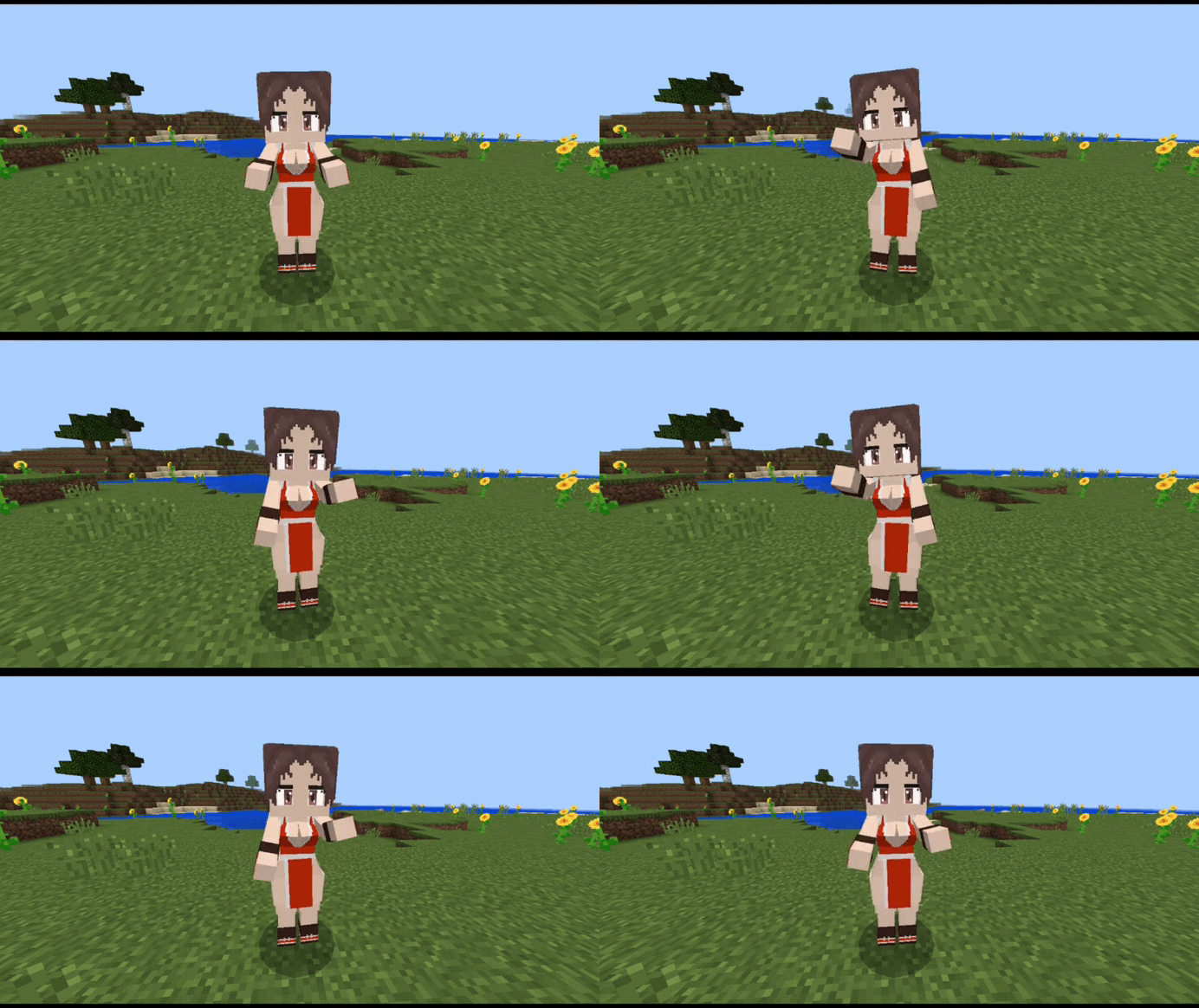
• Choose 6 sitting animation styles.
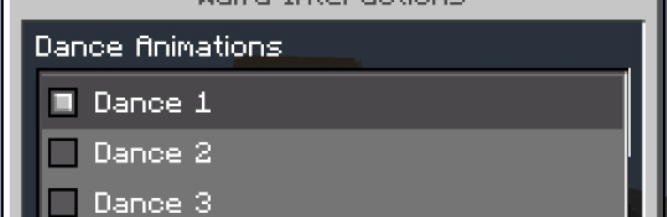
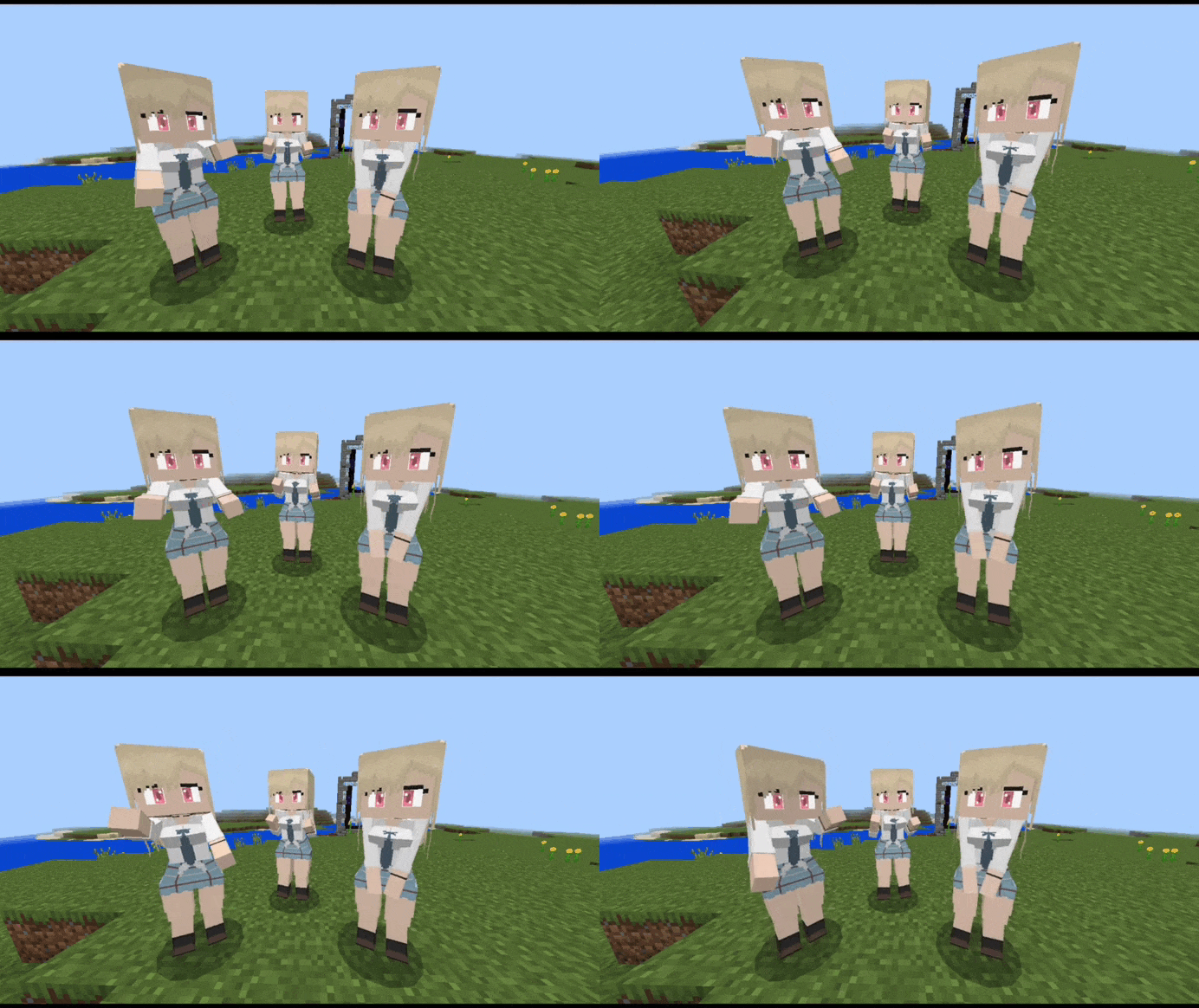
• Activate 3 dance styles for celebrations.
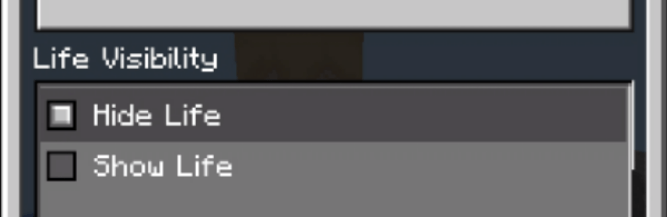
• Show or hide your life bar.
• Change movement mode:
Random Walk: Allows the waifu to freely explore the world around her.
Follow Owner: Your waifu will follow you wherever you go, always faithful.
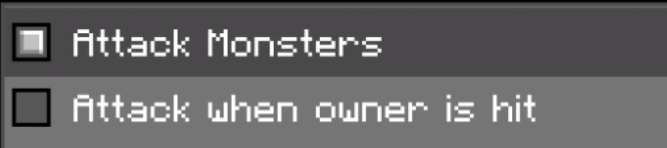
• Change combat mode:
Attack Monsters: The waifu will automatically attack nearby hostile mobs to protect you.
Attack when owner is hit: If you are attacked, the waifu will defend you without hesitation.
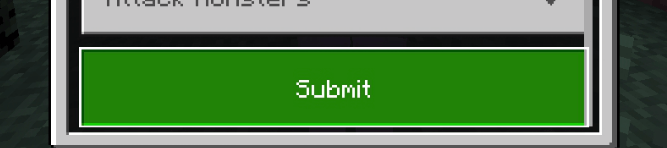
Once you adjust everything, press “Submit” to apply the changes.
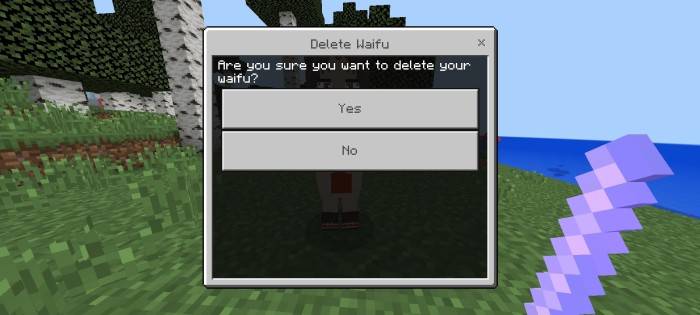
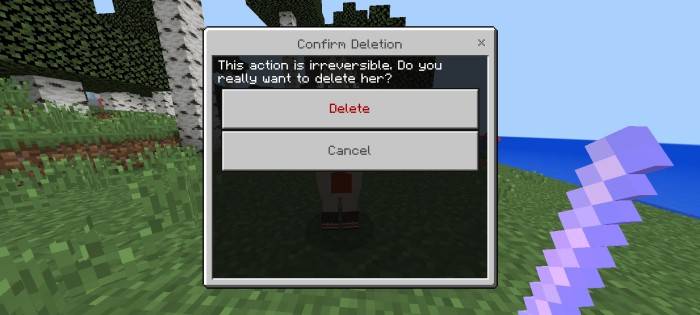
How to delete a Waifu:
Do you want to say goodbye to a waifu?
Crouch and hit her with the wand – a death menu will appear.
Select “Delete” and it will disappear safely.
Special features
• Celebration after killing enemies: 20% chance to dance.
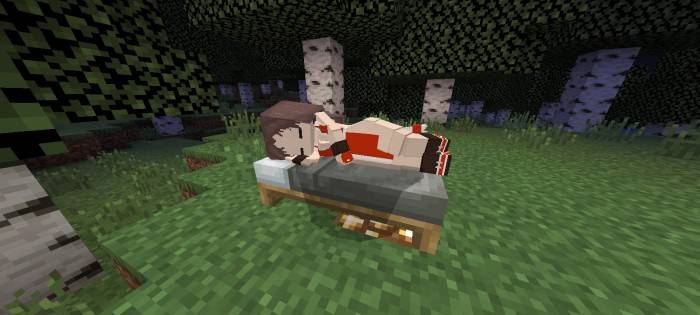
• Passive regeneration (Regeneration I). • Healing with food. • They sleep in nearby beds.
• Unique visual effects like glowing eyes.
Inventory and Equipment
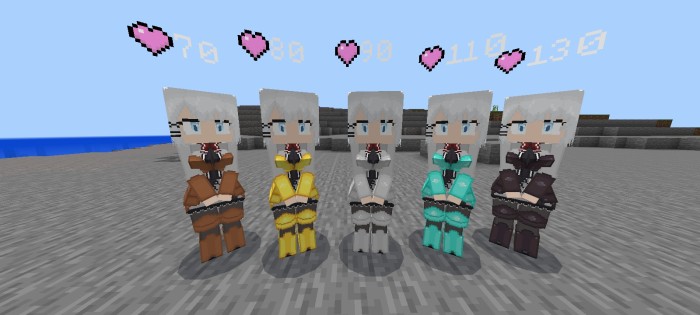
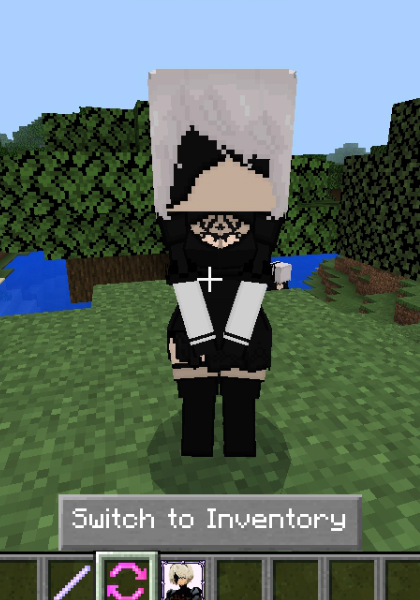
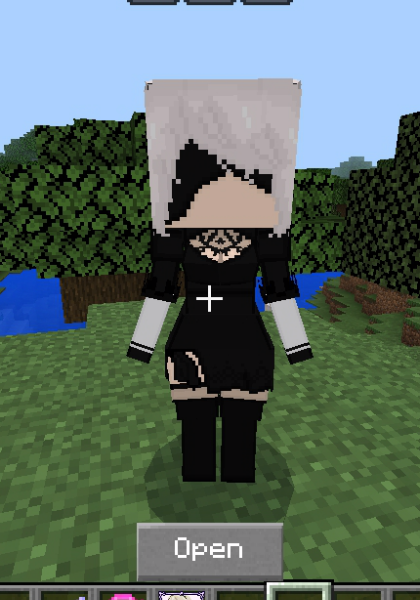
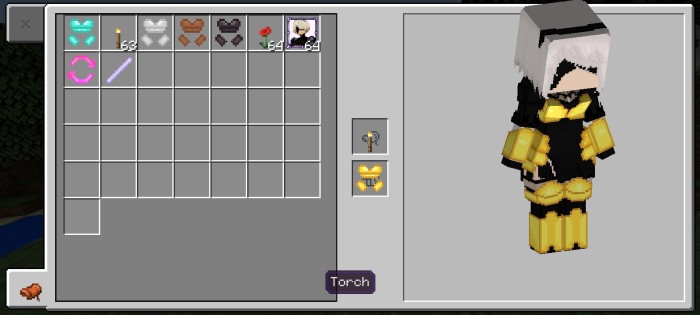
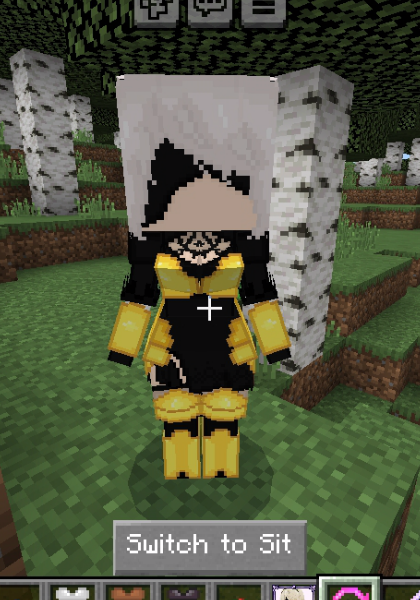
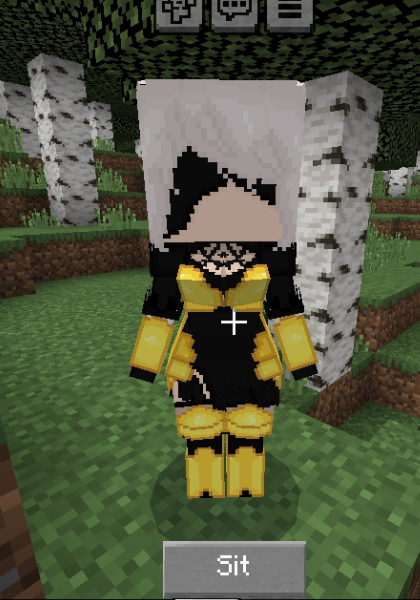
With the Sit or Inventory for Waifu item, you will be able to access your waifu’s inventory, where you can equip him with armor or give him special tools. Here you can toggle between inventory and the sit option.
Switch to Inventory: Access the inventory to equip your waifu with armor or torches. Armor increases its life as follows:
Torches: If you give your waifu a torch in the first slot, she will illuminate the area around her as she follows you, which is especially useful in caves and at night.
Switch to Sit: Switch back to the sitting options if you prefer to leave your waifu in a fixed position.
🛠 Craftings
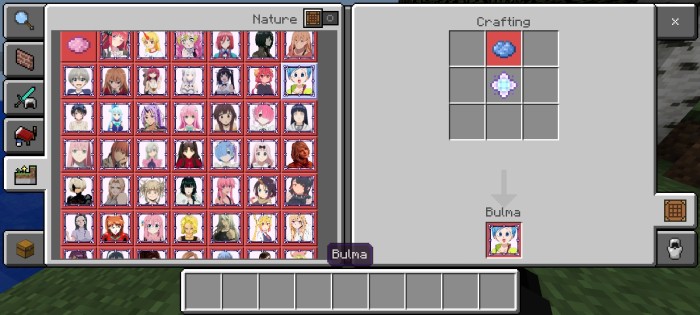
Waifus: To craft a waifu, use the Waifu Core in the center of the crafting table, along with the dyes required by specific recipes.
Items:
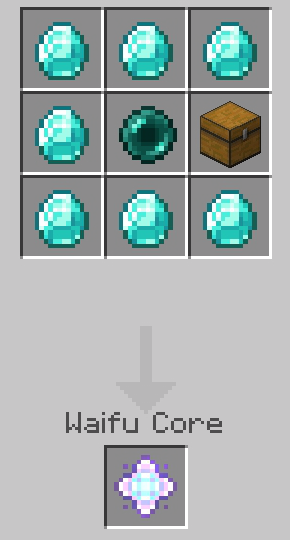
Waifu Core: The essential core to create waifus.
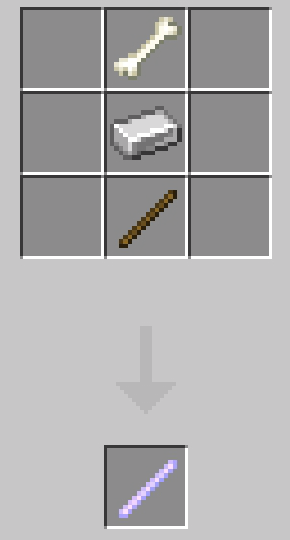
Waifu Wand: The necessary tool to interact with your waifus.
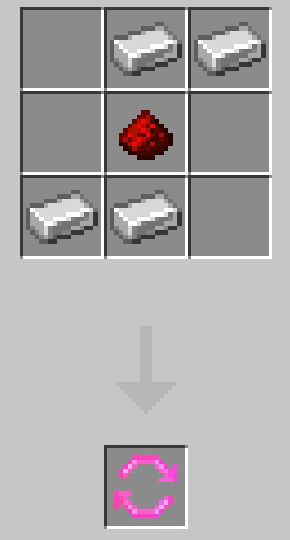
Sit or Inventory for Waifu: Allows you to toggle between the waifu’s inventory and the options for her to sit.
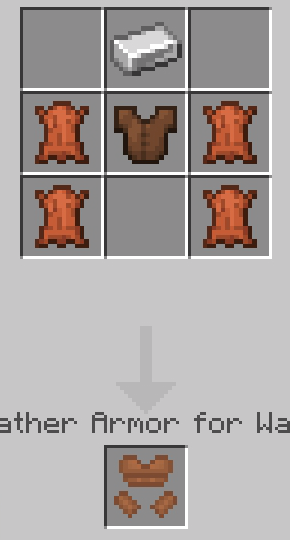
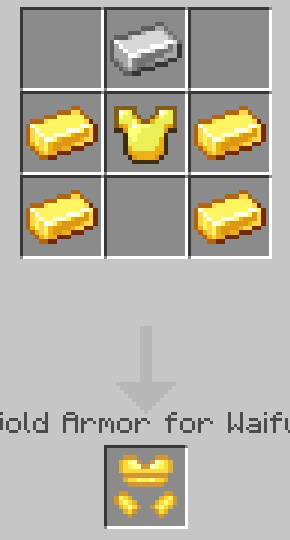
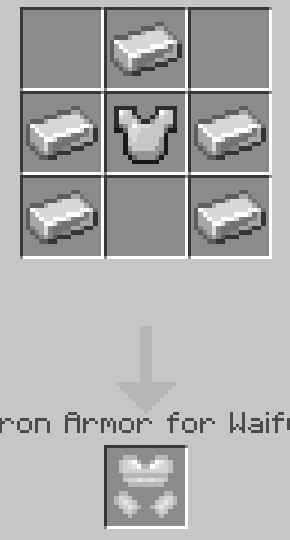
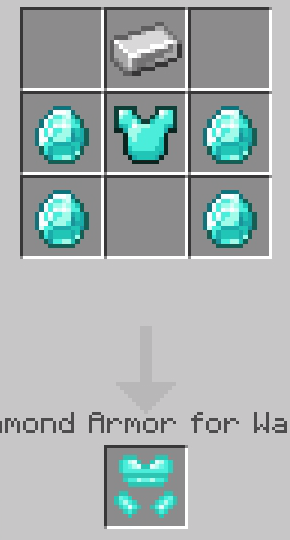
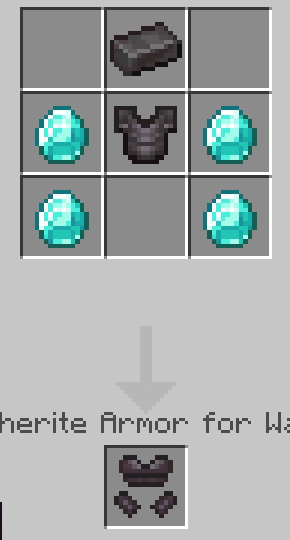
Armors for Waifus:
Leather Armor
Gold Armor
Iron Armor
Diamond Armor
Netherite Armor
Character List
Includes characters from anime, video games and more:
A2, 2B, Android 18, Aqua, Ashley, Asuka Langley, Bulma, Chika Fujiwara, Darkness, Elizabeth, Ellen Joe, Elma, Emilia, Fubuki, Gasai Yuno, Gwen Stacy, Hana Uzaki, Hayase Nagatoro, Hestia, Himiko Toga, Hitori Goto, Hinata, Ilulu, Komi, Lala Satalin Deviluke, Lucoa, Makima, Mai Shiranui, Marin Kitagawa, Megumin, Mikasa, Miku Nakano, Mitsuri, Morgiana, Nino Nakano, Nobara Kugisaki, Power, Ram, Rei Ayanami, Rem, Rin Tohsaka, Robin, Ruka, Tuka, Shion, Shiraori, Siesta, Taiga Aisaka, Tifa Lockhart, Tohru, Tsukasa, Tsunade, Uta, Yor Forger, Yoruichi, Yuugi Hoshiguma, Zero Two
Is your favorite character missing? Let us know and we’ll add it in future updates!
• Character name
• Series or anime where it comes from
🧪 Current Status (Development)
🔧 This addon is still in development. Some things are not finalized.
💬 You can leave suggestions or reports directly on the Discord server.
🛠 Installation
📥 Download the AnimeWaifus[Bedrock]v1.5.1.mcaddon file. 📱 Open it directly from your file explorer. 📦 Minecraft will automatically open and import both the behavior pack and the resource pack. ✅ Once it says “Import Completed,” activate the add-on in your world from the Resources and Behavior sections. 🏹 Don’t forget to enable the necessary experimental features in the world settings for the addon to function properly.
⚠️ Important Information and Additional Notes
🔧 Supported Version: Requires Minecraft Bedrock 1.21.93 or higher. 🚫 Not compatible with betas or previews; they could generate errors. ♻️ Remove any previous versions before installing them to avoid conflicts. 📁 It doesn’t use player.json, which makes it highly compatible with other addons. 🌐 It works on realms and servers, as long as both packages are activated correctly. 🐛 If the import fails, re-download the file or install it manually. 📹 If you make a video, review or presentation, don’t forget to give credit and use the original link on this page. ❌ Don’t upload the add-on to other sites or share alternative download links.
This add-on was created by VirtualBlack8, tasked with bringing new styles, creatures, animations, interactions, and a scarier, more immersive experience to your Minecraft Bedrock world.
🎬 Tráiler
Ever wonder what would happen if Minecraft stopped being a bright and happy place… and became a merciless biological hell?
Discover misshapen creatures, living blocks, deadly fungi… and an infection that spreads endlessly, consuming everything in its path.
There’s no magic. Just unleashed science… and something that went horribly wrong.
💖Support me on Patreon or Ko-fi!
If you enjoy my addons and want to support my work on a voluntary basis, you can do so at:
Everything I create is 100% free, with direct downloads and no ads. Your support, no matter how small, motivates me to keep creating, updating, and improving every day.
Thank you! 🙂
💬 Join our Discord!
Join our community to receive technical support, add-on news, share ideas, or report bugs.
features This add-on adds horrendous creatures, living blocks, deadly mushrooms, and a relentless infection that spreads non-stop, transforming your world into the scariest of them all.
✨ Available creatures:
Genetic Infiltrator
A laboratory worm. The original source of the infection.
Infects on contact. Disappears after killing. Extremely fast. Viewing range: 25 blocks. It doesn’t fight… it infects.
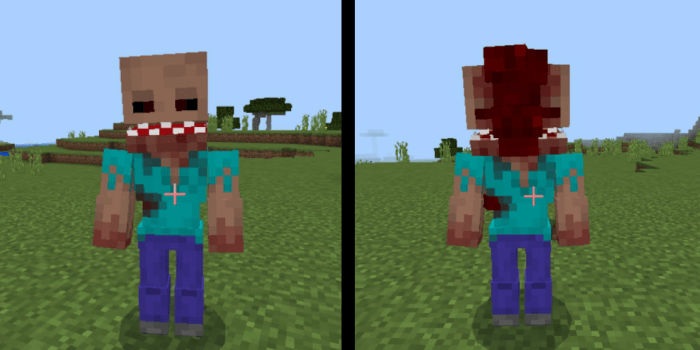
Infected Human
A fully possessed human. Not as fast as parasites, but capable of mutating into something much worse…
Infected Pig
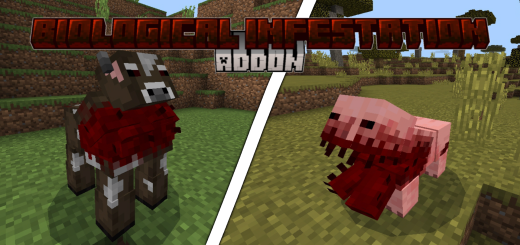
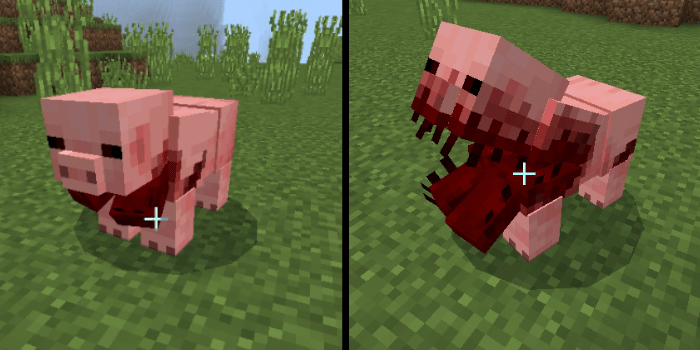
A pig with a mouth like a live meat trap. It regenerates and attacks without fear. Yes, it can also evolve…
Infected Cow
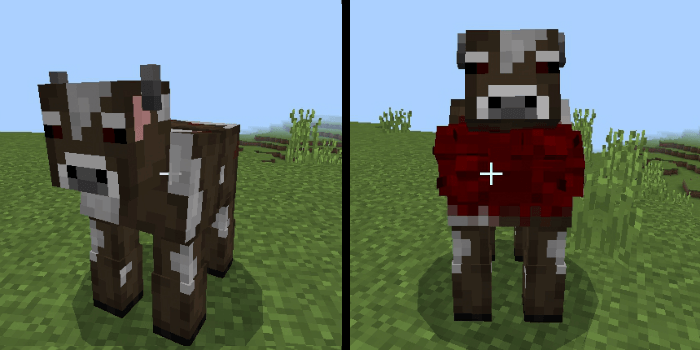
A swollen cow, deformed by the plague. Their mooing is an echo of suffering. It doesn’t just moo… it charges at you. And of course: it evolves.
Infected Tendril
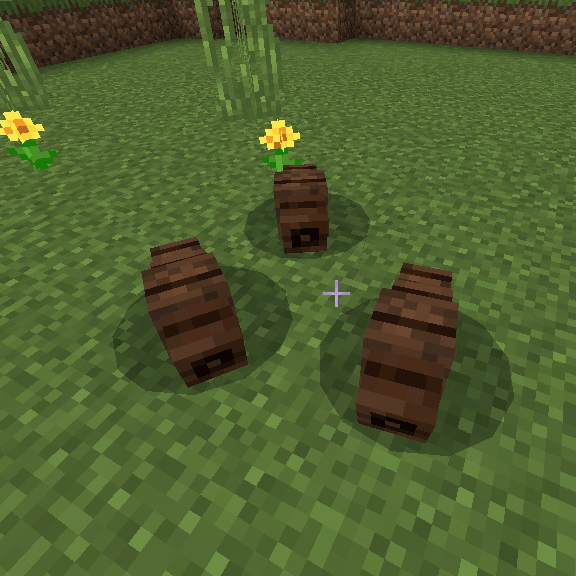
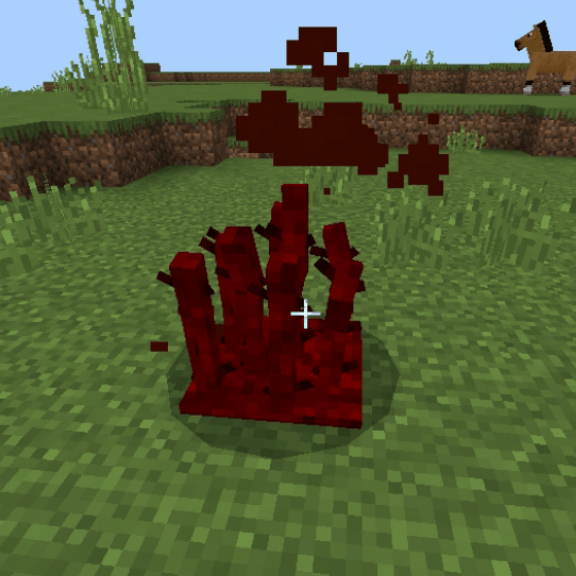
Spiny tentacles sprouting from the ground. Immobile, impossible to push, but lethal if you get close.
They only survive under an Infected Regeneration Block. They release spores every 1.5 seconds. Lethal. Don’t underestimate them.
New Blocks
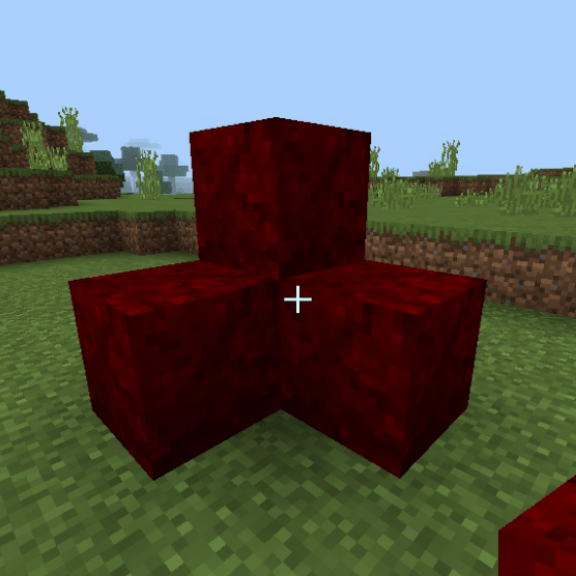
Infected Regeneration Block
Keeps Infected Tendrils alive.
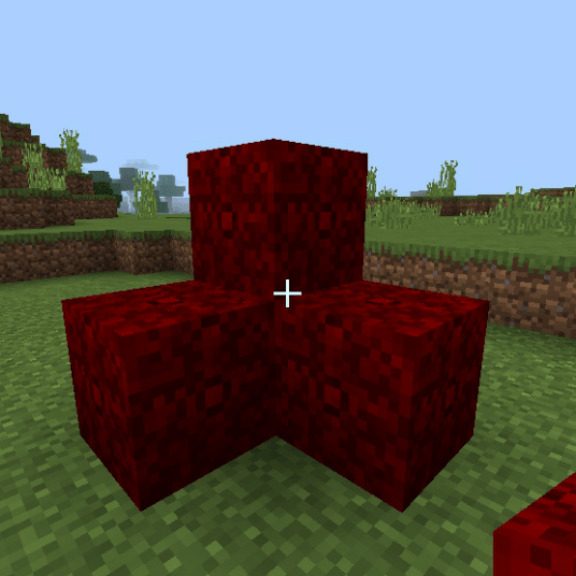
Infested Central Block
Living mass that pulsates and spreads the infection.
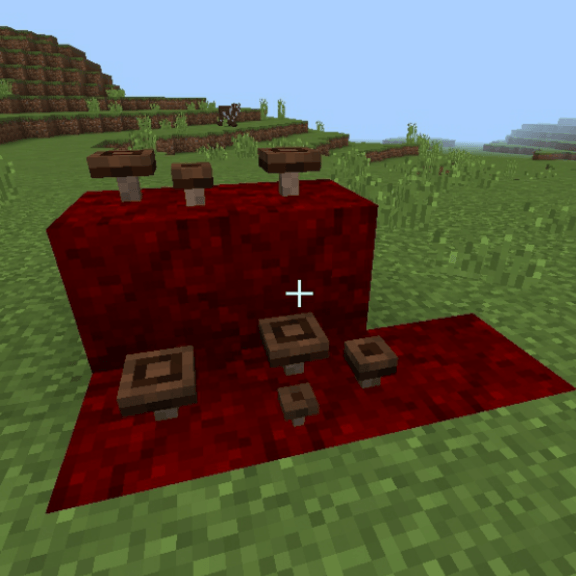
Infected Fungus
When broken, it releases toxic spores.
New structure:
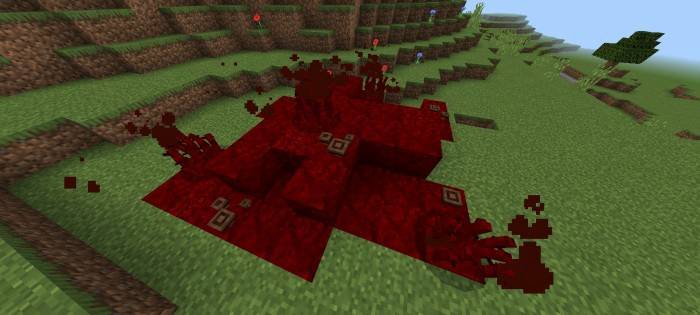
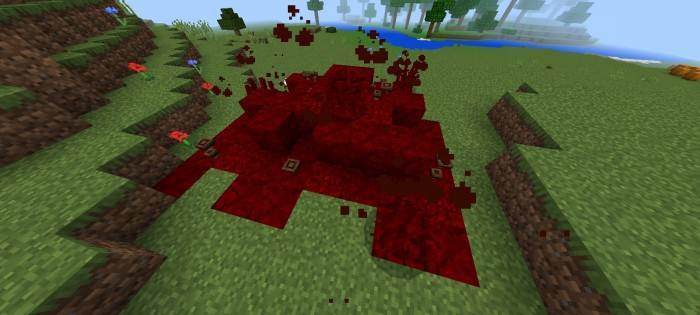
Infested Grove
A hidden area between rotten trees. Full of rare fungi, spores and Tendrils.
Do you see her? Runs. Or prepare to fight for your life.
🧪 Current Status (Development)
🔧 This addon is still in development. Some things are not finalized.
💬 You can leave suggestions or reports directly on the Discord server.
🛠 Installation
📥 Download the BiologicalInfestation[Bedrock]v0.3.9.mcaddon file. 📱 Open it directly from your file explorer. 📦 Minecraft will automatically open and import both the behavior pack and the resource pack. ✅ Once it says “Import Completed,” activate the add-on in your world from the Resources and Behavior sections. 🏹 Don’t forget to enable the necessary experimental features in the world settings for the addon to function properly.
⚠️ Important Information and Additional Notes
🔧 Supported Version: Requires Minecraft Bedrock 1.21.93 or higher. 🚫 Not compatible with betas or previews; they could generate errors. ♻️ Remove any previous versions before installing them to avoid conflicts. 📁 It doesn’t use player.json, which makes it highly compatible with other addons. 🌐 It works on realms and servers, as long as both packages are activated correctly. 🐛 If the import fails, re-download the file or install it manually. 📹 If you make a video, review or presentation, don’t forget to give credit and use the original link on this page. ❌ Don’t upload the add-on to other sites or share alternative download links.